

Most leads don’t convert on the first touch. They need follow-up, relevant information, and consistent engagement before they’re ready to become clients. That’s where Salesforce lead nurturing comes in, it gives your team a structured, scalable way to move prospects through the pipeline without letting anyone slip through the cracks.
But having Salesforce in your tech stack doesn’t automatically mean your nurturing is working. Plenty of businesses sit on powerful CRM tools while their leads go cold, buried under manual tasks and generic email blasts. The difference between a pipeline that converts and one that stalls usually comes down to how well your automations are built and whether your nurturing sequences actually match buyer intent at each stage.
At Client Factory, we build client acquisition funnels that turn clicks into qualified leads, and we know firsthand that what happens after the click matters just as much. This guide breaks down how Salesforce lead nurturing works, covers the automation tools available inside the platform (including Agentforce and Salesforce Flow), and walks through practical tips you can implement to keep your leads engaged and moving toward a decision.
Why Salesforce lead nurturing matters
Most businesses spend significant budget driving traffic and generating leads, but the real challenge starts after the first contact. A lead that doesn’t receive timely, relevant follow-up loses interest quickly, and every lost lead represents wasted ad spend, lost time, and a missed revenue opportunity. Salesforce lead nurturing gives you the infrastructure to stay present with prospects at exactly the right moments, using behavioral data and CRM insights you’re already collecting. Without a structured nurturing process, even a well-filled pipeline turns into a long list of missed opportunities.
The cost of letting leads go cold
When a lead enters your pipeline and doesn’t hear from you within hours, your conversion odds drop sharply. Research published by Harvard Business Review found that responding to a lead within one hour makes you seven times more likely to have a meaningful conversation with a decision-maker than waiting even 60 minutes longer. In competitive service industries, that window gets even tighter. If your team relies on manual outreach, inconsistent cadences, or generic email blasts, you’re giving prospects time and space to evaluate your competitors instead of moving forward with you.
The problem compounds as your business grows. As lead volume increases, your ability to manually track each prospect’s stage, interest level, and required next step breaks down quickly. Without automated workflows, leads get forgotten, follow-ups get delayed, and your CRM becomes a contact storage tool rather than a revenue engine. That’s not a Salesforce problem, it’s a process problem, and it’s one that deliberate nurturing workflows are designed to solve.
A pipeline full of cold leads costs you just as much as an empty one. The difference is you’re also paying to maintain the contact list.
Why timing and relevance drive conversions
Not every lead is ready to buy on the same timeline. Some prospects need two or three follow-ups, while others require months of consistent engagement before they’re ready to make a decision. When you send the same message to every lead regardless of where they are in the buying cycle, you’re treating a prospect who just visited your pricing page the same way you treat someone who clicked an ad for the first time. That kind of misalignment doesn’t just reduce conversions, it signals to buyers that you don’t understand their situation.
Salesforce allows you to segment your leads by source, engagement behavior, pipeline stage, and industry, so your nurturing sequences can respond to what a prospect has actually done rather than following a rigid script. Someone who opened multiple emails and requested a consultation needs a different message than someone who opted in weeks ago and hasn’t engaged since. Sending the right content at the right moment isn’t a minor optimization, it’s the reason data-driven nurturing consistently outperforms generic outreach across every performance metric that matters to a growing service business.
How Salesforce lead nurturing works in practice
At its core, Salesforce lead nurturing connects your contact records, behavioral data, and automated workflows into a single system that responds to what prospects actually do. When a lead fills out a form, visits a key page, or opens a sequence email, Salesforce captures that activity and can trigger the next step in your nurturing process automatically. You don’t have to rely on a rep manually checking a spreadsheet to decide who gets a follow-up today. The platform handles the logic so your team focuses on conversations that are already warm.
How leads move through the system
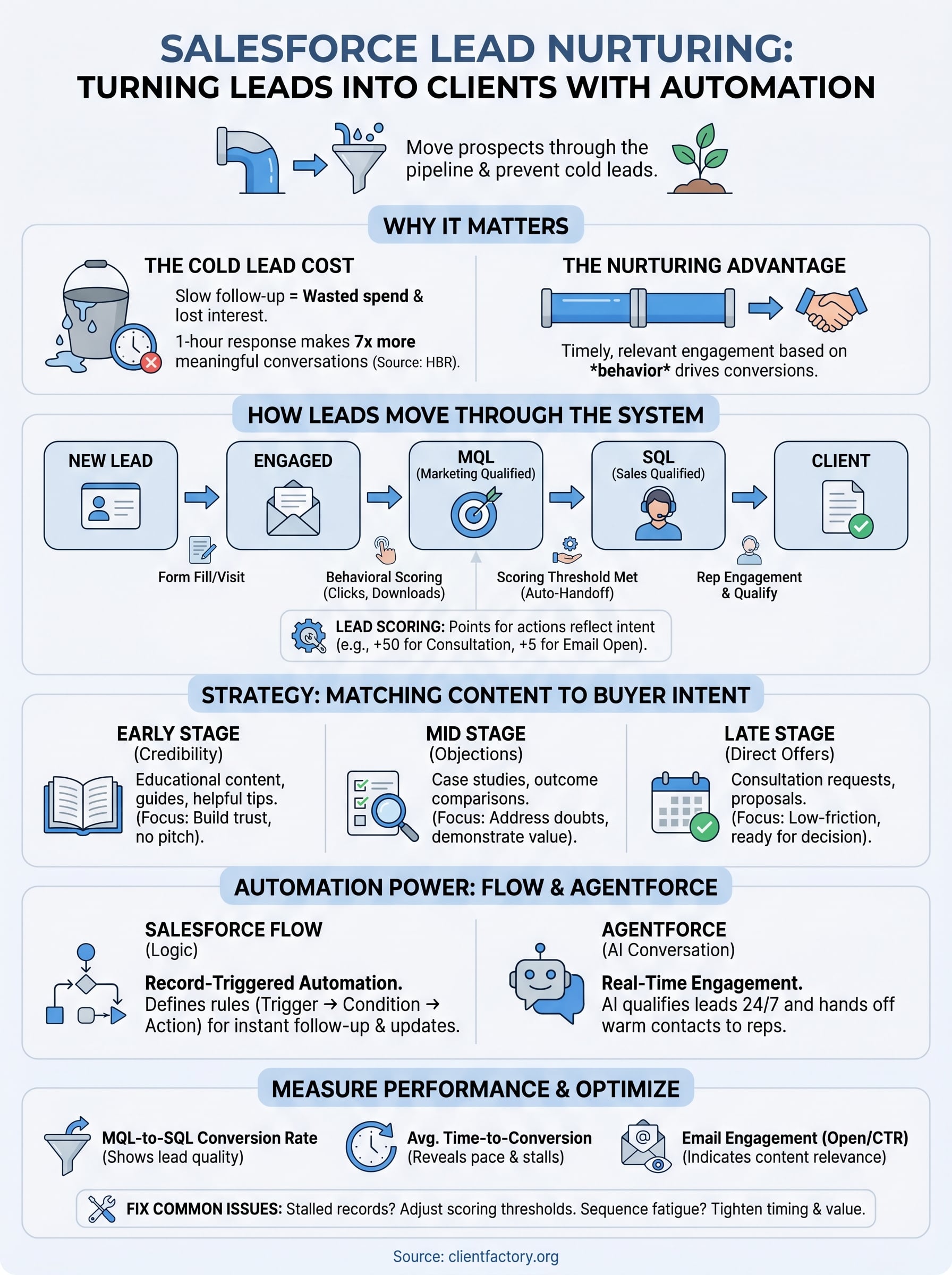
Every lead in Salesforce has a record status that reflects where they are in your pipeline, from new contact to marketing qualified lead (MQL) to sales qualified lead (SQL). As a lead interacts with your content, their status updates based on rules you define. A prospect who clicks a pricing email three times and visits your contact page should trigger a different action than one who hasn’t opened anything in 30 days. Salesforce lets you build those distinctions directly into your process, so your team reaches out when the timing matches buyer behavior, not just when the calendar says so.

The transition from marketing to sales is where many pipelines lose momentum. When a lead crosses a scoring threshold you set, Salesforce automatically reassigns the record to a sales rep and creates a follow-up task with the relevant context already attached. That handoff happens in real time, which means your rep reaches out while the prospect is still engaged, not three days later when the moment has passed.
The leads most worth calling are the ones your system identifies through behavior, not the ones who came in most recently.
How lead scoring reflects buyer intent
Lead scoring assigns point values to specific actions, like opening an email, downloading a guide, or returning to your site multiple times in a short window. You configure the scoring model based on what matters most to your business. A law firm might weight a consultation request at 50 points and a single email open at 5. Salesforce uses those scores to surface the leads most likely to convert, so your team works the right opportunities instead of treating every contact with equal urgency.
Combining behavioral scoring with demographic data gives you an even sharper picture. A high-intent action from a prospect who matches your ideal client profile carries more weight than the same action from someone outside your target market, and your scoring model should reflect that.
How to build a lead nurturing strategy in Salesforce
A solid strategy starts before you build a single workflow. Before you configure any automation, you need a clear map of how leads move from first contact to signed client, including the actions that signal readiness at each stage. Without that map, you’re automating guesswork. Salesforce lead nurturing works best when your sequences reflect real buyer behavior rather than an arbitrary drip schedule someone set up years ago and never revisited.
Define your lead stages and entry points
Your lead stages determine what happens to a contact at every point in your pipeline. Most service businesses need at minimum four stages: new lead, engaged lead, marketing qualified lead (MQL), and sales qualified lead (SQL). Each stage should have a clear definition, an entry condition, and an exit trigger that moves the lead forward or flags them for re-engagement. Without that structure, leads accumulate in the wrong stage and your pipeline data stops reflecting reality.
Entry points matter just as much as stages. A lead who comes in through a paid ad, a referral, or an organic search result arrives with different intent and context, and your initial nurturing sequence should reflect that difference. Segment by source from the start, and you’ll avoid sending the same generic welcome email to a hot referral and a cold click.
The cleaner your stage definitions, the more reliable your pipeline reporting and your automation triggers become.
Map content to buyer intent at each stage
Early-stage leads need educational content that builds credibility, not a pitch. Mid-stage leads who have already engaged with your brand need content that addresses specific objections and demonstrates outcomes, like case studies or results-focused comparisons. Late-stage leads need direct, low-friction offers: a consultation, a discovery call, or a proposal request.
Matching your content to the stage is the core mechanic that makes your sequences convert. When you build your nurturing tracks around intent rather than timing, you stop sending emails because it’s day 7 of the sequence and start sending them because the prospect’s behavior signals they’re ready for the next conversation. That shift alone typically improves response rates and shortens your sales cycle in a measurable way.
How to automate nurturing with Flow and Agentforce
Salesforce gives you two powerful automation tools that work together to handle the repetitive parts of salesforce lead nurturing without requiring a developer for every update. Salesforce Flow handles the rule-based logic that routes leads, triggers follow-ups, and updates records based on defined conditions. Agentforce adds a conversational AI layer that can engage prospects in real time, answer qualifying questions, and hand off to a human rep when the moment is right. Understanding what each tool does well helps you avoid overcomplicating your setup.
Using Salesforce Flow to build automated sequences
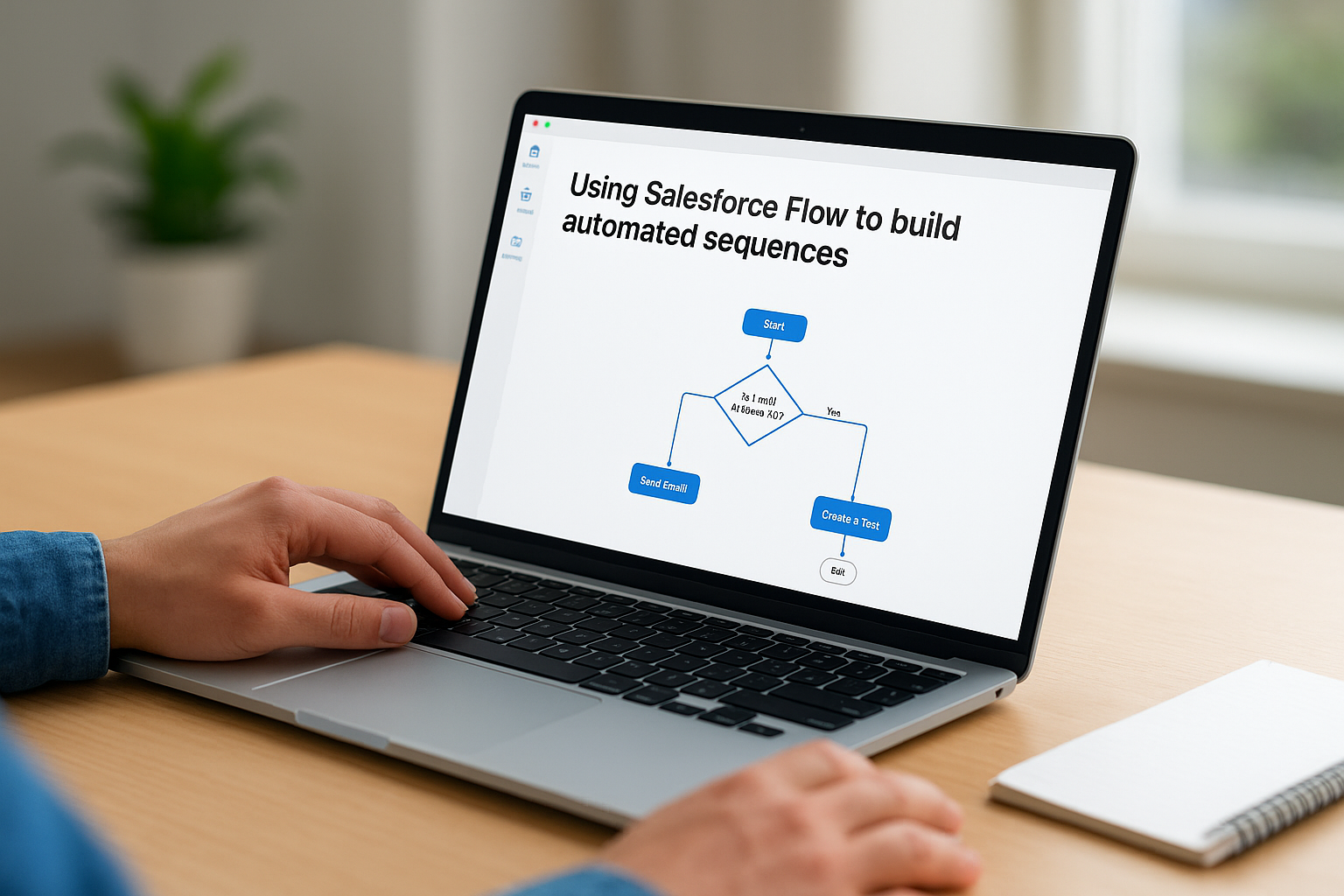
Salesforce Flow lets you build step-by-step automation without writing code. You define the trigger (a form fill, a status change, a time delay), the condition (lead score above 40, stage equals MQL), and the resulting action (send an email, create a task, update a field). That combination gives you precise control over what happens at each point in your pipeline. Flow replaces manual handoffs with consistent, repeatable logic that runs every time, whether you’re handling 10 leads a day or 500.
Record-triggered flows are particularly useful for nurturing because they fire the moment a lead’s data changes, not on a batch schedule. When a prospect’s score crosses your MQL threshold, Flow can immediately reassign the record, queue a follow-up task, and send a personalized email within seconds. That speed closes the gap between buyer intent and sales response, which is exactly where most manual processes lose momentum.
The fastest way to improve your MQL-to-SQL conversion rate is to reduce the time between the qualifying action and the first sales touch.
What Agentforce adds to the nurturing process
Agentforce extends your reach beyond scheduled sequences by engaging leads in real-time conversations directly on your site or through messaging channels. Instead of waiting for a prospect to fill out a form and enter a drip sequence, Agentforce can qualify them during the visit, gather intent data, and route them to the right next step immediately. You configure the agent’s responses, escalation rules, and handoff conditions inside Salesforce, so everything stays connected to your CRM records without manual data entry.
Your sales team can’t monitor every inbound interaction around the clock, but Agentforce handles initial qualification at any hour and passes a warm, documented lead to a rep at the right moment. That means fewer cold handoffs and more conversations that start with context already in place.
How to measure performance and fix common issues
Building automation inside Salesforce is only half the job. Tracking what your sequences actually produce tells you whether your investment is generating pipeline or just generating activity. Without consistent measurement, you’ll optimize things that don’t move the needle and miss the bottlenecks that are quietly costing you conversions. Good salesforce lead nurturing produces visible signals in your data, and those signals point directly to what needs to change.
The metrics that tell you if your nurturing is working
Start with the numbers closest to revenue. MQL-to-SQL conversion rate shows how effectively your nurturing is preparing leads for sales conversations, while average time-to-conversion tells you whether your sequences are moving prospects at the right pace or letting them sit too long between touches. If your MQL-to-SQL rate is low, your scoring model may be promoting leads before they’re ready, or your sequences aren’t addressing the right objections at the mid-stage.
Email engagement metrics like open rate and click-through rate indicate whether your content is relevant to the segment receiving it. Consistently low engagement on a specific sequence usually signals a mismatch between the content and the lead’s intent at that stage. Track these metrics by segment, not just overall, because aggregate numbers can hide weak spots that hurt your most valuable lead sources.
A drop in MQL-to-SQL conversion rate is almost always a content or timing problem, not a volume problem.
Common issues and how to fix them
One of the most frequent problems is leads stalling in a single stage without a clear exit trigger. This usually means your stage definitions are fuzzy or your scoring thresholds are set too high. Review your stage entry and exit conditions against actual lead behavior, then adjust the thresholds until movement through the pipeline reflects reality. Salesforce reports make it straightforward to identify which stage holds the most stalled records, so start your audit there.
Another common issue is sequence fatigue, where leads stop engaging after the first few touches because the content repeats the same message in different formats. Fix this by auditing each step in your nurturing track and confirming that every email or task advances the conversation rather than restating your value proposition. Remove redundant steps, tighten your timing, and make sure each touchpoint gives the prospect a specific reason to take the next action.
Next steps
Salesforce lead nurturing works when you build it around real buyer behavior, not assumptions. The strategies in this guide give you a clear path: define your stages, match content to intent, automate with Flow and Agentforce, and measure what actually moves leads toward a decision. Every piece connects to the others, so gaps in your setup show up quickly in your conversion data once you start tracking the right metrics.
Your next move is to audit what you already have. Identify where leads are stalling, which sequences have low engagement, and whether your scoring thresholds reflect how your best clients actually behaved before they converted. Small adjustments in those areas often produce the biggest gains. If you want a faster path to diagnosing what’s holding your pipeline back, book a free funnel audit and we’ll walk through it with you directly.
