

Most leads don’t convert on the first touch. They need follow-up, context, and trust before they’re ready to become clients. That’s where Mailchimp lead nurturing comes in, giving you a system to stay in front of prospects with the right message at the right time. But setting up sequences that actually move people toward a buying decision? That’s where most businesses get stuck.
At Client Factory, we build client acquisition funnels for service businesses and law firms, and email nurturing is a core piece of that engine. We’ve seen firsthand how a well-structured automated sequence can turn a cold lead list into a steady flow of booked calls, and how a poorly built one gets ignored. The difference usually comes down to strategy, not software.
This guide walks you through how to build automated lead nurturing sequences in Mailchimp, step by step. You’ll learn how to segment your audience, craft emails that earn replies instead of unsubscribes, and set up automations that do the heavy lifting while you focus on closing deals and serving clients.
What lead nurturing looks like in Mailchimp
Mailchimp lead nurturing works through a combination of audience segmentation, automated email sequences, and behavior-based triggers. Rather than blasting the same message to everyone on your list, you set up journeys that respond to what a contact actually does: signing up, clicking a link, or going quiet for a stretch of days. Mailchimp’s Customer Journey builder is the main tool you’ll use to create these flows, and it gives you a visual canvas where you can map out every touchpoint from first contact to conversion. Once you understand how the pieces fit together, the system becomes far less intimidating.
Nurturing isn’t about emailing people more often. It’s about emailing them more relevantly.
The key components of a Mailchimp nurture sequence
A nurture sequence isn’t just a drip campaign. It’s a structured path that moves a contact from awareness toward a buying decision, and Mailchimp gives you several tools to make that happen. Tags and segments let you split your audience based on what contacts have told you or how they’ve behaved, while merge tags let you personalize each email with details like a contact’s first name or business type. Together, these tools let you build sequences that feel one-to-one, even when you’re sending to thousands of people.
Here are the four core components you’ll work with inside Mailchimp:
| Component | What it does |
|---|---|
| Customer Journey builder | Visual editor where you connect triggers, wait steps, and email sends |
| Audience segments | Filtered groups of contacts based on behavior, tags, or demographics |
| Tags | Custom labels you assign to contacts to track their funnel stage |
| Email templates | Reusable designs you apply across your nurture sequence |
Understanding each of these before you start building saves you a significant amount of rework later. Most people skip straight to writing emails without setting up a clean audience structure first, and that’s exactly where their sequences break down.
How Mailchimp’s automation engine works
When a contact hits a starting point trigger in Mailchimp, that action kicks off a journey. The trigger could be a form signup, a tag being applied, or a contact being added to a specific audience. From there, Mailchimp moves that contact through a series of steps you’ve defined: wait periods, conditional branches, and email sends. If someone clicks a specific link in your second email, you can branch them down a different path than a contact who didn’t engage at all.
Each step runs automatically once you’ve activated the journey. You don’t need to manually send each email or set calendar reminders to follow up. The system handles the timing and the logic, which means your follow-up happens even when you’re in back-to-back meetings or working with current clients. What determines whether that automation converts leads is the quality of the strategy behind it, not the software itself.
What makes a nurture sequence effective
Effective sequences do two things well: they deliver value at each step and they build toward a clear next action. Each email in your sequence should have a single job, whether that’s educating the contact about a problem they face, showing them a result you’ve produced for someone like them, or asking them to book a call. Stacking too many goals into one email dilutes the message and reduces the chance someone takes any action at all.
Mailchimp gives you the tools to test, adjust, and improve every part of your sequence over time. You can track open rates, click rates, and unsubscribes at the journey level, which tells you exactly where contacts are dropping off. Use that data to refine your subject lines, your wait times, and your call-to-action copy until each step in the sequence pulls its weight.
Step 1. Map your lead stages and offers
Before you open Mailchimp and start building, you need a clear picture of where your leads are in their decision process. Skipping this step is the single biggest reason nurture sequences fail: the emails land out of context, feel generic, and get ignored. Spend 30 minutes mapping your lead stages first, and every email you write afterward will have a specific job to do rather than a vague purpose.
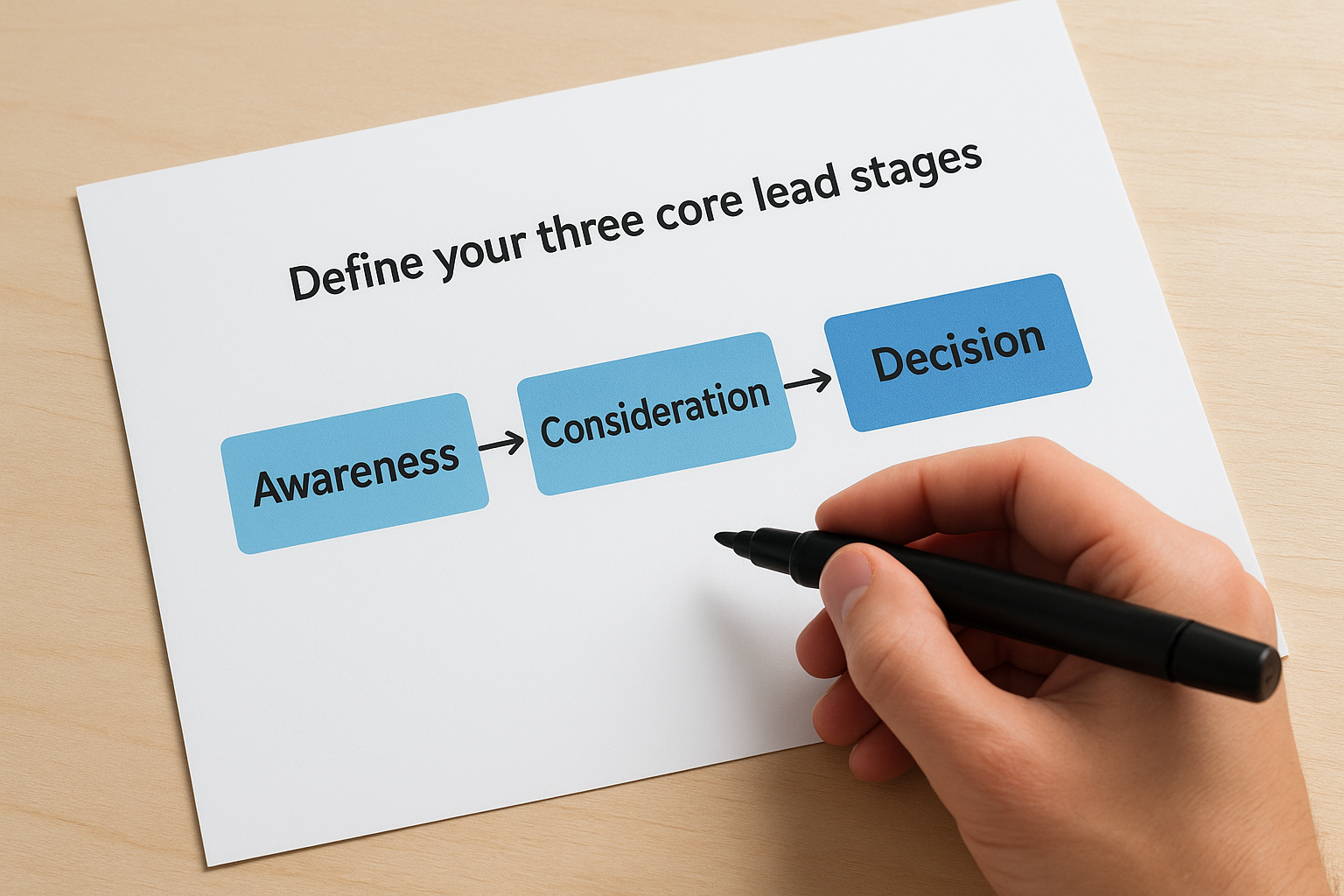
Define your three core lead stages
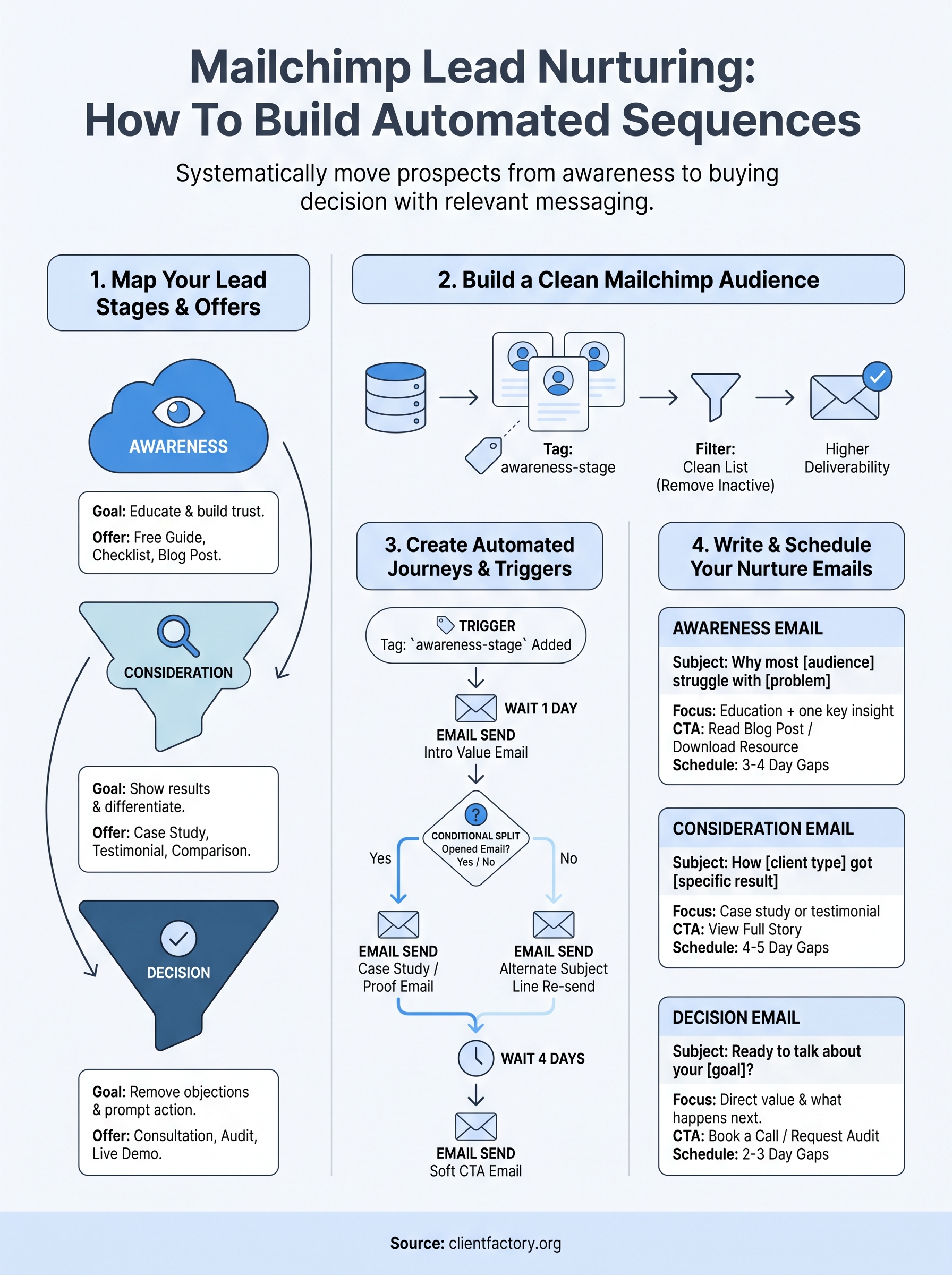
Most service businesses and law firms can organize their leads into three stages: awareness, consideration, and decision. A contact in the awareness stage just discovered you exist and needs education. Someone in consideration is comparing options and needs proof. A contact in the decision stage is ready to act and needs a reason to choose you. Tagging contacts by stage in Mailchimp is what makes your mailchimp lead nurturing sequences feel relevant rather than random.
Use this framework to define each stage for your specific business:
| Stage | Contact mindset | Your goal |
|---|---|---|
| Awareness | "I have a problem" | Educate and build trust |
| Consideration | "What are my options?" | Show results and differentiate |
| Decision | "Who do I hire?" | Remove objections and prompt action |
Match an offer to each stage
Every stage needs a corresponding offer that fits where the contact is mentally. Sending a "book a call" CTA to someone who just downloaded a free guide is like asking for a commitment before you’ve established any credibility. The timing kills the conversion. Instead, match low-commitment offers to early-stage contacts and direct asks to decision-stage contacts who already trust you.
The offer you attach to each stage determines whether your sequence feels helpful or pushy.
Here is a simple offer map you can model:
- Awareness: Free guide, checklist, short explainer video, educational blog post
- Consideration: Case study, testimonial roundup, side-by-side comparison
- Decision: Free consultation, funnel audit, limited-time offer, live demo
Fill in each row with the specific assets you already have and flag any gaps where you need new content. Building your sequence around this map means every email in your automation has a clear purpose before you write a single subject line.
Step 2. Build a clean Mailchimp audience
Your sequence is only as good as the audience it runs against. If your Mailchimp audience is a disorganized mix of cold contacts, past clients, and unverified email addresses, your automations will fire at the wrong people and your reporting will give you nothing useful. Before you build a single journey, spend time structuring how contacts enter and get labeled inside your audience. Everything downstream depends on getting this right.
Set up your signup sources and tags
Every contact who enters your Mailchimp audience should arrive with context already attached. That means connecting your signup forms, landing pages, and lead magnets directly to your Mailchimp audience so the source gets recorded automatically. When someone downloads your free guide, Mailchimp should tag them as awareness-stage at that exact moment. Applying tags on entry removes manual work and keeps your mailchimp lead nurturing sequences running on accurate, real-time data rather than guesswork.
Use this tagging structure as a starting point:
| Tag | Applied when |
|---|---|
awareness-stage |
Contact downloads a free resource or joins your newsletter |
consideration-stage |
Contact clicks a case study or testimonial link |
decision-stage |
Contact requests a consultation or audit |
no-engagement-30d |
Contact has not opened an email in 30 days |
Tags are what your automation reads to decide which path a contact follows. If your tags are wrong, your sequence sends the right message to the wrong person.
Keep your list healthy from day one
A bloated list with low engagement damages your sender reputation and your deliverability rates. Build a habit of removing or suppressing contacts who haven’t engaged in 60 to 90 days. Inside Mailchimp, create a segment filtered by contacts whose last open date is older than 90 days, send one re-engagement email, and archive anyone who still doesn’t respond. A smaller, active list consistently produces better results than a large, disengaged one.
Enable double opt-in inside your Mailchimp audience settings before you drive any traffic to your forms. This single step filters out typos, bots, and low-intent signups before they pollute your data, inflate your list size, and skew every metric your sequences rely on to improve over time.
Step 3. Create automated journeys and triggers
With your audience structured and your tags in place, you’re ready to build inside Mailchimp’s Customer Journey builder. Navigate to Automations in your Mailchimp account, select Customer Journeys, and click the button to create a new journey. Name it by funnel stage (for example, "Awareness – New Lead Sequence") so you can track multiple journeys without confusion as your mailchimp lead nurturing system grows.
Choose the right starting point
The starting point is the trigger that activates the journey for a specific contact. Mailchimp gives you several options: a contact joining your audience, a tag being applied, submitting a form, or clicking a link. For most service businesses, the most reliable starting point is "Tag is added," because it fires precisely when a contact earns a specific label like awareness-stage from your signup source. Connecting your trigger to a tag rather than just any form signup keeps irrelevant contacts out of the wrong sequence.
Pick a starting point that only fires when a contact is genuinely qualified for that stage, not just whenever anyone joins your list.
Build your journey steps
Once your trigger is set, add steps to the canvas in this order: a short wait step, followed by an email send, then a conditional split to branch contacts based on their behavior. The wait step between your trigger and your first email gives new contacts a moment to read your welcome message before your sequence begins. A 1-day wait works well for most service businesses.

Use this template as your base journey structure:
| Step | Type | Setting |
|---|---|---|
| 1 | Starting point | Tag: awareness-stage applied |
| 2 | Wait | 1 day |
| 3 | Email send | Introductory value email |
| 4 | Wait | 3 days |
| 5 | Conditional split | Opened email: Yes / No |
| 6a (Yes) | Email send | Case study or proof email |
| 6b (No) | Email send | Alternate subject line re-send |
| 7 | Wait | 4 days |
| 8 | Email send | Soft CTA email |
Activate the journey only after testing it with a contact on your own list. Send yourself through the sequence, check that every email renders correctly, confirm the conditional split fires as expected, and verify that wait times match your plan before you go live.
Step 4. Write and schedule your nurture emails
Your journey structure is live, your tags are clean, and your triggers are firing correctly. Now you need the actual emails that carry your mailchimp lead nurturing sequence from first impression to booked call. Each email in your sequence should serve one purpose, deliver one piece of value, and end with one clear next step. Splitting your attention across multiple goals inside a single email is the fastest way to get no action at all.
Write emails that match the stage
Your awareness-stage emails should educate and build credibility without pitching. Your consideration-stage emails should show proof through results, client outcomes, or a short case study. Your decision-stage emails should remove the last remaining objection and make the ask direct and easy to act on. Use this template structure as your baseline for each stage:
| Stage | Subject line angle | Body focus | CTA |
|---|---|---|---|
| Awareness | "Why most [audience] struggle with [problem]" | Education + one key insight | Read a blog post or download a resource |
| Consideration | "How [client type] got [specific result]" | Case study or testimonial | View the full story |
| Decision | "Ready to talk about your [goal]?" | Direct value statement + what happens next | Book a call or request an audit |
The best nurture emails feel like they came from a person who read your contact’s mind, not from a company running a list.
Set your send schedule
Timing your emails correctly is just as important as what you write. Space awareness-stage emails 3 to 4 days apart to avoid overwhelming new contacts. Move to 4 to 5 day gaps in the consideration stage, giving contacts time to absorb each piece of proof before the next one arrives. For decision-stage emails, tighten the gap to 2 to 3 days since contacts at this stage are actively evaluating options and you want to stay top of mind.
Write all emails in plain, conversational language. Keep each email under 250 words where possible, use short paragraphs, and lead with the most important point in the first two sentences. Subject lines should be specific and factual rather than clever. "Three things most law firms get wrong about lead follow-up" outperforms "You won’t believe this" every single time.
Wrap up and next steps
Mailchimp lead nurturing works when you build it around a clear strategy, not just a list of emails. You now have everything you need: a framework for mapping lead stages, a system for tagging contacts cleanly, a Customer Journey structure that branches based on real behavior, and email templates tied to each stage of the funnel. Each piece depends on the others, so follow the steps in order rather than jumping straight to writing emails.
Your next move is to audit what you already have before building anything new. Review your current Mailchimp audience for tag gaps, check which leads are sitting untouched, and identify which stage of the funnel is losing the most contacts. If you want a second set of eyes on your entire client acquisition process, book a free funnel audit and we’ll walk through exactly where your leads are dropping off and what to fix first.
