

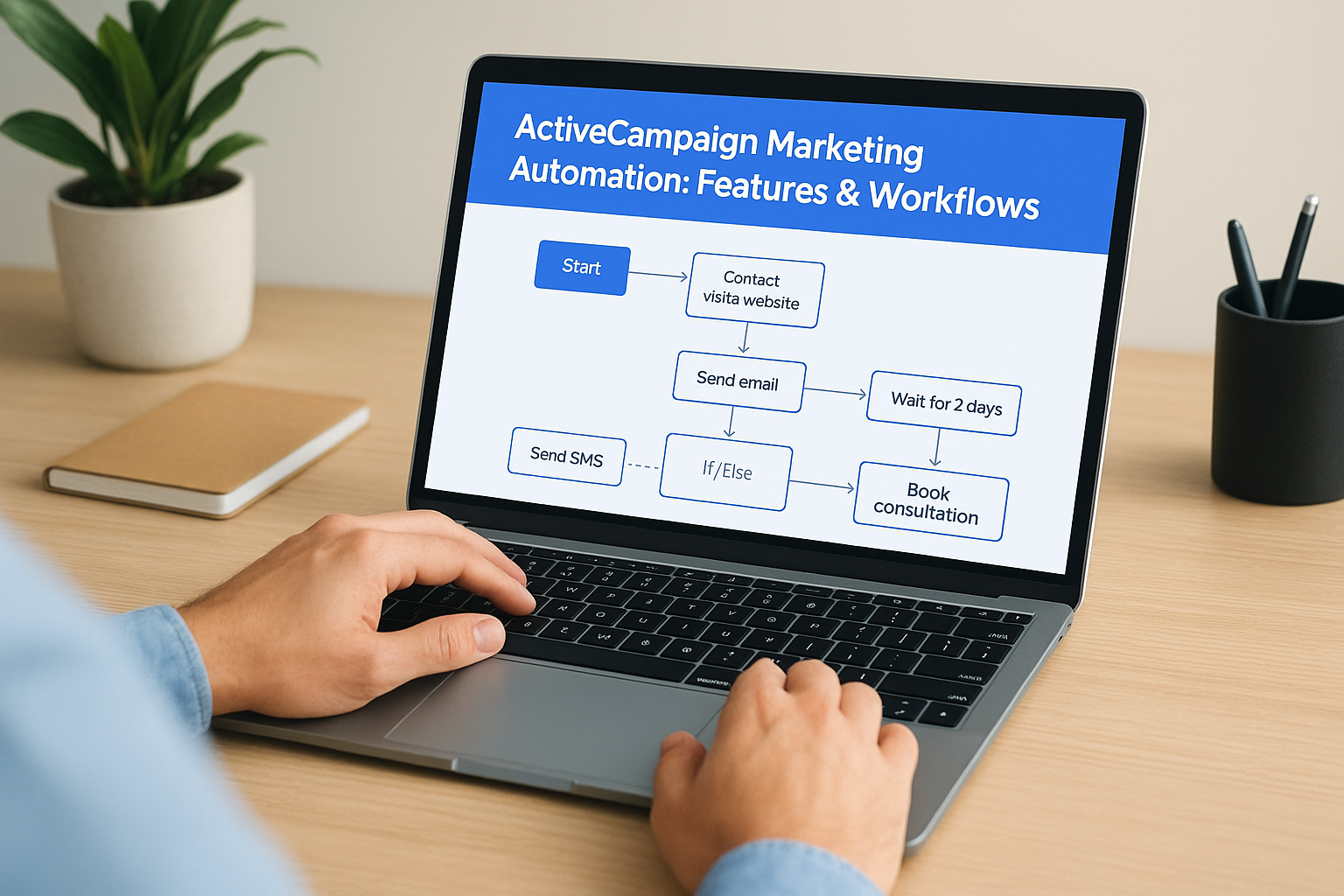
Most businesses collect email addresses but never do much with them. Maybe they send a newsletter once a month or blast a discount code to everyone on the list. That’s not a system, it’s a missed opportunity. ActiveCampaign marketing automation changes that by letting you build workflows that send the right message to the right person based on what they actually do. It’s one of the most capable platforms available for turning passive contacts into engaged leads without requiring you to babysit every campaign.
At Client Factory, we build client acquisition funnels for service businesses and law firms, and email automation is a critical layer in that process. We’ve seen firsthand how a well-structured automation workflow inside ActiveCampaign can dramatically improve conversion rates and shorten the gap between first click and signed client. It’s not just about sending emails; it’s about creating a sequence of touchpoints that moves people forward with precision.
This article breaks down ActiveCampaign’s core features, walks through how to build effective automated workflows, and gives you an honest look at where the platform excels and where it falls short. Whether you’re evaluating it for the first time or trying to get more out of a subscription you’re already paying for, you’ll walk away with a clear understanding of what the tool can do and practical steps to put it to work for your business.
Why ActiveCampaign marketing automation matters
Most service businesses generate more leads than they actually follow up with effectively. Someone fills out a contact form, downloads a resource, or clicks on an ad, and what happens next is usually inconsistent. A salesperson remembers to call, or they don’t. An email goes out the same day, or it goes out three days later when the person has already moved on. ActiveCampaign marketing automation exists to eliminate that inconsistency by replacing manual, reactive outreach with systematic, behavior-driven communication.
The gap between collecting leads and converting them
There is a measurable difference between a business that collects contact information and one that actually converts those contacts into clients. The difference is almost always in the follow-up process, not the lead quality. Research consistently shows that the speed and relevance of your first response to a new lead directly impacts whether that person engages further or ignores you entirely.
The faster and more relevant your follow-up, the higher your chance of converting a lead into a client, regardless of how they originally found you.
ActiveCampaign shortens that window by triggering automated responses the moment someone takes an action, whether that’s submitting a form, visiting a specific page on your website, or clicking a link in an email. You stop relying on someone remembering to follow up and start relying on a system that never forgets.
Why manual follow-up doesn’t scale
If your business is small and you only handle a handful of leads each week, manual follow-up might feel manageable. But the moment volume increases, whether from a successful ad campaign, a referral spike, or seasonal demand, manual processes break down fast. Your team gets stretched, response times slow, and leads fall through the cracks.
Beyond volume, the complexity of a proper follow-up sequence is hard to replicate manually. Different leads need different messages based on what they were interested in, where they came from, and how far along they are in their decision-making process. A law firm prospect who downloaded a guide about personal injury cases should not receive the same email as someone who clicked a retargeting ad about free consultations. Sending the same message to everyone signals that you’re not paying attention, and that damages trust before you even have a conversation.
Automation handles that complexity at scale without additional headcount. You build the logic once and the system executes it correctly every time, no matter how many leads come in or how varied their behaviors are.
The compounding effect of automation done right
One of the most underappreciated aspects of building solid automation workflows is what happens over time. When you first set up a workflow, it might improve your response rate by 20 or 30 percent. That’s meaningful on its own. But as you refine the workflow, test different subject lines, adjust the timing between messages, and segment your audience more precisely, those gains stack on top of each other.
A workflow you built six months ago that you’ve iterated on twice is significantly more effective than the original version. You’re not starting from scratch each time; you’re compounding small improvements into a system that consistently performs better than manual outreach ever could.
For service businesses and law firms specifically, where the value of a single client can be substantial, even a modest improvement in conversion rates translates directly into significant revenue. If your average client is worth $5,000 and your automation helps you close two additional clients per month who would have otherwise gone cold, that’s $120,000 in annual revenue from a workflow you built once and continue to improve. The math makes a clear case for investing time in getting your automation foundation right, which is exactly what this article will help you do.
What you can automate with ActiveCampaign
People tend to think of marketing automation as just email scheduling, but the range of actions you can automate inside ActiveCampaign extends well beyond that. The platform lets you connect email, SMS, contact data, lead scoring, CRM updates, and third-party tools into a single workflow. Once you understand the full scope of what’s available, you can build systems that handle entire stages of your client acquisition process without manual intervention.
Email sequences and follow-up
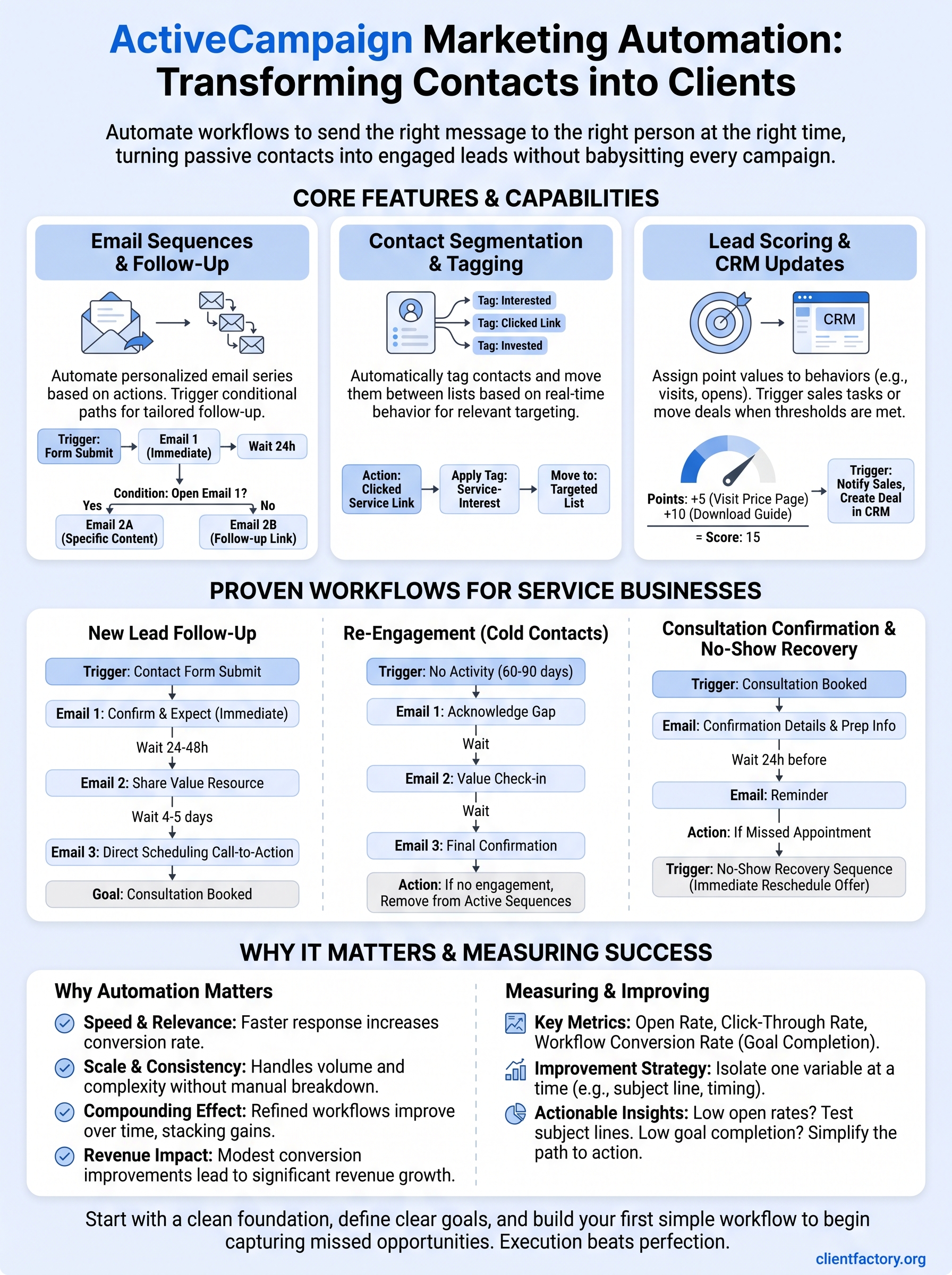
The most common use case is automated email sequences, and for good reason. When someone joins your list, you can immediately trigger a series of emails that introduce your services, share relevant resources, and move that person toward taking action. Each email in the sequence can be timed and personalized based on what the contact has already done, so the messages feel relevant rather than generic.

You can also set up conditional follow-up paths that branch based on behavior. If a prospect opens your first email but doesn’t click the call-to-action, they receive a different second email than someone who clicked and visited your pricing page. That kind of logic keeps your messaging aligned with where each person actually is in their decision-making process.
The real power of email automation is not in sending more emails, it’s in sending the right email at the right moment based on real behavior.
Contact segmentation and tagging
ActiveCampaign lets you automatically tag contacts and move them between lists based on their actions. Someone who clicks a link about a specific service can be tagged accordingly, triggering a new workflow tailored to that interest. This happens without anyone on your team needing to manually update a spreadsheet or remember to follow up.
Segmentation built through automation stays current in real time. When a contact’s behavior changes, their tags and list assignments update automatically, which means your future campaigns always reach the most relevant audience without requiring a manual cleanup process.
Lead scoring and CRM updates
Lead scoring lets you assign point values to specific behaviors, such as visiting a key page, opening multiple emails, or submitting a form. As a contact accumulates points and hits a threshold you define, you can trigger a task for your sales team, send a high-priority follow-up email, or create a deal in ActiveCampaign’s built-in CRM.
For service businesses and law firms using activecampaign marketing automation, this is where the platform earns its cost. Your team focuses attention on leads that have already demonstrated intent, while lower-priority contacts continue moving through automated nurture sequences until they’re ready for a direct conversation.
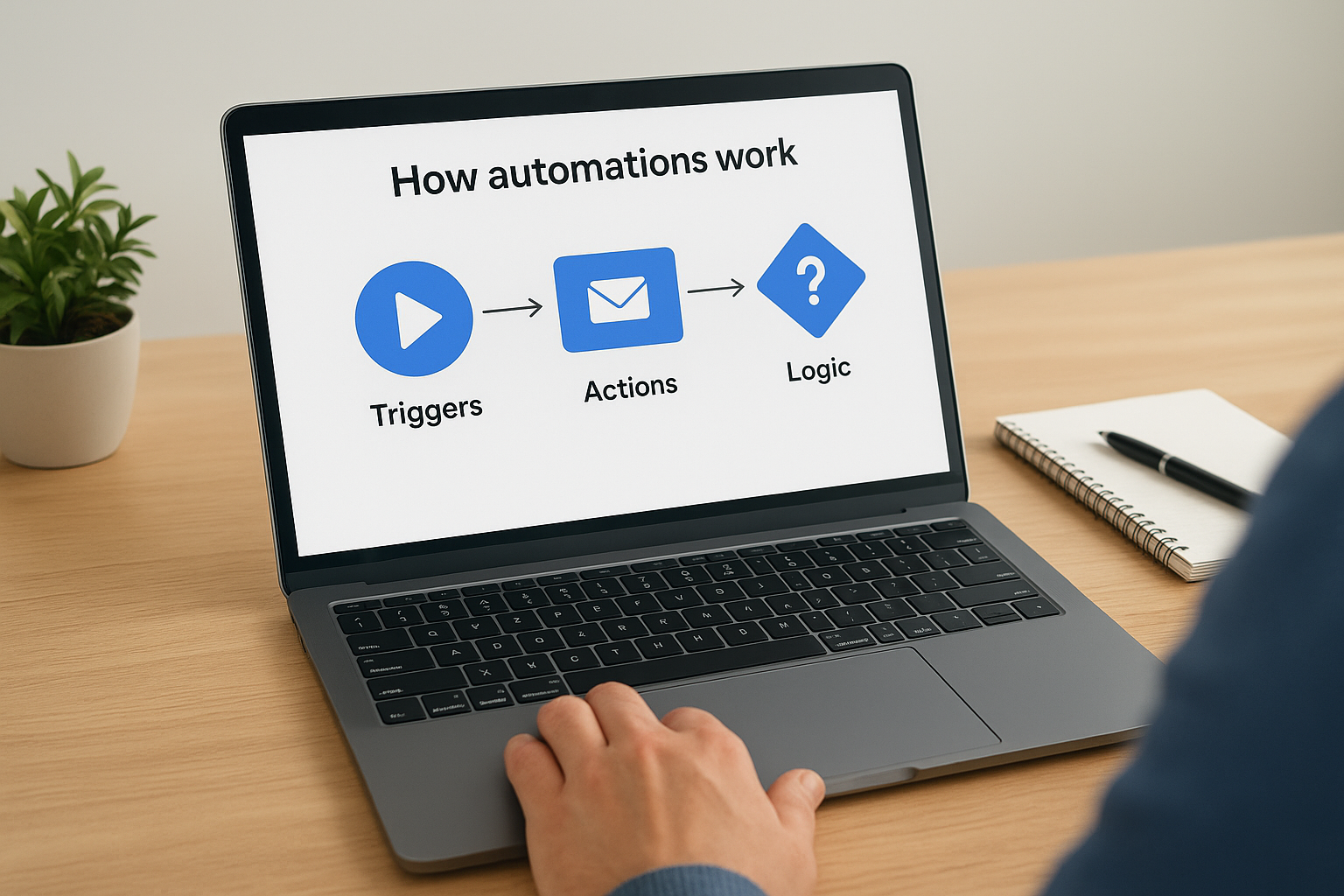
How automations work: triggers, actions, and logic
Every automation inside ActiveCampaign follows a simple structure: something happens, the system responds, and logic determines what comes next. Once you understand these three components, building and troubleshooting workflows becomes straightforward. You’re not learning a programming language; you’re defining rules in plain terms that the platform executes automatically.
Triggers: what starts an automation
A trigger is the event that kicks off a workflow. ActiveCampaign marketing automation gives you a wide range of trigger options, including form submissions, email link clicks, page visits, tag additions, deal stage changes, and contact field updates. You choose the trigger that matches the specific action your contact took, and from that moment forward, the automation takes over without any manual input from your team.
You can also use time-based triggers, such as a contact’s anniversary date or a set number of days after they joined your list. This flexibility means you can build workflows that respond to both real-time behavior and scheduled milestones, which is useful for long-term nurture sequences.
Actions: what the automation does
Once a trigger fires, you define the actions that follow. The most common actions are sending an email, adding or removing a tag, updating a contact field, creating a deal in the CRM, or notifying a team member. You can also add wait steps between actions, so your sequence unfolds over days or weeks rather than firing all at once.
Actions are where your strategy becomes executable; every decision you make about follow-up gets translated into a step your system runs without being told.
Stacking actions in a logical order is what separates a functional automation from a powerful one. A workflow might send a welcome email, wait two days, check whether the contact opened it, then take a different action based on that result. Each action builds on the last.
Conditions and logic: how automations make decisions
Conditions are the branching logic that makes your workflows intelligent. Instead of sending every contact down the same path, you define if/else rules that split contacts based on their behavior or data. If a contact opened your email, they go one direction; if they didn’t, they go another.
This conditional logic is what allows a single automation to serve multiple audience segments without you building a separate workflow for each one. You can check whether a contact has a specific tag, whether they visited a certain page, or whether a deal field matches a value you set. The more precisely you define your conditions, the more relevant your follow-up becomes, and relevance is what drives response rates.
ActiveCampaign features that shape results
Understanding triggers and logic is one thing; knowing which platform-specific features actually move the needle is another. ActiveCampaign ships with several capabilities that directly affect how well your automations perform, and skipping over them means leaving real leverage on the table. The features below are the ones that separate a basic email tool from a full client acquisition system.
Visual automation builder
The visual automation builder is the canvas where your workflows come to life. You drag and drop triggers, actions, and conditions onto a flowchart-style interface, which makes it easy to see the entire logic of a workflow at a glance rather than hunting through settings menus. That visual clarity helps you catch gaps in your sequence before it goes live.
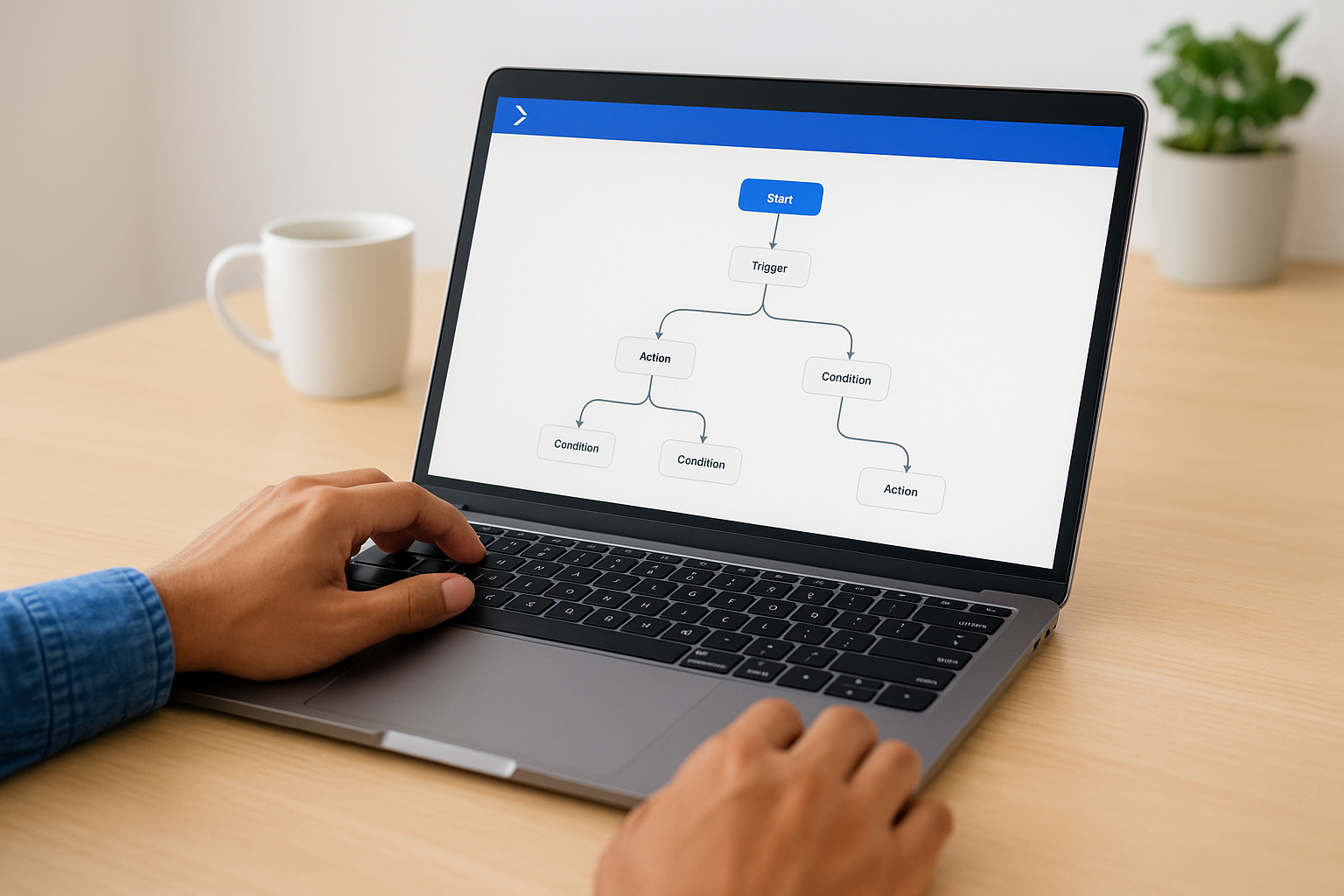
Non-technical users can build sophisticated multi-branch workflows without writing a single line of code. That matters for service businesses and law firms where the person responsible for marketing is often also handling a dozen other responsibilities, and time spent deciphering a complex interface is time taken away from actual client work.
Site and event tracking
ActiveCampaign’s site tracking feature monitors which pages on your website a contact visits after they join your list. When a prospect reads your service page twice and then visits your contact form, that behavior tells you something important, and the platform can trigger an automatic follow-up the moment it happens.
Behavioral data from your own website is one of the most reliable signals of purchase intent you have access to, and site tracking puts that data directly into your automation logic.
Event tracking goes further by letting you log specific actions a contact takes inside your product, app, or external tools. If you connect your scheduling tool or intake form, you can trigger workflows the instant someone completes a specific step, creating a seamless handoff without anyone on your team needing to intervene manually.
CRM and pipeline management
ActiveCampaign includes a built-in CRM that connects directly to your automation workflows, which means you never push data between a separate sales tool and your email platform. Deals move through pipeline stages automatically based on contact behavior, and your team gets notified when a lead is ready for a direct conversation.
For businesses using activecampaign marketing automation to manage both marketing and sales activity in one place, this integration removes the friction that typically causes leads to fall through the cracks. Deals, tasks, and contact records stay synchronized with your automation logic, so nothing requires a manual update to remain accurate, which keeps your pipeline reliable even when volume spikes.
How to set up a clean automation foundation
Before you build a single workflow, you need a foundation that won’t create problems at scale. Most automation failures trace back to messy data, unclear goals, or a tag structure that nobody can interpret six months later. Getting the foundation right takes less time than fixing broken workflows after they’ve already run on thousands of contacts, and it makes every automation you build afterward easier to manage and trust.
Start with clean contact data
Your automation is only as reliable as the data feeding it. If your contact list contains duplicates, misspelled fields, or outdated information, your workflows will fire incorrectly or segment the wrong people. Before activating any activecampaign marketing automation workflows, audit your existing contacts and resolve inconsistencies. Remove contacts that have hard-bounced, update blank custom fields where possible, and confirm that your form integrations capture data in a consistent format.
Clean contact data is the foundation every automation decision rests on; fix it before you build, not after.
This upfront cleanup prevents situations where a workflow assigns the wrong tag, sends the wrong message, or skips a follow-up entirely because a required field was missing.
Define your goals before touching the builder
Every workflow should connect directly to a measurable outcome. Before you open the automation builder, write down exactly what you want a specific workflow to accomplish. Is the goal to get a new lead to book a consultation call? To re-engage contacts who haven’t opened an email in 60 days? To alert your team the moment a prospect revisits your services page? Answering those questions first keeps your logic focused and prevents you from adding steps that look useful but don’t move anyone closer to a decision.
Defining the outcome before building also makes it easier to spot where the logic breaks down during testing. Workflows built without a clear goal tend to accumulate unnecessary steps, which slows the sequence and dilutes the message your contacts receive.
Build a consistent tagging system
Tags are how ActiveCampaign tracks contact behavior and segments your audience for targeted follow-up. If different people on your team apply tags using inconsistent naming conventions, your conditions will break and your reporting will become unreliable fast.
A simple naming convention applied before you build keeps your tag library readable and makes your automation logic easy to audit later. Use a category prefix followed by a descriptor, such as "source-google-ad" or "interest-free-consultation," and document the convention somewhere your whole team can access.
- Use lowercase letters consistently across all tags
- Include a category prefix for every tag you create
- Avoid vague tags like "interested" without additional context
This structure pays off immediately the moment you need to troubleshoot a workflow or bring a new team member up to speed on the platform.
How to build your first automation step by step
Building your first automation inside ActiveCampaign marketing automation is straightforward once you break the process into distinct stages rather than jumping straight into the builder. Most first-time users get stuck because they start clicking before they know what the workflow is supposed to accomplish, which leads to messy logic and sequences that need to be rebuilt from scratch. The steps below walk you through the process in order, so your first automation launches cleanly and actually does what you intend.
Choose your trigger and define the goal
Your first decision is always the trigger, the specific action that starts the workflow. For a first automation, keep this simple. A form submission trigger is ideal because it fires the moment a contact takes a clear, measurable action, such as filling out a contact form or downloading a resource from your site. Pair that trigger with one concrete goal before you touch anything else, such as getting the contact to book a consultation call within five days.
Defining a single goal before you build prevents your workflow from growing into a sprawling sequence that confuses contacts instead of guiding them.
Map the sequence before you build it
Sketch the full sequence on paper or in a simple document before you open the automation builder. Write down each step in order: the trigger, each email with a brief description of its purpose, any wait periods between messages, and the condition checks that determine which path a contact takes. This process surfaces gaps in your logic before they become live problems running on real contacts.
A basic first automation for a service business might look like this:
- Trigger: contact submits a consultation request form
- Step 1: Send a confirmation email immediately with next steps
- Step 2: Wait 24 hours
- Step 3: Check whether the contact booked a call; if yes, end the sequence; if no, send a follow-up email with a direct scheduling link
- Step 4: Wait 48 hours, then send a final follow-up if still no booking
Build, test, and activate
With your map in hand, open the visual automation builder in ActiveCampaign and recreate each step exactly as you planned it. Add your emails, configure your wait steps, and set your conditions based on the logic you already worked out. Once the workflow is built, use ActiveCampaign’s test contact feature to run a sample contact through the sequence and confirm that every branch fires correctly before you activate it for real leads.
Activate the automation only after you’ve verified each path works as expected. A workflow running incorrectly on a live list is harder to fix than one caught during testing, and the damage to your follow-up sequence can take time to recover from.
Proven workflows for service businesses and law firms
Generic automation templates rarely account for how service businesses and law firms actually operate. Your clients take time to decide, they compare multiple providers, and they often go quiet before they’re ready to commit. The workflows below address those specific dynamics and reflect the patterns we see most consistently drive results across activecampaign marketing automation setups in service-based client acquisition.
The new lead follow-up sequence
When someone submits a contact form or requests more information, the first 24 hours are the highest-leverage window you have. A new lead follow-up sequence starts the moment the form is submitted and delivers a structured series of touchpoints designed to move that person toward booking a conversation.

The fastest responder wins more often than the most qualified one, so your automation needs to send the first message before a competitor even checks their inbox.
Your first email should confirm the submission and set clear expectations about what happens next, including when someone will reach out and what they should prepare. The second email, sent 24 to 48 hours later, adds value by sharing a specific resource relevant to what they asked about. A third message, sent around day four or five, delivers a direct call to action with a scheduling link. This structure respects the prospect’s timeline while keeping your firm visible throughout their decision window.
The re-engagement workflow for cold contacts
Every list accumulates contacts who stopped responding. These are not lost leads; they’re people who need a different approach. A re-engagement workflow targets contacts who haven’t opened an email or clicked a link in 60 to 90 days and runs a short, distinct sequence separate from your main nurture content.
Keep this sequence tight, three emails maximum, with a subject line that acknowledges the gap directly rather than pretending it didn’t happen. The goal is not to pitch your services again. The goal is to resurface and confirm whether this person still wants to hear from you. If they don’t engage with any of the three messages, your automation removes them from active sequences automatically. This keeps your list healthy and your engagement metrics accurate, which matters if you run paid campaigns to your email audience.
The consultation confirmation and no-show recovery
Once a prospect books a consultation, your automation should immediately send a confirmation email that includes the meeting details, a brief description of what to expect, and any intake information they need to prepare. A reminder 24 hours before the appointment reduces no-shows significantly, especially for law firms where prospects may book days in advance.
If someone misses the appointment without rescheduling, trigger a short recovery sequence that goes out within the hour offering two or three alternative time slots. Most no-shows are logistical, not intentional, and a fast, low-friction reschedule offer recovers a meaningful share of them before they cool off.
How to measure and improve automation performance
Building an automation and activating it is not the end of the process. Measuring how each workflow performs tells you where contacts drop off, which messages resonate, and where your sequence needs adjustment. Without that data, you are running on assumptions instead of evidence, and assumptions rarely hold once your list grows or your offer changes.
The metrics that tell you what’s working
Open rate and click-through rate are the two numbers you check first inside any activecampaign marketing automation workflow. Open rate tells you whether your subject lines are compelling enough to earn attention; click-through rate tells you whether the email content delivers enough value to motivate action. When both numbers are low, the problem is usually relevance, meaning the right message is not reaching the right segment. When open rates are strong but click-through is weak, the email body or call-to-action is where the breakdown occurs.
Conversion rate at the workflow level matters more than any individual email metric. You defined a goal before you built the workflow, so measure whether contacts actually reach that goal. If your sequence is designed to generate consultation bookings and only two percent of contacts who enter the workflow book a call, that number gives you a clear target to improve against. Tracking goal completion at the workflow level shifts your focus from vanity metrics to outcomes that connect directly to revenue.
The metric that matters most is always the one tied directly to the action you built the workflow to produce.
How to act on what you find
Improving a workflow is a process of isolating one variable at a time rather than rebuilding the entire sequence. If email two in your sequence consistently underperforms, change the subject line first and run that version for two to three weeks before drawing conclusions. Changing multiple elements simultaneously makes it impossible to know which adjustment drove any change in performance.
The following actions address the most common performance problems you will encounter when auditing your automation results:
- Low open rates: Test a shorter, more direct subject line or adjust the send timing to match when your audience is most active
- High open rates but low clicks: Rewrite the call-to-action to be more specific; tell readers exactly what happens when they click
- Contacts leaving mid-sequence: Check whether a wait period is too long, or whether the message at that step feels disconnected from the previous one
- Low goal completion: Review whether the final step in your sequence creates enough friction to book or respond, and simplify the path
Set a recurring review cadence for each active workflow, monthly at minimum, so improvements happen consistently rather than only when something breaks.
Next steps
You now have a complete picture of how activecampaign marketing automation works, from the foundational logic of triggers and conditions to the specific workflows that convert prospects into clients. The next move is execution, not more research. Pick one workflow from this article, the new lead follow-up sequence is the strongest starting point for most service businesses, and build it this week. Keep it simple, test it before activating, and measure goal completion from day one.
Automation compounds over time, but only if you start. Every week you wait is another week of leads falling through the cracks without a system in place to catch them. If you want expert eyes on your current client acquisition process before you build, the team at Client Factory can identify exactly where your funnel is losing people and what to fix first. Book a free funnel audit and get a clear plan you can act on immediately.
