

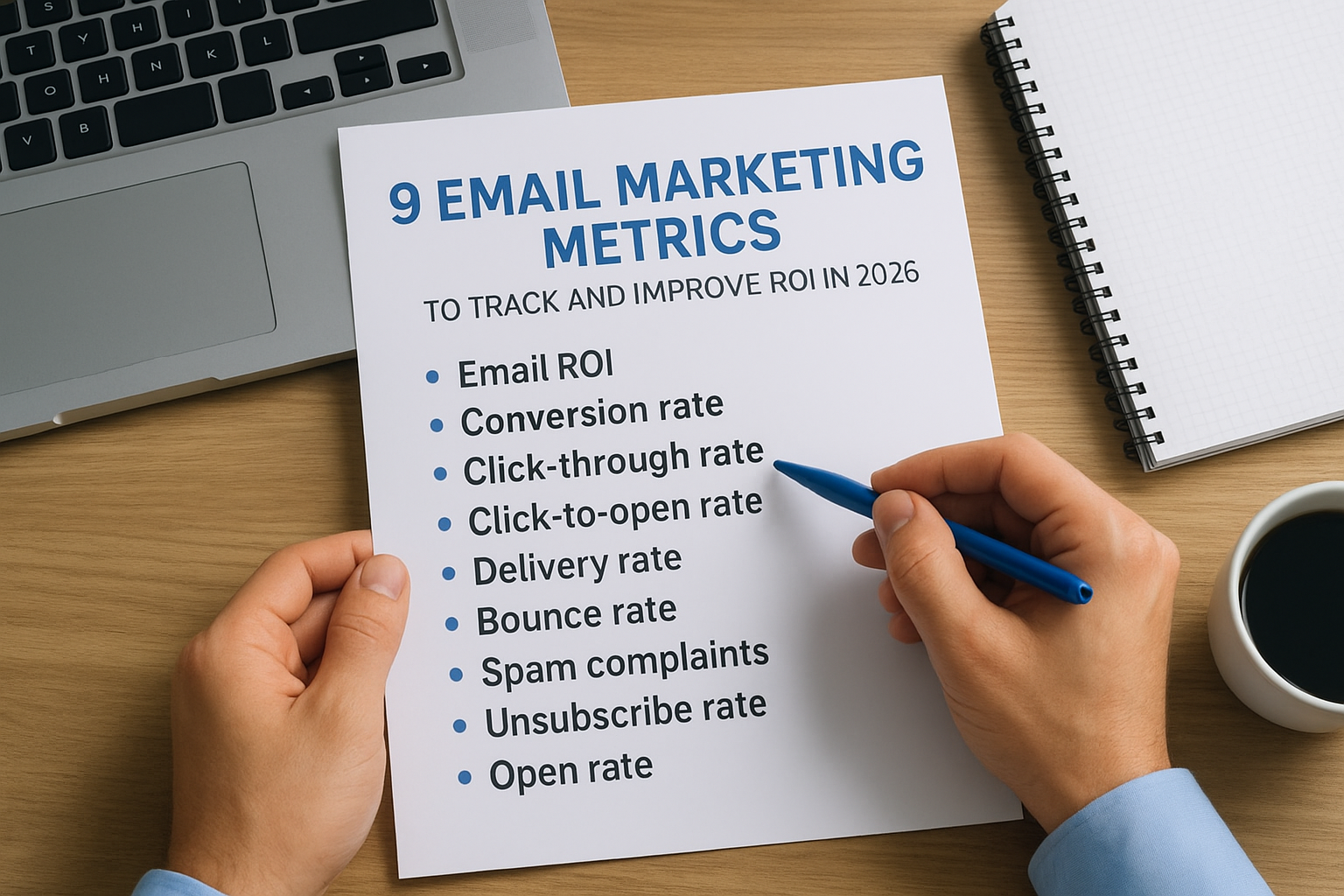
You’re sending emails. Maybe hundreds, maybe thousands per month. But if you’re not watching the right email marketing metrics to track, you’re essentially flying blind, spending time and money on campaigns that may or may not be pulling their weight.
Here’s the thing: email still delivers one of the highest ROIs in digital marketing. Some studies put it as high as $36 for every $1 spent. But that number means nothing if you can’t pinpoint what’s working in your campaigns and what’s dragging them down. The difference between a profitable email strategy and a wasteful one often comes down to a handful of key data points and knowing how to act on them.
At Client Factory, we build data-driven client acquisition systems for service businesses and law firms, and email is a critical piece of that puzzle. We’ve seen firsthand how tracking the right metrics transforms email from a guessing game into a reliable revenue channel.
This guide breaks down nine essential email marketing metrics you should be monitoring in 2026, what each one actually tells you, and, most importantly, how to use them to improve your ROI. Whether you’re running nurture sequences, promotional blasts, or re-engagement campaigns, these are the numbers that matter.
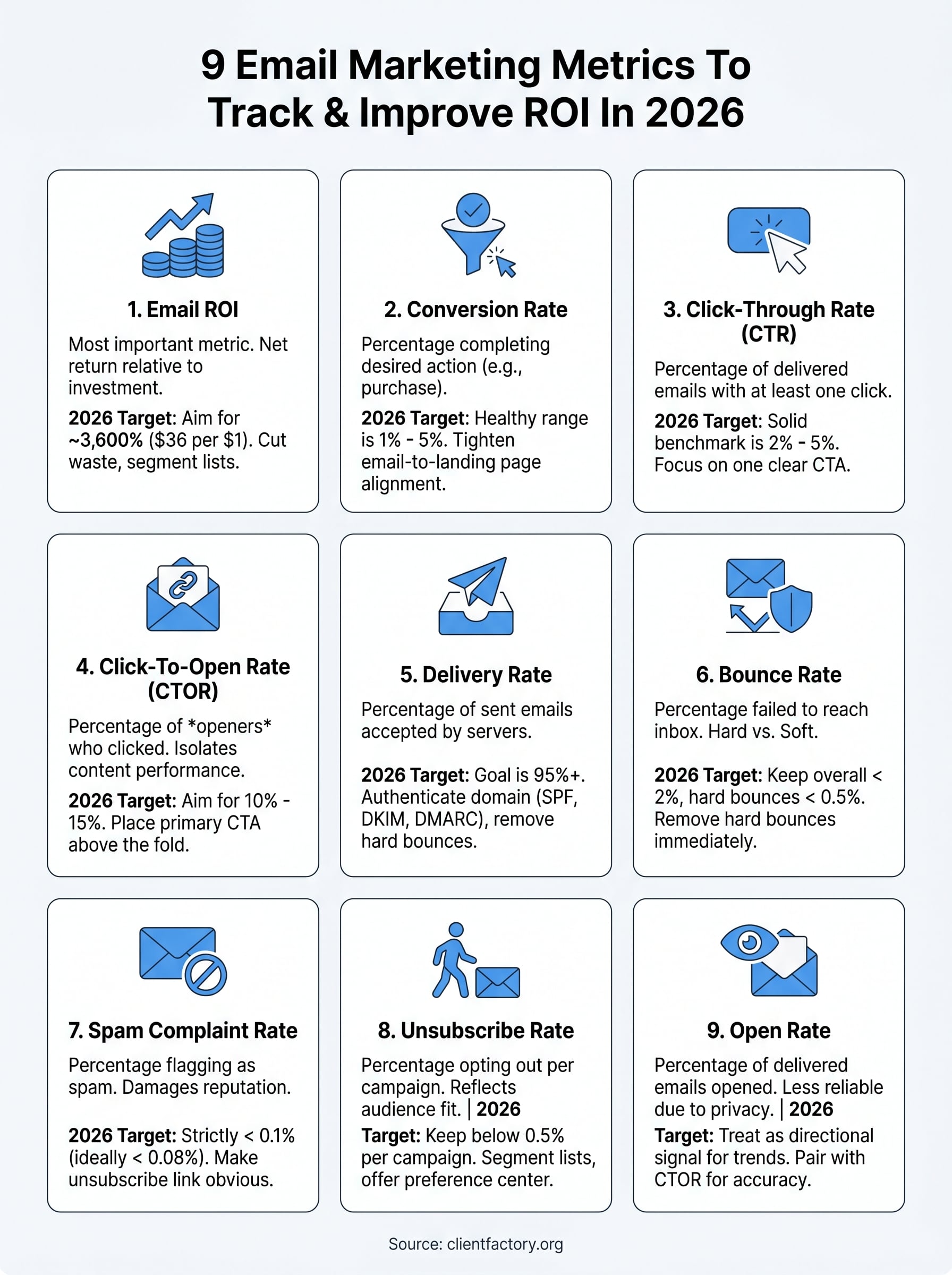
1. Email ROI
Email ROI is the most important metric in your email program and the starting point for every performance conversation you’ll have with stakeholders. It answers the question that matters most: is email generating more than it costs you to run it? Before you analyze any other email marketing metrics to track, you need this number working clearly in your favor. Everything else you measure either supports or explains it.
What email ROI tells you
Email ROI shows you the net return your email program generates relative to your total investment in it. This metric connects your campaigns directly to a business outcome rather than a vanity number. When ROI is climbing, you have a clear signal to scale your sending volume or invest in better creative. When it stalls or drops, you know something in the funnel is breaking down and needs a closer look.
How to calculate email ROI
The calculation is direct: subtract your total email costs from your total email-attributed revenue, divide that figure by your costs, then multiply by 100 to get a percentage.
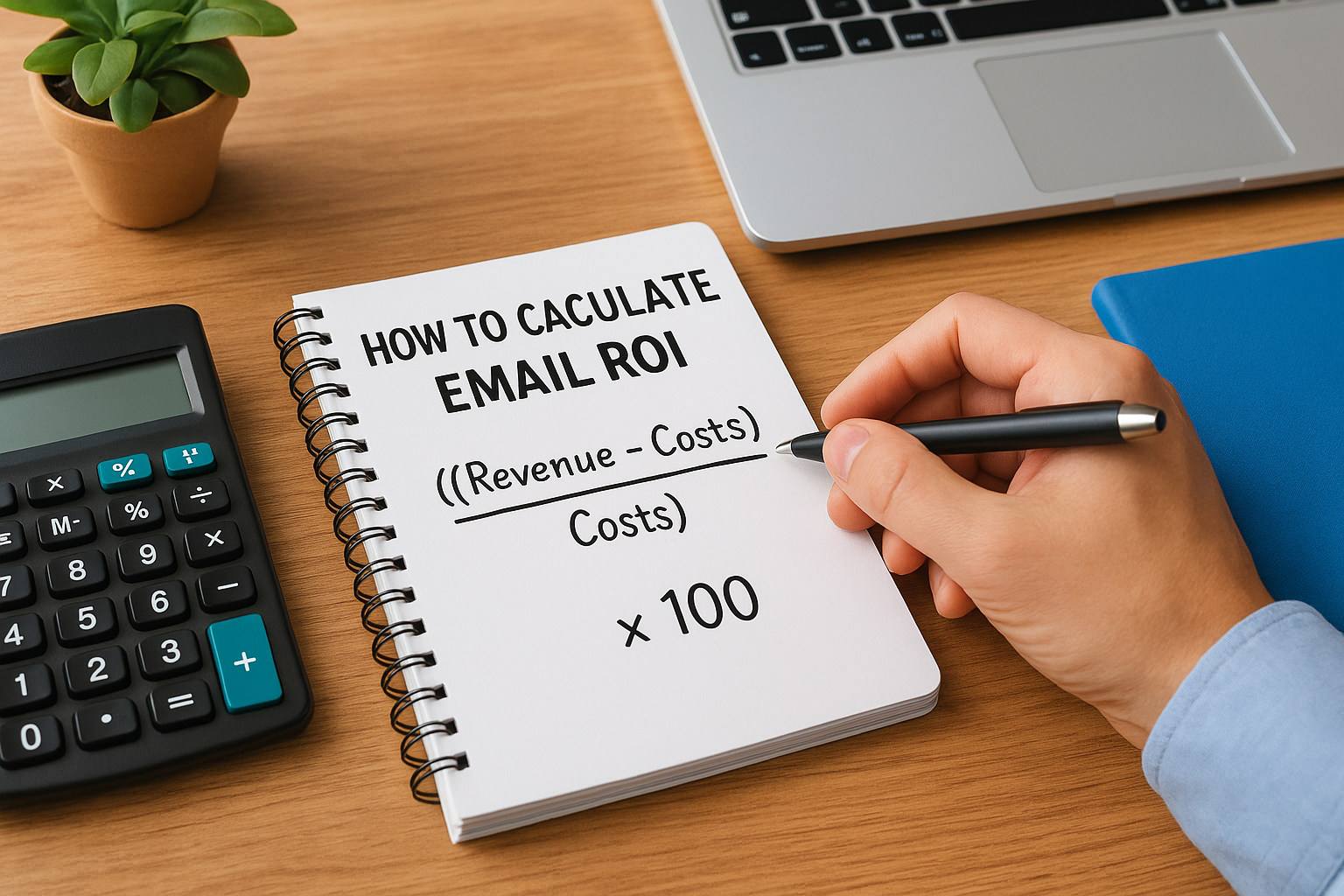
Formula: ((Revenue – Costs) / Costs) x 100
Your costs should include your platform subscription fees, any copywriting or design work, and the internal time your team spends building and managing campaigns. Pull your revenue figure from attributed conversions using properly configured UTM parameters in your analytics platform.
Accurate revenue attribution is the hardest part of this calculation. Set up your tracking links correctly before you rely on this number to make budget decisions.
What good looks like in 2026
Industry benchmarks place average email ROI around 3,600%, which works out to roughly $36 back for every $1 spent. That figure shifts depending on your industry, list quality, and offer strength. Service businesses with well-segmented audiences and clear calls-to-action frequently outperform that benchmark. If your ROI sits below 1,000%, treat it as an immediate red flag worth investigating.
How to improve email ROI
The fastest lever is cutting waste and increasing relevance simultaneously. Segment your list so each message lands in front of people who actually want it. Remove contacts who have not engaged in the past 90 days; this reduces your platform costs and improves your deliverability scores, which compounds your returns across every campaign you send going forward.
2. Conversion rate
Conversion rate sits right below ROI in terms of direct business impact and is one of the most telling email marketing metrics to track across your entire program. While ROI gives you the big picture, conversion rate tells you exactly how well your emails are driving people to take a specific action, whether that’s booking a call, filling out a form, or making a purchase.
What conversion rate tells you
Conversion rate measures the percentage of recipients who complete your desired action after clicking through your email. This metric reveals how well your offer, landing page, and overall funnel work together. A high click-through rate paired with a low conversion rate tells you the breakdown is happening after the click, not inside the email itself.
A weak conversion rate often points to a mismatch between what your email promises and what your landing page delivers.
How to calculate conversion rate
Divide the number of conversions by the total number of emails delivered, then multiply by 100.
Formula: (Conversions / Emails Delivered) x 100
What good looks like in 2026
For service businesses and law firms, a conversion rate between 1% and 5% is a healthy target depending on your offer complexity. High-intent audiences responding to a direct consultation offer can push past that range with the right follow-up sequence in place.
How to improve conversion rate
Tighten the alignment between your email copy and your landing page. Your subject line sets an expectation, your body copy builds on it, and your landing page must fulfill it immediately. Testing one variable at a time, starting with your headline, gives you clean data to work with.
3. Click-through rate
Click-through rate (CTR) is one of the most widely watched email marketing metrics to track because it measures engagement directly inside the email itself. It tells you whether your message is compelling enough to make someone take the next step.
What click-through rate tells you
CTR shows you the percentage of delivered emails that generated at least one click on a link inside. This metric reflects how well your call-to-action, copy, and offer are landing with your audience. If your CTR is low, your email body is not doing its job, regardless of how many people opened it.
How to calculate click-through rate
Divide the number of unique clicks by the total number of emails delivered, then multiply by 100.
Formula: (Unique Clicks / Emails Delivered) x 100
Most email platforms report this automatically, but always confirm they are using unique clicks rather than total clicks to avoid inflated numbers.
What good looks like in 2026
A CTR between 2% and 5% is a solid benchmark for service businesses. Highly targeted segments with relevant offers can push past that range. Anything below 1% signals a disconnect between your subject line promise and the body content that follows.
Your CTR drops when your email promises one thing and delivers another, so align every element from subject line to CTA before you send.
How to improve click-through rate
Focus on one clear call-to-action per email rather than giving readers multiple directions. Reducing choice increases clicks. Test button copy against hyperlinked text to see which format your audience responds to.
4. Click-to-open rate
Click-to-open rate (CTOR) is one of the more precise email marketing metrics to track because it isolates your email content’s performance from your subject line’s performance. Unlike CTR, CTOR removes the influence of deliverability and subject line appeal, focusing entirely on whether the body of your email is compelling enough to drive action after someone opens it.
What click-to-open rate tells you
CTOR shows you the percentage of openers who clicked at least one link inside your email. This separation makes it far more diagnostic than raw CTR. A strong open rate paired with a weak CTOR tells you your email body and call-to-action are not delivering on the curiosity your subject line created.
CTOR is the clearest signal you have for diagnosing whether your email content is earning the attention it gets.
How to calculate click-to-open rate
Divide the number of unique clicks by the number of unique opens, then multiply by 100.
Formula: (Unique Clicks / Unique Opens) x 100
Most platforms report this automatically, but always confirm your platform is using unique values for both variables to avoid skewed results.
What good looks like in 2026
A CTOR between 10% and 15% is a solid benchmark for service businesses in most industries. Highly segmented campaigns targeting warm audiences with a specific, relevant offer regularly push 20% or higher when the content matches what the reader came expecting to find.
How to improve click-to-open rate
Place your primary CTA above the fold so readers see it without scrolling, then repeat it once near the bottom. Single-focus emails consistently outperform multi-message ones because they give readers one clear next step rather than several competing choices.
5. Delivery rate
Delivery rate is one of the foundational email marketing metrics to track because nothing else matters if your emails are not reaching inboxes in the first place. Before you analyze clicks, opens, or conversions, you need to confirm your messages are actually landing where they are supposed to go.
What delivery rate tells you
Delivery rate shows you the percentage of sent emails that were accepted by recipients’ mail servers. It reflects the overall health of your sending infrastructure, including your domain reputation, authentication setup, and list hygiene. A declining delivery rate is often the first warning sign that larger problems are developing beneath the surface.
A delivery rate problem compounds quickly because every campaign you send at reduced delivery is actively damaging your sender reputation further.
How to calculate delivery rate
Divide the number of successfully delivered emails by the total number of emails sent, then multiply by 100.
Formula: (Emails Delivered / Emails Sent) x 100
What good looks like in 2026
You should aim for a delivery rate of 95% or higher across all campaigns. Anything below 90% means a significant portion of your list is never seeing your messages, which inflates your costs and suppresses every other metric you track.
How to improve delivery rate
Start by authenticating your domain with SPF, DKIM, and DMARC records if you have not done so already. These protocols signal to receiving mail servers that you are a legitimate sender. Remove hard bounces immediately after every campaign and suppress long-term unengaged contacts to keep your sender score strong.
6. Bounce rate
Bounce rate tracks the percentage of emails that failed to reach the recipient’s inbox, and it is one of the most important email marketing metrics to track for protecting your sender reputation over time. Left unmanaged, a rising bounce rate quietly degrades every other number in your program.
What bounce rate tells you
Bounce rate separates into two types that carry very different consequences. Hard bounces happen when an address is permanently invalid, either because it never existed or the domain is gone. Soft bounces are temporary failures caused by a full inbox or a server issue on the recipient’s end.
Ignoring hard bounces is one of the fastest ways to destroy your sender reputation and tank your deliverability across every campaign that follows.
How to calculate bounce rate
Divide the number of bounced emails by the total number of sent emails, then multiply by 100.
Formula: (Bounced Emails / Emails Sent) x 100
Most email platforms split this figure into hard and soft bounce rates automatically, so you can act on each category separately.
What good looks like in 2026
Keep your overall bounce rate below 2%. Hard bounces specifically should stay under 0.5% at all times. Anything above these thresholds signals list hygiene problems that need immediate attention.
How to improve bounce rate
Remove hard bounces immediately after every send. Never retry them. For soft bounces, suppress contacts who fail to receive your emails after three consecutive attempts, as repeated soft bounces often signal addresses that are heading toward permanent failure.
7. Spam complaint rate
Spam complaint rate is one of the most damaging email marketing metrics to track because even a small number of complaints can trigger serious consequences with inbox providers. Internet Service Providers (ISPs) treat complaint data as a direct signal of sender trustworthiness, and they act on it fast.
What spam complaint rate tells you
Your spam complaint rate shows you the percentage of recipients who flagged your email as spam rather than simply unsubscribing. This metric is a blunt signal that your audience targeting or content relevance has broken down somewhere in your program.
When people hit "report spam," they are telling their inbox provider they did not want your message. That feedback loops directly back to your sender reputation and can affect inbox placement for your entire list going forward.
How to calculate spam complaint rate
Divide the number of spam complaints by the total number of emails delivered, then multiply by 100.
Formula: (Spam Complaints / Emails Delivered) x 100
Even a complaint rate just above the threshold can trigger ISP filtering that suppresses delivery across your entire sending domain.
What good looks like in 2026
Keep your spam complaint rate below 0.1% at all times. Google and Yahoo formalized this threshold in 2024, and ISPs continue to enforce it. Treat anything above 0.08% as a warning sign that requires immediate action before you cross the hard ceiling.
How to improve spam complaint rate
Make your unsubscribe link impossible to miss so frustrated subscribers choose that path instead of the complaint button. Regularly audit your opt-in process to confirm every contact on your list explicitly chose to receive your emails.
8. Unsubscribe rate
Unsubscribe rate measures the percentage of recipients who actively opt out after receiving a specific email. While most marketers treat it as purely negative feedback, it is actually one of the more honest email marketing metrics to track because it tells you directly when your content or sending frequency has stopped matching what your audience signed up for.
What unsubscribe rate tells you
Your unsubscribe rate reflects audience fit and content relevance at the individual campaign level. A spike after a particular email often points to a specific problem, whether that is a tone mismatch, an irrelevant offer, or sending too frequently. Tracking this number per campaign gives you actionable data rather than just a slow-moving trend line.
How to calculate unsubscribe rate
Divide the number of unsubscribes by the total number of emails delivered, then multiply by 100.
Formula: (Unsubscribes / Emails Delivered) x 100
What good looks like in 2026
Keep your unsubscribe rate below 0.5% per campaign. Rates below 0.2% indicate strong list health and content relevance. Consistent spikes above 0.5% signal that your segmentation or message targeting needs adjustment.
A sudden spike after a single campaign is more informative than a gradual drift, because it points directly to a specific and fixable problem.
How to improve unsubscribe rate
Segment your list so each subscriber receives content relevant to their stage in the buying journey. Adding a sending frequency preference center gives dissatisfied contacts an alternative to unsubscribing entirely, which preserves your list while respecting what they actually want from you.
9. Open rate
Open rate is one of the most commonly cited email marketing metrics to track, but it has also become one of the most misunderstood following Apple’s Mail Privacy Protection rollout. Knowing what it actually measures now, and what it does not, is critical before you act on the number.
What open rate tells you
Your open rate shows you the percentage of delivered emails that were opened by recipients. Historically, this metric served as a quick pulse check on your subject line effectiveness and sending time. A higher open rate meant more people were curious enough about your subject line to open the email.
How to calculate open rate
Divide the number of unique opens by the total number of emails delivered, then multiply by 100.
Formula: (Unique Opens / Emails Delivered) x 100
What changed with privacy features in 2026
Apple’s Mail Privacy Protection pre-fetches email content, which artificially inflates open rates for Apple Mail users by triggering opens whether or not a real person read the message. By 2026, this affects a significant share of most lists, making raw open rate data less reliable as a standalone metric.
Treat open rate as a directional signal rather than a precise measurement, especially if a large portion of your audience uses Apple Mail.
How to use open rate without overreacting
Watch for trends over time rather than reacting to individual campaign numbers. A sustained decline across multiple sends is worth investigating, but a single dip rarely signals a real problem. Pair open rate with click-to-open rate for a more accurate read on actual engagement.
Put these metrics into a weekly scorecard
Tracking these nine email marketing metrics to track individually is useful, but reviewing them together in a single weekly scorecard is where the real clarity comes from. Pull each number into a simple spreadsheet every week, column by column, so you can spot patterns across campaigns rather than reacting to isolated data points. When your CTR drops the same week your bounce rate rises, you have a targeting or list quality problem, not a creative one.
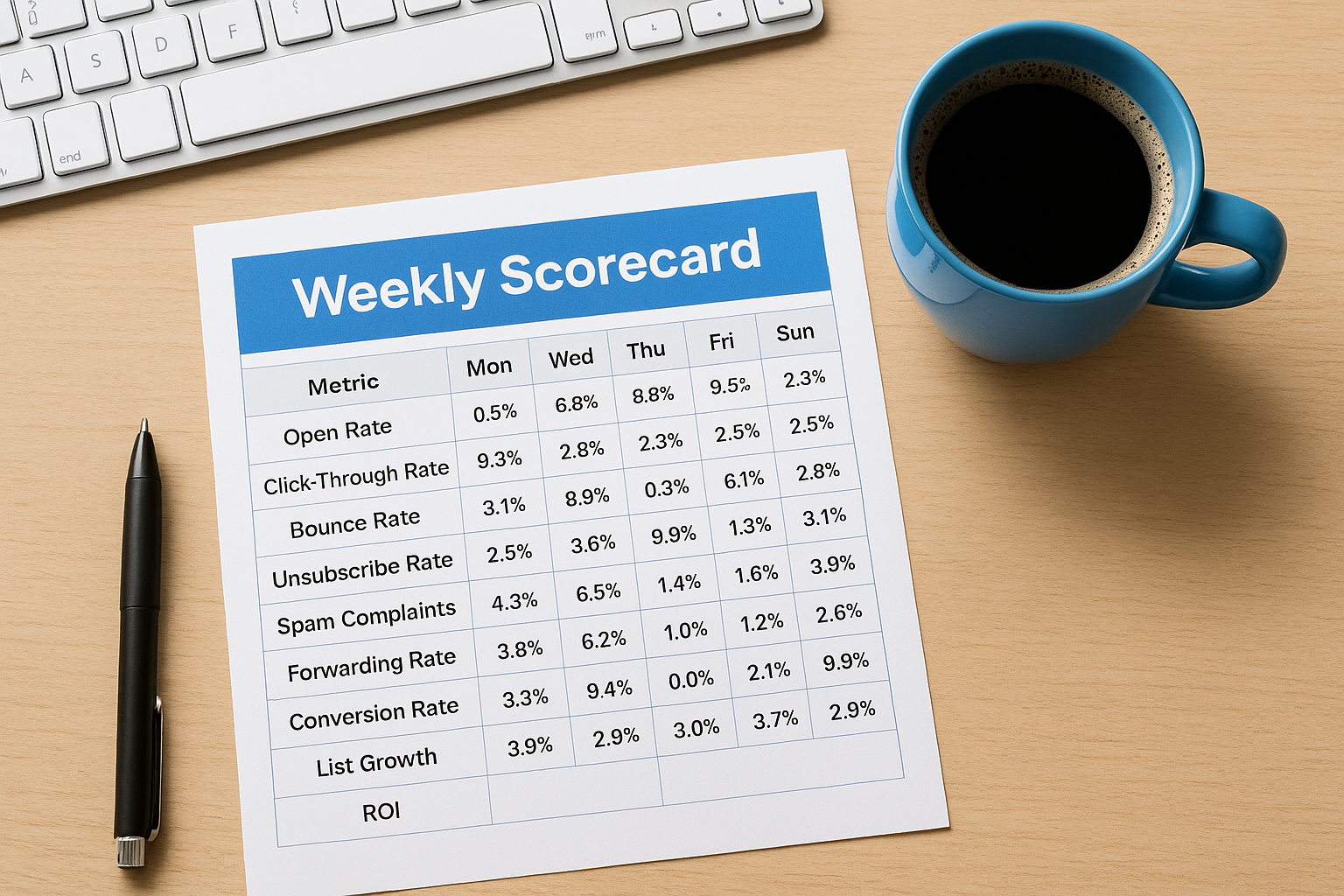
Reviewing your scorecard weekly also forces you to act on problems before they compound. A small spike in spam complaints this week becomes a sender reputation problem next month if you ignore it. Small corrections applied consistently produce far better results than major overhauls applied too late.
Your email program should generate measurable, predictable returns, and the right data makes that possible. If you want an expert set of eyes on your current funnel setup, book a free conversion audit and we will show you exactly where to focus first.
