

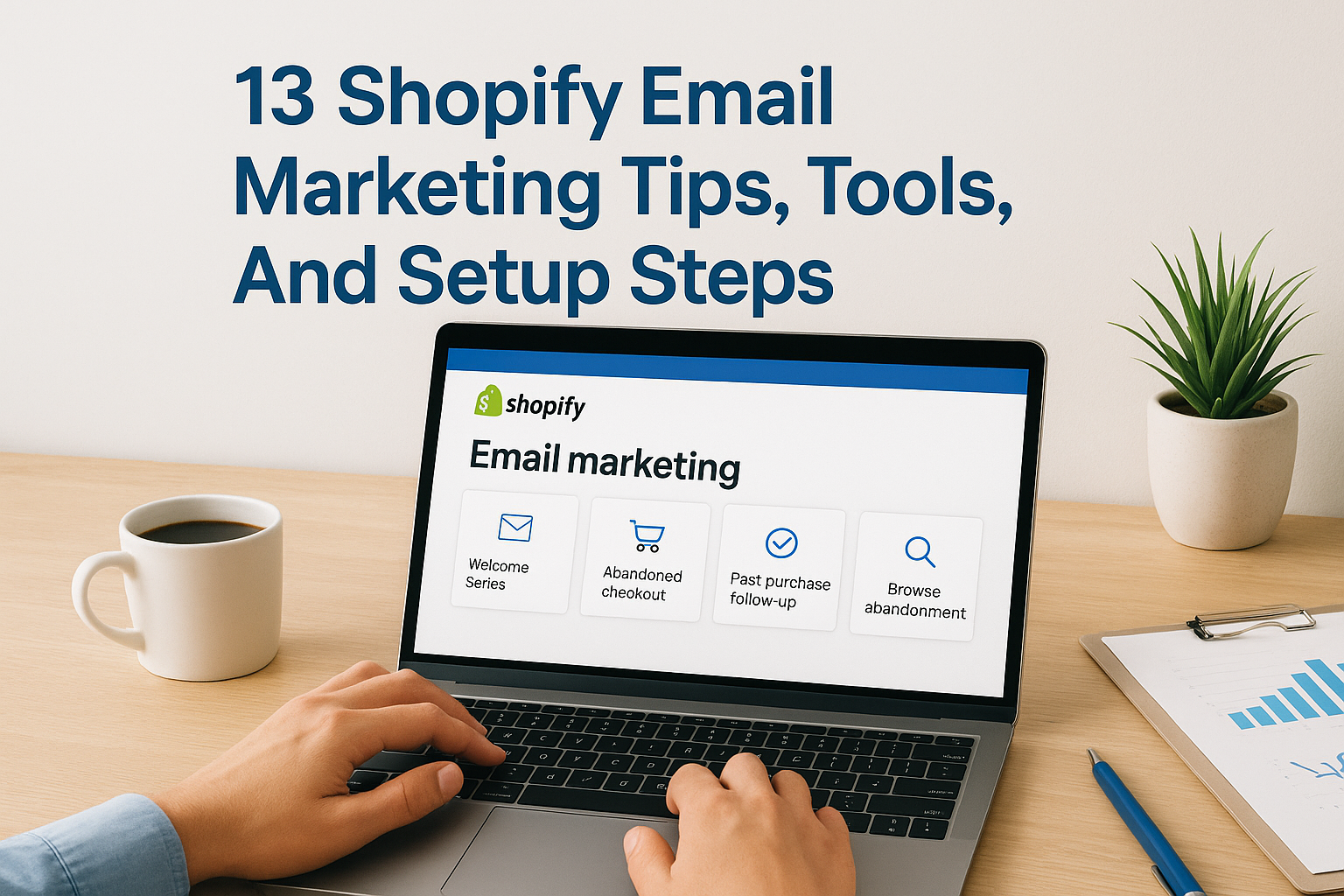
Most Shopify store owners leave money on the table by ignoring their email list or treating it as an afterthought. Meanwhile, Shopify email marketing consistently delivers some of the highest ROI of any marketing channel, often returning $36 or more for every dollar spent. The difference between stores that thrive and those that struggle often comes down to how well they nurture leads after the first click.
At Client Factory, we build client acquisition systems that turn traffic into revenue. Email marketing is a critical piece of that puzzle, especially for Shopify merchants who need to convert browsers into buyers and one-time customers into loyal fans. We’ve seen firsthand how the right email strategy transforms sporadic sales into predictable income streams.
This guide breaks down 13 actionable tips, proven tools, and step-by-step setup instructions to help you build an email marketing system that actually works. Whether you’re deciding between Shopify Email and third-party apps, looking to automate your campaigns, or trying to squeeze more revenue from your existing list, you’ll find practical answers here, no fluff, no generic advice. Let’s get into it.
1. Client Factory
Before diving into DIY email tools, you should know there’s another path: hiring experts who build your entire email system for you. Client Factory specializes in creating conversion-focused email funnels for Shopify stores that turn browsers into buyers and one-time customers into repeat purchasers. Instead of figuring out Shopify email marketing yourself, you get a team that designs, implements, and optimizes every piece of your email strategy.
What it does
Client Factory builds complete email marketing systems tailored to your Shopify store’s specific needs. You get custom-designed automations that handle welcome sequences, abandoned cart recovery, post-purchase follow-ups, and win-back campaigns without lifting a finger. The team analyzes your customer data and purchase patterns to create segmentation strategies that send the right message to the right person at exactly the right time.
Beyond setup, Client Factory manages ongoing campaign optimization. Your email performance gets monitored continuously, with subject lines, send times, and content tested to improve open rates and conversions. The agency handles list growth strategies, deliverability protection, and compliance requirements so you stay focused on running your store.
“Most Shopify owners waste months learning email platforms when they could be scaling revenue with a system that’s already proven to convert.”
You also get access to advanced strategies like behavioral triggers, dynamic product recommendations, and VIP customer nurturing that most store owners never implement on their own.
How to set it up in Shopify
Getting started requires reaching out to Client Factory directly through their website to discuss your store’s current situation and revenue goals. During an initial consultation, the team audits your existing email setup (or lack thereof) and identifies the biggest opportunities for immediate revenue growth. You share access to your Shopify admin and any email platforms you currently use.
Client Factory then selects the best email platform for your specific needs, whether that’s Klaviyo, Omnisend, or another solution. The team handles complete technical integration, connecting your Shopify store data to the email platform and setting up proper tracking. You approve the strategy, automation workflows, and email designs before anything goes live.
Once launched, you receive regular performance reports showing exactly how your email campaigns drive revenue, with ongoing adjustments made based on real results.
Cost, limits, and best fit
Client Factory operates on a custom pricing model based on your store’s size, current email list, and revenue goals. Pricing typically includes strategy development, technical setup, creative design, and ongoing management. This approach works best for Shopify stores doing at least $10,000 per month in revenue who want email handled by professionals rather than figuring it out themselves.
The service fits stores that lack in-house marketing expertise or simply don’t have time to manage email campaigns. You won’t face subscriber limits or sending restrictions since Client Factory selects and manages whatever platform best suits your needs. Stores looking for a completely hands-off email solution where experts handle strategy, execution, and optimization find the best value here.
This option makes less sense if you’re just starting out, have a tiny budget, or genuinely enjoy learning and managing email marketing yourself.
2. Shopify Email and Shopify Messaging
Shopify’s native email solution gives you basic email marketing functionality without leaving your store admin or paying for third-party apps. You get direct access to customer data and purchase history since everything lives inside the same platform, making it straightforward to send campaigns and automate basic sequences. The built-in Shopify Messaging feature adds SMS capabilities to complement your email strategy.
What it does
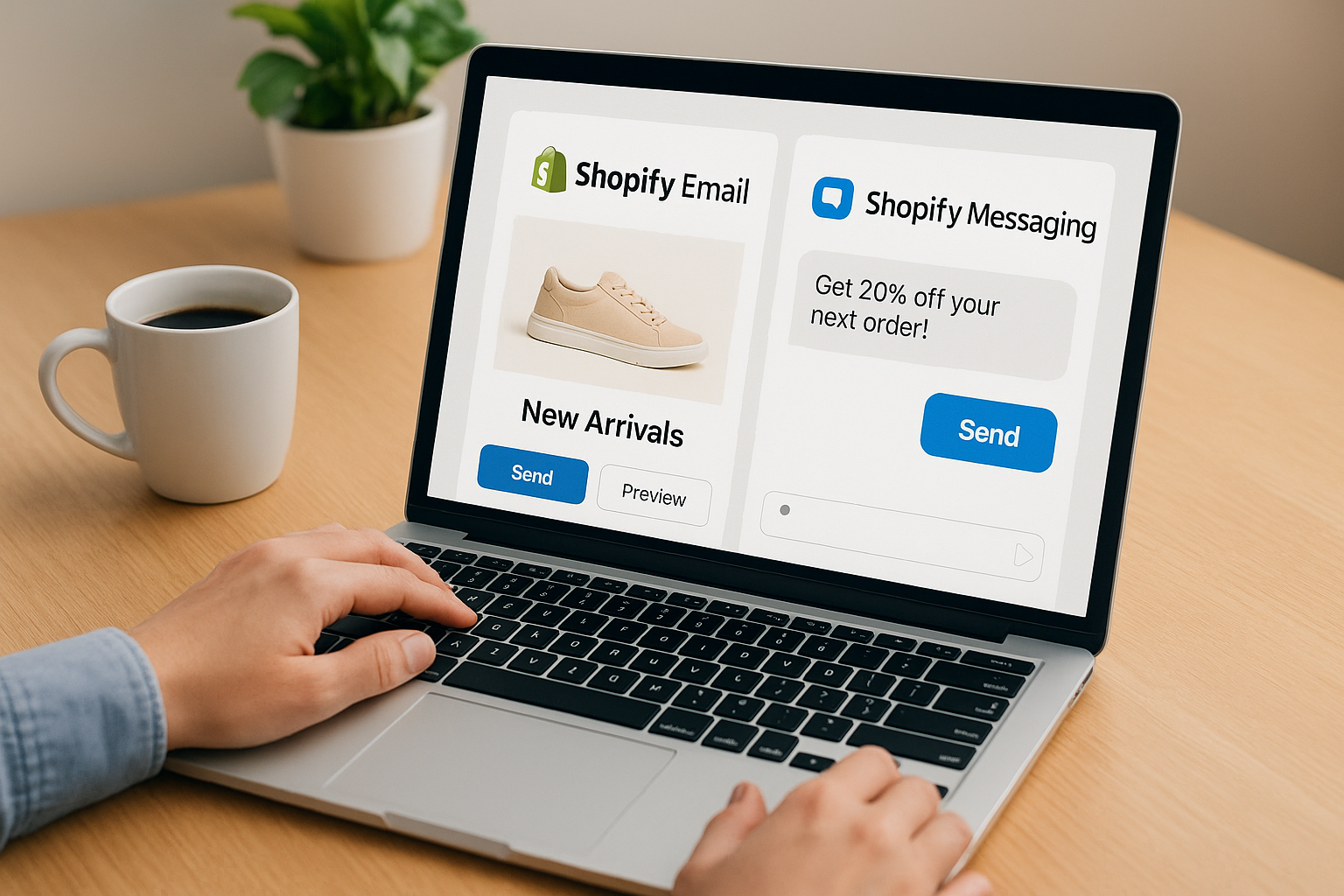
Shopify Email lets you create branded email campaigns using drag-and-drop templates that automatically pull product images, descriptions, and pricing from your store catalog. You can send promotional blasts, product launches, and newsletters directly to customers who’ve opted in through your store’s email capture forms. The platform tracks opens, clicks, and revenue generated from each campaign inside your Shopify analytics dashboard.
Shopify Messaging adds text message functionality so you can reach customers through SMS alongside email. Both tools share the same contact database, letting you build multi-channel automation workflows that combine email and text messages based on customer behavior like abandoned carts or completed purchases.
“Having email and SMS in one place eliminates the headache of syncing customer data between multiple platforms.”
How to set it up in Shopify
You activate Shopify Email by navigating to Apps > Shopify App Store in your admin panel and installing the Shopify Email app at no additional cost. Once installed, you access it through the Marketing section of your dashboard. Create your first campaign by selecting a pre-built template or starting from scratch, then customize colors, fonts, and content to match your brand.
Shopify Messaging requires separate activation through Settings > Notifications > SMS where you enable text messaging and verify your sending phone number. Both tools automatically connect to your customer contact list and order data without manual integration steps.
Cost, limits, and best fit
Shopify Email gives you 10,000 free emails per month regardless of your Shopify plan, with additional emails costing $1 per 1,000 sent. Shopify Messaging charges based on SMS volume and varies by country. This setup works best for new stores with small lists or merchants who want simple shopify email marketing without learning complex platforms. Stores needing advanced segmentation, behavioral triggers, or sophisticated automation should look elsewhere.
3. Klaviyo
Klaviyo sits at the top of the third-party Shopify email marketing platform hierarchy because it gives you predictive analytics and advanced segmentation that go far beyond basic email blasts. The platform pulls every piece of customer data from your Shopify store automatically, then uses that information to create hyper-targeted campaigns that predict future purchase behavior. You get tools that analyze customer lifetime value, purchase frequency, and browsing patterns to send messages that actually convert.
What it does
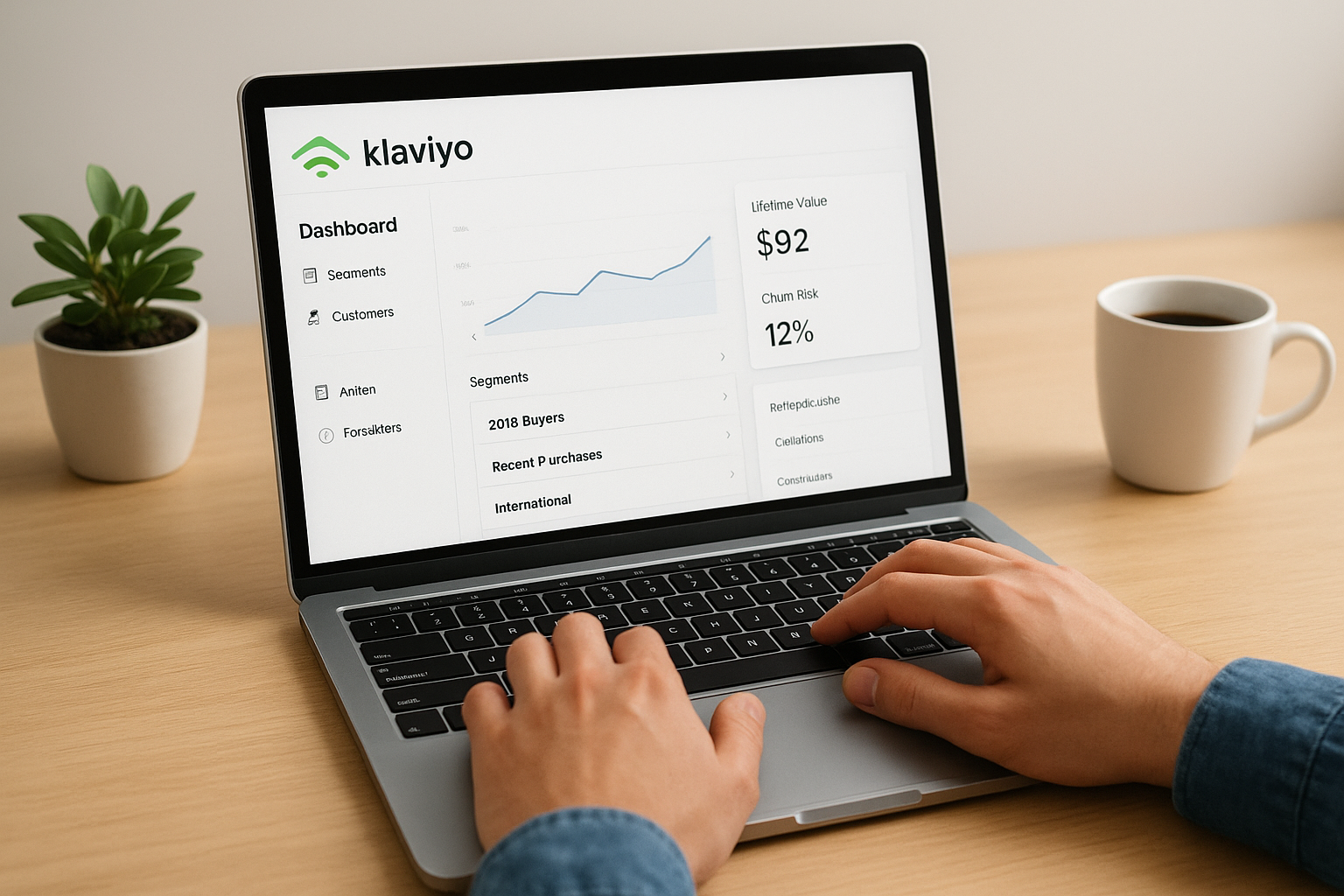
Klaviyo creates dynamic customer segments based on actual behavior rather than basic demographics. You can target customers who bought specific products, spent above a certain amount, or abandoned carts with particular items. The platform builds automated flows that respond to real-time actions like browse abandonment, post-purchase follow-ups, and win-back campaigns for dormant customers.
The system also provides predictive analytics that calculate each customer’s expected lifetime value and churn risk. You see which products each subscriber is most likely to buy next, then send personalized recommendations automatically. Klaviyo’s reporting shows revenue attribution down to individual email campaigns, making it easy to prove ROI.
How to set it up in Shopify
You install Klaviyo by searching for it in the Shopify App Store and clicking Add App, which triggers an automatic connection between your store and Klaviyo account. The integration imports your historical customer data, order information, and product catalog immediately after authorization. Klaviyo creates a dedicated account where you access all features through their dashboard.
Start by setting up your first automated flow using pre-built templates for welcome series or abandoned cart recovery. The platform walks you through customizing email content, setting triggers, and defining wait times between messages. You connect your sending domain and authenticate your email to protect deliverability before launching campaigns.
“Klaviyo’s deep Shopify integration means every customer action automatically triggers the right email at exactly the right moment.”
Cost, limits, and best fit
Klaviyo offers a free tier up to 250 contacts and 500 email sends per month, then switches to paid plans starting around $20 monthly for 251 to 500 contacts. Pricing increases based on total contact count, not emails sent, which can get expensive as your list grows beyond 10,000 subscribers. The platform works best for established Shopify stores doing at least $30,000 monthly revenue who need sophisticated segmentation and predictive features.
Smaller stores often find Klaviyo overpowered and overpriced for their needs. You get the most value if you actively use behavioral segmentation, A/B testing, and predictive analytics rather than just sending basic promotional emails.
4. Omnisend
Omnisend positions itself as the ecommerce-specific email and SMS platform that bridges the gap between Shopify Email’s simplicity and Klaviyo’s complexity. The platform gives you automation workflows and multi-channel campaigns designed specifically for online stores without requiring a data science degree to understand. You get pre-built flows that actually work for ecommerce instead of generic email templates repurposed from B2B software.
What it does
Omnisend combines email, SMS, and push notifications into unified workflows that reach customers across multiple channels from a single campaign. You create automations that send an email first, then follow up with a text message if the customer doesn’t open within a certain timeframe. The platform tracks product-specific engagement, letting you see which items individual subscribers browse, add to cart, or purchase.
The system includes pre-built automation templates for abandoned cart recovery, welcome series, and order confirmations that you customize with your branding and product catalog. Omnisend’s forms and pop-ups help you grow your list through exit-intent triggers, wheel-of-fortune discounts, and timed overlays that capture emails without annoying visitors.
“Multi-channel workflows that automatically switch between email and SMS based on customer response rates outperform single-channel campaigns by significant margins.”
How to set it up in Shopify
You add Omnisend to your store through the Shopify App Store by searching for Omnisend and clicking Install, which connects your customer data and product catalog automatically. The platform imports existing subscribers, order history, and product information within minutes of authorization. Access your Omnisend dashboard through the installed app or directly at their website.
Begin by activating pre-built automation workflows that Omnisend creates automatically for your store type. Customize email templates to match your brand colors and voice, then enable the workflows to start capturing abandoned carts and welcoming new subscribers immediately.
Cost, limits, and best fit
Omnisend offers a free plan up to 250 contacts and 500 emails monthly, with paid plans starting at $16 per month for up to 500 contacts. The pricing includes both email and SMS credits, making it more affordable than buying separate tools. This platform works best for growing Shopify stores doing $10,000 to $100,000 monthly who want multi-channel marketing without Klaviyo’s learning curve or price tag.
Stores focused purely on email might find better value elsewhere, but the included SMS makes Omnisend competitive for shopify email marketing combined with text messaging.
5. ActiveCampaign
ActiveCampaign brings CRM functionality and marketing automation together in one platform that extends far beyond simple shopify email marketing campaigns. The system tracks every customer interaction across email, site visits, and purchase behavior to create detailed contact records that inform your entire sales and marketing strategy. You get tools designed for businesses that want to combine email marketing with sales pipeline management and customer relationship tracking.
What it does
ActiveCampaign creates conditional automation workflows that branch based on customer actions, letting you build complex sequences that adapt to individual behavior in real time. The platform scores leads based on engagement levels and purchase signals, automatically flagging high-value prospects who need personal attention from your sales team. You set up automations that send different follow-up sequences depending on which products customers view, which emails they open, or how much they spend.
The built-in CRM component tracks customer lifetime value and purchase history while giving you a visual sales pipeline to manage customer relationships. ActiveCampaign’s machine learning suggests optimal send times for each subscriber based on when they typically engage with your emails, increasing open rates without manual testing.
“Combining email automation with CRM data transforms generic campaigns into personalized conversations that build real customer relationships.”
How to set it up in Shopify
You connect ActiveCampaign to Shopify by installing the ActiveCampaign app from the Shopify App Store, which establishes a two-way data sync between platforms. The integration imports your customer list, order data, and product catalog into ActiveCampaign’s system automatically. Create an ActiveCampaign account if you don’t have one, then authorize the connection through the app interface.
Start building automations using pre-made templates specific to ecommerce, or create custom workflows from scratch using the visual automation builder. Configure your sending domain and email authentication to maintain deliverability before launching any campaigns.
Cost, limits, and best fit
ActiveCampaign’s pricing starts at $29 monthly for up to 1,000 contacts on the basic plan, with more advanced automation and CRM features requiring higher-tier plans starting around $49 monthly. The platform works best for Shopify stores that need both email marketing and sales pipeline management, particularly those with longer sales cycles or B2B components. Stores focused purely on simple ecommerce campaigns might find the CRM features unnecessary overhead.
6. Drip
Drip markets itself as an ecommerce CRM that treats email marketing as relationship building rather than broadcast messaging. The platform gives you visual workflow builders and behavioral tracking that create personalized customer journeys based on browsing history, purchase patterns, and engagement levels. You get tools designed specifically for online stores that want to move beyond generic mass emails into shopify email marketing that feels like one-on-one conversations at scale.
What it does
Drip tracks every customer interaction on your Shopify store from first visit through multiple purchases, building detailed profiles that inform your email strategy. The platform creates custom fields and tags automatically based on which products customers view, which categories they browse, and how much they spend. You build automation workflows using a visual canvas that shows exactly how different paths connect and branch based on customer behavior.
The system lets you send personalized product recommendations that change dynamically based on each subscriber’s browsing history and past purchases. Drip’s revenue attribution shows exactly which emails drive sales and calculates the total value generated by each automation workflow. You can create conditional content blocks within single emails that display different products or offers to different segments without building separate campaigns.
“Visual workflow builders transform complex automation logic into drag-and-drop sequences that anyone can understand and modify without technical expertise.”
How to set it up in Shopify
You install Drip by searching for it in the Shopify App Store and authorizing the connection, which imports your customer data and product catalog automatically. The integration syncs order information, customer behavior, and product details in real time after setup. Access your Drip dashboard through the app or directly at their website where you build workflows and design campaigns.
Configure your sending domain and authentication records before launching any campaigns to protect deliverability. Start with pre-built workflows for common scenarios, then customize the triggers and content to match your brand voice.
Cost, limits, and best fit
Drip’s pricing starts at $39 monthly for up to 2,500 contacts, with costs increasing based on list size. The platform works best for established Shopify stores doing $50,000 or more monthly who want advanced personalization and behavioral tracking. Stores needing multi-channel capabilities beyond email should look elsewhere since Drip focuses primarily on email marketing.
7. Mailchimp
Mailchimp stands as one of the oldest and most recognizable email marketing platforms available, offering Shopify integration that brings established email tools to your store. The platform provides beginner-friendly interfaces and pre-built templates that help store owners launch campaigns quickly without technical expertise. You get access to a massive ecosystem of integrations, resources, and support documentation that comes from years of market presence.
What it does
Mailchimp creates basic email campaigns and simple automation sequences for your Shopify store using drag-and-drop editors that require no coding knowledge. The platform lets you design newsletters, promotional emails, and product announcements using hundreds of pre-made templates or custom designs that match your brand. You can segment subscribers based on purchase history, location, and engagement levels to send more targeted messages.
The system includes audience management tools that track subscriber growth, engagement rates, and campaign performance through visual dashboards. Mailchimp’s automation builder handles welcome emails, abandoned cart reminders, and post-purchase follow-ups using basic trigger-based workflows. The platform also offers landing page builders and signup forms that help you grow your email list beyond your Shopify store.
“Mailchimp’s widespread adoption means you find tutorials, integrations, and support for virtually any shopify email marketing question you encounter.”
How to set it up in Shopify
You connect Mailchimp to your store by installing the Mailchimp app from the Shopify App Store, which creates an automatic data sync between platforms. The integration imports your customer list and purchase data into Mailchimp’s system after you authorize the connection. Access your Mailchimp dashboard through the app or directly at their website to build campaigns and automations.
Configure your sender profile and domain authentication before launching campaigns to maintain email deliverability. Start with pre-built automation templates, then customize content and triggers to match your store’s needs.
Cost, limits, and best fit
Mailchimp offers a free plan for up to 500 contacts and 1,000 monthly email sends, with paid plans starting at $13 monthly for 500 contacts. The platform works best for brand-new Shopify stores with tiny budgets who need basic email functionality and recognize the Mailchimp brand. Stores requiring advanced ecommerce features often find Mailchimp lacks the depth of dedicated shopify email marketing platforms like Klaviyo or Omnisend.
8. MailerLite
MailerLite delivers lightweight email marketing tools at price points that appeal to budget-conscious Shopify store owners who need more features than native Shopify Email but less complexity than enterprise platforms. The platform balances simplicity with functionality, giving you automation capabilities and decent segmentation without overwhelming you with advanced features you’ll never use. You get clean interfaces and straightforward workflows that help you launch shopify email marketing campaigns quickly without spending weeks learning the system.
What it does
MailerLite creates automated email sequences and campaigns using a drag-and-drop editor that requires zero technical knowledge to operate. The platform handles welcome series, abandoned cart recovery, and basic post-purchase follow-ups through pre-built automation templates you customize with your products and branding. You segment subscribers based on purchase behavior, location, and engagement data pulled directly from your Shopify store.
The system includes landing page builders and popup forms that help you capture emails through exit-intent triggers, embedded forms, and promotional wheels. MailerLite’s reporting dashboard tracks opens, clicks, and revenue generated from each campaign, though the analytics lack the depth of more expensive platforms.
“Affordable doesn’t have to mean basic when you choose email platforms that focus on delivering essential features exceptionally well.”
How to set it up in Shopify
You connect MailerLite by installing their app from the Shopify App Store, which syncs your customer data and product catalog automatically after authorization. The integration imports existing subscribers and order history into MailerLite’s system within minutes. Access your MailerLite dashboard through the installed app or directly at their website to build campaigns.
Configure your sending domain and authentication settings before launching any emails to protect deliverability. Start with pre-made automation templates, then adjust triggers and content to match your store’s voice.
Cost, limits, and best fit
MailerLite offers a free plan up to 1,000 subscribers and 12,000 monthly emails, with paid plans starting at $9 monthly for up to 1,000 contacts. The platform works best for new Shopify stores with tight budgets who need reliable automation without paying Klaviyo prices. Stores requiring advanced segmentation or predictive analytics should look at more robust options.
9. Build your list the right way
Growing your email list matters more than most Shopify store owners realize because every subscriber represents a direct line to potential revenue without paying for ads each time you want to reach them. The quality of your list determines whether your shopify email marketing campaigns generate sales or get ignored. You need strategic collection methods that attract engaged subscribers who actually want to hear from your store rather than random email addresses that never convert.

What it does
Building your list strategically fills your database with subscribers who showed genuine interest in your products rather than people who entered fake emails to grab a discount. The right approach captures contacts at high-intent moments when visitors actively engage with your store, such as viewing specific products, adding items to cart, or spending significant time on key pages. You create multiple touchpoints that give visitors reasons to subscribe beyond generic newsletter signups.
Proper list building also establishes permission-based relationships that protect your sender reputation and keep you compliant with email regulations. Subscribers who opted in deliberately open emails at higher rates, click more often, and convert into customers faster than those who don’t remember signing up.
“Quality beats quantity in email marketing because 1,000 engaged subscribers generate more revenue than 10,000 disinterested contacts who ignore every message.”
How to set it up in Shopify
You implement strategic list building by installing popup and form apps that trigger based on visitor behavior rather than just appearing randomly. Configure exit-intent popups that activate when visitors move to close their browser tab, offering a compelling incentive like a percentage discount or free shipping on first orders. Add embedded signup forms to high-traffic pages like your homepage, product pages, and blog posts.
Create dedicated landing pages for lead magnets like buying guides, size charts, or exclusive product previews that provide real value beyond generic discounts. Connect these forms to your email platform through native Shopify integrations or third-party apps.
Cost, limits, and best fit
Most popup and form apps cost between $0 and $30 monthly depending on features and visitor volume, with many offering free plans for new stores. This strategy works best for stores at any revenue level who want to build engaged audiences that actually buy products rather than just collecting email addresses that sit idle.
10. Segment customers for targeting that converts
Generic blast emails waste your list’s potential because different customers need different messages at different times in their journey. Segmentation divides your subscriber base into targeted groups based on behavior, purchase history, and engagement levels, letting you send relevant messages that actually convert instead of one-size-fits-all campaigns that get ignored. Most Shopify email marketing platforms give you segmentation tools, but the strategy behind how you split your audience determines whether your campaigns generate sales or spam complaints.
What it does
Customer segmentation creates distinct audience groups that receive tailored messages matching their specific interests and buying stage. You target first-time buyers with onboarding sequences while sending VIP customers exclusive early access to new products or special discounts. The system tracks which products individual subscribers browse, add to cart, or purchase, then uses that data to send product recommendations that actually match their preferences rather than random suggestions.
Behavioral segmentation identifies high-value customers who spend above average amounts or purchase frequently, letting you create loyalty programs and special treatment that keeps them coming back. You separate engaged subscribers who open every email from dormant contacts who haven’t clicked in months, adjusting your sending frequency and content strategy accordingly.
“Segmented campaigns generate 760% more revenue than generic broadcasts because targeted messages reach customers when they’re actually ready to buy.”
How to set it up in Shopify
You build segments inside your email platform using customer data automatically synced from Shopify, including order history, product views, cart additions, and total spending. Start by creating basic segments for new subscribers, active customers, and lapsed buyers who haven’t purchased in 60+ days. Most platforms let you combine multiple conditions, such as targeting customers who bought specific products and spent over a certain amount.
Configure dynamic segments that update automatically as customer behavior changes rather than manual lists you need to refresh constantly. Tag customers based on which product categories they purchase most often, then use those tags to send relevant cross-sell and upsell campaigns.
Cost, limits, and best fit
Segmentation features come included with all major email platforms at no extra cost, though advanced capabilities require paid plans on most services. This strategy works best for stores with at least 1,000 subscribers where segmentation creates meaningful audience splits rather than dozens of tiny groups. Stores with small lists should focus on basic segments like customers versus prospects before building complex behavioral groupings.
11. Set up the core automations
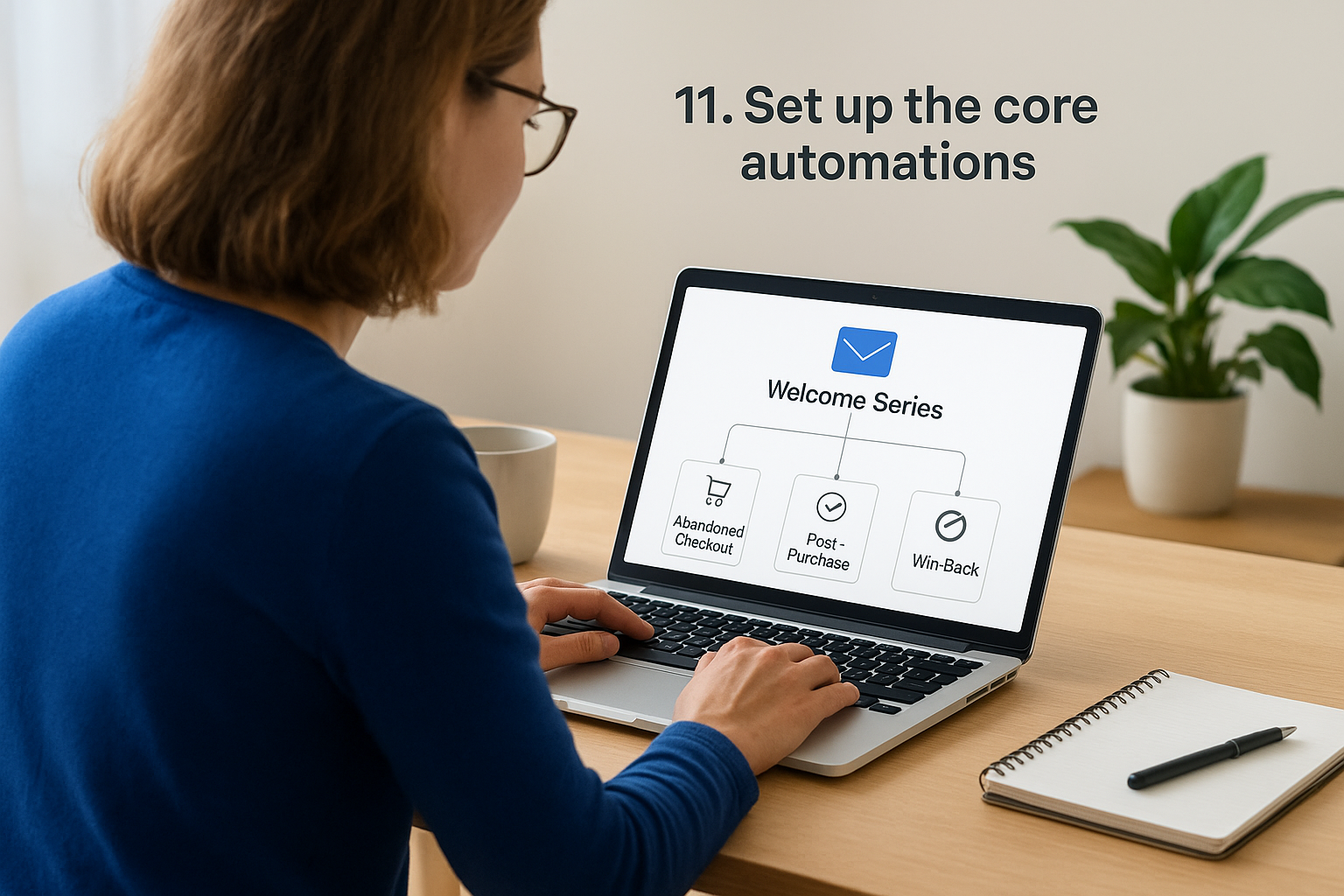
Automated email sequences run in the background of your Shopify store to capture revenue opportunities that manual campaigns miss. These workflows trigger based on specific customer actions or time delays, sending perfectly timed messages that guide subscribers toward purchases without requiring daily attention. Setting up the five essential automations transforms sporadic sales into predictable income streams that work while you sleep.
What it does
Core automations handle the most profitable touchpoints in your customer journey automatically. The system monitors cart activity, purchase behavior, and browsing patterns to send triggered messages at precisely the right moments. You capture abandoned checkout revenue, nurture new subscribers, reward recent buyers, and re-engage dormant customers through sequences that adapt to individual actions without manual intervention.
How to set it up in Shopify
You build automations inside your chosen email platform using pre-built templates or custom workflow builders that connect directly to your Shopify data. Access the automation section of your platform, select the trigger event like cart abandonment or new signup, then customize email content and timing delays between messages. Most platforms let you preview the entire workflow before activation to catch errors.
Welcome series automation
Your welcome series introduces new subscribers to your brand through two to four emails spread over five to seven days. The sequence highlights bestselling products, explains your unique value proposition, and often includes a first-purchase discount to convert subscribers into customers quickly.
Abandoned checkout automation
Abandoned checkout emails target customers who added products to cart and entered checkout but never completed their purchase. Send the first reminder within one hour, follow up at 24 hours, and add a final message at 48 to 72 hours with urgency-driven copy.
Post-purchase automation
Post-purchase sequences thank customers, provide order tracking information, and request reviews after delivery. These emails build loyalty and encourage repeat purchases through cross-sell recommendations based on what they bought.
Win-back automation
Win-back automations re-engage customers who haven’t purchased in 60 to 90 days by offering special incentives or showcasing new products. The timing varies based on your average purchase frequency.
“Automated workflows generate 320% more revenue than manual campaigns because they deliver messages when customers actually need them.”
Browse abandonment automation
Browse abandonment emails target visitors who viewed specific products without adding them to cart. Send reminders featuring the exact items they browsed within 24 hours to recapture lost interest.
Cost, limits, and best fit
Automation features come included with all major shopify email marketing platforms at every price tier, though advanced branching logic requires paid plans. This strategy works best for stores with consistent traffic generating enough triggers to make automation worthwhile rather than occasional visitors.
12. Run campaigns tied to your promo calendar
Automated workflows handle background revenue, but manual campaigns drive predictable sales spikes when you plan them around your promotional calendar. Strategic campaign scheduling means you send targeted messages for product launches, seasonal sales, and weekly newsletters that keep your brand top-of-mind without overwhelming subscribers. This approach transforms your email list into an on-demand revenue generator you activate whenever your business needs a sales boost.
What it does
Promotional campaigns let you control exactly when messages hit subscriber inboxes to maximize impact around specific events or offers. You schedule sends for new product releases, holiday sales, flash promotions, and regular content that maintains engagement between major campaigns. The system tracks which promotions generate the most revenue, helping you refine your calendar over time to focus on what actually converts.
How to set it up in Shopify
You build promotional campaigns inside your email platform by creating one-time sends rather than automated sequences. Select your target segment, design the email content around your specific offer or announcement, then schedule the send time that matches your promotional calendar. Most platforms let you A/B test subject lines and preview content across devices before launching.
Weekly newsletter structure for ecommerce
Your weekly newsletter maintains consistent touchpoints with subscribers through educational content, product spotlights, and behind-the-scenes updates that build brand connection. Send on the same day and time each week to train subscribers when to expect your messages, and include two to three focused sections rather than cramming everything into one email.
“Consistent weekly sends at predictable times generate 23% higher open rates than sporadic campaigns because subscribers anticipate and look for your messages.”
Product launch and restock sends
Product launch emails announce new items or returning bestsellers with compelling imagery and urgency-driven copy that encourages immediate purchases. Send to your most engaged segments first, then broaden to your full list if inventory allows.
Sale sends without training customers to wait
You protect margins by running sales strategically rather than constantly discounting. Send promotional offers during genuine seasonal events or inventory clearances, spacing sales far enough apart that customers don’t learn to wait for discounts before buying.
Cost, limits, and best fit
Campaign sends count toward your monthly email quota on all shopify email marketing platforms but don’t incur additional costs beyond your plan limits. This strategy works best for stores with established products and consistent traffic who need reliable ways to generate revenue on demand.
13. Protect deliverability and stay compliant
Your shopify email marketing campaigns fail when messages land in spam folders or trigger legal complaints. Deliverability protection ensures emails actually reach subscriber inboxes while compliance measures keep you from violating regulations that result in fines or platform bans. You maintain your sender reputation through technical authentication, list quality management, and proper legal procedures that separate professional email marketing from amateur spam operations.
What it does
Deliverability protection safeguards your sender reputation with email providers like Gmail and Outlook that determine whether your messages reach inboxes or get filtered as spam. The system monitors bounce rates, spam complaints, and engagement metrics that email providers use to judge your sending quality. Compliance measures ensure you follow legal requirements for commercial emails including proper consent documentation and unsubscribe mechanisms that keep you out of regulatory trouble.
How to set it up in Shopify
You implement deliverability protection by configuring DNS authentication records in your domain settings that verify you as the legitimate sender of emails from your store’s domain. Access your email platform’s domain settings, copy the SPF, DKIM, and DMARC records provided, then add them to your domain host’s DNS management panel. Most Shopify email marketing platforms provide step-by-step guides for this technical setup.
Authentication and sending domains
Domain authentication proves to email providers that you own the domain you’re sending from rather than spoofing someone else’s address. You add specific DNS records that let receiving servers verify the authenticity of your emails, dramatically improving inbox placement rates compared to unauthenticated sending.
List hygiene and engagement protection
List hygiene removes inactive subscribers and invalid addresses that damage your sender reputation through high bounce rates. You suppress contacts who haven’t engaged in six months and implement double opt-in confirmations that verify email addresses before adding them to your active list.
“Authenticated domains with clean, engaged lists achieve 98% inbox placement rates while unauthenticated senders with poor list hygiene often see 40% or lower.”
CAN-SPAM, consent, and unsubscribe basics
Legal compliance requires clear identification of commercial messages, physical mailing addresses in every email, and functional unsubscribe links that process within 10 days. You collect explicit consent through checkboxes at signup rather than pre-checked boxes that violate regulations.
Cost, limits, and best fit
Deliverability protection comes included with all legitimate email platforms at no additional cost beyond your standard plan. This strategy works best for every Shopify store sending emails regardless of size since poor deliverability destroys campaign effectiveness and compliance violations trigger significant financial penalties.
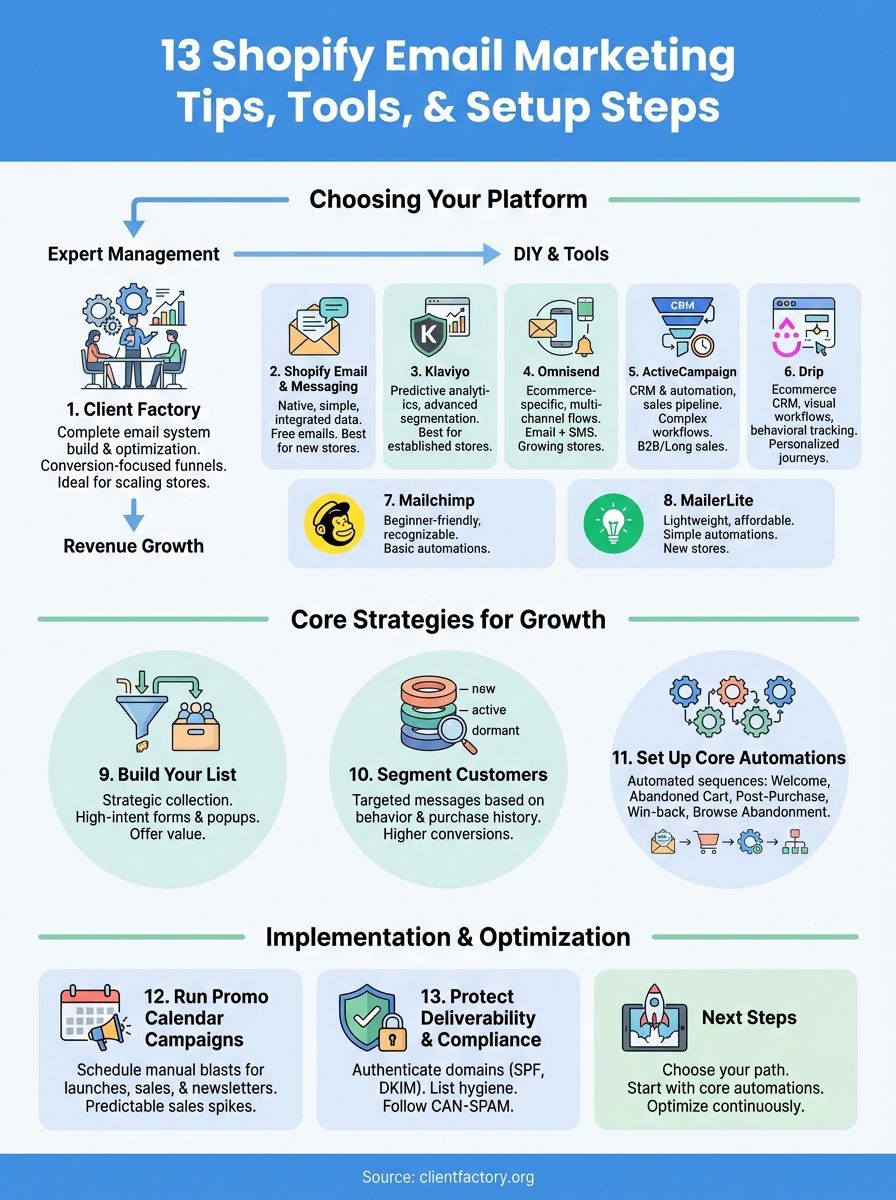
Next steps for your Shopify emails
You now have 13 proven strategies to transform your Shopify email marketing from scattered campaigns into a revenue-generating system. The key lies in choosing the right platform for your current stage, whether that’s starting with native Shopify Email or investing in advanced tools like Klaviyo or Omnisend. Most stores see immediate returns by implementing the core automations first, particularly abandoned cart and welcome series, before expanding into complex segmentation and promotional calendars.
Your next move depends on whether you want to build this system yourself or hand it to professionals who’ve done it hundreds of times. If managing email campaigns feels overwhelming or you’d rather focus on running your store, Client Factory builds complete email systems that convert browsers into buyers without you touching a single workflow. The team handles strategy, setup, and ongoing optimization so your emails actually drive revenue instead of sitting in spam folders.
