


Your marketing team is drowning in repetitive tasks. Sending follow-up emails manually. Scoring leads by gut feel. Segmenting audiences one by one. While you do busy work, your competitors are closing deals and scaling faster because they turned their marketing into a system that runs itself.
Marketing automation can fix this. But buying software is not a strategy. You need a plan that connects your tools to your revenue goals. A framework that turns data into decisions and prospects into paying clients. Without that foundation, automation becomes expensive chaos.
This guide walks through seven practical steps to build a marketing automation strategy that works for service businesses. You’ll see how to map customer journeys, set up smart workflows, and measure what matters. We’ll cover real examples and show you which tools deliver results without the complexity. By the end, you’ll have a clear roadmap to turn your marketing into a revenue engine that operates while you focus on growth.
What a strong marketing automation strategy does
A marketing automation strategy turns your scattered marketing efforts into a coordinated system. Instead of reacting to every lead manually, you create workflows that respond instantly to prospect behavior. When someone downloads your guide, visits your pricing page three times, or abandons a consultation form, your system triggers the right message at the right moment without human intervention.

Eliminates repetitive manual work
Your team stops wasting hours on tasks machines handle better. Automated workflows score leads, send follow-up emails, update CRM records, and assign prospects to sales reps based on rules you define once. This frees your marketers to focus on strategy, content creation, and analyzing performance instead of copying email addresses into spreadsheets.
Delivers personalized experiences at scale
You treat each prospect like an individual without hiring an army. Smart segmentation and dynamic content let you send different messages to different audiences based on their industry, behavior, or stage in the buying journey. A law firm prospect sees case studies about legal services while a consulting firm sees different examples, all from the same campaign.
“Automation doesn’t replace the human touch. It amplifies it by ensuring no prospect falls through the cracks.”
Connects marketing actions to revenue results
Strong automation platforms show you which campaigns generate clients, not just clicks. You track the complete journey from first website visit to closed deal, identifying which emails, ads, and content pieces actually drive revenue. This data helps you double down on what works and cut what doesn’t.
Steps 1 to 3. Get your strategy foundations right
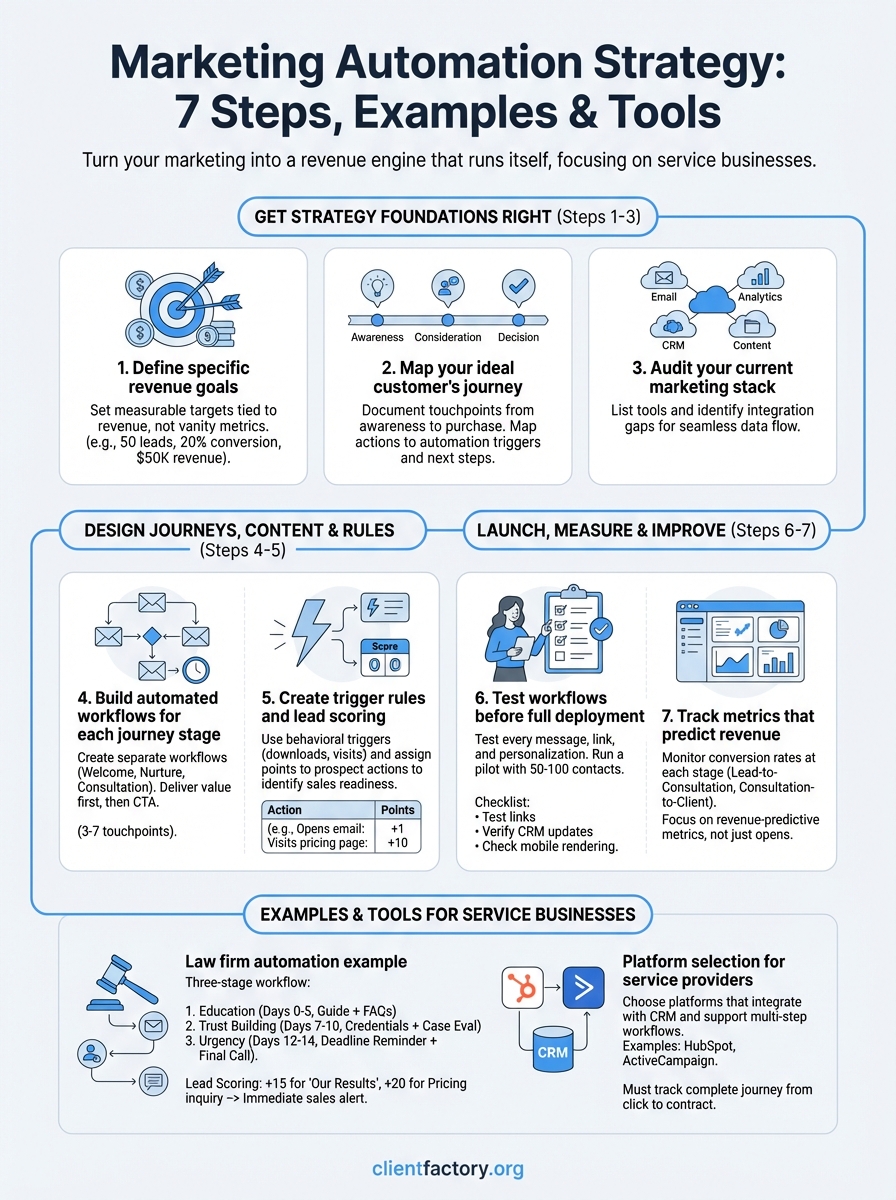
Before you configure a single workflow, you need to establish the strategic foundation that makes automation profitable. These first three steps determine whether your marketing automation strategy generates real revenue or just creates organized clutter. You’ll define what success looks like, understand how prospects become clients, and identify gaps in your current system.
Step 1. Define specific revenue goals
Start by setting measurable targets tied directly to revenue. Instead of vague aims like “generate more leads,” commit to concrete numbers: “Generate 50 qualified leads per month that convert at 20% to produce 10 new clients worth $50,000 in revenue.” Your automation platform should track progress toward these specific financial outcomes, not vanity metrics like email open rates.
Break your revenue goal into component metrics:
- Monthly qualified lead target
- Target conversion rate from lead to consultation
- Target conversion rate from consultation to client
- Average client value
- Required marketing cost per acquisition
Step 2. Map your ideal customer’s journey
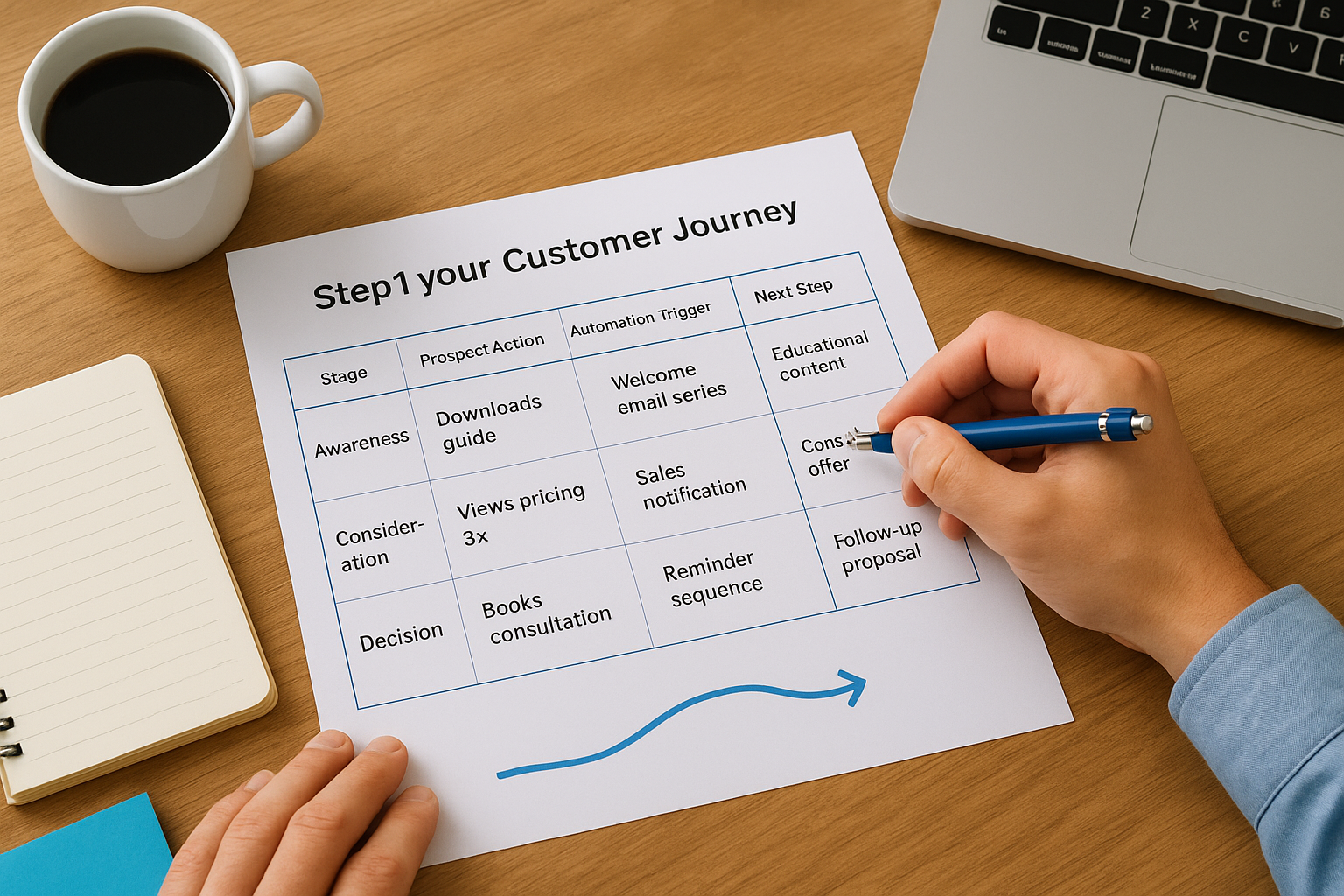
Document every touchpoint between first awareness and final purchase decision. For a service business, this typically includes: discovering your content, visiting your website, downloading a resource, attending a webinar or consultation, reviewing proposals, and signing a contract. Your automation will trigger different messages and actions at each stage, so you need this map before building workflows.
“The most effective automation follows the path your prospects actually take, not the path you wish they would take.”
Create a simple journey map template:
| Stage | Prospect Action | Automation Trigger | Next Step |
|---|---|---|---|
| Awareness | Downloads guide | Welcome email series | Educational content |
| Consideration | Views pricing 3x | Sales notification | Consultation offer |
| Decision | Books consultation | Reminder sequence | Follow-up proposal |
Step 3. Audit your current marketing stack
List every tool you currently use for email, CRM, advertising, analytics, and content management. Identify which systems connect to each other and which require manual data transfer. Your marketing automation strategy depends on seamless data flow between platforms, so you need to know where integration gaps exist before selecting new automation software.
Steps 4 and 5. Design journeys, content, and rules
With your foundation in place, you can now build the automation workflows that move prospects through your funnel. These next two steps transform your strategy from planning to execution. You’ll design specific email sequences, set up behavioral triggers, and create scoring systems that identify ready-to-buy prospects automatically.
Step 4. Build automated workflows for each journey stage
Create a separate workflow for each stage of your customer journey map. Start with your welcome sequence for new subscribers, then build workflows for nurturing, consultation booking, and post-consultation follow-up. Each workflow should include 3 to 7 touchpoints spread over days or weeks, matching the typical time prospects spend at that stage.
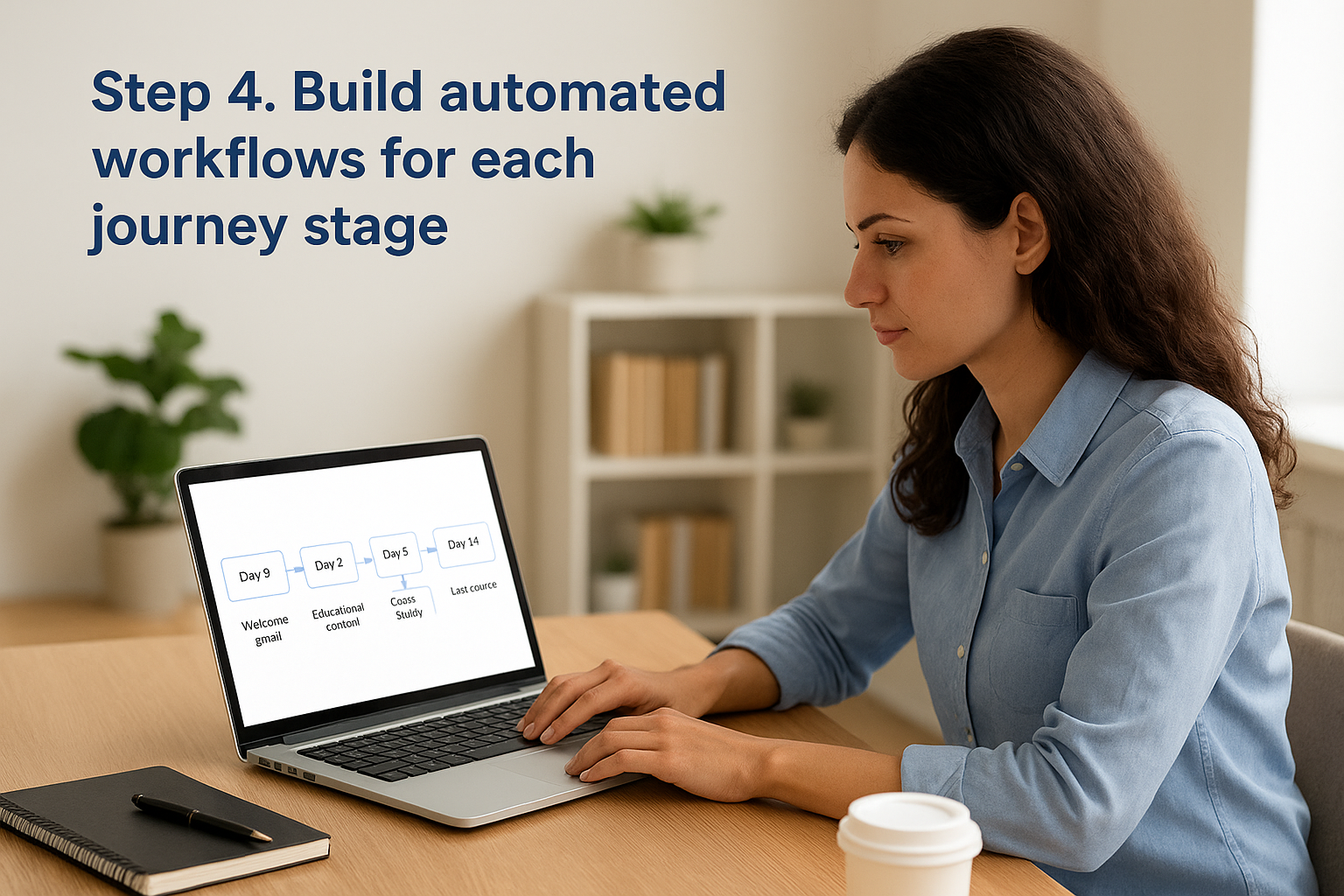
Your welcome workflow template might look like this:
Day 0: Welcome email + deliver promised resource
Day 2: Educational content related to their download
Day 5: Case study showing results for similar clients
Day 9: Invitation to book a free consultation
Day 14: Last chance reminder with social proof
Design each email to provide value first, then include one clear call-to-action. Your nurturing content should answer common objections, showcase expertise, and build trust before asking for the consultation. Service businesses see the best results when automation educates prospects instead of just pushing for immediate sales.
“Every automated message should pass the test: Would you send this email manually to a prospect you really care about?”
Step 5. Create trigger rules and lead scoring
Set up behavioral triggers that launch workflows automatically based on specific actions. When someone downloads your pricing guide, trigger your consultation booking sequence. When they visit your case studies page three times, notify your sales team immediately. Your marketing automation strategy becomes powerful when systems respond to intent signals without waiting for manual review.
Build a simple lead scoring model that assigns points to valuable actions:
| Action | Points | Reasoning |
|---|---|---|
| Opens email | +1 | Shows basic interest |
| Clicks email link | +3 | Active engagement |
| Visits pricing page | +10 | High purchase intent |
| Books consultation | +25 | Ready for sales conversation |
When a prospect reaches your threshold score (typically 20 to 30 points), automatically assign them to a sales rep for immediate personal outreach.
Steps 6 and 7. Launch, measure, and improve
Your workflows are built, but launching everything at once creates chaos you can’t diagnose. These final two steps protect you from expensive mistakes while establishing the feedback loop that turns good marketing automation into great revenue generation. You’ll test systematically, then track the metrics that actually predict whether prospects become paying clients.
Step 6. Test workflows before full deployment
Start by sending yourself through each workflow as a test contact. Create a dummy email address, trigger each automation, and verify that every message arrives correctly with working links and proper personalization. Check that your CRM updates happen when expected and that lead scores increment accurately. This manual walkthrough catches broken integrations and formatting errors before real prospects see them.
Run a limited pilot with 50 to 100 contacts before scaling to your full database. Monitor delivery rates, open rates, and most importantly, whether prospects take your desired actions like booking consultations or downloading resources. If your test group shows strong engagement, expand gradually. If metrics underperform, adjust your messaging or timing before wasting your entire list.
Use this pre-launch checklist:
☐ Test all email links and CTAs
☐ Verify personalization tokens display correctly
☐ Confirm CRM field updates trigger properly
☐ Check mobile email rendering
☐ Review spam score (aim for under 5)
☐ Test unsubscribe functionality
☐ Validate lead scoring calculations
Step 7. Track metrics that predict revenue
Monitor conversion rates at each stage of your customer journey, not just top-of-funnel vanity metrics. Your marketing automation strategy succeeds when you know exactly which email sequences generate consultations and which consultations become clients. Track the time prospects spend at each stage to identify bottlenecks where automation can provide additional nurturing.
“The best automation metrics tell you where to improve your strategy, not just how well your emails performed.”
Focus your dashboard on these revenue-predictive metrics:
| Metric | Why It Matters | Target Range |
|---|---|---|
| Lead-to-consultation rate | Shows workflow effectiveness | 15-25% |
| Consultation-to-client rate | Reveals sales readiness | 30-50% |
| Average time to consultation | Identifies nurturing gaps | 7-21 days |
| Cost per acquired client | Determines profitability | Varies by industry |
Review these numbers weekly and adjust your workflows based on what the data reveals about prospect behavior.
Examples and tools for service businesses
Your marketing automation strategy needs concrete examples to guide implementation. Service businesses like law firms, consulting agencies, and professional service providers share similar customer journey patterns that automation handles efficiently. These examples show you exactly which workflows generate consultations and clients.
Law firm automation example
A personal injury law firm implements a three-stage workflow system that converts 22% of website visitors into consultation bookings. When someone downloads their “Rights After an Accident” guide, the system triggers a five-email sequence over 14 days. Each message includes case results specific to the prospect’s injury type based on which guide they downloaded.
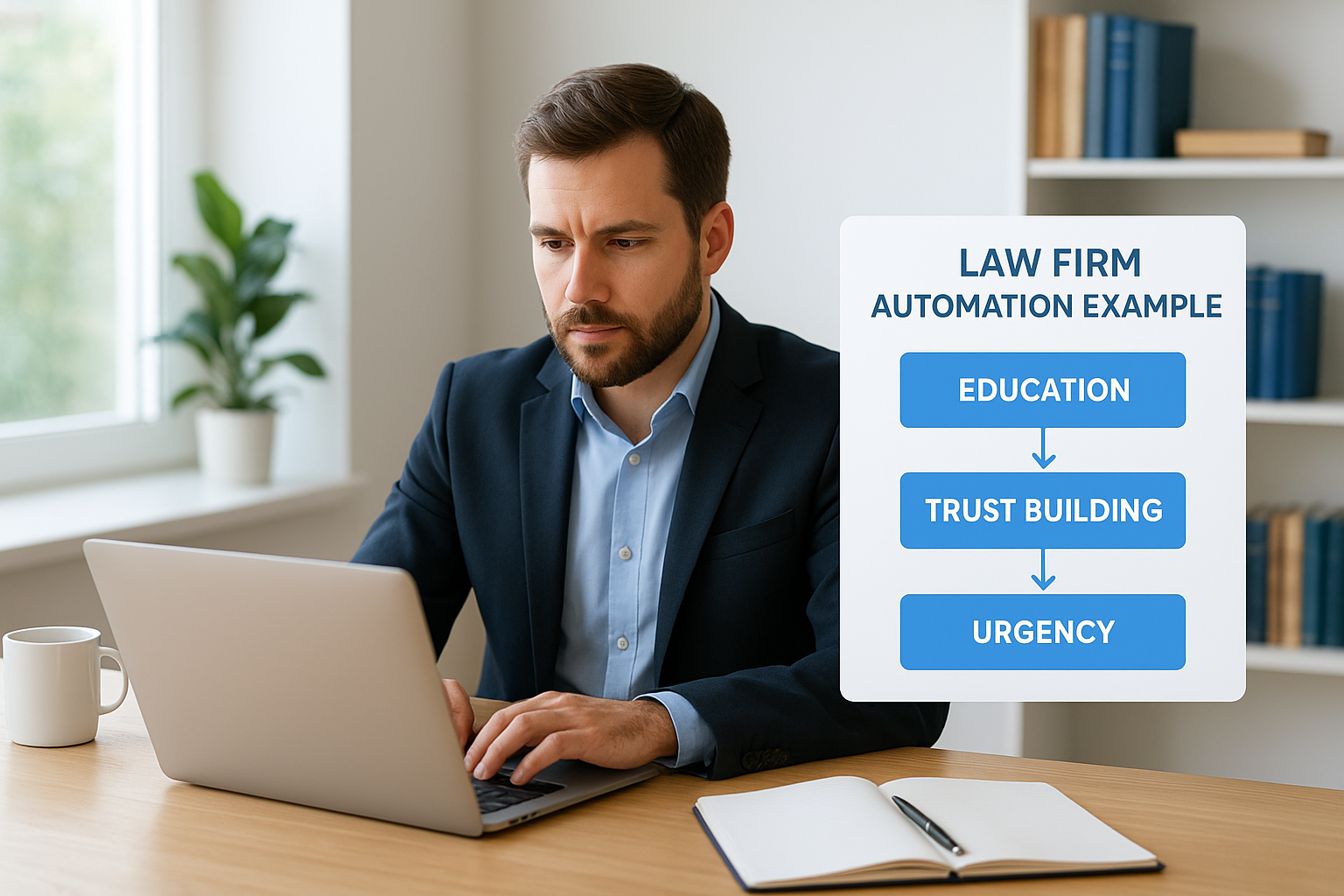
Here’s their workflow template:
Stage 1: Education (Days 0-5)
- Welcome + deliver guide
- FAQ about legal process
- Client success story

Stage 2: Trust Building (Days 7-10)
- Attorney credentials and experience
- Free case evaluation offer

Stage 3: Urgency (Days 12-14)
- Statute of limitations reminder
- Final consultation invitation
Their lead scoring assigns 15 points when prospects visit the “Our Results” page and 20 points for pricing inquiries, automatically alerting intake specialists to call within one hour.
“The right automation platform matches your service business complexity without requiring a technical team to operate it.”
Platform selection for service providers
Choose platforms that integrate directly with your CRM and support multi-step workflows. HubSpot and ActiveCampaign work well for businesses with 500 to 5,000 contacts, offering visual workflow builders and consultation booking features. Your platform must track the complete journey from first click to signed contract, not just email metrics.
Bring your automation plan to life
Your marketing automation strategy succeeds when you stop planning and start implementing. Pick one workflow from this guide, build it this week, and launch it to a small test group. You’ll learn more from running imperfect automation than from designing the perfect system that never goes live. Start with your welcome sequence or consultation booking workflow, measure results for two weeks, then expand based on what your data reveals about prospect behavior.
Building profitable automation requires technical expertise and strategic insight that most service businesses don’t have in-house. You need a partner who understands how automation connects to revenue, not just how to configure email sequences. Client Factory specializes in creating client acquisition systems that turn your marketing into a predictable revenue engine. Our team builds custom automation strategies for service businesses and law firms, handling everything from workflow design to CRM integration so you can focus on serving clients instead of managing marketing technology.
