

You’re sending emails manually, following up with leads one by one, and trying to remember which prospect needs what message. Meanwhile, your competitors are running automated systems that nurture leads while they sleep. If you’ve been searching for a clear marketing automation definition, you’re already on the right track to fixing this problem.
Marketing automation isn’t just another buzzword, it’s the technology that separates businesses stuck in manual mode from those scaling efficiently. For service businesses and law firms, where every lead represents significant revenue potential, understanding how automation works can mean the difference between a steady pipeline and a feast-or-famine cycle. At Client Factory, we build client acquisition funnels that rely heavily on these automated systems to turn clicks into paying clients without requiring 80-hour workweeks from your team.
This article breaks down exactly what marketing automation is, how the technology functions behind the scenes, and what it looks like in practice. You’ll see concrete examples of core functions, understand the benefits for your specific business model, and walk away with a working knowledge you can actually apply. No fluff, no jargon walls, just the information you need to decide if automation belongs in your growth strategy.
Why marketing automation matters
Your sales team just qualified three new leads, but your marketing coordinator is still manually sending welcome emails from last week. You’re spending $5,000 per month on paid ads, yet half your prospects disappear because nobody followed up within 24 hours. This exact scenario plays out in service businesses and law firms every single day, and it directly impacts your bottom line. Understanding the marketing automation definition is step one, but recognizing why it matters to your specific revenue goals is what drives real change.
The financial impact isn’t subtle. When you automate repetitive tasks like email sequences, lead scoring, and follow-up scheduling, you free up hours that your team currently wastes on administrative work. Service businesses typically see 15-20 hours per week recovered just from email automation alone. Law firms juggling intake calls, consultation scheduling, and client nurturing benefit even more because their average client value makes every lost opportunity expensive. You’re not just saving time, you’re protecting revenue that would otherwise slip through manual process gaps.
The cost of manual marketing processes
Manual marketing creates a compounding tax on your growth. You hire someone to send emails, another person to update your CRM, and a third to segment your lists based on behavior. Before long, your marketing overhead consumes budget that should fund client acquisition. Worse yet, human error creeps in constantly because people forget steps, miss deadlines, or simply burn out from monotonous tasks. Your best marketing coordinator isn’t thinking strategically when they’re copying and pasting prospect names into template emails for eight hours.
Manual processes scale linearly, which means doubling your leads requires doubling your team, but automation scales exponentially with minimal additional cost.
The opportunity cost multiplies fast. While you’re manually managing campaigns, your competitors are running sophisticated nurture sequences that respond to prospect behavior in real time. They’re scoring leads automatically, routing hot prospects to sales within minutes, and personalizing content based on dozens of data points. You’re fighting a modern war with outdated weapons, and your prospects notice the difference in responsiveness and relevance.
Competitive advantage in client acquisition
Automation turns speed into a strategic weapon. When a prospect downloads your guide or requests a consultation, automated systems can trigger immediate follow-up sequences while your competitor’s leads sit in an inbox until morning. Service businesses that respond within five minutes are 100 times more likely to connect with prospects than those who wait even 10 minutes. Law firms competing for personal injury or business law clients know that the first firm to respond often wins the case, regardless of reputation.
Consistency becomes your differentiator. Automated systems never have off days, never forget to send the third email in a sequence, and never fail to segment a prospect based on their behavior. Your messaging stays on-brand, your timing remains optimal, and your prospects receive the same high-quality experience whether they enter your funnel on Monday morning or Saturday night. This reliability builds trust faster than sporadic manual outreach ever could.
Scalability without proportional headcount growth
You can’t hire your way to efficient growth anymore. Adding team members to handle increasing lead volume creates a ceiling where labor costs eat into margins faster than revenue grows. Marketing automation removes that ceiling by handling thousands of interactions simultaneously without additional salary expense. Your system can nurture 10 leads or 10,000 leads with the same infrastructure cost, fundamentally changing your unit economics.
Strategic capacity emerges when automation handles execution. Your team stops drowning in tactical work and starts focusing on campaign strategy, creative development, and conversion optimization. Instead of spending Tuesday afternoon manually segmenting your email list, your marketing manager is analyzing which messages drive consultations and testing new offers. This shift from operator to strategist is where automation delivers its biggest return, you’re finally working on your business instead of just in it.
How marketing automation works
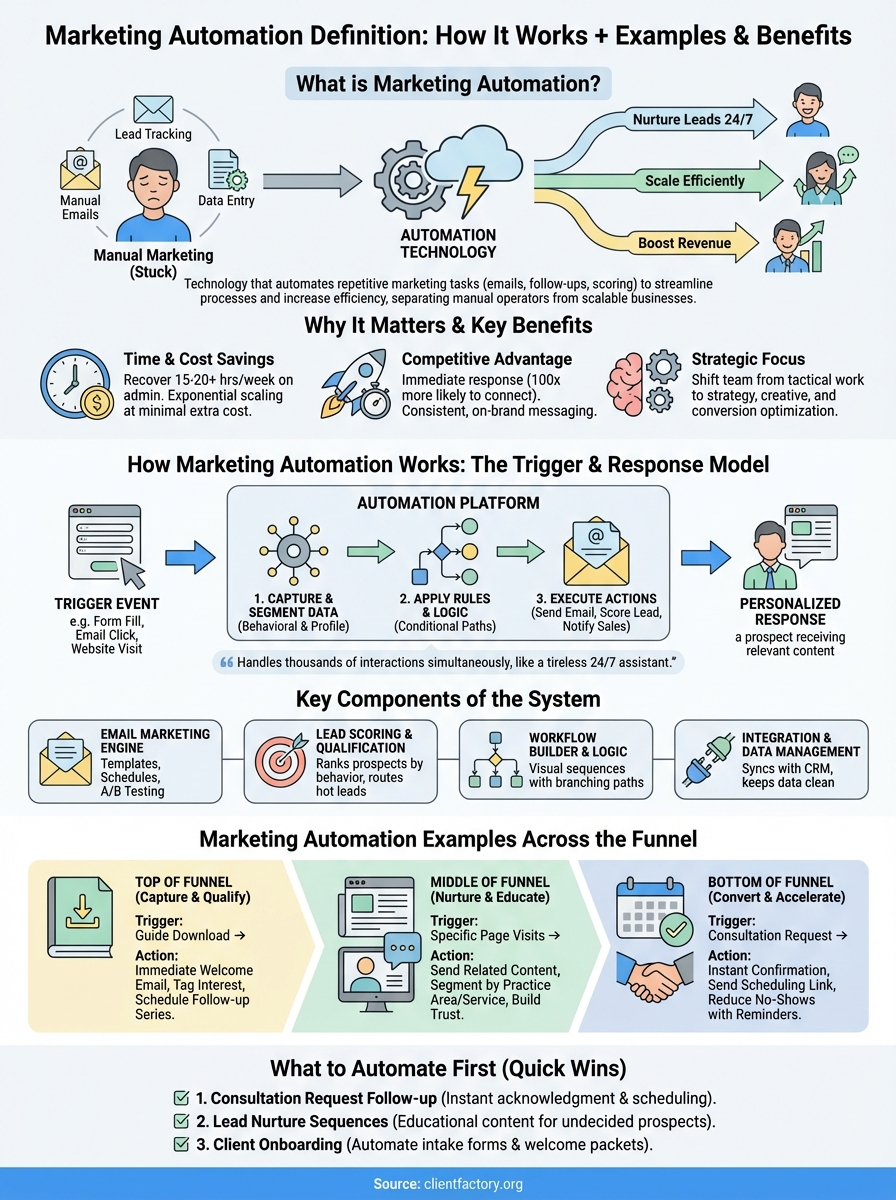
Marketing automation operates on a simple trigger and response model that mirrors how you’d handle tasks manually, except the software executes thousands of actions simultaneously. When a prospect takes a specific action like filling out a form or clicking a link, the system recognizes that trigger and launches a pre-built sequence of responses. You define the rules once, and the platform applies them consistently to every contact who meets your criteria. Think of it as hiring a tireless assistant who never forgets a follow-up and works 24/7 without supervision.
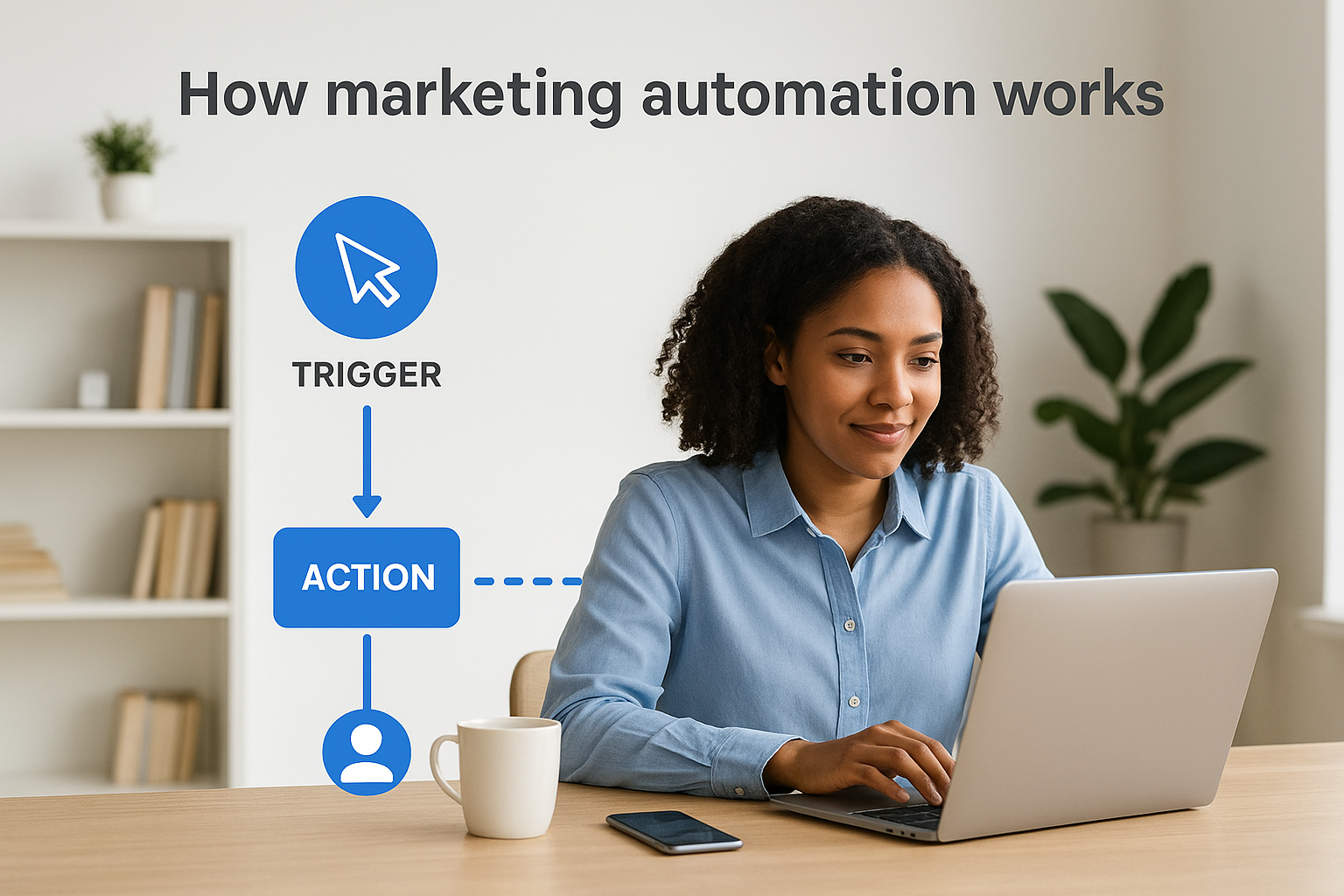
The technology sits between your marketing channels and your customer data, constantly monitoring behavior and updating records. When someone downloads your legal guide at 11 PM on Sunday, the system doesn’t wait for Monday morning. It immediately sends a welcome email, tags that contact as interested in estate planning, schedules a follow-up for Wednesday, and notifies your intake team about the new lead. This real-time processing is what separates automation from manual marketing, where delays cost you opportunities.
The trigger and action framework
Every automated workflow starts with a trigger event that tells the system to act. Common triggers include form submissions, email opens, website visits, purchase behaviors, and time-based conditions like “seven days after consultation request.” You stack these triggers with conditional logic, creating sophisticated paths that respond differently based on what prospects do. If someone opens your email about litigation services but doesn’t click, they receive a different follow-up than someone who clicked through to your case results page.
Actions execute automatically once triggers fire. The system might send an email, update a contact record, assign a lead score, notify a sales rep, or move the prospect to a different segment. You chain multiple actions together to create complete nurture sequences that guide prospects through your funnel. Service businesses use this to educate prospects over weeks, while law firms compress timelines to capture urgent needs faster.
Automation platforms process millions of data points per day to personalize experiences that would be impossible to replicate manually at scale.
Data collection and segmentation
Your automation platform collects behavioral data from every interaction. When prospects open emails, visit specific pages, or ignore messages, the system records these signals and uses them to refine segmentation. You’re not just grouping people by industry or company size anymore, you’re creating dynamic segments based on engagement level, content interests, and position in the buying journey. This granular segmentation powers the personalization that makes automated messages feel relevant instead of robotic.
The platform continuously updates contact records without human intervention. Someone who downloaded your business law guide gets tagged appropriately, moved into a specialized nurture track, and scored based on their engagement patterns and profile data. Your team sees a complete activity history when they finally make contact, equipped with context that manual processes could never maintain consistently across hundreds of prospects.
Key components of a marketing automation system
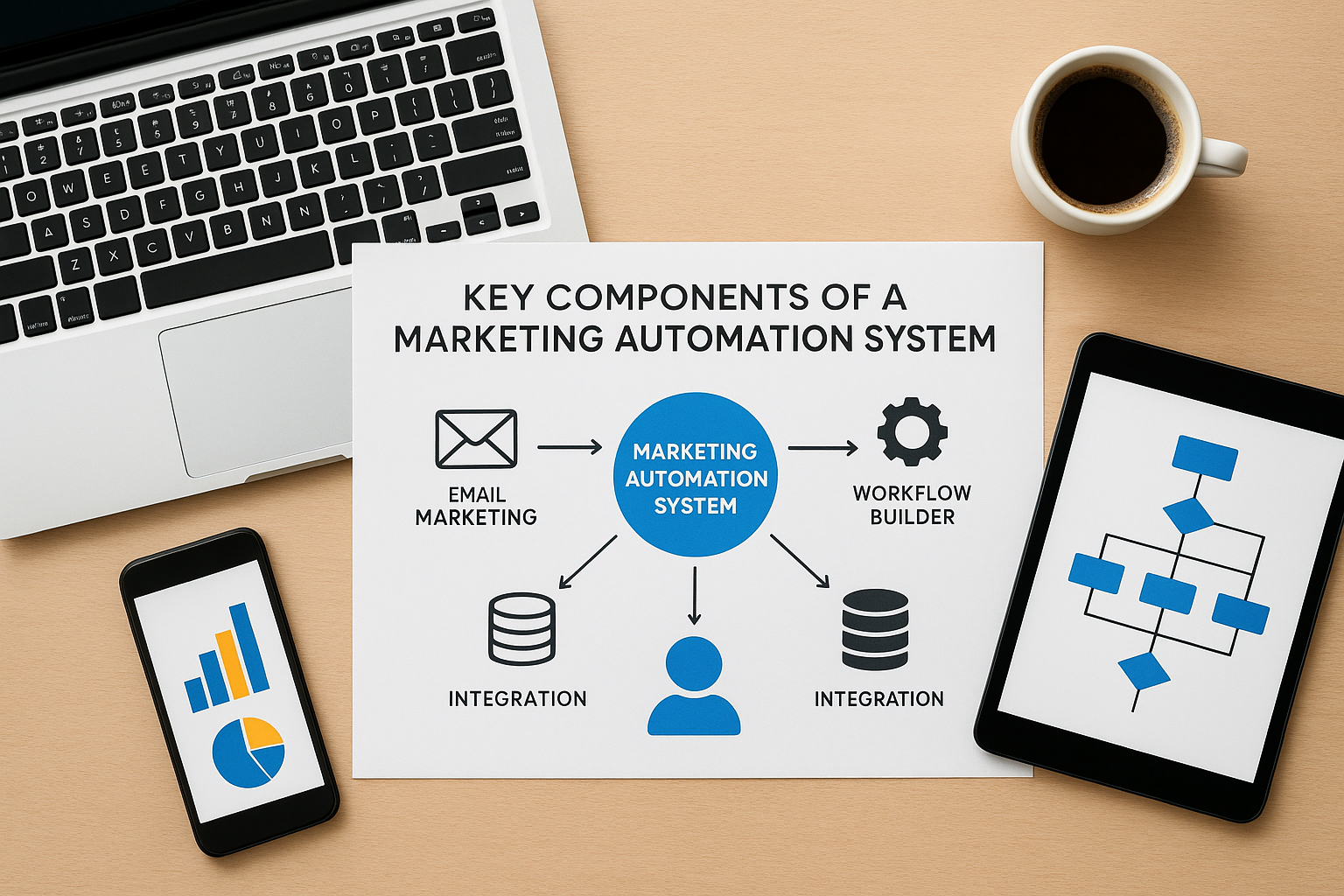
Understanding the marketing automation definition means recognizing the distinct pieces that work together to replace manual processes. Every platform includes four core components that handle different aspects of your automated marketing operations. These elements connect to move prospects through your funnel without requiring constant human oversight, and knowing how each piece functions helps you evaluate which platforms actually fit your service business or law firm needs.
Email marketing engine
Your email engine powers the majority of automated communications with prospects and clients. This component stores email templates, manages sending schedules, and personalizes content based on contact data. When someone requests a consultation, the engine pulls their name, service interest, and timing preferences to customize the follow-up sequence automatically. Service businesses use this to deliver educational content over weeks, while law firms compress timelines to address urgent legal needs before prospects contact competitors.
Modern email engines include A/B testing capabilities, deliverability monitoring, and dynamic content blocks that change based on recipient attributes. You can test subject lines automatically, track which messages drive responses, and adjust future sends based on performance data. The engine handles technical requirements like SPF records and authentication to keep your messages out of spam folders, protecting your sender reputation without requiring IT expertise.
Lead scoring and qualification
Lead scoring assigns numerical values to prospects based on their profile attributes and behavioral signals. Someone who visits your pricing page three times scores higher than someone who only opened one email, because actions predict buying intent more accurately than demographics alone. Your system adds points for positive signals like downloading case studies or requesting consultations, and subtracts points for negative signals like unsubscribing or ignoring five consecutive emails.
Automated lead scoring processes thousands of interactions simultaneously to identify your hottest prospects while they’re actively researching solutions.
Qualification rules route high-scoring leads to your sales team automatically, ensuring nobody waits hours for follow-up when they’re ready to buy. You define the threshold where marketing hands off to sales, and the system notifies the right person instantly when prospects cross that line. Law firms benefit especially because legal services often involve urgent timelines where 24-hour delays lose cases to faster competitors.
Workflow builder and logic
The workflow builder is where you design the actual automation sequences that guide prospects through your funnel. You create visual flowcharts that map every possible path a contact might take, using drag-and-drop interfaces that require no coding knowledge. Each workflow includes decision points where the system evaluates conditions and branches prospects into different paths based on their choices.
Conditional logic powers sophisticated sequences that respond differently to varied behaviors. If someone clicks your personal injury link, they enter a specialized nurture track focused on that practice area instead of receiving generic legal content. Your workflows can wait for specific timeframes, check for data changes, or trigger based on external events like form submissions on your website.
Integration and data management
Your automation platform connects to other tools through native integrations and APIs that sync data bidirectionally. When prospects schedule consultations through your calendar tool, that information flows into your automation system to trigger confirmation emails and pre-meeting nurture sequences. Customer relationship management platforms, advertising tools, and analytics systems all feed data into your central automation hub, creating a single source of truth about each prospect.
Data management features ensure contact records stay clean and organized as information flows between systems. The platform deduplicates contacts, standardizes formatting, and enriches profiles with additional details from connected sources. You’re building a comprehensive database that improves with every interaction, powering increasingly personalized automation as you learn more about each prospect’s needs and preferences.
Marketing automation examples across the funnel
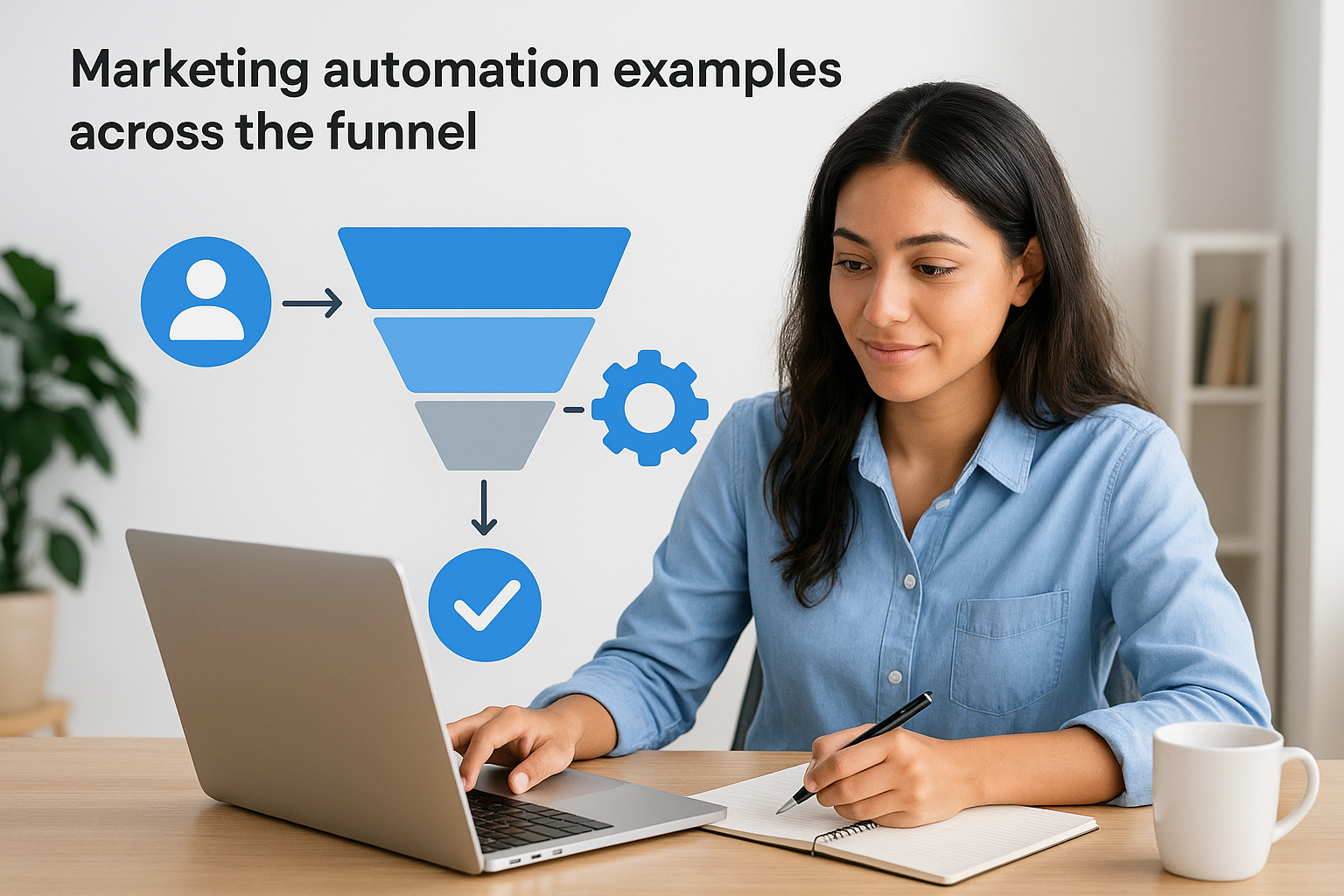
Seeing how automation functions at each funnel stage makes the marketing automation definition tangible instead of theoretical. Your prospects move through distinct phases from initial awareness to final purchase, and automated systems guide them through each transition without manual intervention. Service businesses and law firms benefit most when they implement automation at every level because legal and professional services involve longer consideration periods than simple product purchases. The examples below show exactly what automation looks like in practice at each funnel stage.
Top of funnel lead capture and qualification
When someone downloads your service guide or legal checklist, automation immediately tags them based on the resource they chose and launches a welcome sequence. Your system sends a confirmation email within seconds, delivers the promised content, and schedules follow-up messages that provide additional value related to their initial interest. A personal injury law firm might trigger a five-email sequence explaining common case types, settlement timelines, and what to expect during consultations, all delivered automatically over two weeks.
Landing page behavior triggers different paths based on visitor actions. Someone who abandons your consultation request form halfway through receives a gentle nudge email asking if they have questions, while someone who completes the form enters your high-intent nurture track immediately. You’re qualifying prospects through their behavior patterns, not just demographic data, which means your team focuses attention on people actually ready to engage.
Middle of funnel nurture sequences
Educational content delivery keeps prospects engaged during their research phase without requiring your team to manually send resources. Your automation platform tracks which blog posts, case studies, or service pages prospects visit and sends related content that answers their likely next questions. Service businesses use this to demonstrate expertise gradually, building trust through consistent value delivery rather than aggressive sales pitches.
Nurture sequences that adapt based on engagement patterns convert 50% better than static email campaigns because they respond to actual prospect interests.
Behavioral triggers create personalized experiences at scale. When prospects click links about specific services, your system moves them into specialized tracks that address those exact needs. Law firms can separate estate planning prospects from business law leads automatically, ensuring each person receives relevant information instead of generic legal content that wastes their time and your credibility.
Bottom of funnel conversion acceleration
Appointment scheduling automation removes friction when prospects decide they’re ready to talk. Your system sends calendar links, confirmation details, and pre-meeting questionnaires automatically after consultation requests, reducing no-show rates and preparing your team with context before calls start. Service businesses recover hours weekly by eliminating the back-and-forth emails that typically accompany scheduling.
Abandoned consultation reminders catch prospects who started your booking process but didn’t finish. Your platform waits six hours, then sends a follow-up email with a direct scheduling link and addresses common concerns that might have stopped them. These recovery sequences capture 15-20% of abandoners who would otherwise never return, turning hesitation into booked meetings without any sales team involvement.
Marketing automation vs CRM, CDP, and email tools
People constantly confuse marketing automation with related technologies because the categories overlap in confusing ways. Your CRM tracks customer relationships, your email platform sends messages, and customer data platforms aggregate information, but none of these tools replicate what automation platforms actually do. Understanding these distinctions matters because choosing the wrong technology wastes budget on tools that can’t execute the strategies you need. The marketing automation definition becomes clearer when you see what it does that these other platforms cannot.
CRM systems handle relationships, not campaigns
Your CRM stores contact information, tracks sales conversations, and manages deal pipelines, but it doesn’t automatically nurture prospects through multi-step sequences. Sales teams use CRMs to log calls, update opportunity stages, and forecast revenue, not to trigger behavioral email campaigns or score leads based on website activity. The distinction matters because service businesses often buy expensive CRM platforms expecting marketing automation capabilities that simply don’t exist in relationship management software.
Integration between your CRM and automation platform creates the best outcome. Your automation system qualifies leads and nurtures them through campaigns, then passes hot prospects to your CRM where sales teams take over. The CRM tells automation which deals closed so you can suppress customers from prospect campaigns, while automation tells your CRM which leads are actually engaging with your content. You need both tools serving different functions, not one trying to replace the other.
Email platforms lack cross-channel logic
Basic email marketing tools like Mailchimp or Constant Contact send messages to lists, but they can’t trigger actions based on website behavior, form submissions, or CRM data changes. You’re stuck manually segmenting lists and scheduling sends instead of building automated workflows that respond to prospect actions in real time. These platforms work fine for newsletters, but they fail completely when you need sophisticated nurture sequences that adapt based on engagement patterns.
Marketing automation platforms process behaviors across all your digital touchpoints to create unified prospect experiences, while email tools only see what happens in the inbox.
Real automation platforms track every interaction across channels and use that data to personalize the next touchpoint. Someone who visits your pricing page gets different follow-up than someone who only opened an email, and your system makes these decisions automatically without manual list management.
CDPs collect data but don’t execute
Customer data platforms aggregate information from multiple sources to create unified contact profiles, but they don’t send emails, score leads, or trigger workflows. Your CDP might know that a prospect visited your website, opened three emails, and downloaded two guides, but it can’t act on that information without connecting to an execution platform like marketing automation. Service businesses and law firms rarely need standalone CDPs because automation platforms already include the data management capabilities required for most client acquisition strategies.
Think of CDPs as sophisticated databases that feed other tools with clean data. Marketing automation platforms include lighter-weight data management built in, which handles the needs of most businesses without adding another expensive technology layer to your stack.
What to automate first in service businesses and law firms
You can’t automate everything overnight, and trying to build complex workflows before addressing basic gaps wastes time and confuses your team. Service businesses and law firms should prioritize high-frequency, high-impact touchpoints where manual processes currently lose prospects or create bottlenecks. Start with the interactions that happen dozens of times per week and directly affect whether prospects book consultations or disappear to competitors. The marketing automation definition becomes practical when you focus on automating tasks that immediately improve response times and conversion rates rather than chasing perfect sophistication.
Consultation request follow-up
Your first automation priority is the instant confirmation sequence that fires when someone requests a consultation or submits a contact form. This single workflow addresses the biggest leak in most service business funnels because prospects who don’t receive immediate acknowledgment often assume their request failed and move on to the next law firm or agency. Your automated sequence should send a confirmation within 60 seconds, provide clear next steps about what happens next, and set expectations for when your team will contact them. Law firms handling personal injury or family law cases benefit especially because these prospects typically contact multiple firms simultaneously, and first response often wins the case.
Automated consultation follow-up sequences recover 30-40% of prospects who would otherwise abandon the process due to delayed or unclear responses.
Include a calendar scheduling link in your confirmation email so prospects can book their own appointments instead of waiting for your team to coordinate times through email tag. This self-service option removes friction while your automation continues nurturing prospects who aren’t ready to schedule yet.
Lead nurture for undecided prospects
Your second automation focus should address prospects who downloaded resources or visited your website but haven’t requested consultations yet. Build a simple five-email sequence that delivers educational content related to their initial interest over two to three weeks. Service businesses use this to demonstrate expertise gradually, while law firms can address common legal questions that move prospects closer to hiring decisions. Keep messages focused on providing value rather than pushing sales calls, because automation works best when it builds trust through helpful information.
Segment these nurture tracks by service type or practice area so prospects receive relevant content instead of generic messages. Someone interested in estate planning shouldn’t receive emails about business litigation, and your automation platform makes this segmentation automatic based on which forms they filled out or pages they visited.
Client onboarding sequences
Once prospects become clients, automation handles the repetitive administrative tasks that slow down project starts. Your onboarding sequence can deliver welcome packets, collect required documentation through automated forms, schedule kickoff meetings, and provide access to client portals without requiring manual coordination. Law firms benefit from automating intake questionnaires and document collection, which typically involves multiple follow-up emails when handled manually. This automation frees your team to focus on delivering actual service instead of chasing paperwork, while clients experience faster project starts and clearer communication about what they need to provide.
How to implement marketing automation step by step
Your automation implementation needs a structured approach instead of jumping straight into building complex workflows that overwhelm your team. Service businesses and law firms succeed when they start with foundational processes before expanding into sophisticated multi-channel campaigns. The step-by-step process below assumes you understand the marketing automation definition and are ready to move from theory to practical deployment. You’ll build one complete workflow first, validate it works as expected, then scale up to additional automations that compound your results over time.

Map your current manual processes
Start by documenting exactly what your team does manually right now to nurture prospects and onboard clients. Write down every email you send after consultation requests, every follow-up call you make to downloaded leads, and every administrative task involved in client intake. Service businesses typically discover 15 to 20 repetitive touchpoints they execute weekly, while law firms often find even more because legal services involve extensive documentation and compliance requirements. This mapping exercise reveals which processes waste the most time and should be automated first based on frequency and business impact.
Priority your automation candidates by asking two questions about each process. First, does this happen at least five times per week? Second, does delay or inconsistency in this process cost you consultations or slow down client starts? High-frequency, high-impact processes like consultation confirmation emails or lead nurture sequences should be your first automation targets because they deliver immediate ROI and prove the concept to skeptical team members.
Choose the right platform for your business
You don’t need enterprise-level automation software when you’re starting out, but you do need a platform that handles email sequences, form integrations, and basic conditional logic without requiring developer support. Look for tools that connect easily to your existing website forms and customer relationship management system through native integrations. Law firms should verify their chosen platform includes compliance features for client communication and data security requirements that legal practices face.
Most service businesses see positive ROI from automation within 90 days when they start with simple workflows and expand methodically based on results.
Avoid platforms that charge per contact if you’re building large email lists, because your costs will scale linearly with growth instead of remaining fixed. Choose flat-rate or feature-based pricing that lets you grow your database without budget anxiety.
Build your first workflow
Create your consultation request confirmation sequence as your initial automated workflow because it addresses the highest-value moment in your funnel. This workflow should trigger when someone submits your contact form, send an immediate confirmation email with clear next steps, provide a calendar scheduling link, and follow up three days later if they haven’t booked. Keep your first automation simple with three to five emails maximum, because you need to validate the entire system works before building complex branching logic.
Test your workflow thoroughly by submitting test forms yourself and having team members do the same. Check that emails arrive instantly, links work correctly, and conditional logic branches prospects appropriately based on their actions.
Test and refine before full deployment
Run your first automation in parallel with manual processes for two weeks to catch errors without risking actual prospects. Monitor delivery rates, open rates, and reply rates to ensure your messages reach inboxes and generate the responses you expect. Law firms should have compliance officers review automated messages before full deployment to verify they meet professional responsibility standards for client communication.
Make adjustments based on actual performance data instead of assumptions about what will work. Your automation platform tracks every interaction, so use those metrics to refine message timing, content, and calls to action before declaring the workflow ready for prime time.
How to measure success and avoid common mistakes
Your marketing automation platform generates hundreds of metrics, but only a handful actually matter for service businesses and law firms trying to turn prospects into paying clients. Tracking email open rates and click rates feels productive, but these vanity metrics don’t tell you whether automation is generating consultations or just filling inboxes. You need to measure outcomes that connect directly to revenue like consultation requests per automated sequence, cost per qualified lead, and the time from first touch to booked meeting. These metrics reveal whether your automation is actually working or just creating busy work disguised as progress.
Track metrics that actually predict revenue
Focus your measurement on conversion rates at each funnel stage rather than engagement metrics that don’t predict buying behavior. Calculate how many prospects who enter your consultation request sequence actually book meetings, then track how many of those meetings convert to clients. Service businesses should measure the revenue generated per automated workflow to understand which sequences justify their setup time and which ones waste resources on low-value activities. Law firms benefit from tracking consultation show rates separately from booking rates because no-shows represent a different problem than prospects who never schedule in the first place.
Successful automation programs measure pipeline velocity (how fast prospects move through stages) instead of just counting total leads, because speed directly impacts revenue in competitive markets.
Set up attribution tracking that shows which automation sequences contributed to closed deals even when multiple touchpoints influenced the decision. Your platform should connect to your customer relationship management system so you can trace revenue back to specific campaigns and identify your highest-performing workflows based on actual client acquisition instead of guessing based on email metrics.
Common automation mistakes that kill campaigns
The biggest mistake you can make is automating broken manual processes instead of fixing them first. Your poorly written emails don’t improve just because a platform sends them automatically, and your unclear value proposition still confuses prospects whether a human or a robot delivers the message. Service businesses waste months automating ineffective nurture sequences, then blame the technology when results don’t improve. Fix your messaging and offers before you automate them, or you’ll just scale failure faster.
Over-automation damages relationships when you remove all human touch from your prospect experience. Prospects notice when every interaction feels robotic, and law firms especially need to balance automation efficiency with the personal attention that legal clients expect. Use automation to handle administrative tasks and initial nurture, but have real people take over when prospects show serious buying intent or ask specific questions that require expertise.
How to fix underperforming workflows
When automated sequences underperform, analyze drop-off points where prospects stop engaging instead of blanket assumptions about what’s wrong. Your platform shows exactly which emails get opened, which links get clicked, and where people exit your funnel completely. These data points tell you whether your problem is timing, messaging, or targeting. Adjust one variable at a time and measure the impact before making additional changes, because changing everything simultaneously prevents you from knowing what actually worked.
Test different send times, subject lines, and calls to action systematically using your platform’s A/B testing features to identify what resonates with your specific audience. What works for consumer products might fail completely for professional services, and the marketing automation definition includes continuous optimization based on your actual results rather than industry benchmarks that don’t reflect your business model.
Next steps
You now understand the marketing automation definition and how the technology transforms manual prospect nurturing into systematic client acquisition. The examples and implementation steps above give you everything needed to start automating your highest-impact touchpoints without overwhelming your team or wasting budget on unnecessary complexity. Service businesses and law firms that implement even basic automation see faster response times, higher conversion rates, and teams freed from repetitive tasks to focus on strategy instead of execution.
Your current funnel likely has gaps where prospects slip through because manual processes can’t keep up with lead volume or response speed requirements. We help service businesses and law firms identify exactly where automation delivers the biggest impact through our free conversion audit, analyzing your client acquisition funnel to pinpoint the specific automations that will generate measurable results. Book your audit to see which processes are costing you clients right now and how automation fixes those leaks.
