

Your ad budget means nothing if your landing page doesn’t convert. You can drive thousands of clicks, but without strong lead generation landing page design, those visitors bounce and your cost per lead keeps climbing. The difference between a page that collects leads and one that collects dust often comes down to a handful of design decisions.
At Client Factory, we build and optimize landing pages for service businesses and law firms every day. We’ve seen firsthand what works, what flops, and what small changes can do to a conversion rate. That experience is exactly what shaped this list.
Below, you’ll find 11 landing page design ideas you can steal, adapt, or use as a starting point for your next campaign. Each one focuses on a specific element or approach that drives real results, no fluff, just practical examples and actionable takeaways to help you turn more visitors into qualified leads.
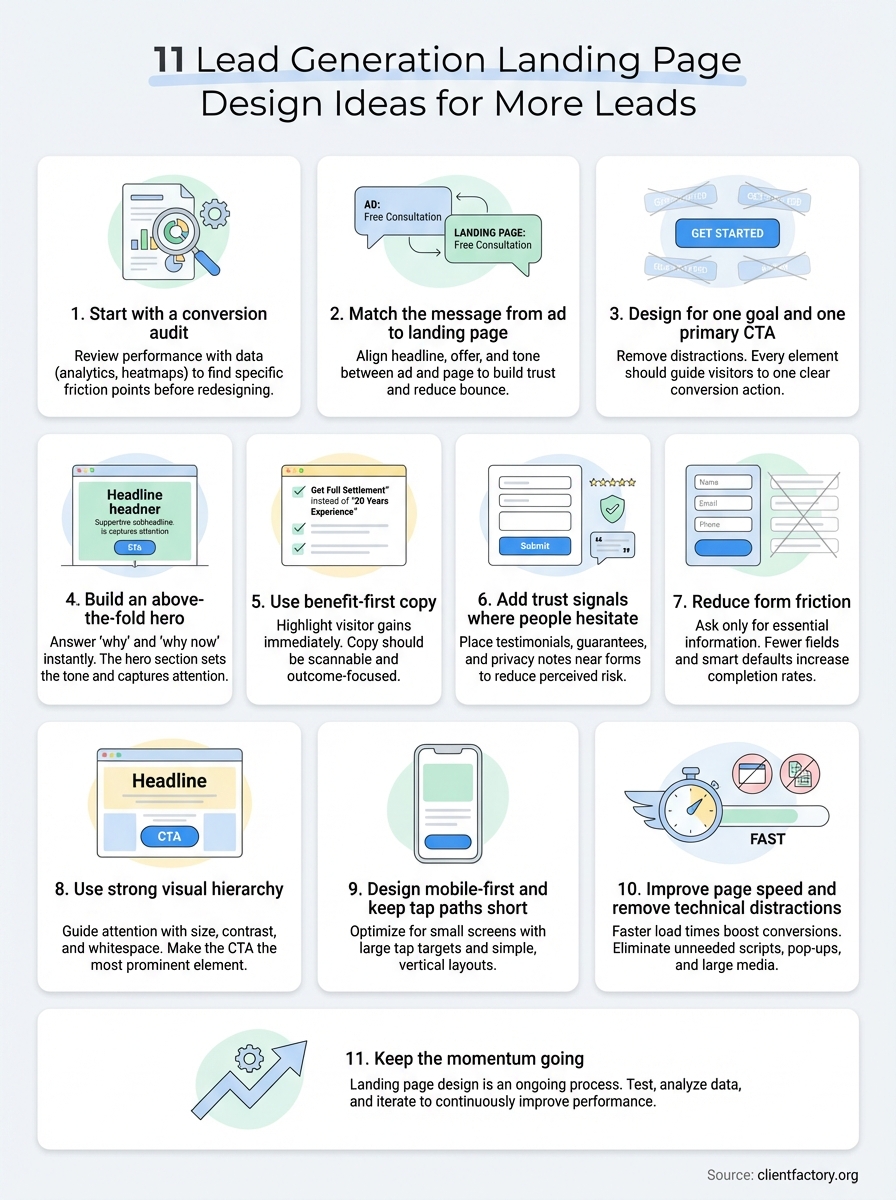
1. Start with a conversion audit before you redesign
Before you touch a single pixel, you need to understand why your current page isn’t converting. Jumping straight into a redesign without data is like guessing your way through a diagnosis. A conversion audit gives you a clear picture of what’s actually broken, so you fix the right problems instead of just making the page look different.
What it is
A conversion audit is a structured review of your current landing page performance using analytics, heatmaps, session recordings, and user behavior data. It identifies where visitors drop off, which elements they ignore, and where the page creates friction or confusion. The goal isn’t to judge the design aesthetically; it’s to find the specific gaps between what your page communicates and what visitors need to take action.
Why it increases lead quality and conversion rate
When you audit before you redesign, you stop guessing and start making evidence-based decisions. The foundation of any strong lead generation landing page design is knowing what’s already working before you change it. Many businesses waste budget on completely new pages when a few targeted fixes would have delivered better results faster. An audit also reveals whether your traffic quality is the problem rather than the design, which saves you from rebuilding a page that was never going to convert that specific audience anyway.
A conversion audit often surfaces one or two high-impact fixes that a full redesign would have missed entirely.
How to apply it on a real landing page
Start by pulling your page-level data from Google Analytics or whichever analytics platform you use. Look at bounce rate, time on page, and scroll depth. Then layer in a heatmap tool to see where clicks and attention actually land. Finally, review your form completion rate and compare it against your traffic source breakdown to spot mismatches between what you promised in the ad and what the page delivers.
Here’s a simple order of operations for a landing page audit:
- Check bounce rate and scroll depth by device type
- Review heatmaps and click maps for each major section
- Analyze form drop-off points and field-level abandonment
- Compare conversion rate by traffic source
- Identify the single biggest friction point and fix that first
Quick checklist
Use this list to run a basic audit before you commit to any design changes. Skipping even one step can cause you to fix the wrong element and miss the real conversion bottleneck.
- Pull traffic and conversion data before touching design
- Set up a heatmap or session recording on the live page
- Check mobile vs. desktop performance separately
- Identify your highest-exit page sections
- Document your baseline conversion rate to measure improvement against
2. Match the message from ad to landing page
When someone clicks your ad, they arrive with a specific expectation shaped by the exact words and offer they just saw. If your landing page doesn’t immediately reflect that same message, visitors feel misled and leave. Message match is one of the fastest ways to cut your bounce rate and stop wasting ad spend.
What it is
Message match means the headline, offer, and tone of your landing page directly mirror what your ad promised. If your ad says “Free Consultation for Personal Injury Cases,” your landing page headline should say exactly that, not “We Fight for You.” The closer the match between ad and page, the less work your visitor has to do, and the more likely they are to stay and convert.
Why it reduces bounce and boosts trust
A mismatched page creates instant doubt. Visitors wonder if they clicked the right link or if the offer still applies. Consistent messaging removes that hesitation and signals that your page delivers exactly what was promised. Strong lead generation landing page design treats the ad and the landing page as two connected parts of one experience.
When your ad and page feel like a seamless continuation, visitors trust the offer faster and hesitate less at the form.
How to apply it across channels
Each traffic source, whether Google Search, Facebook, or YouTube, brings visitors in different mental states. Tailor your headline and hero copy to match the intent behind each channel. Keep your offer language identical across the ad and page, and build separate landing pages for each major campaign where possible.
Quick checklist
- Mirror the ad headline in your page H1
- Use the same offer wording, no synonyms
- Match the visual tone and style from ad to page
- Create separate landing pages per traffic source
3. Design for one goal and one primary CTA
Every effective lead generation landing page design starts with a single, clear purpose. When you load a page with multiple offers, competing links, and several different CTAs, you split your visitor’s attention and reduce the chance they take any action at all.
What it is
A single-goal page means every element on the page serves one conversion objective. That could be filling out a contact form, booking a call, or downloading a resource. Your primary CTA is the one action you want visitors to take, and every headline, image, and line of copy should support that action, not compete with it.
Why it prevents decision paralysis
When visitors see multiple options, they stall. This is a well-documented pattern in consumer psychology: more choices consistently lead to fewer decisions. A focused page with one clear path removes that friction entirely. Visitors don’t have to weigh options or figure out what you want them to do next.
The fewer decisions you ask your visitor to make, the more likely they are to make the one that matters.
How to apply it without making the page feel thin
You can still include substantial content on a single-goal page. Supporting sections like testimonials, FAQs, and benefit breakdowns all add depth without introducing competing actions. Remove your site navigation, eliminate secondary links, and make sure every section nudges the reader back toward your one primary CTA.
Quick checklist
- Remove site navigation and footer links
- Write one H1 that reflects the single goal
- Use one CTA button style and label throughout
- Audit every section to confirm it supports the primary action
4. Build an above-the-fold hero that answers why and why now
The hero section is the first thing your visitor sees before they scroll. It sets the entire tone for what follows, and if it doesn’t immediately answer why your offer matters and why they should act today, most visitors will leave without reading another word.

What it is
Your above-the-fold hero is the visible portion of your landing page before any scrolling occurs. It typically includes a headline, a supporting subheadline, a visual, and a primary CTA button. Together, these elements must communicate your core value proposition and create enough urgency or relevance that the visitor feels compelled to keep reading or take action right away.
Why it lifts first-impression conversions
Visitors form an opinion about your page within seconds. A weak hero gives no clear reason to stay, while a strong, specific hero answers two questions instantly: “What’s in it for me?” and “Why should I act now?” This is where lead generation landing page design either captures attention or loses it for good.
Your hero section does more conversion work per pixel than any other part of your page.
How to apply it with layout, copy, and visuals
Lead with a benefit-driven headline that speaks directly to your visitor’s goal, not your company’s name or tagline. Use a supporting line to add urgency, such as availability limits or a time-sensitive offer. Keep the visual clean and relevant, reinforcing what you’re promising rather than decorating the page.
Quick checklist
- State the core benefit in the headline, not a tagline
- Add urgency in the subheadline without being misleading
- Place the CTA button above the fold on all devices
- Use one relevant image or visual that supports the offer
5. Use benefit-first copy people can scan in 10 seconds
Most visitors won’t read your page top to bottom. They skim for relevance first, and if they can’t find what they need in seconds, they leave. Writing benefit-first copy means your most compelling points are immediately visible, no reading required.
What it is
Benefit-first copy leads with what the visitor gains, not what your service does. Instead of “Our firm has 20 years of experience,” you write “Get a settlement that covers your full losses.” Every sentence delivers value or relevance from the reader’s perspective, not yours.
Why it improves comprehension and motivation
When visitors can scan your page and instantly understand why your offer matters to them, they stay longer and act faster. Copy that buries benefits in long paragraphs loses readers before they ever reach your CTA.
Scannable, benefit-driven copy does the persuasion work before visitors even commit to reading in full.
Your motivation to convert comes from clarity. If a visitor has to work to understand your offer, they won’t bother.
How to apply it with headlines, bullets, and microcopy
Use your main headline to state the biggest benefit outright. Break supporting details into short bullet points that each communicate one clear win. Keep button copy and field labels outcome-focused, for example “Get My Free Audit” instead of “Submit.”
Quick checklist
Strong lead generation landing page design depends on copy that communicates fast. Use this list before your page goes live:
- Lead every headline with the benefit, not the feature
- Keep bullets to one idea each
- Write CTA labels that describe the outcome
- Read your page at scan speed and note what stands out
6. Add trust signals where people hesitate
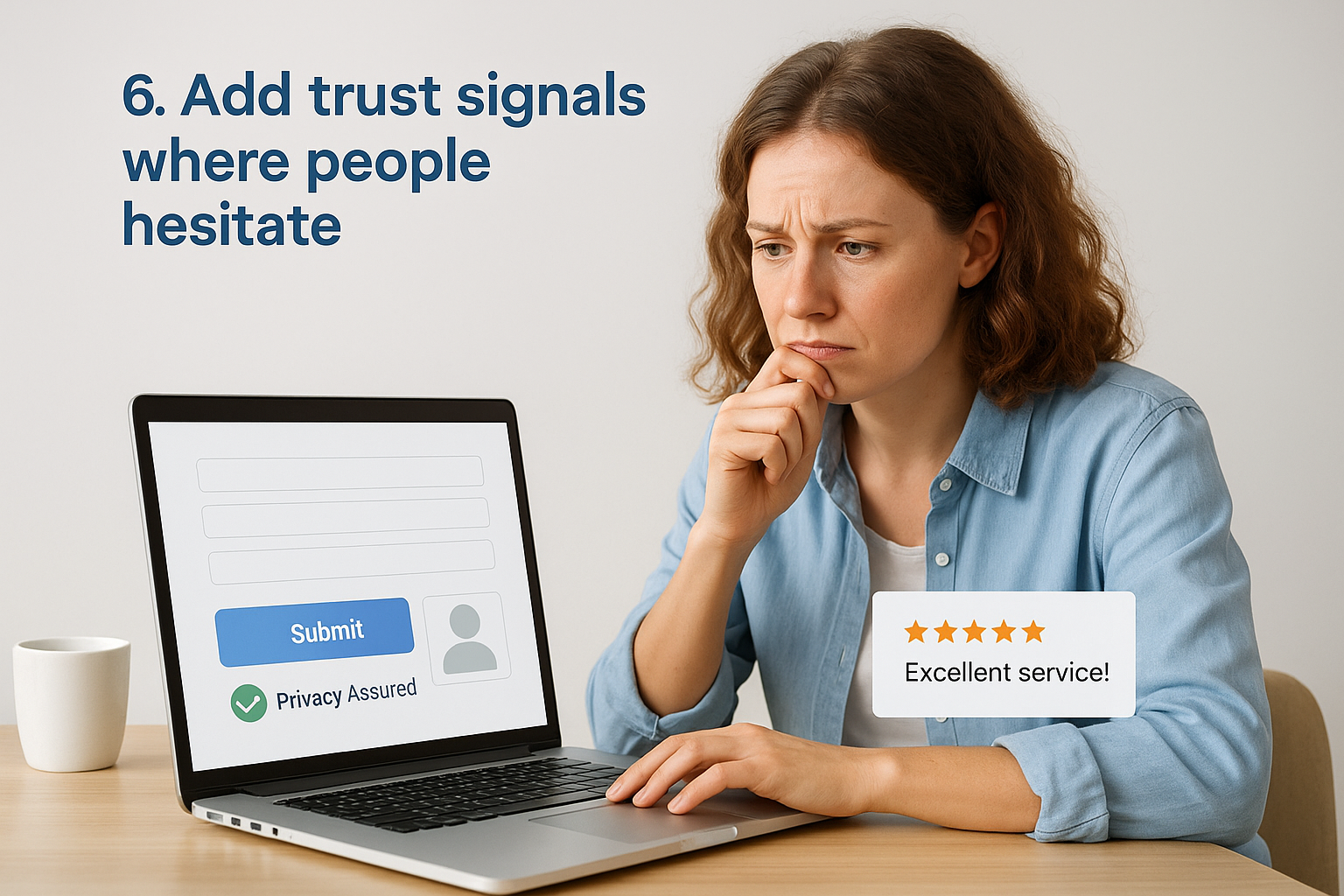
Visitors don’t hesitate randomly. They pause at specific moments when they sense risk, whether that’s submitting a form, sharing personal details, or committing to a call. Placing trust signals at exactly those moments is what separates a page that loses leads at the last step from one that converts them.
What it is
Trust signals are credibility elements that reduce the perceived risk of taking action on your page. They include testimonials, client logos, review counts, certifications, privacy notices, and guarantees. Their job is to answer the silent objection forming in your visitor’s mind right before they act.
Why it reduces perceived risk
When someone lands on your page, they arrive with healthy skepticism. They’ve been burned by hollow promises before, and your landing page design needs to address that without them asking. Trust signals work because they provide third-party validation, which carries more weight than anything you say about yourself.
Placing a testimonial or guarantee directly beside your form can be the difference between a completed submission and an abandoned one.
How to apply it near forms, CTAs, and key claims
Position trust signals where friction is highest: right next to your form, directly below your CTA button, and adjacent to any bold claims you make. A short testimonial beside your form, a privacy line under your submit button, and a recognizable logo strip near your headline all reinforce trust without cluttering your lead generation landing page design.
Quick checklist
- Add a testimonial or review within visible distance of your form
- Place a privacy statement directly below the submit button
- Include a short guarantee or risk-reversal statement near the CTA
- Show recognizable logos or credentials above the fold
7. Reduce form friction with fewer fields and smart defaults
Your form is the final gate between a visitor and a lead. Every unnecessary field you add is another reason for someone to stop and reconsider. Reducing form friction means making it as easy as possible for the right person to complete that final step.
What it is
Form friction refers to any resistance a visitor feels when filling out your form. This includes too many required fields, confusing labels, unclear error messages, and missing default selections. A low-friction form asks for only what you need to follow up effectively, nothing more.
Why it increases completions without tanking lead quality
Shorter forms consistently produce higher completion rates. The common fear is that fewer fields mean worse leads, but that’s rarely true. If your page already does a solid job of qualifying visitors through benefit-first copy and specific messaging, the people who reach your form are already reasonably qualified before they type a single character.
Removing one unnecessary field from your form can produce a measurable lift in completions without changing anything else on the page.
How to apply it with field choices and validation
Start by listing every field you currently ask for and justify each one. If you can follow up with just a name, email, and phone number, remove the rest. Use smart defaults like pre-selected options, auto-formatted phone fields, and inline validation that catches errors in real time rather than after submission. Strong lead generation landing page design treats every form field as a potential drop-off point.
Quick checklist
- Remove any field you don’t need in the first 24 hours of follow-up
- Use inline validation to flag errors immediately
- Pre-select the most common answer on optional fields
- Label every field clearly with outcome-focused language
8. Use strong visual hierarchy with contrast and spacing
Most visitors don’t consciously notice visual hierarchy, but they feel its absence immediately. When everything on a page competes for attention equally, nothing stands out, and your CTA gets lost in the visual noise.
What it is
Visual hierarchy is the intentional arrangement of elements so that the most important ones draw the eye first. On a landing page, that means your headline, offer, and CTA button should visually dominate the page, while supporting content sits in a clearly secondary position. Size, color contrast, and whitespace are the main tools that create this layered structure.
Why it guides attention to the CTA
When your page lacks hierarchy, visitors scan randomly and often miss the action you want them to take. A strong hierarchy creates a natural reading path that pulls visitors from the headline through the key benefits and directly to the CTA button without them having to figure out where to look next.
Good visual hierarchy doesn’t just look clean, it actively guides behavior in the direction you want.
How to apply it with typography, color, and layout
Your CTA button should be the highest-contrast element on the page. Use a button color that doesn’t appear anywhere else on the page so it always pops. Scale your typography so H1 is noticeably larger than H2, and H2 is larger than body text. Every strong lead generation landing page design uses generous whitespace around key sections to reduce visual clutter and let critical elements breathe.
Quick checklist
- Make your CTA button color unique on the page
- Scale heading sizes to create a clear size hierarchy
- Add whitespace around your form and primary CTA
- Check contrast ratios so text stays readable on all backgrounds
9. Design mobile-first and keep tap paths short
More than half of your landing page visitors arrive on a mobile device, and most of them won’t struggle through a page that wasn’t built for their screen. Designing mobile-first means you build the smallest, most constrained version of your page first, then scale up rather than down.
What it is
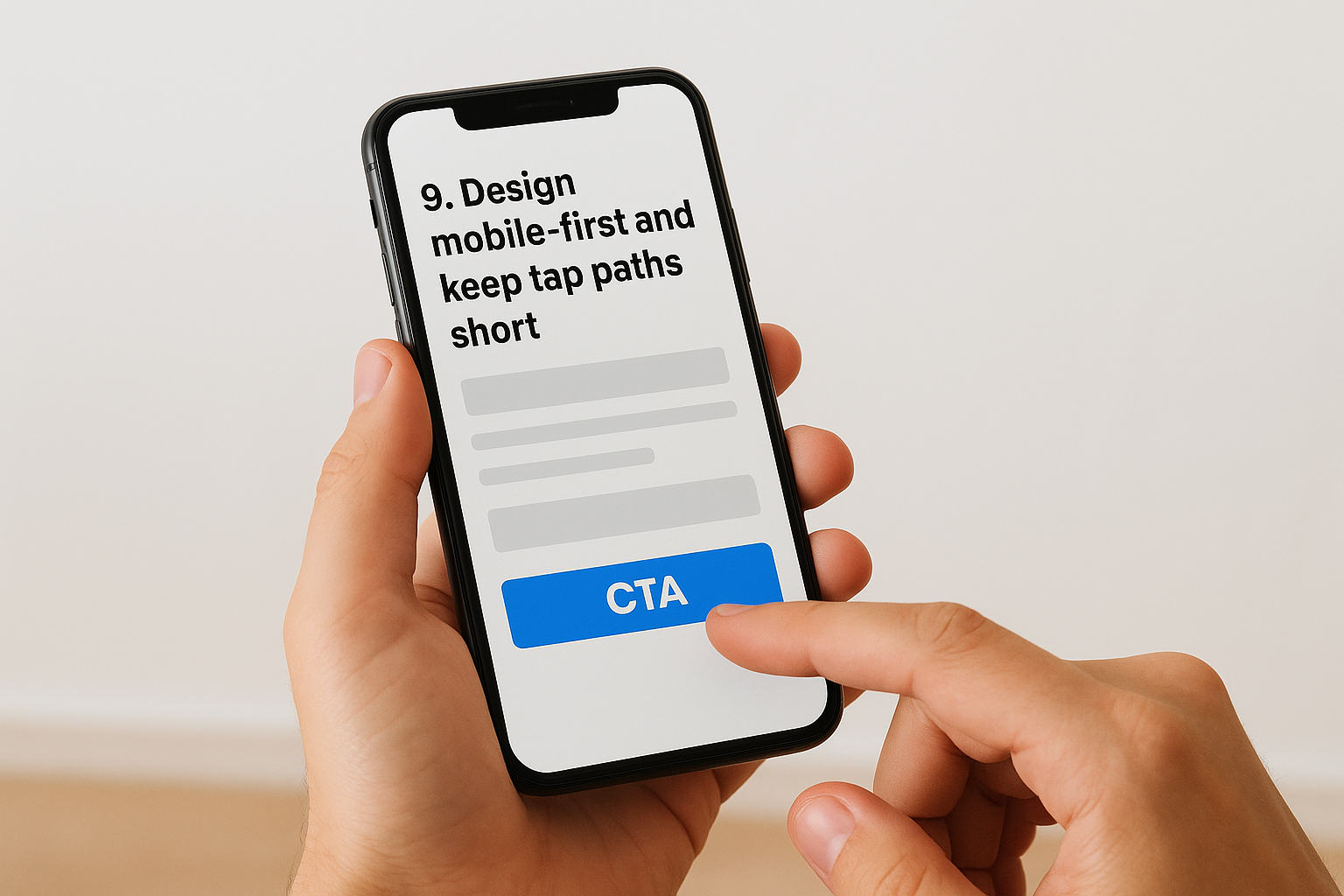
Mobile-first design means your layout, typography, and interactions are optimized for small touchscreens before anything else. Tap paths refer to the number of taps or swipes a visitor must complete to reach your form and submit it. Shorter paths reduce drop-off and move visitors to conversion faster.
Why it protects conversions from mobile drop-off
Mobile visitors are often multitasking, moving fast, and quick to leave a page that creates friction. A page with small tap targets, pinch-to-zoom layouts, or buried forms will bleed leads before they ever reach your CTA. Strong lead generation landing page design treats the mobile experience as the primary one, not an afterthought.
A single tap-path bottleneck on mobile can cost you more leads than any other design issue on the page.
How to apply it with responsive layout and thumb-friendly UI
Keep your CTA button large enough to tap comfortably without zooming, at least 44×44 pixels. Stack form fields vertically, space them generously, and ensure your submit button sits within natural thumb reach at the bottom of the form. Test your page on an actual device, not just a browser simulator.
Quick checklist
Run through this list before your mobile page goes live to confirm your tap paths are ready.
- Make tap targets at least 44×44 pixels
- Stack form fields vertically with generous spacing
- Place the CTA button within natural thumb reach
- Test on a real mobile device before launch
10. Improve page speed and remove technical distractions
A slow page kills leads before they even see your offer. Even if every other element of your lead generation landing page design is perfect, a page that takes more than a few seconds to load will send visitors straight back to the search results.
What it is
Page speed refers to how quickly your landing page fully loads and becomes interactive for a visitor. Technical distractions include anything that pulls focus away from your conversion goal, such as auto-play videos, pop-ups, chat widgets, and excessive third-party scripts that slow down the page and compete with your CTA.
Why it boosts conversions and lowers drop-offs
Every extra second of load time increases your bounce rate measurably. Visitors on mobile connections are especially sensitive to slow pages and won’t wait. Removing technical distractions keeps visitors focused on the one action you need them to take, rather than responding to interruptions that pull their attention away.
A one-second improvement in page load time can produce a meaningful lift in conversion rate, particularly on mobile.
How to apply it with performance basics and clean UX
Compress your images before uploading them, use a reliable hosting provider, and minimize third-party scripts that load on your page. Remove pop-ups, exit modals, or widgets that fire before the visitor reads your offer. Keep your page structure lean so the browser renders your headline and CTA as fast as possible.
Quick checklist
- Compress all images to reduce file size
- Remove unused third-party scripts and tracking tags
- Eliminate pop-ups and auto-play elements above the fold
- Test load speed on mobile using Google PageSpeed Insights
Keep the momentum going
These 10 ideas cover the core decisions that separate a landing page that bleeds leads from one that converts consistently. You don’t need to apply all of them at once. Start with your audit, identify the single biggest friction point, and fix that first before moving to the next. Small, targeted improvements compound quickly when you measure each change against your baseline.
Strong lead generation landing page design isn’t a one-time project. Every change you make produces new data, which makes your next iteration sharper and more informed than the last.
Not every business has the time or internal expertise to run this process efficiently. If you want a faster path to identifying exactly what’s holding your page back, book a free conversion audit and we’ll walk through your funnel with you. No guesswork, just clear, actionable findings you can put to work right away.
