

Your landing page can make or break a campaign. A well-designed page converts visitors into leads; a poorly built one wastes your ad spend. That’s why choosing the right builder matters.
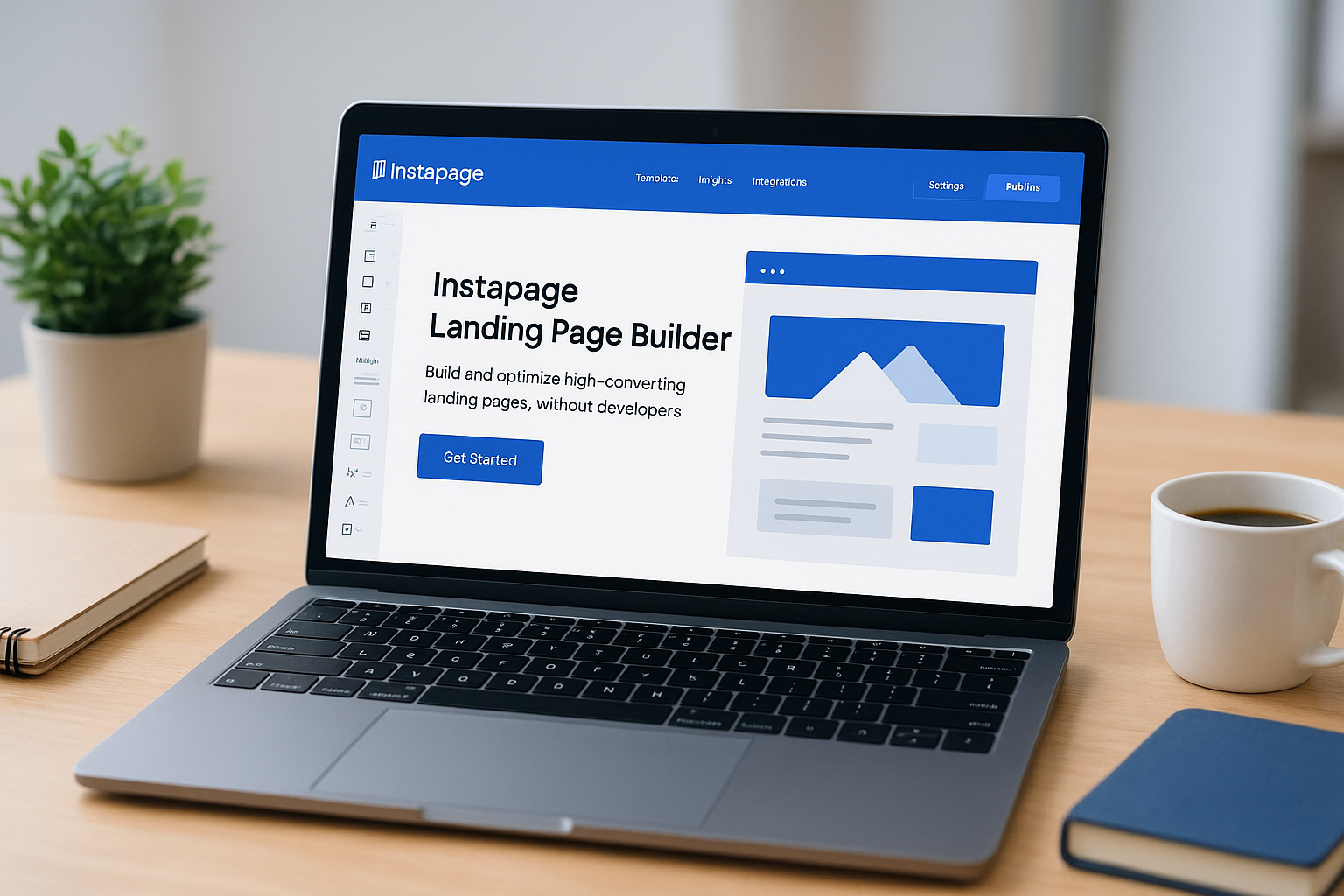
Instapage landing page builder has positioned itself as a premium solution for marketers who need high-converting pages without coding skills. It promises drag-and-drop simplicity, A/B testing capabilities, and enterprise-grade features that justify its higher price point.
At Client Factory, we build and optimize client acquisition funnels daily for service businesses and law firms. We’ve tested dozens of landing page tools to find what actually moves the needle on conversions. This guide breaks down Instapage’s features, pricing structure, and setup process so you can determine if it fits your marketing stack.
You’ll learn what Instapage does well, where it falls short, and how it compares to other page builders on the market.
Why marketers use Instapage for landing pages
You need landing pages that convert quickly without draining your budget or requiring a developer. Instapage landing page builder entered the market as a solution to this exact problem. Marketers choose it because it removes technical barriers while maintaining professional design standards that actually move conversion metrics.
The platform gained traction among paid advertising teams who needed to launch campaigns fast. When you’re spending thousands on Google Ads or Facebook campaigns, you can’t afford to wait weeks for a custom-coded landing page. Speed combined with conversion-focused tools made Instapage attractive to marketing managers who needed results yesterday.
Speed to launch matters in competitive markets
Time costs money in paid advertising campaigns. Instapage reduces page creation time from weeks to hours through its drag-and-drop interface and template library. You can duplicate successful pages, swap out copy and images, and launch new campaign variations without touching code.
Your competitors are testing new offers and angles constantly. Fast iteration gives you the ability to respond to market changes, test seasonal promotions, and capitalize on trending topics before they fade. This speed advantage explains why performance marketers choose Instapage despite its higher price point compared to basic page builders.
Conversion-focused design removes guesswork
Generic website builders focus on aesthetics over performance. Instapage built its interface around conversion rate optimization principles from the start. Every template follows proven layouts that direct visitor attention toward your call-to-action button.
The platform includes heatmap integration and conversion analytics that show you exactly where visitors click, scroll, and abandon your page. You get data-driven insights instead of guessing why your page isn’t converting. Built-in form analytics reveal which fields cause friction, letting you remove obstacles between visitors and conversions.
When you understand visitor behavior through real data, you make design decisions that actually improve results instead of just looking modern.
Testing capabilities separate good from great campaigns
You can’t optimize what you don’t test. Instapage includes A/B testing functionality at the page level, allowing you to compare different headlines, images, or layouts against each other. The platform shows statistical significance so you know when you have a winner instead of making premature decisions.
Most landing page builders treat testing as an afterthought or premium add-on. Instapage makes it core to the platform because serious marketers need experimentation tools built into their workflow. You can test variations across multiple traffic sources simultaneously and see which combinations deliver the best cost per acquisition.
Your ability to scale campaigns depends on finding winning page combinations. Split testing eliminates guesswork and gives you concrete data to justify budget increases to stakeholders who care about ROI more than creative opinions.
Instapage landing page builder features that matter
You need features that actually improve conversions, not just bells and whistles that look impressive in demos. Instapage landing page builder includes tools designed around real campaign requirements rather than generic website building. Understanding which features deliver results helps you maximize your investment in the platform.
Drag-and-drop editor with conversion-focused blocks
Your pages come together through a visual editor that lets you place elements precisely without code. You drag conversion-optimized blocks like countdown timers, form fields, testimonials, and call-to-action buttons onto your canvas. Each block includes built-in best practices like proper spacing, color contrast, and mobile responsiveness.

The editor gives you pixel-perfect control over every element’s position while maintaining fast page load speeds. You can customize fonts, colors, and spacing to match your brand guidelines without compromising the conversion-focused layout structure that makes templates effective.
Integration ecosystem connects your marketing stack
Landing pages need to feed leads directly into your CRM and email marketing platforms. Instapage connects with over 120 marketing tools including Salesforce, HubSpot, Mailchimp, and Zapier. You set up form submissions to trigger automated workflows without developer assistance.
Analytics integrations pull data from Google Analytics, Facebook Pixel, and other tracking platforms into your dashboard. This consolidated view shows you campaign performance across channels without switching between multiple tools to piece together conversion paths.
Your marketing stack works better when tools share data automatically instead of requiring manual exports and imports between platforms.
Collaboration tools streamline team workflows
Teams work faster when multiple people can review and edit pages simultaneously. Instapage includes commenting features that let reviewers leave feedback directly on page elements instead of explaining changes through email. You assign tasks to team members and track approval workflows within the platform.
Version history preserves previous page iterations so you can revert changes or reference past campaigns. This feature protects you from accidental deletions and lets you resurrect successful page elements from older campaigns when launching new offers.
Instapage pricing and what each plan includes
Your budget determines which features you can access on the Instapage landing page builder platform. The company uses a two-tier pricing model with optional enterprise solutions, each designed for different business sizes and conversion optimization needs. Understanding what each plan includes helps you avoid paying for features you won’t use.
Build plan for small teams
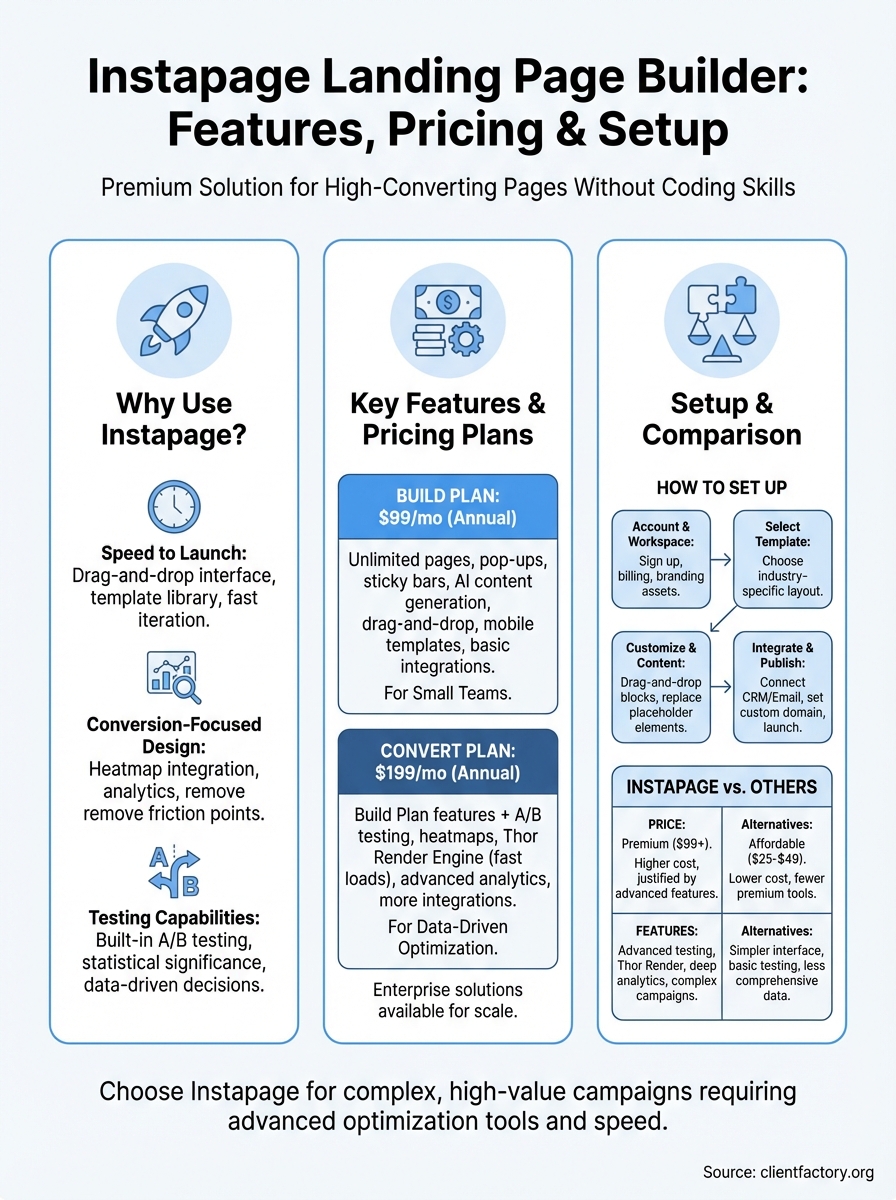
You start at $99 per month when billed annually for the Build plan. This entry-level option gives you unlimited landing pages, pop-ups, and sticky bars along with AI content generation to speed up your copywriting process. You get access to the drag-and-drop editor, mobile-responsive templates, and basic integrations with popular marketing tools.
The Build plan includes 30 published page experiences and supports one domain connection. This tier works for small businesses testing Instapage capabilities or agencies managing campaigns for a single client without needing advanced testing features.
Convert plan unlocks optimization tools
Convert costs $199 per month on annual billing and adds the features serious marketers need. You gain A/B testing capabilities, heatmaps, and conversion analytics that show exactly how visitors interact with your pages. Thor Render Engine improves load speeds, directly impacting your conversion rates.
This plan includes Thor Render technology for faster page performance, unlimited A/B tests, detailed visitor behavior tracking, and advanced collaboration tools. You can connect multiple domains and create conversion-optimized experiences across different campaigns simultaneously.
Your testing capabilities determine whether you’re guessing or knowing what converts, making the Convert plan essential for data-driven optimization.
Enterprise solutions for scale
Large organizations need custom pricing based on their specific requirements. Enterprise plans include dedicated account management, advanced security features, custom integrations, and priority support response times. You get all Convert features plus single sign-on capabilities, personalized onboarding, and unlimited team members.
Instapage requires annual commitments for both standard plans, with no month-to-month billing options available. This pricing structure reflects their focus on serious marketing teams rather than casual users.
How to set up Instapage from scratch
You begin with the Instapage landing page builder by creating your account and connecting it to your marketing ecosystem. The initial setup takes 30 minutes to complete if you prepare your brand assets and integration credentials beforehand. This process establishes the foundation for all your future campaigns.
Account creation and workspace setup
Your first step involves signing up through the Instapage website and selecting your billing plan based on features you need. You provide basic business information including your company name, primary domain, and payment details. Instapage immediately grants access to your workspace dashboard where you manage all landing page projects.
After logging in, you configure workspace settings by uploading your brand logo, color palette, and custom fonts. This step ensures every page you create maintains consistent branding without manually adjusting colors and fonts each time. You also set up team members and assign permission levels if multiple people will build or review pages.
Building your first landing page
Templates give you the fastest path to your first published page. You browse the template library, filter by industry or campaign type, and select a layout that matches your offer. The editor opens with your chosen template ready for customization.

Customization begins by replacing placeholder text with your actual headline, benefits, and call-to-action. You upload images, adjust button colors, and modify form fields to collect the specific information you need from leads. Your changes appear instantly in the desktop and mobile preview modes.
Your first page serves as a template for future campaigns, so invest time refining elements you’ll reuse across multiple offers.
Connecting integrations and publishing
Integration setup connects your landing page to CRM systems and email platforms that receive form submissions. You navigate to the integrations menu, select your marketing tools, and authenticate each connection using API keys or OAuth. Form mappings ensure visitor data flows to the correct fields in your external systems.
Publishing requires connecting your custom domain or subdomain through DNS settings. Instapage provides specific DNS records you add through your domain registrar. After DNS propagation completes, you click publish and your page goes live at your chosen URL.
Instapage vs other landing page builders
Your choice between Instapage landing page builder and alternatives depends on whether you prioritize advanced conversion features or affordability. Comparing platforms reveals distinct strengths and weaknesses that align with different business needs. You need to evaluate price versus capability before committing to annual contracts that lock you into a specific ecosystem.
Price comparison puts Instapage at premium tier
Instapage costs significantly more than competitors like Unbounce, Leadpages, or Landingi. You pay $99 monthly minimum for basic features while alternatives start at $25 to $49 monthly with similar core functionality. This price difference becomes substantial for small businesses running multiple campaigns across several clients.
Budget-conscious teams find comparable conversion rates using lower-cost platforms that include A/B testing and integrations. The premium you pay for Instapage buys faster load speeds through Thor Render and more polished templates, but these advantages don’t always justify triple the monthly cost for businesses with tight margins.
Feature depth vs ease of use trade-offs
Platforms like Leadpages prioritize simplicity over advanced capabilities, making them faster to learn for beginners. You sacrifice detailed analytics and collaboration tools but gain straightforward page building without overwhelming options. Unbounce sits between Leadpages and Instapage, offering solid testing features at mid-tier pricing.
Instapage delivers the most comprehensive toolset for teams managing complex campaigns with multiple stakeholders. You get heatmaps, advanced personalization, and detailed conversion analytics that simpler platforms lack. This depth matters when optimizing high-value campaigns where small conversion improvements justify the investment.
Your platform choice should match your optimization maturity level rather than selecting the most feature-rich option available.
Teams without dedicated conversion specialists often underutilize Instapage’s advanced features, making cheaper alternatives more practical. You need consistent testing habits and data analysis skills to extract value from premium capabilities that justify higher monthly costs.
Next steps
Your decision about Instapage landing page builder depends on your budget, technical skills, and campaign complexity. You’ve seen the platform’s strengths in conversion optimization tools, testing capabilities, and professional templates. The higher price point makes sense for businesses running multiple high-value campaigns where small conversion improvements justify the investment.
Start by evaluating whether your current landing pages actually convert traffic into leads. Many businesses blame their page builder when the real problem lies in funnel strategy, offer positioning, or traffic quality. If you’re struggling to generate qualified leads from paid advertising or organic traffic, you need more than just better landing page software.
Client Factory specializes in building complete client acquisition funnels that connect the right traffic sources to optimized landing pages and follow-up systems. We combine data-driven strategies with conversion-focused design to turn your clicks into actual clients rather than just collecting email addresses that never convert.
