

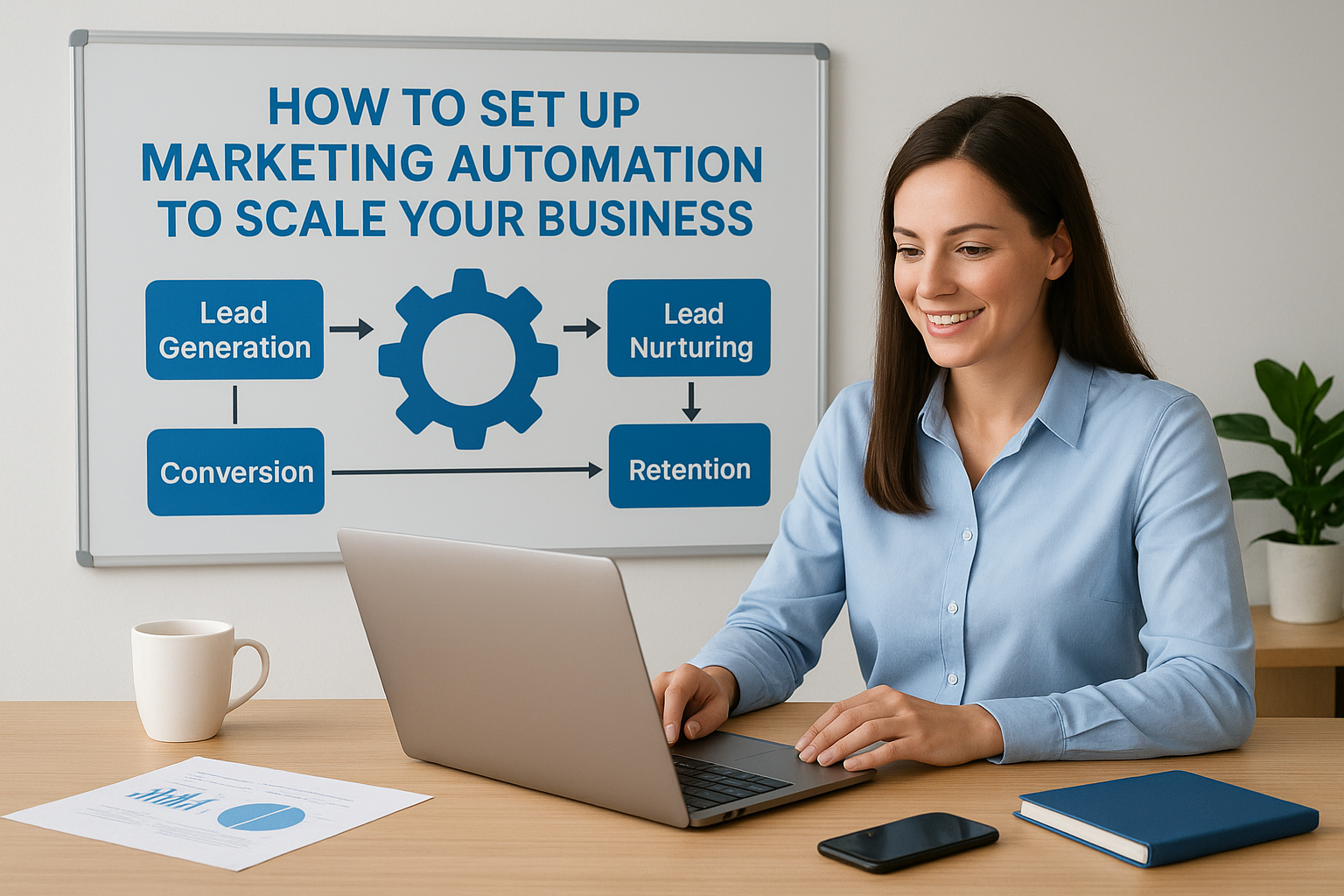
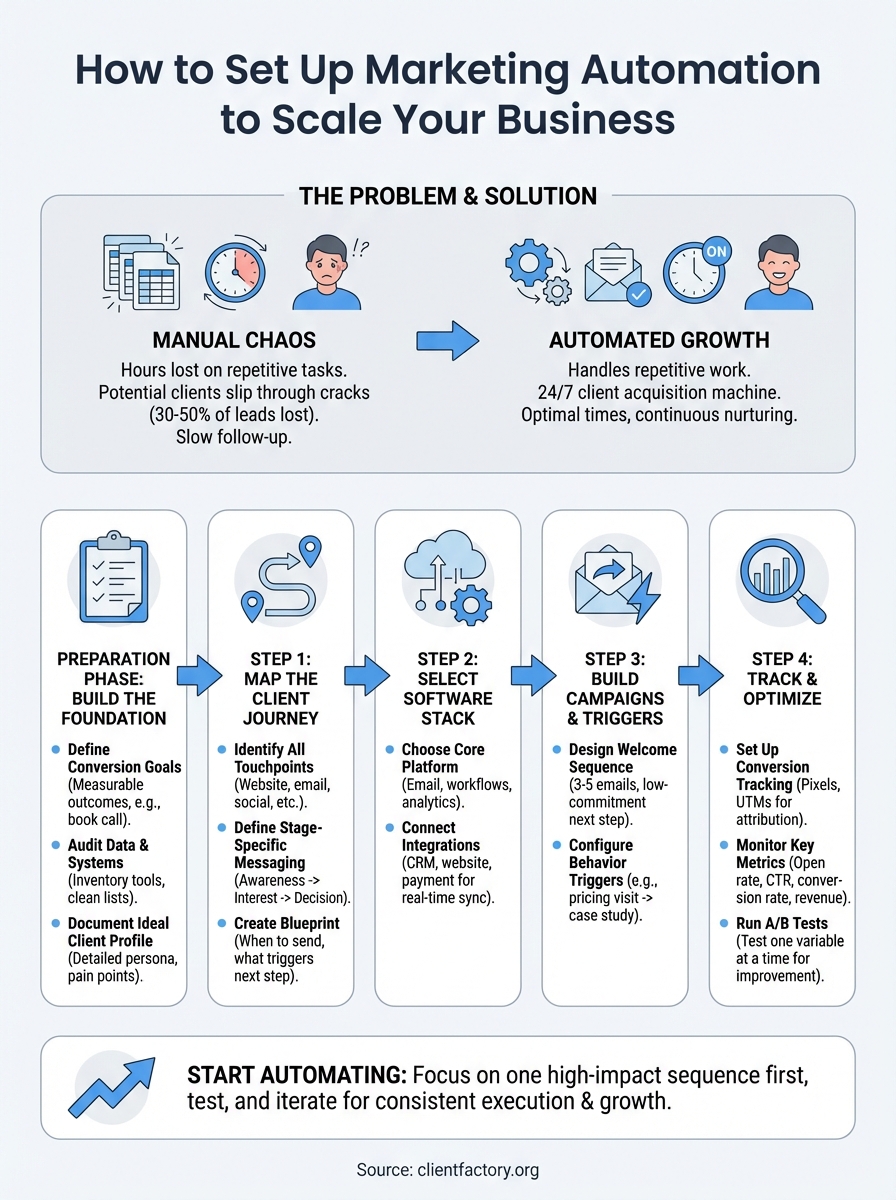
You spend hours each week sending follow-up emails, updating spreadsheets, and manually nurturing leads. Meanwhile, potential clients slip through the cracks because you can’t respond fast enough or follow up at the right moment. You know how to set up marketing automation could fix this, but the process feels overwhelming. Most businesses lose 30 to 50 percent of qualified leads simply because they lack the systems to capture and convert them consistently.
Marketing automation handles the repetitive work while you focus on closing deals and serving clients. Your emails send at optimal times, your lead nurturing sequences run continuously, and your sales team gets notified the moment a prospect shows buying intent. The right setup turns your website into a 24/7 client acquisition machine that works even when you’re not.
This guide walks you through the complete process. You’ll learn what to prepare before you start, how to map your client journey, which tools to choose, and how to build campaigns that convert. By the end, you’ll have a clear roadmap to implement automation that actually grows your business.
What to prepare before automating
You can’t automate what you haven’t defined. Before you touch any software or build a single workflow, you need clear objectives and organized data. Most automation failures happen because businesses skip this foundation and jump straight into setting up campaigns. They end up with disconnected tools, confusing workflows, and leads that fall through the cracks because the system wasn’t designed around their actual sales process.
Define your conversion goals
Start by identifying the specific actions you want leads to take. Your goals might include booking a consultation call, downloading a case study, requesting a quote, or attending a webinar. Each goal needs a measurable outcome tied to revenue. If you can’t connect the automated action to a dollar value, you’ll struggle to justify the time and cost of implementation.
Write down your top three conversion goals and the average value of each. A law firm might target consultation bookings worth $5,000 in potential fees, while a B2B service business might focus on demo requests that convert at 30 percent. These numbers guide every decision you make about where to invest your automation efforts.
The clearer your goals, the easier it becomes to design workflows that actually move prospects toward a sale.
Audit your current data and systems
Take inventory of where your customer data lives right now. You might have contacts in your email platform, leads in a CRM, website visitors in Google Analytics, and purchase history in a payment processor. List every tool you currently use and the data it contains. This audit reveals gaps in your tracking and helps you understand what information you’ll need to sync between systems.
Check the quality of your existing data before you automate anything. Duplicate contacts, outdated email addresses, and incomplete records will corrupt your automation from day one. Clean your lists by removing bounced emails, merging duplicates, and filling in missing information like phone numbers or company names.
Document your ideal client profile
Your automation needs to know who to target and how to segment your audience. Create a detailed profile of your best clients including their industry, company size, budget range, pain points, and decision-making process. Include the common objections they raise and the questions they ask before buying.
Use this template to structure your profile:
Client Profile Template:
- Industry/Niche: [specific sector]
- Company Size: [revenue or employee count]
- Decision Maker Role: [title and responsibilities]
- Budget Range: [typical spend]
- Primary Pain Point: [specific problem they need solved]
- Secondary Pain Points: [additional challenges]
- Buying Timeline: [how long from awareness to purchase]
- Common Objections: [what makes them hesitate]
- Preferred Communication: [email, phone, video, etc.]
This profile determines which messages you send, when you send them, and how you score leads based on fit. Your automation treats a Fortune 500 legal department differently than a solo practitioner because their needs, budgets, and buying processes look nothing alike.
Step 1. Map the client acquisition journey
Your automation workflows need to mirror how real clients actually move from stranger to paying customer. You can’t build effective sequences without understanding the specific steps people take before they buy from you. Start by documenting every interaction point from the moment someone discovers your business until they sign a contract or make a purchase. This map becomes your blueprint for when to send each email, which content to deliver, and what actions trigger the next step in your sequence.

Identify your touchpoints
List every way a prospect might interact with your business across all channels. Your touchpoints include website visits, email opens, content downloads, social media engagement, consultation requests, phone calls, and pricing page views. Track both online and offline interactions because automation works best when it responds to actual behavior, not just what happens inside your email platform.
Create a simple spreadsheet with these columns:
| Touchpoint | Channel | Stage | Priority | Data Captured |
|---|---|---|---|---|
| Landing page visit | Website | Awareness | High | Source, device, time |
| Guide download | Email opt-in | Interest | High | Name, email, company |
| Pricing page view | Website | Consideration | Critical | Pages viewed, duration |
| Consultation request | Form submission | Decision | Critical | Full contact info, needs |
This inventory shows you where to place tracking pixels, which forms to integrate with your automation platform, and what triggers to set up.
Define stage-specific messaging
Break your client journey into distinct stages and write the exact message each stage requires. A prospect who just discovered you needs educational content, while someone who viewed your pricing three times needs a consultation offer. Match your automated responses to where people actually are in their decision process, not where you wish they were.
Understanding how to set up marketing automation starts with mapping these stages because generic messages kill conversions faster than no automation at all.
Write one core message for each stage using this template:
Stage Message Template:
- Stage Name: [Awareness/Interest/Consideration/Decision]
- Prospect Mindset: [what they’re thinking right now]
- Core Message: [the one thing you need to communicate]
- Call-to-Action: [the specific next step they should take]
- Content Format: [video, PDF, email, call, etc.]
Step 2. Select the right software stack
Your software choices determine whether your automation runs smoothly or creates constant headaches. You need tools that connect easily, scale with your business, and actually fit your budget without requiring a developer on retainer. Most businesses make the mistake of choosing the most popular platform instead of the one that matches their specific workflow, then waste months trying to force-fit their process into rigid software limitations. Start with your mapped client journey and pick tools that support the sequences you already documented.
Choose your core automation platform
Your email marketing platform serves as the foundation of your entire automation stack. Look for software that handles both broadcast emails and behavior-based sequences without forcing you to buy separate tools. You need features like contact segmentation, trigger-based workflows, lead scoring, and native analytics that actually tell you which campaigns drive revenue.
Compare platforms based on these core requirements:
| Feature | Why It Matters | What to Look For |
|---|---|---|
| Workflow builder | Creates your automated sequences | Visual interface, if/then logic, unlimited triggers |
| Contact capacity | Houses your lead database | Room to grow without penalty pricing |
| Integration options | Connects to your other tools | Native connections or Zapier support |
| Deliverability rate | Gets emails to inboxes | 95%+ inbox placement, ISP relationships |
| Support quality | Solves technical problems | Live chat, phone support, setup assistance |
Test the platform’s workflow builder before you commit because you’ll spend most of your time inside it. Click through the interface, build a sample sequence, and verify it handles conditional logic without creating confusing spaghetti diagrams.
Connect essential integrations
Link your automation platform to every system that captures customer data. Your CRM needs to sync contacts, your website should track behavior, your payment processor must update purchase history, and your calendar tool should trigger follow-up sequences after calls. These connections turn isolated tools into a unified system that knows exactly where each prospect stands.
The real power in how to set up marketing automation comes from connecting your tools so data flows automatically between them without manual exports or duplicate entries.
Install tracking pixels on your website, form submissions, and key pages. Configure webhooks between platforms so actions in one tool instantly trigger responses in another. Your goal is real-time data sync that updates contact records the moment something changes, not days later when the information no longer matters.
Step 3. Build your campaigns and triggers
Creating effective automation campaigns means designing sequences that respond to specific actions your prospects take. You start with the trigger event, then map out every email, delay, and condition that follows. A trigger could be someone downloading your guide, visiting your pricing page three times, or abandoning a consultation form halfway through. Each trigger launches a tailored sequence designed to move that person closer to becoming a client.
Design your welcome sequence
Your welcome series launches when someone first joins your email list and sets the tone for every interaction that follows. Build a sequence of 3 to 5 emails spaced over 7 to 10 days that introduces your business, delivers promised content, and guides them toward a low-commitment next step like reading a case study or watching a demo video.

Here’s a proven welcome sequence structure:
Email 1 (Immediate): Deliver the promised resource and confirm they’re on your list
Email 2 (Day 2): Share your origin story and explain how you help clients
Email 3 (Day 4): Provide educational content that addresses their main pain point
Email 4 (Day 7): Present a case study showing real results you’ve achieved
Email 5 (Day 10): Offer a consultation or next step with clear call-to-action
Mastering how to set up marketing automation requires creating multiple sequences for different entry points, not just one generic welcome series that treats all prospects the same.
Configure behavior-based triggers
Set up conditional logic that sends different messages based on what people actually do with your content. When someone opens every email but never clicks, they need different messaging than someone who clicks through but doesn’t book a call. Your triggers should monitor specific behaviors like email opens, link clicks, page visits, form submissions, and purchase activity.
Build triggers for these critical actions:
- Pricing page visit: Send case studies and ROI calculators within 2 hours
- Email link clicks: Tag contact as engaged and increase email frequency
- Form abandonment: Follow up within 30 minutes offering assistance
- Content downloads: Deliver related resources over next 5 days
- Consultation booking: Send confirmation and prep materials immediately
Step 4. Track and optimize your results
Your automation system generates detailed performance data that reveals exactly which sequences convert and which ones waste your time. You need to track specific metrics from day one, not six months later when you’ve already sent thousands of emails to uninterested prospects. Install conversion tracking on every important action, set up dashboards that show real-time performance, and schedule weekly reviews to catch problems before they tank your results. Most businesses set up automation and forget it, then wonder why their campaigns stop working after three months.
Set up conversion tracking
Configure tracking pixels on your thank you pages, booking confirmations, and payment completion screens so your automation platform knows when someone actually converts. Add UTM parameters to every link in your automated emails using this format: ?utm_source=automation&utm_medium=email&utm_campaign=[campaign_name]&utm_content=[email_number]. This URL tagging lets you trace revenue back to specific emails and sequences inside Google Analytics.
Create conversion goals in your automation platform for each important action. Tag contacts when they complete a goal so you can segment high-value prospects from tire kickers. Your platform should record the exact timestamp of each conversion and the sequence that drove it.
Monitor key performance metrics
Track these four critical metrics weekly to understand if your automation actually drives business growth:
| Metric | What It Measures | Target Benchmark |
|---|---|---|
| Open Rate | Email deliverability and subject line effectiveness | 20-30% for B2B |
| Click-Through Rate | Content relevance and call-to-action strength | 2-5% of opens |
| Conversion Rate | Sequence effectiveness at driving actions | 5-15% of clicks |
| Revenue Per Contact | Actual money generated from automation | Positive ROI within 90 days |
Learning how to set up marketing automation means nothing if you don’t actively monitor these numbers and kill underperforming sequences before they burn your list.
Run A/B tests to improve results
Test one variable at a time in your automated sequences to identify what actually improves conversions. Change your subject line, adjust send timing, rewrite your call-to-action, or modify your email length, then measure the difference over 100 to 200 sends minimum. Never test multiple changes simultaneously because you won’t know which adjustment caused the performance shift.
Start with subject line tests since they directly impact open rates and determine if anyone sees your message. Run your original subject against a variant for two weeks, pick the winner, then test that against a new challenger.
Start automating your growth
You now have the complete framework to implement automation that actually converts prospects into clients. You’ve defined your goals, mapped your client journey, selected your software, built targeted campaigns, and set up tracking to measure results. The difference between businesses that succeed with automation and those that fail comes down to consistent execution and ongoing optimization of their sequences.
Start with one high-impact sequence rather than trying to automate everything at once. Build your welcome series first, test it with real prospects, then expand to behavior-based triggers once you’ve proven your foundation works. Understanding how to set up marketing automation means nothing without taking action on what you’ve learned.
If you need expert help implementing automation that delivers qualified leads consistently, Client Factory builds data-driven acquisition systems that turn clicks into clients. Your automation runs 24/7, so the sooner you start, the faster you’ll scale your business.
