

Most marketing decisions come down to a guess. You pick a headline, choose an image, write some ad copy, and hope it works. Sometimes it does. Often it doesn’t. And when it doesn’t, you’re left wondering which part fell flat. That’s exactly the problem that knowing how to do split testing solves, it replaces gut feelings with real performance data so you can make decisions that actually move the needle.
At Client Factory, split testing is baked into everything we do for our clients. Whether we’re optimizing a landing page for a law firm or tweaking ad creative for a service business, we don’t guess what works, we test it. Over 30+ years of running data-driven client acquisition campaigns, we’ve seen firsthand how a single test can double conversion rates overnight (and how skipping the testing phase can quietly drain a budget).
This guide walks you through the entire split testing process, from forming your first hypothesis to analyzing results you can actually act on. You’ll learn how to set up controlled experiments, avoid common mistakes that skew your data, and use your findings to consistently improve your marketing performance. No fluff, just a clear, repeatable framework you can start using today.
What split testing is and what it can improve
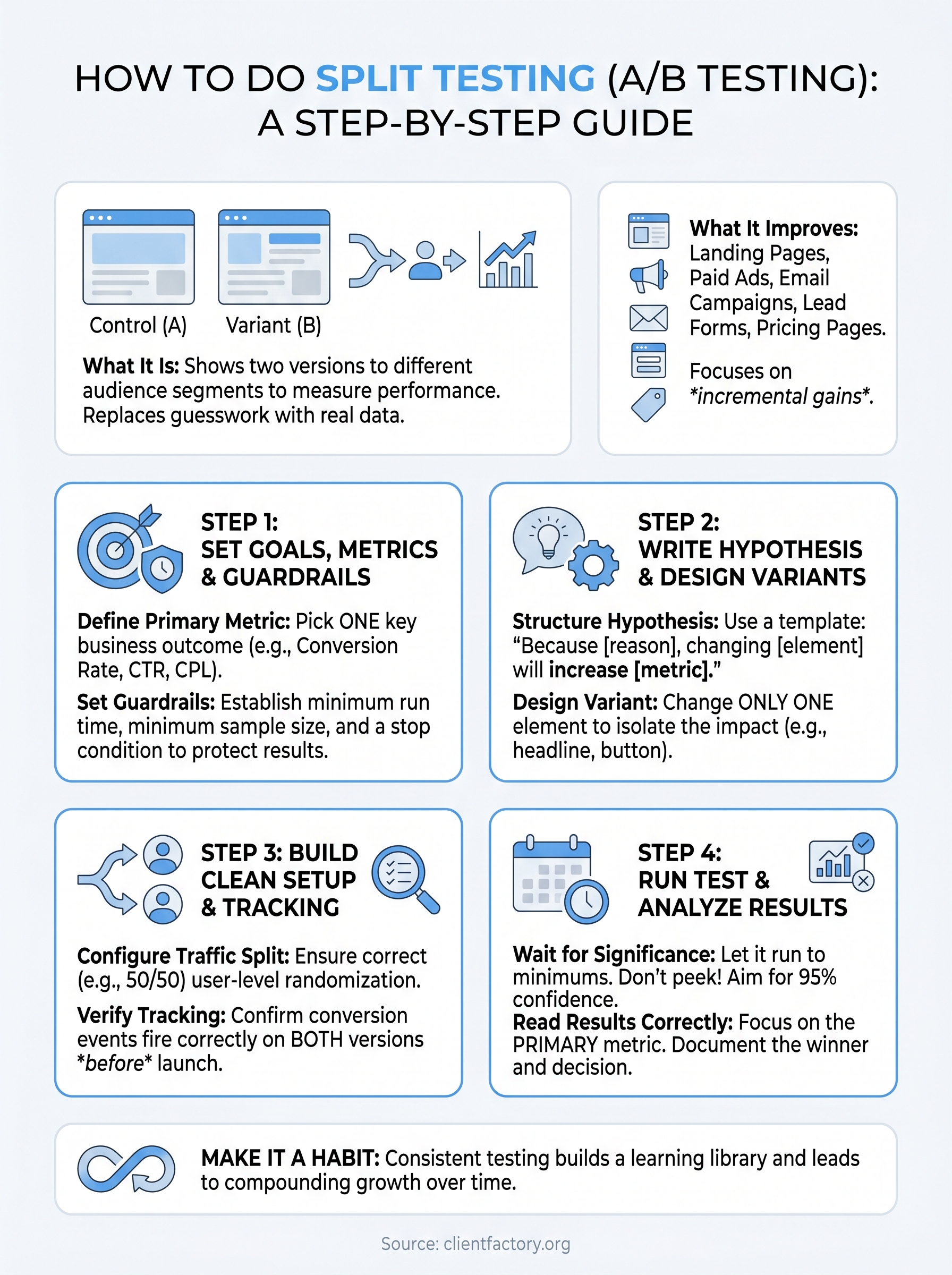
Split testing, also called A/B testing, is the practice of showing two or more versions of the same marketing asset to different segments of your audience simultaneously and measuring which version drives better results. Understanding how to do split testing properly means you’re making decisions based on real user behavior rather than assumptions. You create a control (the original version) and at least one variant (the changed version), then let live traffic determine which performs better.
When you base decisions on controlled experiments instead of opinions, your marketing improves predictably rather than by accident.
The core mechanics of a split test
Every split test follows the same basic structure. You isolate one element you want to change, such as a headline, button text, or image, and keep everything else identical between versions. Traffic gets split randomly between your control and your variant, and you track a specific outcome metric like click-through rate, form completions, or phone calls. The test runs until you collect enough data to reach statistical significance, meaning the result is unlikely to be caused by random variation rather than an actual difference between versions.
Here’s a concrete example. Suppose you run a Google Ad for a personal injury law firm. Your control headline reads "Free Consultation for Injury Cases" and your variant reads "Talk to a Lawyer Today, No Cost." You serve both to similar audiences, measure which drives more qualified calls, and then scale the winner. That’s a complete split test in its simplest form.
What split testing can improve
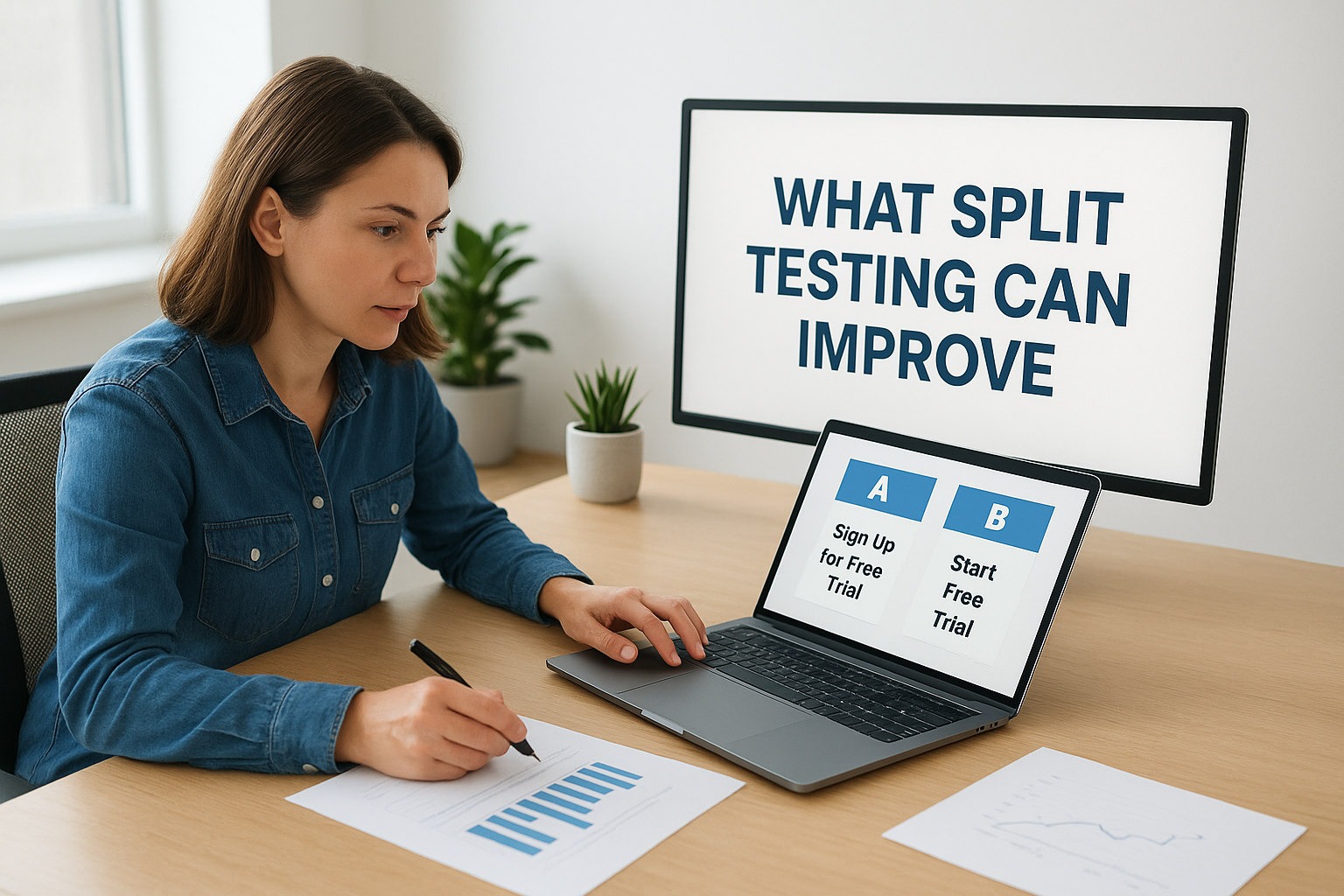
Testing applies to nearly every part of your digital marketing funnel, not just your website. The same controlled method works across ads, emails, landing pages, pricing pages, and even intake forms. Below are the most common areas where split testing produces measurable improvements:
- Landing pages: Headlines, hero images, form length, button copy, and social proof placement
- Paid ads: Ad headlines, descriptions, images, video thumbnails, and call-to-action text
- Email campaigns: Subject lines, preview text, send times, and body copy structure
- Lead forms: Number of fields, field labels, and form position on the page
- Pricing pages: Layout, plan names, feature descriptions, and highlighted tiers
Each of these touchpoints is a conversion opportunity. Raising a landing page conversion rate from 3% to 5% can cut your cost per lead significantly without adding a single dollar to your ad budget. That compounding effect is why high-performing marketing teams treat split testing as an ongoing discipline rather than a task you complete once and move on from. Consistent incremental gains across multiple touchpoints add up to a major advantage over competitors who still rely on guesswork.
Step 1. Set goals, metrics, and guardrails
Before you touch any design tools or ad platforms, you need to know exactly what success looks like for your test. Skipping this step is the most common reason split tests produce confusing results that teams cannot act on. When you know how to do split testing correctly, you start by locking in a single primary metric before you build anything.
Define your primary metric
Your primary metric is the one number that determines whether your variant wins or loses. Pick only one to avoid false positives that come from cherry-picking the best-looking stat after the test ends. Common primary metrics include:
- Conversion rate: Form submissions, calls, or purchases divided by total visitors
- Click-through rate (CTR): Clicks divided by impressions, used most often for ads
- Cost per lead (CPL): Total ad spend divided by the number of leads generated
- Bounce rate: Percentage of visitors who leave without taking any action
Your primary metric must tie directly to a business outcome, not just a vanity number like page views or impressions.
Tracking secondary metrics alongside your primary one is fine, but they should never override it. For example, a variant might increase time on page while reducing form completions. That is a losing variant, regardless of how engaging it looks on paper.
Set guardrails to protect the test
Guardrails are pre-set limits that tell you when to stop a test early, either because results are harmful or because a clear winner has emerged ahead of schedule. Without them, you risk running a poor-performing variant long enough to damage real business results.
Before you launch, document these three guardrails:
- Minimum run time: Never stop a test before 7 days, even if results look decisive, to account for day-of-week traffic patterns.
- Minimum sample size: Calculate the number of visitors needed to reach 95% statistical significance before the test begins.
- Stop condition: Define a conversion drop threshold, for example, pause the variant immediately if it underperforms the control by more than 30%.
Step 2. Write a hypothesis and design variants
A hypothesis turns a vague idea into a structured, testable statement. Without one, you’re just changing things randomly, which is the opposite of how to do split testing effectively. A well-written hypothesis forces you to state what you’re changing, why you expect it to matter, and what outcome you predict, giving you a clear standard against which you can evaluate results.
A hypothesis written before the test keeps you honest; it prevents you from rationalizing a losing result as a win after you see the data.
Structure your hypothesis
Your hypothesis should follow a consistent format every time so it’s easy to review and act on later. This template works across landing pages, ads, and emails:
Hypothesis template:
"Because [reason based on data or observation], changing [specific element] from [control version] to [variant version] will increase [primary metric] for [target audience]."
Here’s a completed example for a law firm landing page:
"Because heatmap data shows visitors rarely scroll past the hero section, changing the primary CTA button from ‘Learn More’ to ‘Get Your Free Case Review’ will increase form submissions for personal injury prospects."
This format keeps your reasoning visible and holds your team accountable to the original logic, even after the data comes in.
Design your variant without over-testing
Once you have your hypothesis, build exactly one variant that changes only the element you identified. If you change the headline, button color, and image simultaneously, you will never know which change actually moved the metric. Every extra change you add undermines your ability to draw a clean conclusion from the data.
Keep your variant simple and deliberate. Before you finalize it, run through this checklist:
- Does the variant change only one element from the control?
- Does the change align directly with your written hypothesis?
- Are all other page elements, layout, and tracking identical between versions?
- Have you reviewed both versions on mobile and desktop before launch?
Step 3. Build a clean test setup and tracking
A well-designed variant means nothing if your test environment leaks data. Before you launch, confirm that traffic splits correctly, tracking fires on every version, and no outside variable contaminates your results. Knowing how to do split testing well comes down to this verification step as much as any creative decision you made in the previous stages.
Configure your traffic split
Your traffic allocation determines how many visitors see each version. For most tests, a 50/50 split between control and variant gives you the fastest path to statistical significance. Only use an unequal split, such as 90/10, when you’re testing a high-risk change and want to limit exposure to the variant until early signals look safe.
Make sure your testing platform randomizes assignment at the user level, not the session level. Session-level randomization means the same visitor could see both versions on repeat visits, which corrupts your results.
Verify your tracking before launch
Broken tracking is the most preventable reason a split test produces unusable data.

Every conversion event you plan to measure needs to fire correctly on both the control and the variant before you send any live traffic. Use your platform’s preview mode or a tag debugger to confirm this before flipping the test on.
Run through this pre-launch checklist before you go live:
- Conversion event fires on the control page
- Conversion event fires on the variant page
- Both versions load correctly on mobile and desktop
- UTM parameters or test IDs pass through to your analytics tool
- No third-party scripts appear on one version but not the other
One final safeguard: freeze all related marketing changes for the duration of the test. Launching a new email campaign or adjusting your ad targeting while a test is running introduces outside variables that make it impossible to attribute results to your variant alone. Protect your data by keeping everything outside the test constant until you have a clear winner.
Step 4. Run the test and analyze results
Once your test goes live, your main job is to leave it alone. The biggest mistake marketers make at this stage is checking results daily and calling a winner too early. Resist that impulse. Let the test run until you hit both your minimum run time and minimum sample size before you look at statistical significance. Touching the test before then almost guarantees a false conclusion.
Know when to stop
Your stopping criteria should already be documented from Step 1, so this step is mostly about following the rules you set for yourself. Check your significance level only after you’ve crossed both the time and sample thresholds you defined upfront. A result is meaningful when your testing platform reports 95% confidence or higher, meaning there’s only a 5% chance the difference between your control and variant happened by random variation.
Ending a test early because the variant looks promising is one of the fastest ways to make a bad decision look like a data-backed one.
If your test reaches the sample size without hitting significance, that’s also a result. It tells you the change you made does not have a meaningful impact on your primary metric, which saves you from rolling out a change that does nothing.
Read your results correctly
When you analyze your split test, focus on your primary metric first before looking at anything else. A structured results review keeps you honest. Use this simple template to document every test you run:
| Field | Details |
|---|---|
| Hypothesis | What you expected to happen and why |
| Primary metric | The one number that determines the winner |
| Control result | Conversion rate or metric value for the original |
| Variant result | Conversion rate or metric value for the changed version |
| Statistical significance | Confidence level at test end |
| Decision | Ship variant, revert to control, or retest |
Knowing how to do split testing correctly means documenting your decisions this way so your team builds a learning library rather than starting from scratch on every future experiment.
Make split testing a habit
Split testing is not a one-time project. The marketers and agencies that consistently outperform their competitors treat testing as a recurring process, not something they do once and shelve. Every test you complete adds to a body of evidence about what your specific audience responds to, and that compounding knowledge is genuinely hard for competitors to replicate.
Knowing how to do split testing is only useful if you actually run tests regularly. Build a simple testing calendar, schedule at least one new test per month, and document every result using the template from Step 4. Over time, your learning library grows into a real competitive advantage. Small, consistent gains across your landing pages, ads, and emails add up faster than most marketers expect.
If you want a team that builds and optimizes these systems for you, book a free conversion audit and we’ll identify exactly where your funnel is leaving money on the table.
