

If you’ve been running paid ads for a while, you’ve probably noticed Google rolling out campaign types faster than most businesses can test them. Google Ads Demand Gen campaigns launched in late 2023, replacing Discovery campaigns and promising better reach across YouTube, Gmail, and Discover feeds. But here’s where it gets confusing: how do these campaigns actually differ from Performance Max, and when should you use one over the other?
At Client Factory, we manage paid advertising across multiple platforms for service businesses and law firms, so we’ve had plenty of opportunities to put Demand Gen campaigns through their paces. The distinction between Demand Gen and PMax isn’t just technical; it directly impacts how efficiently you spend your ad budget and whether you’re reaching prospects at the right stage of their buying journey.
This guide breaks down exactly what Demand Gen campaigns are, how they compare to Performance Max, and the best practices we’ve seen work for businesses focused on client acquisition. By the end, you’ll know which campaign type fits your goals, and how to set either one up for better results.
Why Demand Gen matters for lead generation
Most businesses focus their ad budgets on bottom-of-funnel conversions, targeting people already searching for their services. That strategy works, but it leaves money on the table. Demand Gen campaigns fill a gap that traditional search ads can’t touch: they reach potential clients before they even know they need your service. You’re building awareness and interest among audiences who match your ideal client profile but haven’t started actively searching yet.
Reaching prospects before they search competitors
Search campaigns capture existing demand, but Google Ads Demand Gen campaigns create it. When someone scrolls through YouTube, Gmail, or Discover, they’re not in buying mode. They’re consuming content, checking email, or looking for entertainment. Your ads appear in these moments when users are receptive to new ideas but not actively comparing providers. This early exposure means your brand shows up first when they eventually need legal help, financial services, or whatever solution you offer.
The timing advantage matters more than most advertisers realize. By the time a prospect searches “personal injury lawyer near me,” they’ve likely already been exposed to multiple competitor brands through various channels. If your name appears in that search alongside three others they’ve seen on YouTube or in their Gmail inbox over the past month, you’re no longer starting from zero. You’ve already built familiarity, which directly impacts click-through rates and conversion likelihood.
Early brand exposure through Demand Gen creates mental availability that pays off when prospects enter active buying mode.
Cost-effective visibility for service businesses
Service businesses face a unique challenge: search volume for their specific services is often limited or expensive. If you’re a business litigation attorney or a specialized financial advisor, you can’t rely solely on search ads to fill your pipeline. Demand Gen campaigns let you reach qualified audiences at a lower cost per impression than most search terms, especially in competitive markets where clicks run $20 to $100 or more.
Your cost per lead often drops when you combine Demand Gen with retargeting. Someone who sees your ad three times across different Google properties before clicking costs less to convert than a cold search visitor. The multiple touchpoints build trust and establish expertise, which means prospects arrive more educated and closer to a buying decision.
Where Demand Gen ads show and what they look like
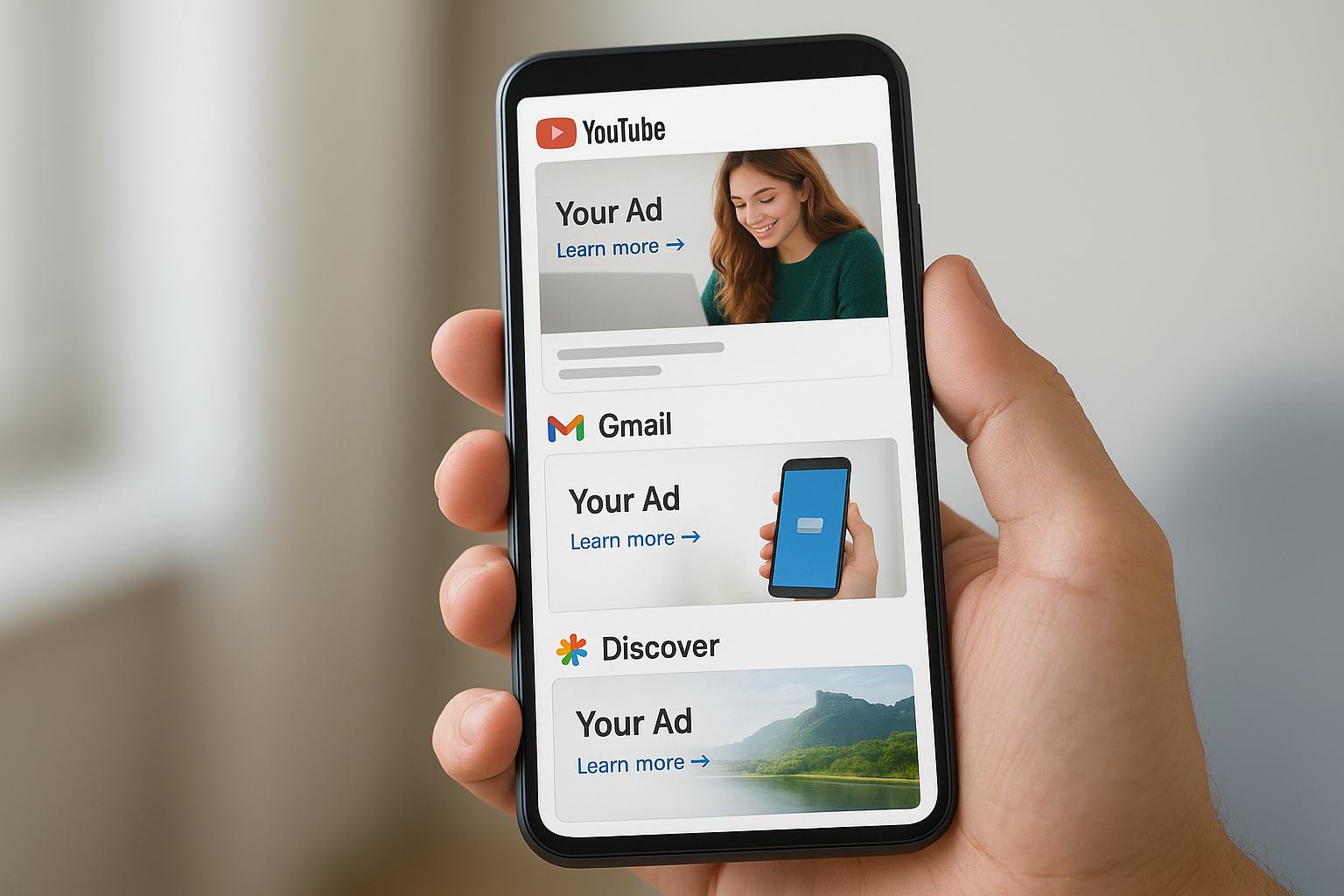
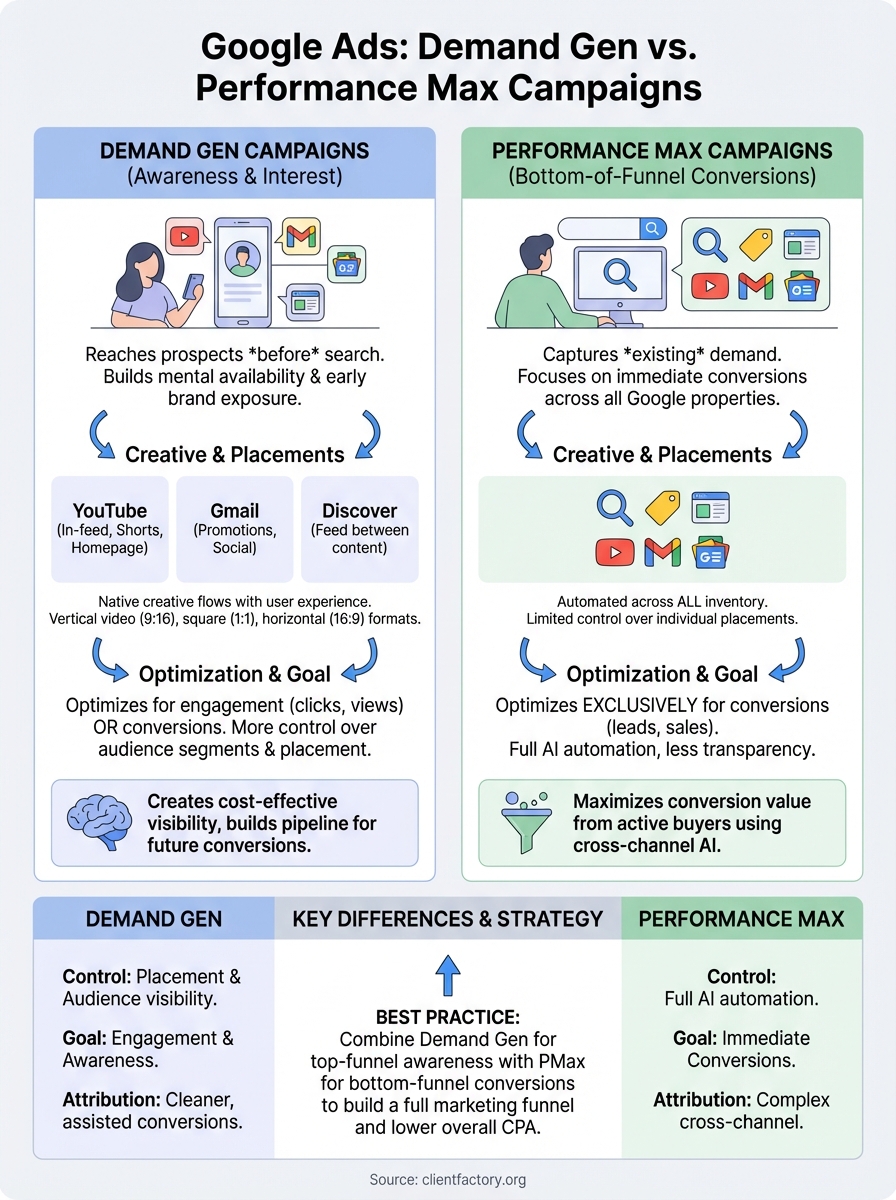
Google Ads Demand Gen campaigns run across three primary properties: YouTube (including Shorts and in-feed placements), Gmail, and the Google Discover feed. These placements share one characteristic: users encounter your ads while browsing content, not while actively searching. Your creative appears in the natural flow of their experience, which means your ads need to blend in while still grabbing attention.
Placement types and visibility
YouTube placements give you the most variety. Your ads show up in-feed (between recommended videos), in Shorts, and on the YouTube homepage. Gmail ads appear at the top of the Promotions and Social tabs, looking similar to regular emails until someone clicks to expand them. Discover feed ads sit between content cards when people swipe through news and articles on their mobile devices or the Google app.
Each placement type reaches users at different engagement levels. YouTube viewers are actively watching content, so your ads compete with entertainment and education. Gmail users are checking messages, which means your subject line and preview matter as much as your creative. Discover feed users scroll quickly, so visual impact makes or breaks your performance.
Creative formats that work
You can run single-image ads, carousel ads with multiple images, or video ads across all Demand Gen placements. Video typically performs better on YouTube, while image carousels work well in Gmail and Discover. Your ads automatically adjust to fit each placement, but you control the source assets.
The same campaign creative adapts to look native across YouTube, Gmail, and Discover without requiring separate versions for each placement.
Vertical video formats (9:16 ratio) perform best for YouTube Shorts, while square (1:1) or horizontal (16:9) formats work better for in-feed placements. Testing different creative combinations helps you identify which formats drive the most engagement for your specific audience.
Demand Gen vs Performance Max: key differences
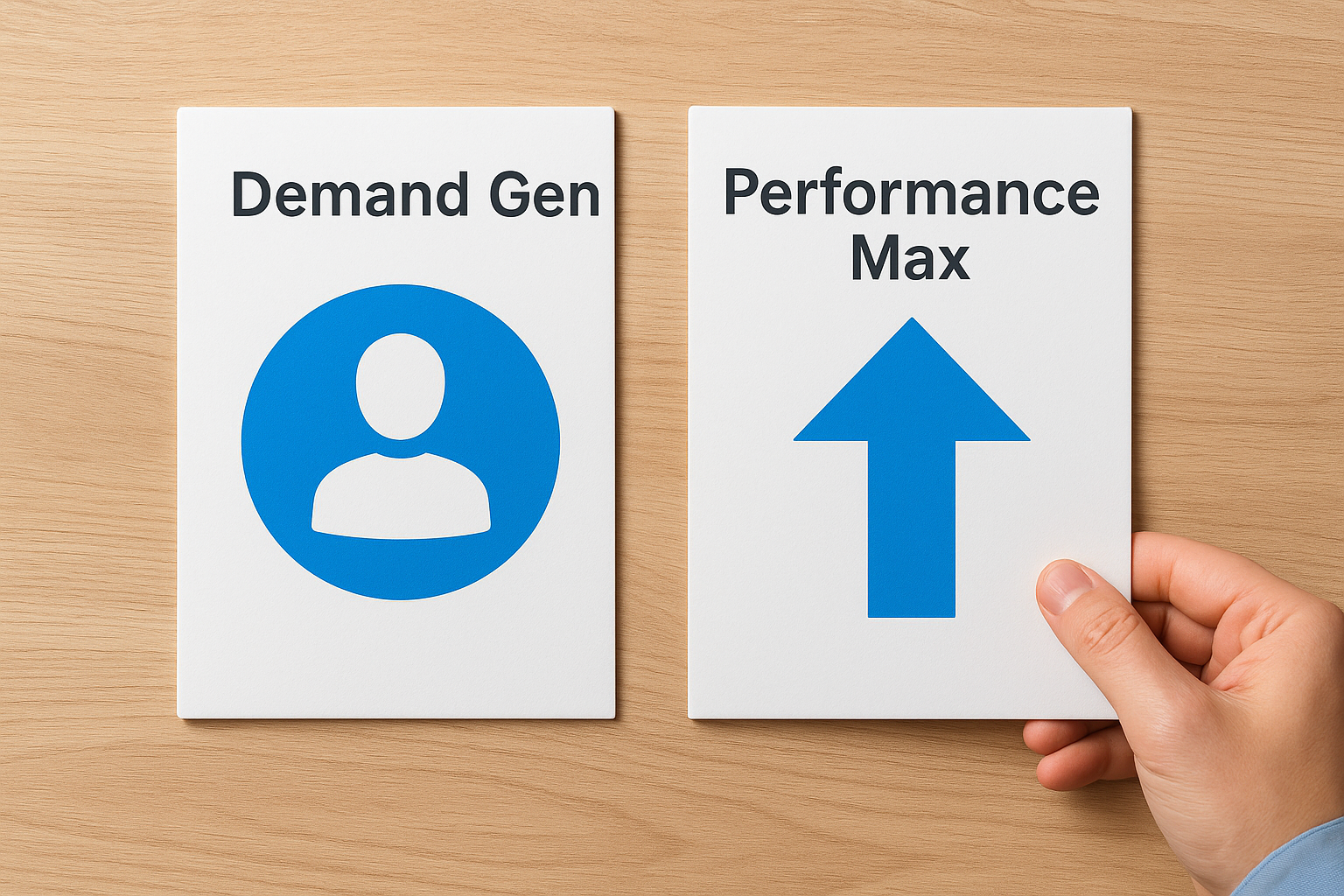
Both campaign types use Google’s AI to optimize delivery, but they serve different purposes in your marketing funnel. Performance Max campaigns focus on conversions across all Google properties, including Search, Shopping, Display, YouTube, Gmail, and Discover. Google Ads Demand Gen campaigns run only on YouTube, Gmail, and Discover, targeting users in the awareness and consideration stages rather than people actively searching for your services.
Control over placement and audience
You get more control with Demand Gen. You can exclude specific YouTube channels, select audience segments, and decide which placements to prioritize. Performance Max gives Google full automation across all available inventory, including search terms you never see. This lack of transparency frustrates many advertisers who want to know exactly where their budget goes.
Demand Gen lets you build custom audiences using first-party data, similar interests, or life events. Performance Max uses your conversion data to find similar users, but you can’t manually adjust audience targeting after launch. The algorithm decides everything based on your conversion goals and asset group performance.
Demand Gen gives you placement control and audience visibility that Performance Max deliberately hides behind automation.
Conversion goals and tracking
Performance Max requires conversion tracking from day one. The campaign optimizes exclusively for conversions, whether that means form fills, phone calls, or purchases. Demand Gen campaigns can optimize for engagement metrics like clicks and views, making them suitable when you want brand exposure before pushing for conversions.
Your attribution window matters more with Performance Max. Since it touches multiple channels including search, you need accurate conversion tracking to avoid overcounting results. Demand Gen attribution stays cleaner because users only interact through YouTube, Gmail, or Discover, reducing cross-channel attribution confusion. This makes it easier to measure the true impact of your awareness efforts without inflated conversion claims.
How to set up and optimize a Demand Gen campaign
Setting up a Google Ads Demand Gen campaign takes less time than most advertisers expect, but optimization separates campaigns that waste budget from those that build your pipeline. You start by creating a new campaign in Google Ads, selecting Demand Gen as your campaign type, and choosing your conversion goal. Your budget, bidding strategy, and audience targeting come next, but the quality of your creative assets determines whether your campaign succeeds or fails.
Campaign structure and asset requirements
You need at least one asset group containing 3 to 5 headlines, 1 to 5 descriptions, and multiple images or videos. Google recommends uploading both landscape (1.91:1) and square (1:1) images at minimum 600×314 and 300×300 pixels respectively. Videos should run 10 to 30 seconds for optimal engagement across YouTube placements.
Your audience setup requires layering. Start with custom segments based on your ideal client profile, then add affinity audiences or in-market categories that align with your services. Layer demographic targeting to exclude age ranges or household incomes that don’t match your buyer personas. This targeting precision prevents wasted impressions on users who will never convert into clients.
Uploading diverse creative assets and combining multiple audience signals gives Google’s algorithm more optimization paths without sacrificing targeting accuracy.
Optimization tactics that improve performance
Check your campaign after three to five days of active delivery and review which asset combinations generate the most engagement. Remove underperforming headlines or images that show low impression share. Add new creative variations every two weeks to prevent ad fatigue, especially if you’re targeting smaller audience segments.
Adjust your bid strategy based on performance. Maximize conversions works when you have conversion data, but maximize clicks performs better during the first few weeks when you’re building audience signals. Your budget should run continuously rather than stopping and starting, since Google Ads Demand Gen campaigns need consistent delivery to optimize effectively. Watch for placement performance differences and exclude specific YouTube channels if they drain budget without producing qualified engagement.
How to measure results and fix common issues
Measuring success with Google Ads Demand Gen campaigns requires tracking different metrics than your search campaigns. You focus on engagement signals like view rates, click-through rates, and video completion percentages rather than immediate conversions. Most service businesses see conversions happen days or weeks after initial exposure, so you need attribution windows of at least 30 days to capture the full impact of your awareness efforts.
Key metrics to track
Your primary metrics include video view rate (VVR) for YouTube placements, click-through rate (CTR) across all placements, and cost per engagement. View rates above 25% indicate your creative resonates with your target audience, while CTRs below 0.5% suggest your messaging or audience targeting needs adjustment. Track engagement actions like website visits, form views, and scroll depth through Google Analytics 4 to understand how users interact after clicking your ads.
Conversion tracking becomes more complex with longer consideration cycles. Set up view-through conversion windows to capture users who see your ad but convert later without clicking. Your cost per acquisition might look higher initially compared to search campaigns, but the quality of leads often improves since prospects arrive more educated about your services.
Demand Gen campaigns typically show their full value in assisted conversions rather than last-click attribution, so review your multi-touch attribution reports monthly.
Common problems and quick fixes
Low engagement rates usually stem from mismatched audience targeting or weak creative. Refine your audience segments by excluding demographics that show high impressions but low engagement. Add negative audience signals to prevent your ads from showing to users who never interact with similar content.
Budget pacing issues occur when Google spends your daily budget too quickly. Switch from accelerated delivery to standard delivery and lower your bid caps if you exhaust your budget before noon. If certain placements drain budget without results, exclude specific YouTube channels or adjust your placement preferences in campaign settings.
Next steps
Starting with Google Ads Demand Gen campaigns requires planning, but you don’t need to perfect everything before launching. Your first campaign should run for at least two weeks to gather enough data for meaningful optimization decisions. Focus on creating three to five strong video or image assets that speak directly to your target audience’s problems, then let Google’s algorithm test combinations while you monitor engagement signals.
Most service businesses see better results when they combine Demand Gen with retargeting campaigns that capture prospects after initial exposure. Your search campaigns benefit from the awareness you build, since users who’ve seen your brand before convert at higher rates than completely cold traffic. This layered approach turns scattered ad spend into a coherent funnel that moves prospects from awareness to conversion.
If you need help structuring your client acquisition funnel around these campaign types, book a conversion audit with our team. We’ll review your current setup and identify where google ads demand gen campaigns fit into your overall strategy for turning clicks into clients.
