

Most Google Ads campaigns waste money because they show ads to people who were never going to buy. The fix isn’t a bigger budget or flashier creative, it’s google ads audience targeting, the set of tools Google gives you to control exactly who sees your ads and when they see them.
Google Ads offers multiple audience targeting options: affinity segments, in-market audiences, custom segments, remarketing lists, detailed demographics, and more. Each one works differently, and choosing the wrong combination can drain your ad spend just as fast as no targeting at all. The key is understanding what each option does, how to set it up correctly, and, most importantly, which segments actually match your ideal customer.
At Client Factory, we manage paid advertising campaigns for service businesses and law firms, and audience targeting is one of the first things we optimize in every account. We’ve seen firsthand how the right audience strategy can cut cost-per-lead in half while improving lead quality. This article breaks down every audience targeting option available in Google Ads, walks you through setup step by step, and shares practical tips we’ve learned from running campaigns across industries.
Whether you’re setting up your first campaign or trying to squeeze better results from an existing one, this guide gives you everything you need to reach the right people and stop paying for wasted clicks.
Why audience targeting matters in Google Ads
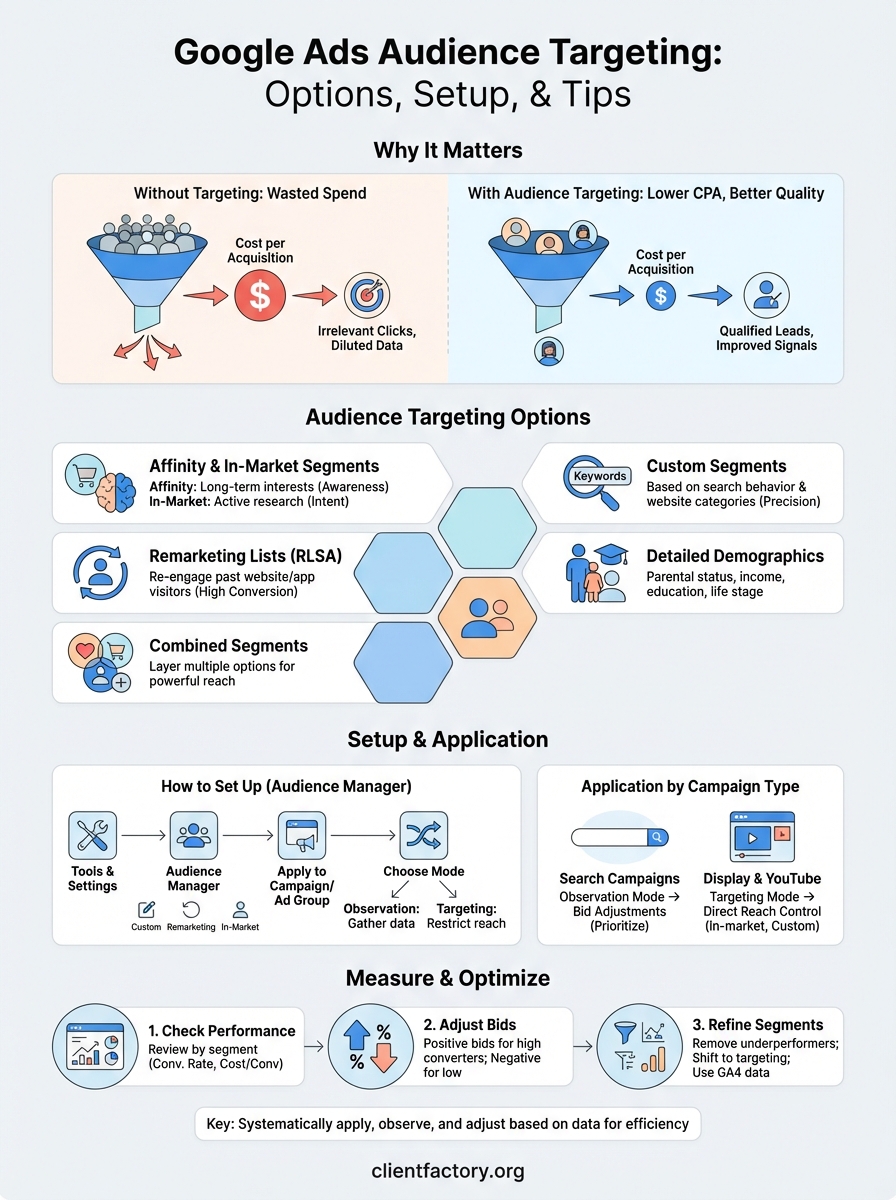
Google Ads runs on an auction system where you pay every time someone clicks your ad. That model works in your favor when the right people click, but it works against you fast when irrelevant visitors drain your budget without converting. Audience targeting gives you control over who enters that auction for your ads, which directly affects your cost per acquisition and the overall efficiency of every campaign you run.
The cost of showing ads to the wrong people
Without audience targeting, your ads reach anyone who triggers your keywords. A personal injury law firm bidding on “lawyer near me” will show ads to people looking for immigration attorneys, tax help, or family law advice. All of those clicks cost money, and none of them convert. The problem grows at scale: as your daily budget increases, so does your exposure to unqualified traffic. Google Ads audience targeting is specifically designed to prevent this by letting you layer behavioral, demographic, and intent-based signals on top of your keyword strategy.
The difference between a 5% conversion rate and a 15% conversion rate often comes down to whether you’re showing your ads to people who actually need what you offer.
Running campaigns without audience controls also makes optimization harder. Campaign data gets diluted by clicks from people who were never going to become customers, which makes it difficult to identify what’s actually working. When you tighten your audience targeting, your data becomes cleaner, your signals improve, and your automated bidding strategies have better information to work with.
How audience data changes campaign performance
Google collects behavioral data across Search, YouTube, Gmail, and the millions of sites in its Display Network. That data powers the audience segments available inside Google Ads. When you apply those segments to a campaign, you’re telling Google to prioritize or exclusively reach people who match specific behavioral patterns, like someone actively researching legal representation or a business owner who regularly reads content about marketing software.
This matters because search intent alone is incomplete. Two people can type the same keyword with completely different purchase timelines and budgets. One is browsing casually; the other is ready to make a decision today. Audience data adds a layer of context to your keyword targeting that helps Google’s system favor the person closer to taking action.
For service businesses and law firms in particular, lead quality matters as much as lead volume. A campaign that generates 50 unqualified leads per month is more expensive in practice than one that generates 20 qualified leads, because unqualified leads cost your staff time to process and almost never close. Audience targeting lets you shift who responds to your ads, not just how many people respond.
Audience targeting options in Google Ads
Google Ads gives you several distinct audience types to work with, and each one targets people based on different signals. Understanding what separates them helps you pick the right combination for your campaign goals. Some segments target people based on long-term interests, others focus on recent purchase intent, and some let you build custom lists from your own data.
Affinity and in-market segments
Affinity segments group people by their long-standing interests and habits, such as sports fans, cooking enthusiasts, or frequent travelers. These segments are broad, which makes them useful for building brand awareness at the top of the funnel but less effective for campaigns where you need immediate conversions. In-market segments work differently: Google identifies people actively researching a specific product or service right now, based on recent search behavior and browsing patterns. For service businesses, in-market audiences are typically the higher-priority option because the people in them are closer to making a decision.
In-market audiences are one of the most underused tools in local service campaigns, specifically because they capture people who are already looking for help.
Custom segments and remarketing
Custom segments let you go beyond Google’s predefined lists by targeting people who have searched for specific keywords on Google or visited certain types of websites. This gives you precision that neither affinity nor in-market segments alone can match.
Remarketing lists (also called RLSA for Search campaigns) let you re-engage people who have already visited your website, watched your YouTube content, or interacted with your ads. Your budget focuses on people who already recognize your brand, which typically drives higher conversion rates at a lower cost per click than cold audiences.
Detailed demographics and combined segments
Detailed demographics cover factors like household income, parental status, marital status, and education level. These work especially well when your service targets a specific life stage, such as estate planning for older homeowners or family law for parents going through a major life change.
Combined segments let you stack multiple audience types together, so you can, for example, target in-market users who also fall within a specific income bracket. Google ads audience targeting becomes significantly more powerful when you layer these options strategically rather than applying them one at a time in isolation.
How to set up audience targeting in Google Ads
Setting up google ads audience targeting takes only a few minutes once you know where to look, but most advertisers skip steps that make a real difference in results. The setup process happens at either the campaign level or the ad group level, and that choice affects how broadly your targeting applies across the account.
Navigate to the Audience Manager
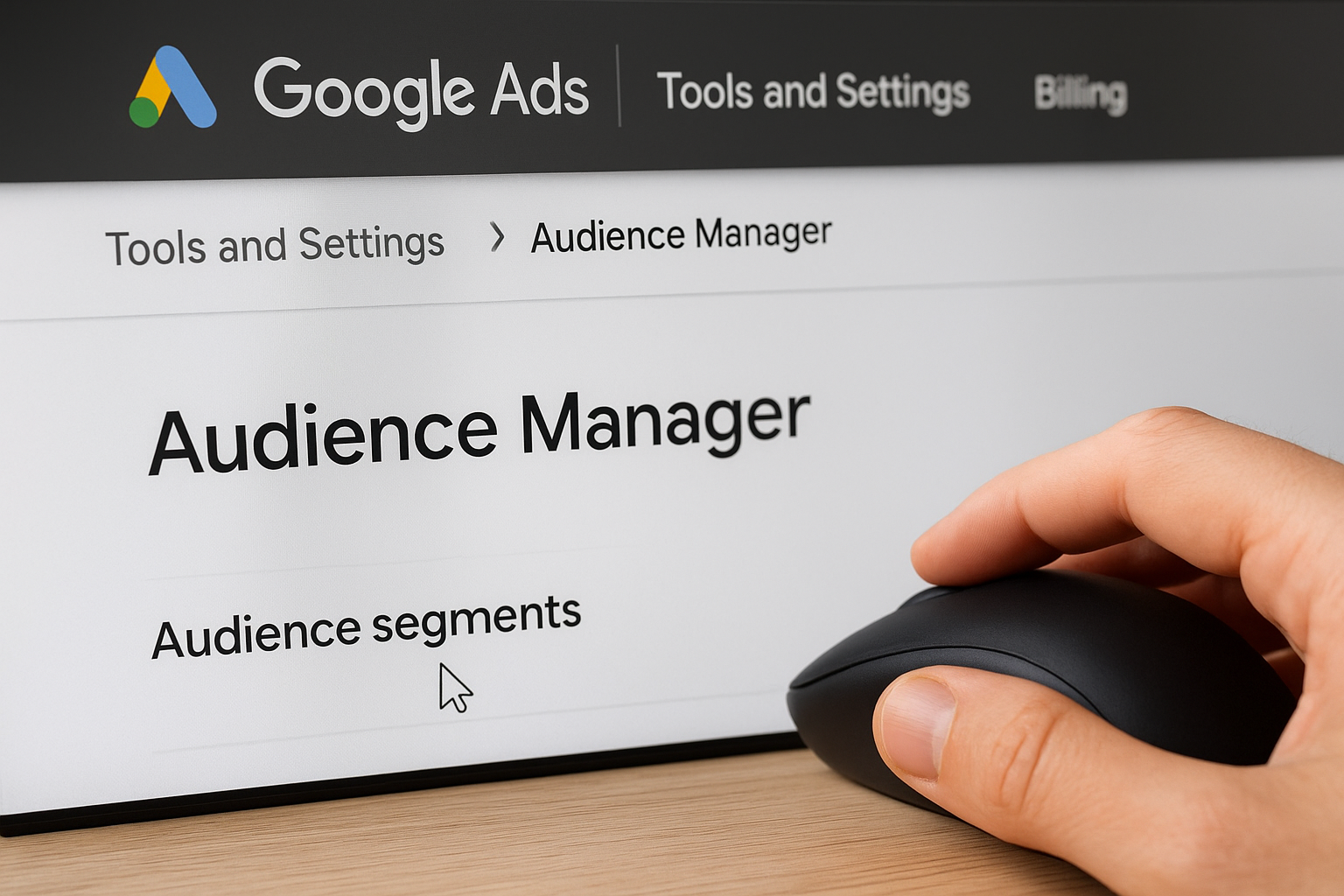
Inside Google Ads, go to Tools and Settings in the top navigation bar, then select “Audience Manager” under the Shared Library section. This is where you view, create, and manage all audience segments tied to your account, including remarketing lists built from your website visitors, customer match lists you upload directly, and any custom segments you configure based on search behavior or website categories.
Setting up your remarketing tag before you need it saves weeks of data collection time, since Google requires a minimum audience size before a list becomes usable in campaigns.
You can add the Google Ads remarketing tag to your website manually or through Google Tag Manager, which is the cleaner option if you already use it for other tracking. Once the tag fires correctly, Google starts building your visitor lists automatically in the background.
Apply audiences to a campaign or ad group
To apply an audience to an active campaign, open the campaign, click “Audiences” in the left sidebar, and then click the edit icon to add segments. You can search Google’s predefined segments, including in-market and affinity options, or select any custom audiences and remarketing lists you’ve already created. You can apply audiences at either the campaign level for broad control or the ad group level when different product or service offerings need separate targeting rules.
Choose observation vs. targeting mode
When you add an audience, Google gives you two modes. Observation mode tracks performance data for that audience without restricting who sees your ads, which is useful for gathering data before you commit to narrowing your reach. Targeting mode restricts your ads to only the selected audience, giving you tighter control over spend. Start with observation on new segments to validate performance, then switch to targeting once the data confirms those users convert at a rate that justifies the restriction.
How to apply audiences across campaign types
Not every campaign type handles google ads audience targeting the same way, and applying the wrong strategy to the wrong campaign format wastes both budget and data. The approach you take in a Search campaign differs significantly from what works in Display or YouTube, so it helps to know the specific mechanics before you start adding segments.
Search campaigns
In Search campaigns, audiences work on top of your keyword targeting rather than replacing it. Your ads still trigger based on search queries, but audience data influences how Google prioritizes who sees your ad within the auction. When you run a Search campaign in observation mode, you can identify which audience segments convert at a higher rate, then increase your bid adjustments for those groups to push your ads higher in results when those users search.
Bid adjustments for high-converting audience segments in Search campaigns are one of the fastest ways to improve efficiency without shrinking your reach entirely.
For example, if your remarketing list of past website visitors converts at three times the rate of cold traffic, you can apply a positive bid adjustment of 30 to 50 percent for that segment. Your budget naturally concentrates on the users most likely to take action without cutting off new prospects entirely.
Display and YouTube campaigns
In Display and YouTube campaigns, audiences control reach more directly than in Search because there are no keywords to anchor who sees your ads. Here, you typically run audiences in targeting mode from the start, since without that restriction, your ads can appear in front of almost anyone browsing the web or watching videos.

For Display, in-market and custom segments work well for reaching people who are actively researching your service category. For YouTube, layering affinity segments with detailed demographics helps you reach viewers who match the profile of your best customers. Both formats benefit from remarketing lists as a second campaign layer, where you show more direct response-oriented creative to people who have already visited your site or engaged with earlier content. This sequential approach keeps your brand present across the full decision-making window.
How to measure and optimize audience targeting
Running google ads audience targeting without measuring results is the same as setting a budget on fire. Google Ads gives you the data to see exactly how each audience segment performs, and that data tells you where to push harder and where to pull back. Measuring performance by segment is not optional; it is the step that turns a decent campaign into one that consistently improves.
Check performance by segment
To see how individual segments perform, open any campaign, click “Audiences” in the left sidebar, and review the metrics table. Google breaks out impressions, clicks, conversions, and cost per conversion by each audience segment you have applied. This view shows you which groups are converting efficiently and which ones are consuming budget without producing results.
The most common mistake advertisers make is applying audience segments and never returning to review how each one actually performs.
Pay attention to conversion rate and cost per conversion as your primary signals, not just click volume. A segment with high clicks but no conversions is costing you money without contributing to growth. Sort the table by cost per conversion to surface the segments that need either a bid reduction or removal from the campaign entirely.
Adjust bids and refine your segments
Once you identify your top-converting segments, apply positive bid adjustments to increase your visibility when those users are in the auction. Inside the Audiences tab, click the bid adjustment column next to any segment and enter a percentage increase. A 20 to 30 percent increase for a high-converting in-market segment, for example, pushes your ads higher in results specifically for those users without raising your base bid across the board.
For segments that show high spend and low conversion rates, either apply a negative bid adjustment to reduce your exposure or remove them from targeting mode and shift to observation only. Observation mode keeps collecting data without letting that segment drive your spend. Use Google Analytics 4 linked to your Google Ads account to cross-reference which audience segments produce the highest-quality sessions beyond just the click, giving you a fuller picture of post-click behavior that the Ads interface alone does not capture.
Putting it into action
Google ads audience targeting gives you direct control over who sees your ads and what you pay to reach them. The options covered in this guide, from in-market segments and custom audiences to remarketing lists and detailed demographics, each solve a different problem. The key is applying them systematically: start with observation mode to collect data, identify which segments convert, then adjust bids and tighten targeting based on what the numbers actually show.
Audience targeting works best when it connects to a well-built campaign structure and a landing page that converts the traffic you send. If your funnel has gaps, better targeting only surfaces those gaps faster. At Client Factory, we audit campaigns and funnels together because fixing one without the other rarely moves the numbers. If you want a clear picture of where your current setup is losing clients, book a free funnel audit and we’ll walk through it with you.
