

Most businesses send the same email to their entire list and wonder why open rates keep dropping. The problem isn’t email marketing itself, it’s the lack of email segmentation strategies that speak to what each subscriber actually needs. Blasting one generic message to thousands of contacts is the fastest way to train people to ignore you, or worse, hit the unsubscribe button.
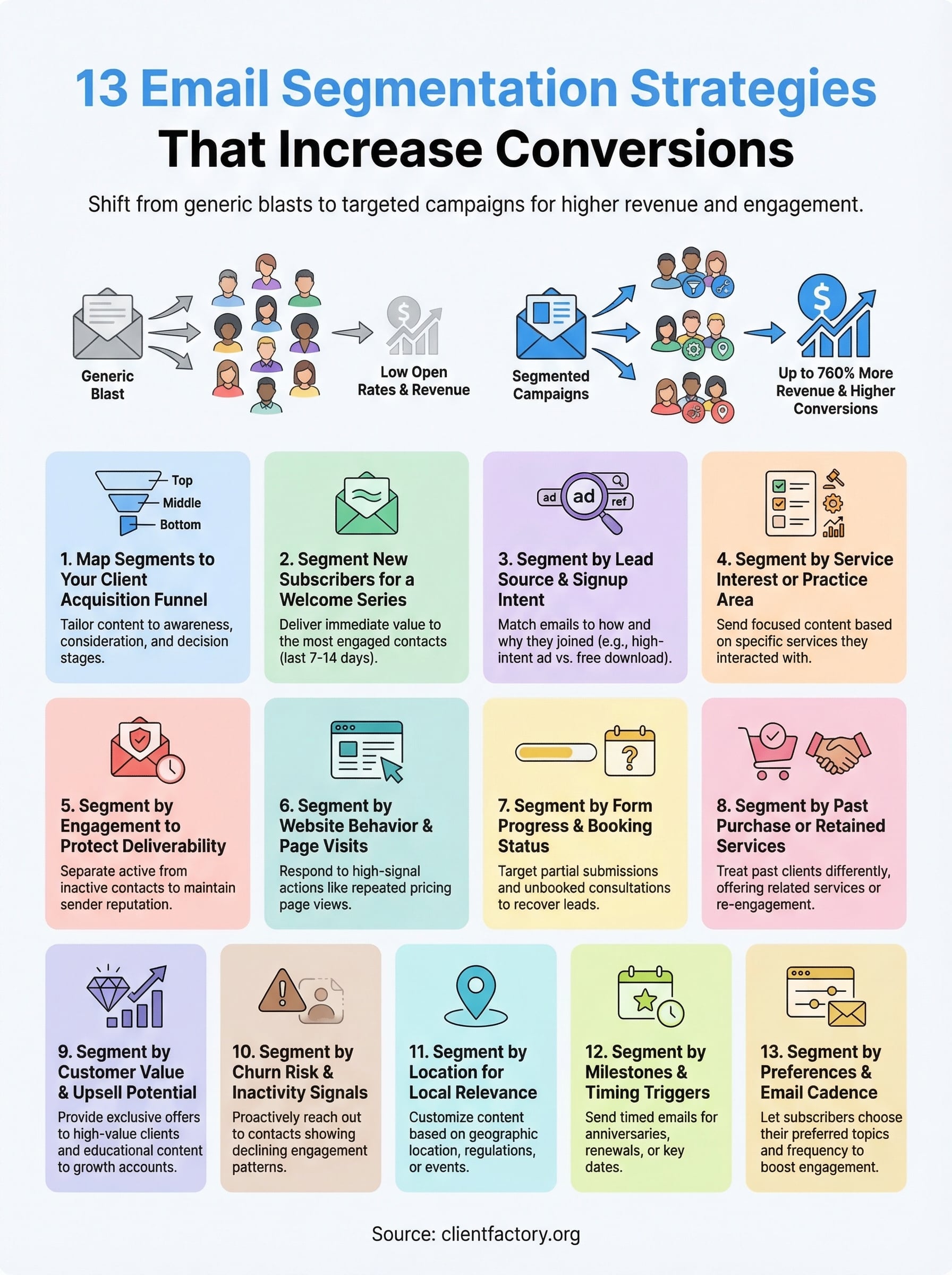
Here’s what the data shows: segmented email campaigns generate up to 760% more revenue than one-size-fits-all sends. That’s not a marginal improvement, it’s a completely different outcome. When you group your subscribers based on behavior, interests, or where they are in the buying process, every email becomes more relevant. And relevance is what drives clicks, replies, and conversions that actually move the needle.
At Client Factory, we build client acquisition systems for service businesses and law firms, and email segmentation is a core piece of that puzzle. We’ve seen firsthand how the right segmentation approach transforms a stale email list into a consistent source of qualified leads. It’s one of the highest-leverage moves you can make inside your marketing funnel, and most businesses aren’t doing it well enough.
This article breaks down 13 proven segmentation strategies you can start using right away. Each one includes practical examples and clear steps so you can stop guessing and start sending emails that your subscribers actually want to open. Let’s get into it.
1. Map segments to your client acquisition funnel
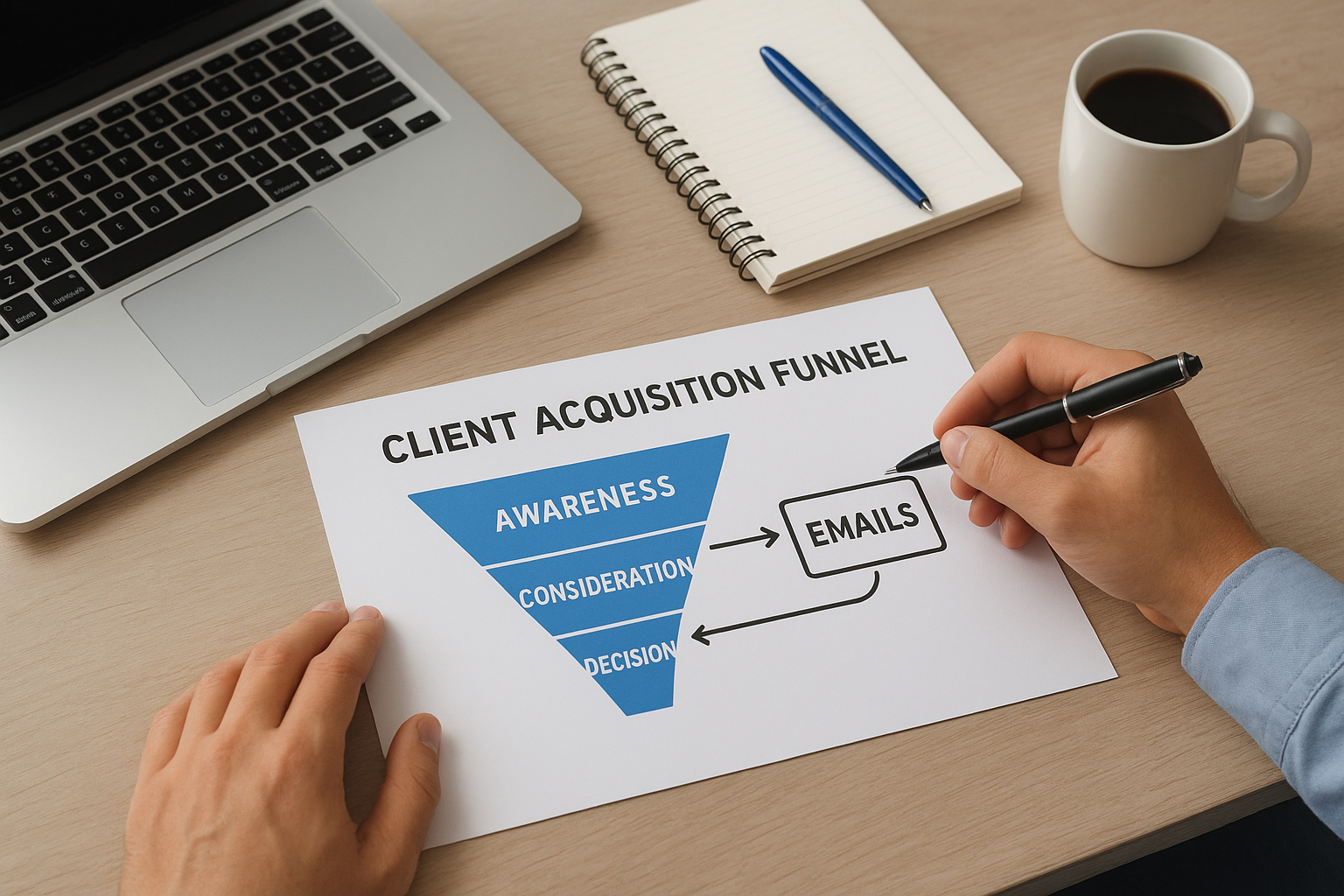
The most effective email segmentation strategies start with your funnel. Before you build any segment, you need to understand where each subscriber sits in the journey from stranger to paying client. Someone who just found your business needs a completely different email than someone who requested a consultation but hasn’t booked yet. When you segment by funnel stage, every email has a clear job to do.
Segment criteria and data you need
To map segments to your funnel stages, you need to tag subscribers based on where they entered and how far they’ve progressed. The three core stages to segment around are: awareness (they know you exist), consideration (they’re evaluating your services), and decision (they’re close to converting or have already hired you).
The data points you need to make this work:
- Lead source: Did they come from a paid ad, organic search, or a referral?
- Page or content engaged with: A blog reader is at a different stage than someone who visited your pricing or services page
- Actions taken: Form submissions, consultation requests, scheduling link clicks, and prior purchases all signal funnel stage
Emails to send that drive conversions
Each funnel stage calls for a different type of email. Subscribers in the awareness stage need educational content that builds trust and positions you as the right choice. Subscribers in the consideration stage need social proof, case studies, and clear explanations of how you solve their specific problem.
The goal isn’t to send more emails. It’s to send the right email to the right person at the right stage.
Subscribers in the decision stage need urgency, direct calls to action, and friction removal. This might mean a limited-time consultation offer, an FAQ email that handles common objections, or a simple follow-up that asks “Are you ready to get started?” These emails do the heavy lifting of closing new clients, so they deserve serious attention and testing.
Implementation tips for common tools
Most email platforms let you apply tags or custom fields to segment by funnel stage. In Mailchimp, use tags combined with automation triggers based on form submissions or link clicks. In ActiveCampaign, you can build deal pipelines and sync contact stages directly to email sequences, which makes funnel-based segmentation seamless.
Your CRM and your email tool need to stay in sync. A contact tagged as “consultation booked” in your CRM should automatically trigger the right follow-up sequence in your email platform. When these systems communicate consistently, you stop losing leads between the cracks and your conversion rate at every funnel stage improves without increasing email volume.
2. Segment new subscribers for a welcome series
New subscribers are your most engaged contacts, and most businesses waste that window. When someone joins your list, they’re paying attention right now. That’s the moment to deliver immediate value and start building the relationship that eventually turns them into a paying client. Segmenting your new subscribers for a dedicated welcome series is one of the most straightforward email segmentation strategies you can execute with a significant impact.
Segment criteria and data you need
The criteria for this segment is simple: any contact who subscribed within the last 7 to 14 days and hasn’t received a welcome sequence yet. The key data point is the subscription date, which most email platforms capture automatically.
You’ll also want to note where they signed up (a blog post, a lead magnet, a landing page) so you can personalize the first email. That context shapes everything from the opening line to the offer you include later in the sequence.
Emails to send that drive conversions
Your welcome series should run 3 to 5 emails over the first two weeks. Start with a direct introduction that confirms what they signed up for and sets expectations. Follow with one or two value-driven emails that answer common questions or share a useful resource tied to their specific problem.
The first email in a welcome series gets the highest open rate of any email you’ll ever send, so make it count.
Close the sequence with a soft call to action, such as booking a consultation or replying with their biggest challenge. This approach moves new subscribers forward without feeling aggressive.
Implementation tips for common tools
In Mailchimp, set up an automated welcome journey triggered by the “subscriber joins” event. In ActiveCampaign, use a start trigger based on the contact being added to a specific list, then set a goal to exit them from the sequence once they complete a desired action, such as clicking a booking link.
3. Segment by lead source and signup intent
Not everyone on your list showed up the same way. A subscriber who downloaded a free legal checklist has a different mindset than someone who clicked a retargeting ad about your pricing. These differences in lead source and intent matter enormously, and some of the best email segmentation strategies build directly on this data. When you understand why someone joined and where they came from, you can send emails that match what they were already thinking about.
Segment criteria and data you need
The core data you need is the traffic source and the specific action that triggered the subscription. Most email platforms and CRMs can capture UTM parameters from your URLs, which tell you whether a subscriber came from paid search, organic traffic, social media, or a referral partner. Beyond the source, note what they signed up for: a lead magnet, a webinar, a free consultation offer, or a newsletter opt-in each signals a different level of intent.
Here’s a quick breakdown of source-to-intent mapping:
| Lead Source | Likely Intent | Starting Point for Emails |
|---|---|---|
| Google organic search | Research mode, problem-aware | Educational content |
| Paid ad (consultation offer) | High intent, solution-seeking | Social proof + CTA |
| Content download (checklist, guide) | Early stage, building trust | Value sequence |
| Referral or partner | Warm trust already established | Direct intro + offer |
Emails to send that drive conversions
A subscriber from a high-intent paid ad is much closer to booking than someone who grabbed a free resource. Send the high-intent group a short sequence focused on removing objections and confirming credibility, then move quickly to a direct call to action.
Matching your email content to the reason someone signed up is the fastest way to turn a cold lead into a warm conversation.
Implementation tips for common tools
In ActiveCampaign, use custom fields to store UTM source data on contact creation, then build segments around those values. In Mailchimp, apply tags via hidden form fields tied to each landing page so every subscriber gets tagged at the point of signup automatically.
4. Segment by service interest or practice area
Service businesses and law firms often offer more than one solution, and your subscribers are rarely interested in all of them equally. Someone researching estate planning has different questions than someone dealing with a personal injury case. When you apply email segmentation strategies that split contacts by service interest, every email you send becomes directly relevant to what they came looking for.
Segment criteria and data you need
The data you need comes from how subscribers interact with your content and forms. Look at which service pages they visited, what topics they clicked in previous emails, and how they described their situation in any intake form or contact submission they completed.
Useful data points to capture:
- Form field answers: Ask “What are you looking for help with?” at signup
- Link click behavior: Tag contacts who click links about specific services
- Page visit history: Track visits to service-specific landing pages via your CRM or marketing platform
Emails to send that drive conversions
Once you know which service a subscriber is interested in, send a focused sequence built entirely around that topic. A contact interested in business formation should receive case studies, FAQs, and a clear call to action tied to that specific service, not a general newsletter covering everything you offer.
Sending a targeted email about one service dramatically outperforms a broad email that tries to speak to everyone at once.
Relevance drives response, and nothing undercuts that relevance faster than sending content about services the person never expressed interest in.
Implementation tips for common tools
In ActiveCampaign, use conditional content blocks to show service-specific sections within a single email template, or build separate automations for each service interest tag. In Mailchimp, create groups inside your audience based on service interest, then filter campaigns to send only to the relevant group. Either approach keeps your messaging tight and your conversion path clear.
5. Segment by engagement to protect deliverability
Your entire email program depends on one thing you can’t afford to lose: inbox placement. When you keep sending to contacts who never open your emails, inbox providers like Gmail and Outlook read that as a signal that your content isn’t wanted. Over time, your sender reputation drops and your emails start landing in spam, even for the subscribers who do want to hear from you. Applying engagement-based email segmentation strategies protects your list health and keeps your best contacts receiving your messages reliably.
Segment criteria and data you need
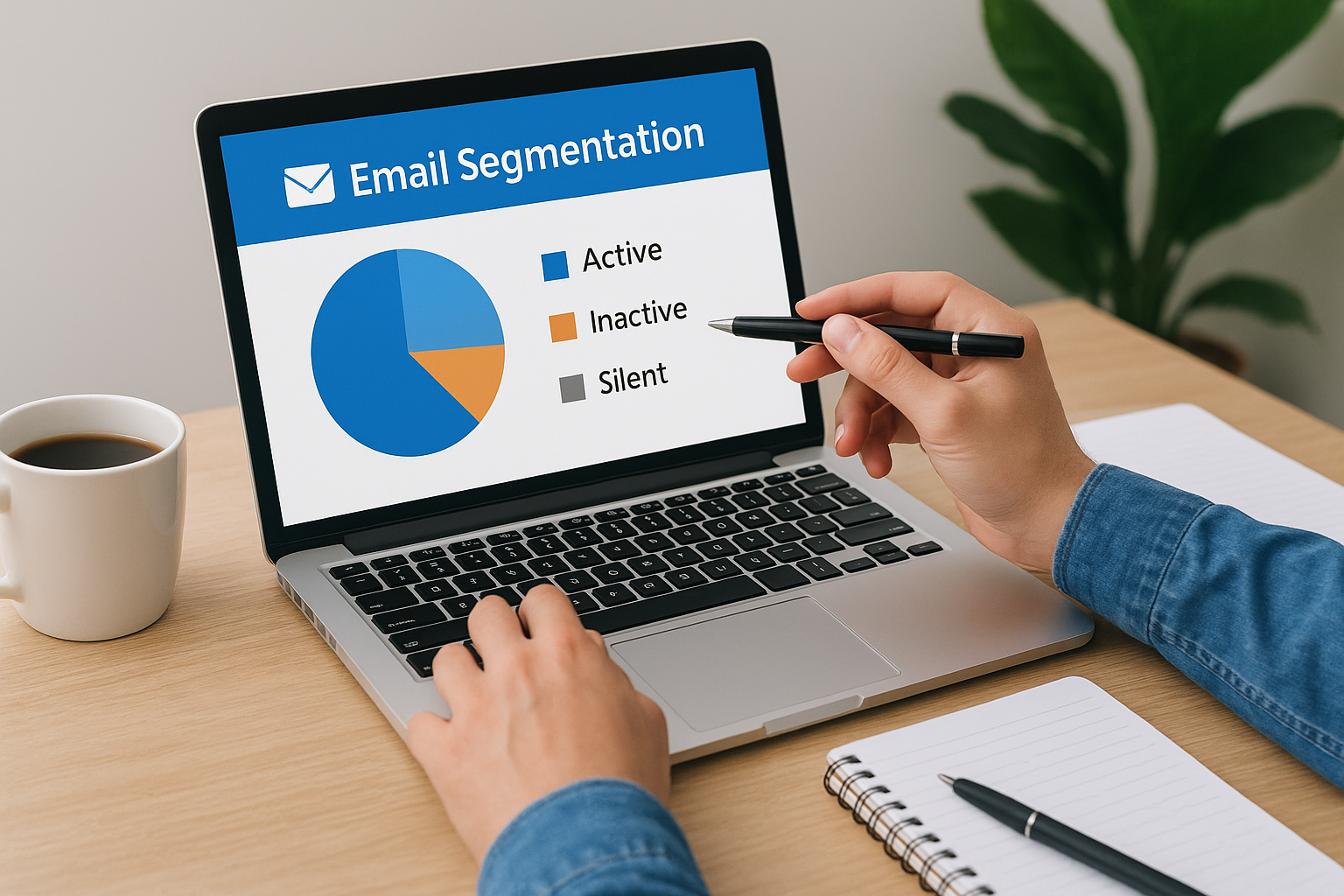
The key metric here is email engagement over a rolling time window. Split your list into at least two groups: active subscribers who have opened or clicked within the last 60 to 90 days, and inactive subscribers who haven’t engaged in that window. Some platforms let you go deeper and create a third group for contacts who have been completely silent for 180 days or more, which is worth treating as a separate re-engagement or removal candidate.
Your deliverability is only as strong as the engagement signals you send to inbox providers every time you hit send.
Emails to send that drive conversions
For your active segment, send your full email cadence without restriction since these contacts are helping your sender reputation. For your inactive segment, run a dedicated re-engagement sequence of two to three emails designed to either win them back or confirm they want to stay. Use a direct subject line like “Should we keep sending you emails?” and give them a single clear action to take. Contacts who don’t respond to the re-engagement series should be removed or suppressed before they damage your deliverability further.
Implementation tips for common tools
In ActiveCampaign, use engagement tags that update automatically based on open and click activity, then build segments filtered by those tags. In Mailchimp, the built-in contact rating system gives you a quick filter for low-engagement contacts so you can target your re-engagement campaign without manually sorting your list.
6. Segment by website behavior and page visits
Your website tells you exactly what each subscriber is thinking about, and most businesses ignore that data entirely. When a contact visits your pricing page three times in a week or reads every blog post you’ve published about a specific topic, that behavior signals intent more clearly than anything they might say in a form. Building email segmentation strategies around website behavior lets you respond to those signals with emails that arrive at exactly the right moment.
Segment criteria and data you need
The data you need comes from connecting your website analytics to your email platform through tracking pixels or native integrations. Once that connection is in place, you can trigger segments based on specific page visits, how frequently a contact returns, and how long they spend on key pages.
Focus on these high-signal behaviors:
- Pricing or service page visits: A contact who views your pricing page has moved beyond general curiosity
- Repeat visits to the same page: Multiple visits to one topic suggest active research and decision-making
- Blog content consumption: Contacts who read several posts on a specific subject are building a knowledge base around that problem
Emails to send that drive conversions
A contact who visited your consultation booking page but didn’t complete the form needs a different email than someone who read a general blog post. Send the high-intent group a short, direct email that acknowledges they were exploring your services and gives them one clear next step. Keep the call to action specific rather than generic.
The contacts who keep returning to your site are telling you they’re interested. Your job is to respond before they find someone else.
Implementation tips for common tools
In ActiveCampaign, use site tracking to fire automations based on page visit triggers, then apply tags that segment contacts by the specific pages they viewed. In Mailchimp, the Customer Journey builder supports branching paths tied to website activity when you install the tracking script on your site.
7. Segment by form progress and booking status
When someone starts a form on your website and doesn’t finish it, they’re telling you something important: they considered taking action but something stopped them. These near-conversions are some of the highest-value contacts on your list, and most businesses never follow up with them specifically. Applying email segmentation strategies around form abandonment and booking status lets you recover leads that were already close to converting.
Segment criteria and data you need
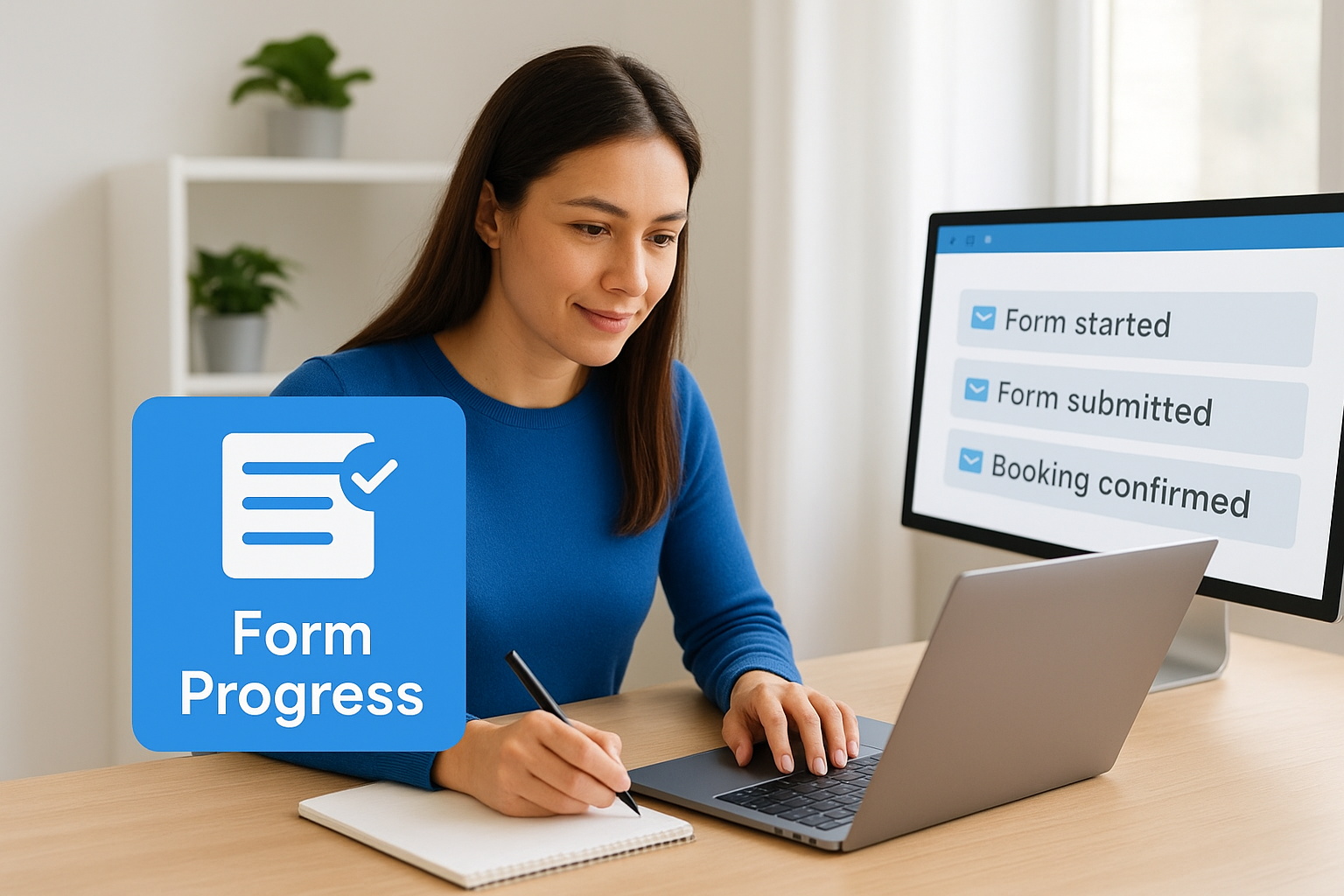
The data you need comes from form completion tracking in your CRM or marketing platform. Most modern tools can detect partial submissions and record what stage a contact reached before dropping off. Beyond partial completions, track three distinct statuses: form started but not submitted, form submitted but no consultation booked, and consultation booked but not yet attended.
- Partial form submission: Contact filled in name and email but didn’t reach the final step
- Form completed, no booking: Submitted an inquiry but hasn’t scheduled an appointment
- Booking confirmed: Scheduled a call or consultation but hasn’t attended yet
Emails to send that drive conversions
Each booking status calls for a different message. A contact who abandoned a form mid-way needs a short, direct email that asks if they ran into any trouble and gives them a clear link back to complete it. Keep this email brief and conversational, not a full marketing send.
The gap between a submitted form and a completed booking is where most leads disappear, and a single well-timed email can close it.
For contacts who confirmed a consultation, send a pre-appointment sequence that builds anticipation and reduces no-shows. Include what to expect, how to prepare, and a reminder 24 hours before the appointment.
Implementation tips for common tools
In ActiveCampaign, use form submission goals combined with deal pipeline stages to trigger the right follow-up for each status automatically. In Mailchimp, apply tags at the point of form submission to distinguish between partial and complete submissions, then build separate automations for each group so no lead falls through without a follow-up.
8. Segment by past purchase or retained services
Clients who have already paid you are the most valuable contacts on your list, and they deserve a completely different experience than someone who has never worked with you. Applying email segmentation strategies that separate past clients from cold leads lets you send messages built on an existing relationship rather than starting from scratch every time you reach out.
Segment criteria and data you need
The core data for this segment lives in your CRM or billing system. You need to know which services each client purchased, when they retained you, and whether that engagement is active or closed. Pull these fields into your email platform so you can build accurate, targeted groups.
Focus on capturing three distinctions:
- Service purchased: Which specific offering did they pay for (business formation, personal injury representation, SEO management, etc.)?
- Engagement status: Is the client currently active, or did they complete their engagement?
- Recency: How long ago did their last service conclude?
Emails to send that drive conversions
Past clients who completed an engagement are strong candidates for related service offerings and referral requests. A law firm client who completed an estate plan is a natural fit for an email about business succession planning. A service business client who hired you for one channel may not know you handle adjacent services at all.
Clients who already trust you are far more likely to convert again than any cold contact on your list, so treat that segment with a dedicated strategy.
Send re-engagement emails to lapsed clients around natural intervals: six months after their engagement closed, or at the start of a new fiscal year when buying decisions tend to restart.
Implementation tips for common tools
In ActiveCampaign, sync your CRM deal data to contact records and build segments filtered by deal stage and service category. In Mailchimp, use custom merge fields to store service history, then filter your audience by those fields when building campaigns so each send goes to the right past-client group without manual list management.
9. Segment by customer value and upsell potential
Not all clients generate equal revenue, and your email strategy should reflect that reality. When you apply email segmentation strategies based on customer value, you can direct your highest-effort campaigns toward the contacts most likely to spend more, while still nurturing lower-value accounts through lighter sequences.
Segment criteria and data you need
The data you need for this segment lives in your billing system or CRM. Pull total revenue per client, average transaction size, and the number of distinct services each client has purchased. These three numbers give you a reliable picture of who your high-value clients are and which accounts have room to grow.
Build at least two tiers to start:
- High-value clients: Above your average revenue threshold, active accounts, or multi-service buyers
- Growth-potential clients: Below average spend but showing engagement signals that suggest they’re open to more
Emails to send that drive conversions
High-value clients respond well to exclusive offers, early access, and VIP-style communication that acknowledges the relationship you’ve built together. These aren’t promotional blasts but personal touchpoints that reinforce loyalty and open the door to additional services they don’t yet use.
Your best upsell opportunity is always a client who already trusts you, not a cold contact you’re still convincing.
Growth-potential clients need a different approach. Send targeted educational content that introduces a related service and explains exactly how it solves a problem adjacent to the one you already helped them with. Keep the ask specific and low-friction.
Implementation tips for common tools
In ActiveCampaign, use deal value fields synced from your CRM to create dynamic segments that update automatically as client spend changes. In Mailchimp, store lifetime value as a custom merge field and filter your audience by that field before each campaign so your high-value segment always reflects current data without manual list updates.
10. Segment by churn risk and inactivity signals
Losing a client is always more expensive than keeping one, and most service businesses don’t act on warning signs until it’s too late. When you apply email segmentation strategies that flag contacts showing early inactivity signals, you give yourself a window to intervene before the relationship fully breaks down. This segment requires you to think proactively rather than waiting for a formal cancellation or a long period of silence.
Segment criteria and data you need
The data that defines this segment combines engagement drop-off patterns with behavioral signals from your CRM. A client who used to open every email and now hasn’t engaged in 45 days is showing a different pattern than a brand-new subscriber who’s still warming up.
Watch for these specific signals:
- Declining open rates: A contact who previously opened consistently but stopped in the last 30 to 60 days
- Reduced service usage: A retained client who hasn’t logged in, submitted a request, or responded to check-ins
- Unanswered follow-ups: Two or more outreach attempts with no reply over a short window
Emails to send that drive conversions
Contacts in this segment need a direct, personal message that opens the door without pressure. Skip the promotional content entirely and send a short check-in email that acknowledges the relationship and asks a simple question: “Is there anything we can do better for you?”
Catching churn risk early with a single honest email costs nothing and can save a client relationship that would otherwise disappear quietly.
Follow up with a value reminder email that highlights results you’ve already delivered or resources the contact hasn’t used yet. Make the path back to engagement obvious and low-effort.
Implementation tips for common tools
In ActiveCampaign, build an automation triggered by a drop in engagement score or the absence of a deal stage update over a set number of days. In Mailchimp, create a segment filtered by last open date and set it to update automatically so your churn-risk list always reflects current behavior without manual review.
11. Segment by location for local relevance
Where your subscribers live shapes what they need from you. A law firm client in a specific state operates under different regulations than one in another, and a service business prospect in a major metro has different expectations than one in a rural area. Applying email segmentation strategies built around location lets you send messages that feel specific rather than generic, which directly improves open rates and response.
Segment criteria and data you need
The data for location-based segments comes from a few reliable sources. Most contacts provide a city, state, or ZIP code when they fill out a contact form or schedule a consultation. You can also pull location data from your CRM based on where clients are registered or where they indicated they need services.
Focus on collecting these data points at the point of signup:
- State or region: Critical for businesses operating under jurisdiction-specific rules, like law firms
- City or metro area: Useful for businesses with physical locations or region-specific service capacity
- Time zone: Helps you send emails when subscribers are most likely to be in their inbox
Emails to send that drive conversions
Once you segment by location, use that context to make every email feel locally relevant. Reference upcoming regulations in a subscriber’s state, promote events in their region, or highlight case studies from clients in their area. These small adjustments signal that you understand their specific situation rather than broadcasting to a faceless list.
A subscriber who sees their city or region mentioned in your email reads it as a message written for them, not at them.
Implementation tips for common tools
In ActiveCampaign, store location data in custom contact fields and build segments filtered by those values. In Mailchimp, use merge fields tied to location data collected at signup, then filter your audience by state or region before each campaign to ensure the right message reaches the right geographic group.
12. Segment by milestones and timing triggers
Timing shapes how a subscriber receives your message. When you send an email tied to a specific milestone or life event, it arrives at a moment when the contact is already thinking about that topic. These email segmentation strategies work because they match your message to a natural decision point rather than interrupting someone at a random time.

Segment criteria and data you need
The data you need for this segment lives in your CRM and intake records. Milestone triggers vary by industry, but the logic is consistent: you’re looking for dates or status changes that signal a meaningful moment for the contact.
Common milestone triggers to track:
- Contract renewal or retainer anniversary: Clients approaching the end of a service agreement are open to reviewing their options
- Business formation date: A subscriber who started a business one year ago may now need services they didn’t need at launch
- Consultation anniversary: Following up one year after a client first worked with you opens a natural re-engagement window
- Key calendar dates: Tax deadlines, regulatory filing periods, or annual review seasons all create predictable demand
Emails to send that drive conversions
Once you identify the milestone, build a short sequence that acknowledges the timing directly rather than leading with a generic promotion. A client approaching their one-year retainer date responds better to an email that references that anniversary than one that reads like a standard newsletter.
Emails tied to a moment the contact already cares about consistently outperform broadcast messages sent on your schedule rather than theirs.
Keep the call to action specific to the milestone: book a review call, renew a service, or explore what’s changed in their situation since you last worked together.
Implementation tips for common tools
In ActiveCampaign, use date-based triggers tied to custom fields that store key milestone dates, then build automations that fire a set number of days before each date. In Mailchimp, store milestone dates as merge fields and use scheduled sends filtered by those dates to reach the right contacts at the right time without manual oversight.
13. Segment by preferences and email cadence
One of the most overlooked email segmentation strategies is simply asking subscribers what they want and then respecting their answer. When you let contacts choose their preferred topics and sending frequency, unsubscribe rates drop and engagement climbs because every email they receive is something they opted into on their own terms.
Segment criteria and data you need
The data for this segment comes directly from your subscribers through a preference center, which is a dedicated page where contacts select the topics they care about and the frequency they prefer. Most businesses skip this step entirely and pay for it with declining open rates and a growing list of disengaged contacts.
Capture these preference choices at signup or through a follow-up email sent to your existing list:
- Email frequency: Daily, weekly, or monthly cadence options
- Topic interests: Specific service areas, content types, or business challenges they want addressed
- Format preferences: Long-form educational content versus short updates and quick announcements
Emails to send that drive conversions
Once you have preference data, build every send around it. Contacts who selected weekly updates should never receive daily emails, and contacts who chose a specific topic should only hear about that subject until they update their preferences through your preference center.
Giving subscribers direct control over what lands in their inbox rebuilds trust faster than any re-engagement campaign you can design.
Sending a preference collection email to your existing list is a high-value move if you’ve never gathered this data before. Frame it as a benefit to the subscriber, not internal housekeeping, and you’ll see stronger response rates and more accurate segmentation data going forward.
Implementation tips for common tools
In ActiveCampaign, build your preference center using custom fields paired with automation triggers so any contact update immediately shifts them into the correct segments without manual intervention. In Mailchimp, use the built-in groups feature to let subscribers self-select their preferences directly, then filter every campaign by the relevant group before you schedule each send to keep your cadence aligned with what each contact actually asked for.
Next steps
These 13 email segmentation strategies give you a clear path from generic broadcasts to targeted campaigns that actually convert. Each strategy works on its own, but the real leverage comes when you stack them together inside a cohesive client acquisition system where every email has a defined purpose and a specific audience.
Start with one segment that fits your current data. If you have clear funnel stages, begin there. If your list is showing engagement drop-off, tackle deliverability first. Build the segment, test the sequence, and measure what changes before adding the next layer.
You don’t need a perfect list to see results. You need the right message reaching the right contact at the right moment. If you want help auditing your current email setup and identifying where leads are slipping through, book a free conversion audit call and we’ll show you exactly where to start.
