

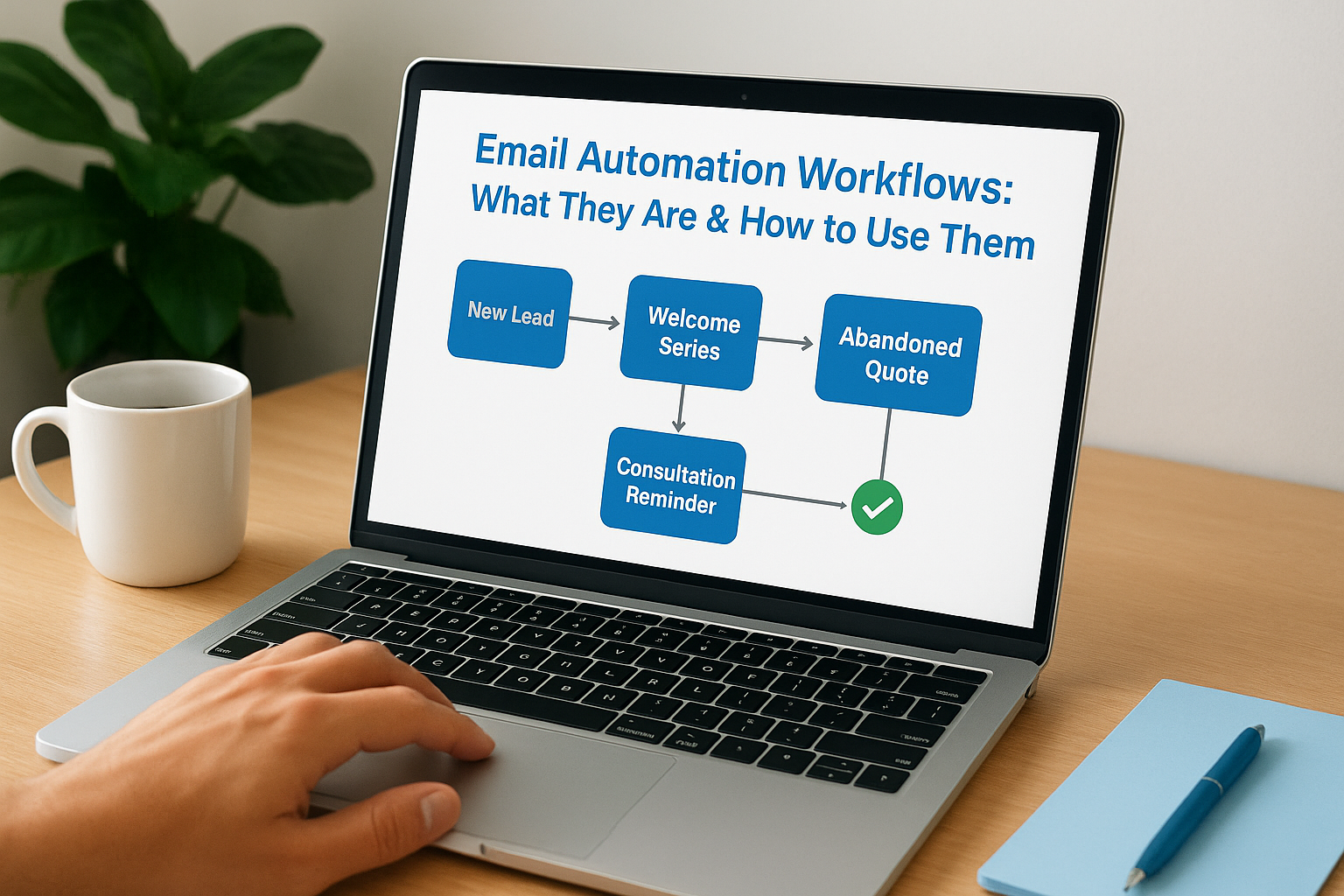
You send the same follow-up email to every new lead. You manually track who opened what. You forget to nurture prospects who went cold three months ago. Email automation workflows solve these problems by triggering the right message to the right person at the right time, without you lifting a finger. Think of them as if-then sequences that run on autopilot: when someone downloads your guide, they automatically get a welcome series. When they click a link, they move to a different path. When they go quiet, a re-engagement campaign kicks in.
This guide walks you through everything you need to know about building workflows that actually convert. You’ll see specific workflow examples for service businesses, learn the exact steps to set up your first automation, and discover which metrics matter most for tracking success. You’ll also find out which common mistakes tank your conversion rates and how to avoid them. By the end, you’ll have a clear roadmap for turning scattered email sends into a systematic client acquisition engine.
Why email automation workflows drive client acquisition
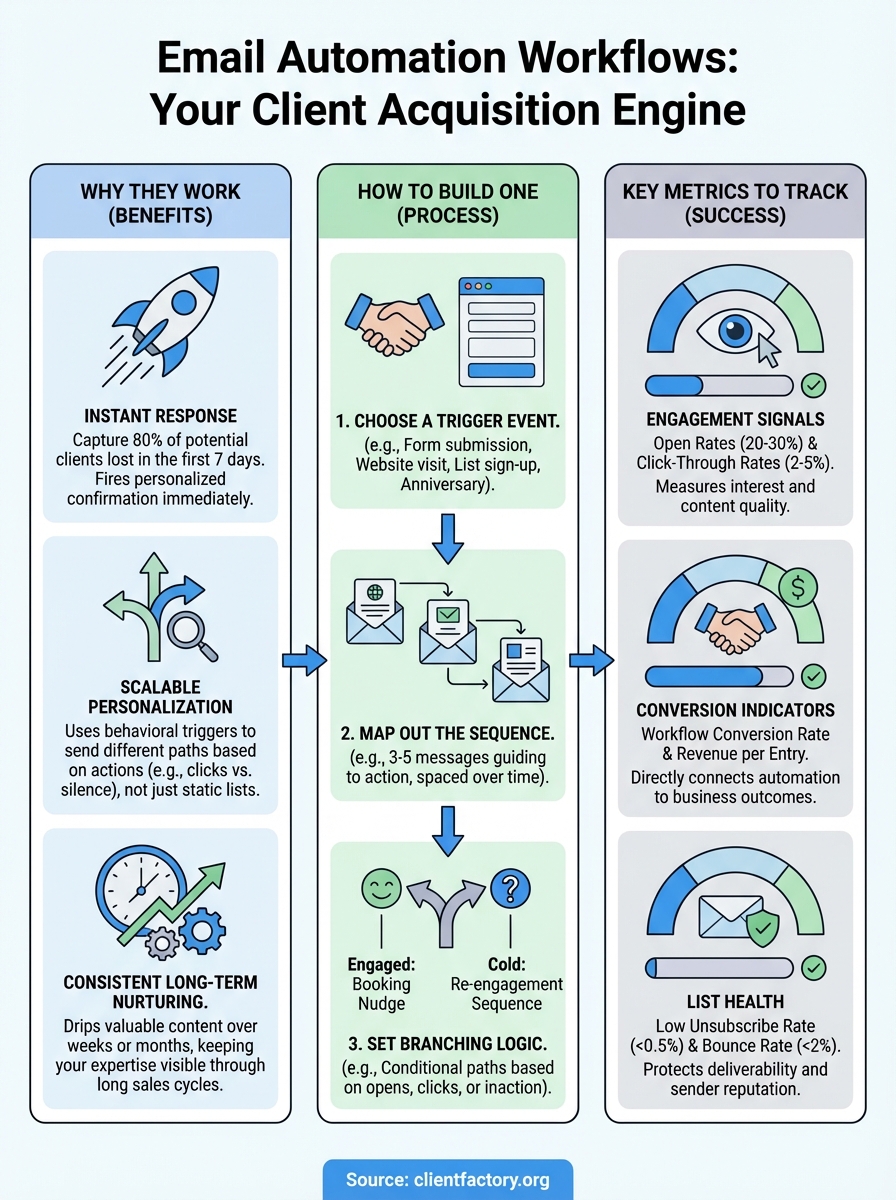
You lose 80% of potential clients in the first seven days after they express interest. Manual follow-up can’t keep pace with that window because you’re juggling consultations, projects, and operations. Email automation workflows solve this timing problem by responding to every trigger instantly, whether someone downloads your whitepaper at 2 AM or abandons a quote request on Sunday afternoon. This speed advantage alone increases your conversion rate, but the real power comes from delivering the right message based on what each prospect actually does, not what you think they might need.
Automation responds faster than any human team
Your prospect fills out a contact form and expects an immediate response. Manual processes introduce delays of hours or even days, which gives competitors time to swoop in. Email automation workflows fire a personalized confirmation the second someone takes action, keeping your business top of mind while their interest peaks. This instant engagement builds trust and sets expectations for the conversation ahead.
When you automate acknowledgment emails, you also free up your team to focus on high-value conversations instead of typing the same introduction 50 times. Your sales team spends time closing deals, not copying and pasting email templates. The automation handles the repetitive work while humans handle the relationship building.
Personalization scales without adding headcount
You can’t manually track whether 500 leads clicked your pricing page, opened your case study email, or ignored everything for three weeks. Email automation workflows use behavioral triggers to segment your audience automatically, sending different paths based on what people do. Someone who opens every email but hasn’t booked a call gets a different sequence than someone who went silent after the first message.
This level of personalization used to require a team of coordinators tracking spreadsheets and setting reminders. Now your workflows branch automatically based on opens, clicks, form submissions, and time delays. You deliver relevant content at scale, which feels personal to the recipient even though you set it up once and let it run.
“The fortune is in the follow-up, but only if that follow-up is timely and relevant to where each prospect stands in their decision process.”
Consistent nurturing keeps you in front of long sales cycles
Service businesses face sales cycles that stretch across weeks or months. Your prospect needs time to get budget approval, compare options, or wait for the right project timing. Manual follow-up fails here because you forget to check in, you reach out too often and annoy them, or you give up too soon and lose the deal. Email automation workflows maintain consistent contact without overwhelming anyone.
Your automation can drip valuable content over 90 days, keeping your expertise visible while the prospect moves through their internal decision process. Each email adds value and reminds them you exist. When they’re finally ready to move forward, you’re the obvious choice because you’ve stayed present the entire time. This consistent nurturing converts prospects who would have gone cold under a manual system, directly increasing your client acquisition numbers without additional advertising spend.
How to build your first email automation workflow
Building your first email automation workflow starts with choosing one specific action you want to automate, not trying to map out your entire email strategy at once. Pick a high-impact scenario like new lead follow-up or consultation booking confirmations. You need a clear starting trigger, a sequence of messages that move prospects toward action, and decision points that branch based on how people respond. Most email platforms make this process visual, letting you drag and drop elements instead of writing code.
Choose your trigger event
Your trigger determines when the workflow starts running. Form submissions work well for service businesses because they capture the exact moment someone raises their hand for information. Other common triggers include email list sign-ups, website activity like visiting your pricing page multiple times, or anniversary dates like 30 days since last contact. The trigger should align with a specific point in your prospect’s journey where timely follow-up makes a difference.
Test your trigger before building the full sequence. Make sure it fires consistently and captures the data you need to personalize messages. Some platforms let you trigger workflows based on custom fields or tags, which gives you more flexibility as your automation grows more sophisticated.
Map out your email sequence
Write your emails before you build the automation. Start with three to five messages that guide someone from trigger to desired action. Your first email confirms they took the right step and sets expectations. Your second email delivers value through insights, case studies, or resources. Your third email introduces a clear next step like booking a call or requesting a quote.
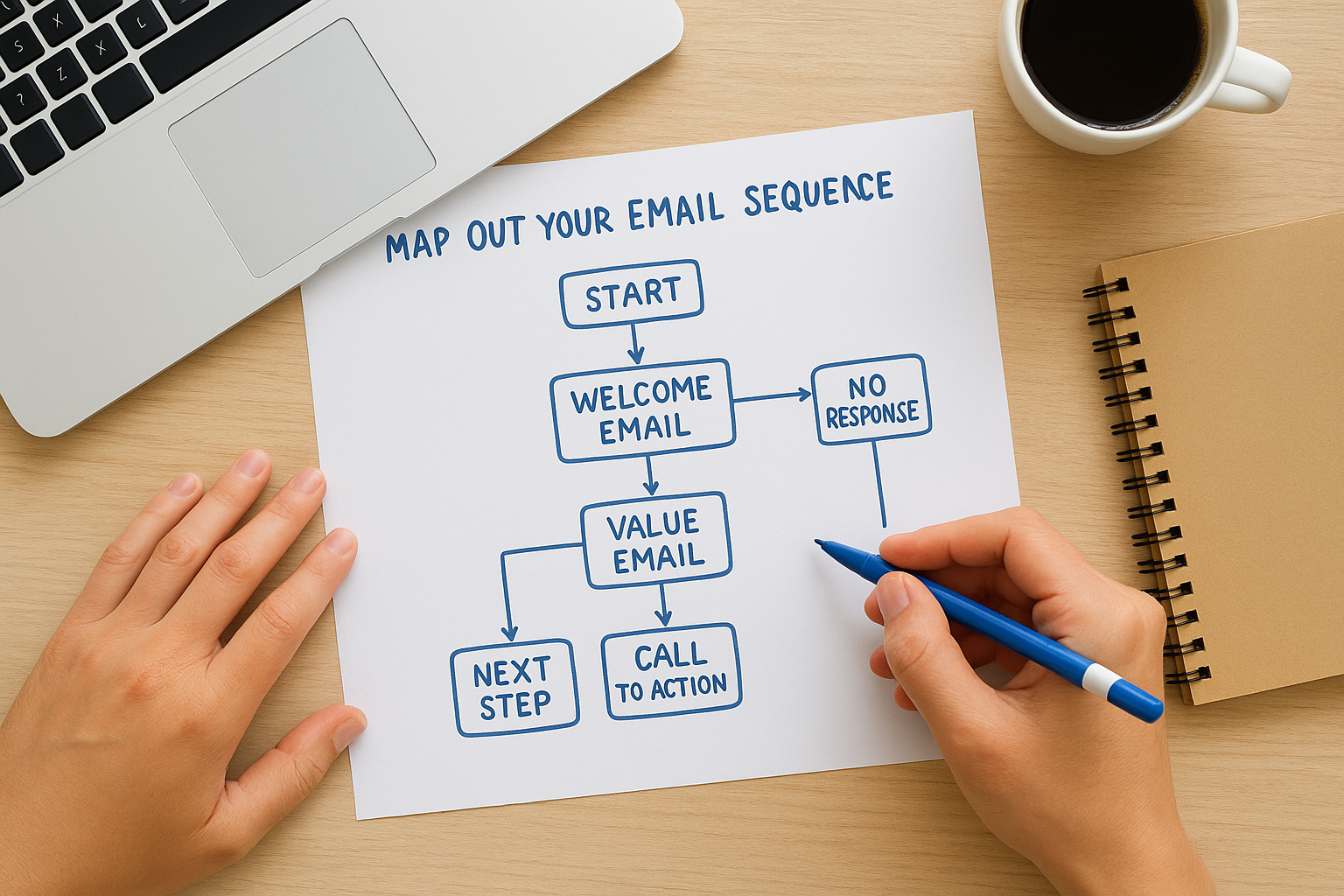
Space your emails based on your sales cycle. Service businesses with longer decision periods might send one email every three to five days. Businesses with shorter cycles can compress the timeline to every one to two days. The key is maintaining presence without overwhelming the recipient.
Set up branching logic based on behavior
Your workflow needs conditional paths that respond to what people actually do. Someone who opens every email and clicks your pricing link should get different follow-up than someone who hasn’t opened anything. Create branches for engaged prospects who need a booking nudge versus cold prospects who need more education or a re-engagement sequence.
“The most effective email automation workflows adapt to recipient behavior instead of pushing everyone through the same static sequence.”
Most platforms let you branch based on opens, clicks, form submissions, and time delays. Start simple with one or two branches, then add complexity as you learn what works. Your automation should feel responsive to individual needs, not like a broadcast blast.
Top workflow examples for service-based businesses
Service businesses need email automation workflows that match their specific client journey stages. You convert more prospects when your automation addresses the unique decision points your clients face, from initial interest through project completion. These five workflow examples generate measurable results for consultants, agencies, law firms, and professional service providers because they trigger at moments when prospects need specific information or encouragement to move forward.
New lead welcome series
Your welcome sequence runs when someone downloads a resource, fills out a contact form, or subscribes to your list. Send your first email immediately to confirm they took the right action and deliver what they requested. Your second email introduces your core expertise through a case study or client result that demonstrates how you solve their exact problem. Your third email presents a clear next step like scheduling a discovery call or requesting a custom proposal.
Space these emails 24 to 48 hours apart to maintain momentum without overwhelming new contacts. Each message should provide value first and ask for action second, building trust before pushing for commitment.
Consultation booking reminders
Prospects who book consultations need confirmation and preparation sequences that reduce no-shows and increase productive conversations. Your first email confirms the appointment details and sets expectations for what you’ll cover. Send a reminder 24 hours before with calendar details, preparation instructions, and any forms they should complete in advance. Follow up with a final reminder two hours before the meeting.
After the consultation, trigger a thank-you sequence that recaps what you discussed, outlines next steps, and provides the proposal or quote you promised. This workflow keeps the conversation moving when interest peaks.
“The gap between scheduling a consultation and actually holding it creates opportunity for prospects to get cold feet or forget why they reached out. Automated reminders maintain enthusiasm and reduce wasted calendar slots.”
Abandoned quote follow-up
When prospects request quotes but don’t respond, your abandoned quote workflow re-engages them without manual tracking. Wait three days after sending the quote, then send a check-in email asking if they have questions or need clarification. If they still don’t respond, send a second follow-up seven days later addressing common objections or concerns. Your third touchpoint offers to schedule a brief call to walk through the proposal together, removing barriers to decision-making.
Best practices to maximize your automation ROI
Your email automation workflows generate higher returns when you optimize them continuously instead of setting them up once and forgetting about them. ROI improvement comes from testing different elements, refining your targeting, and connecting your automation to your broader sales systems. These practices turn functional workflows into powerful conversion engines that deliver measurable business growth while reducing the time your team spends on manual outreach.
Test and refine your message timing
Your emails land in inboxes at different effectiveness levels depending on when you send them. A/B testing your send times reveals whether your audience responds better to morning messages or afternoon follow-ups. Start by testing one variable at a time, such as spacing your welcome series 24 hours apart versus 48 hours apart, to isolate what drives higher open and click rates.
Monitor your workflow performance monthly and adjust timing based on actual engagement data. You might discover that your Monday sends get ignored while Thursday messages generate responses. Small timing shifts compound over hundreds or thousands of automated sends, directly impacting how many prospects move through your funnel.
Segment audiences based on engagement levels
Sending the same automation to everyone wastes opportunities with your most interested prospects while annoying people who need more time. Behavioral segmentation splits your list into groups based on how they interact with your content. Someone who opens every email and clicks multiple links deserves a faster-paced sequence with stronger calls to action than someone who barely engages.
Create separate paths for hot, warm, and cold prospects. Your hot prospects get direct booking invitations and case studies. Warm prospects receive educational content that builds trust. Cold prospects enter re-engagement campaigns designed to spark interest or clean your list of inactive contacts.
“The highest ROI comes from giving your most engaged prospects more attention while automatically nurturing or removing inactive contacts who drain your sender reputation.”
Integrate automation with your CRM system
Your email automation workflows deliver stronger results when they connect to your customer relationship management platform. This integration ensures your sales team sees every interaction, from email opens to link clicks, without manually tracking spreadsheet updates. Your team knows exactly where each prospect stands and can personalize conversations based on which automated messages someone engaged with or ignored.
Integration also prevents embarrassing mistakes like sending promotional emails to current clients or continuing nurture sequences after someone already booked a project. Your automation updates contact records automatically, keeping your entire system synchronized across marketing and sales activities.
Common mistakes that hurt your conversion rates
You build email automation workflows expecting them to generate leads, but poor execution creates the opposite effect. Your prospects unsubscribe, mark messages as spam, or simply ignore everything you send. These common mistakes sabotage your conversion rates by breaking trust, overwhelming recipients, or delivering irrelevant content that misses the mark. Understanding what kills engagement helps you avoid these pitfalls and build workflows that actually move prospects toward becoming clients.
Sending emails too frequently without value
Your automation floods inboxes when you prioritize volume over relevance. Sending daily emails that repeat the same sales pitch or offer nothing new beyond “just checking in” trains prospects to ignore or delete your messages without reading them. Your unsubscribe rate climbs while your open rates plummet, destroying your sender reputation and reducing the effectiveness of every future campaign.
Space your automated emails based on the value you deliver, not an arbitrary schedule. Each message should provide insights, answer questions, or present new information that helps prospects make decisions. When you can’t add value, skip the send and wait until you have something worth their attention.
Using generic content that ignores behavior signals
Your workflows treat everyone identically instead of responding to what prospects actually do. Someone who clicked your pricing page three times gets the same educational content as someone who never engaged with any link. This one-size-fits-all approach wastes your most valuable engagement opportunities while continuing to push uninterested contacts who should receive different messaging or exit the sequence entirely.
“Generic automation converts poorly because it ignores the strongest signal you have about prospect interest: their actual behavior with your previous messages.”
Build conditional branches that adapt your messaging based on opens, clicks, and form submissions. Your automation should recognize engagement patterns and respond accordingly, delivering stronger calls to action to interested prospects while backing off or changing tactics with cold contacts.
Failing to test and update workflows regularly
You set up your email automation workflows once and never revisit them, even as your offer evolves or market conditions change. Your messaging references outdated case studies, broken links, or services you no longer provide. Your subject lines underperform because you never tested alternatives, and your send times miss peak engagement windows because you picked them arbitrarily instead of using data.
Review your active workflows quarterly to update content, fix broken elements, and incorporate performance learnings. Small improvements compound across thousands of automated sends.
Key metrics to track for automation success
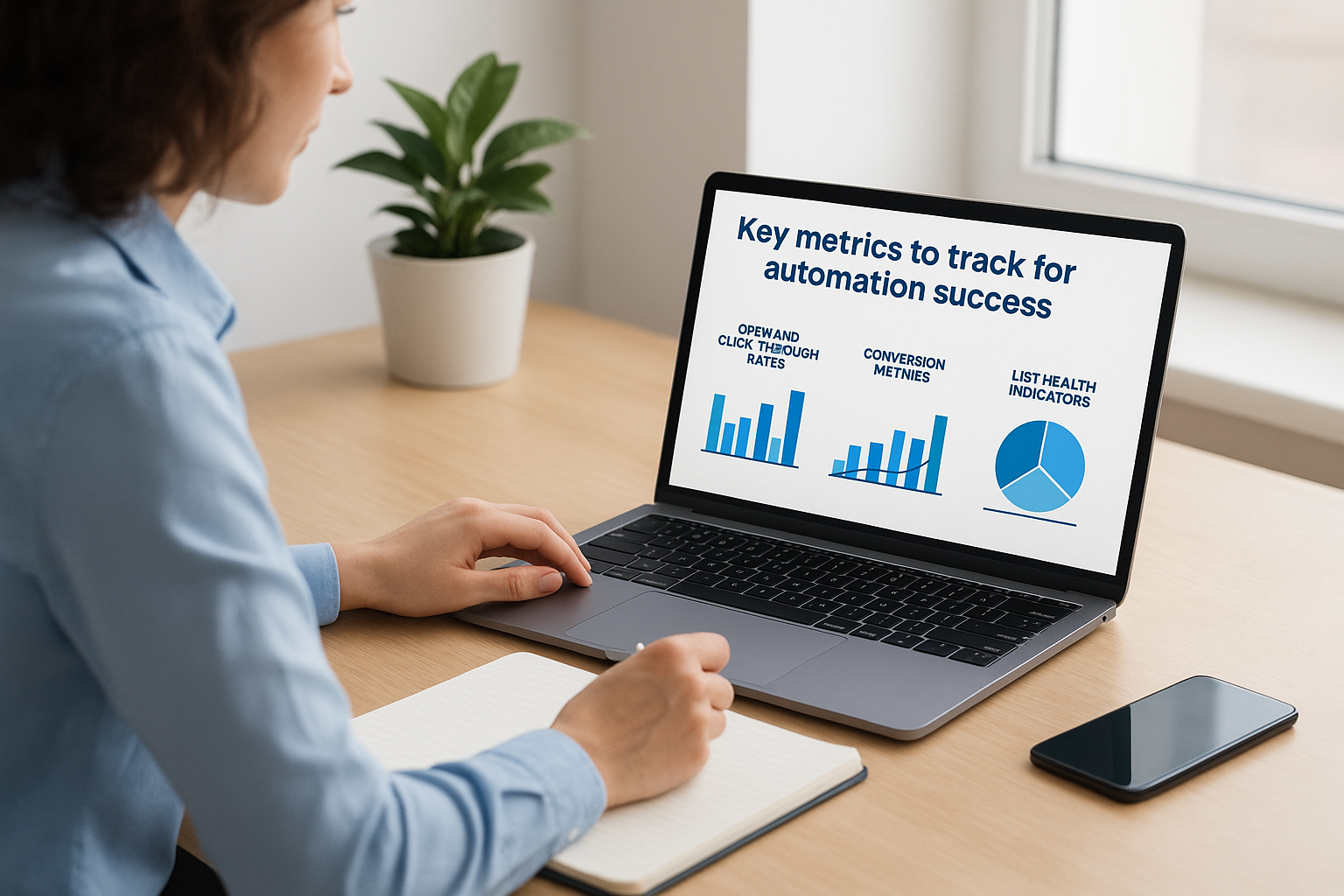
Your email automation workflows only improve when you measure their performance against specific benchmarks. Tracking the right metrics separates guesswork from strategic optimization, showing you which sequences convert prospects and which ones waste opportunities. You need data that connects email activity to actual business outcomes, not vanity metrics that look impressive but don’t drive revenue. The metrics that matter most fall into three categories: engagement signals, conversion indicators, and list health measurements that protect your long-term deliverability.
Open and click-through rates reveal engagement quality
Your open rate tells you whether your subject lines and sender reputation convince prospects to read your messages. Service businesses should target open rates between 20% and 30%, though this varies by industry and audience warmth. Track open rates by workflow and by individual email within each sequence to identify which messages lose attention. When you spot a drop, test different subject lines or adjust your send timing to recover engagement.
Click-through rates measure how many recipients take action after opening your email. Your CTR shows whether your content and calls to action resonate with prospects. Calculate CTR by dividing total clicks by total opens, not by total sends, to see true engagement among people who actually read your message. Strong CTR numbers typically range from 2% to 5%, depending on your offer complexity and audience readiness.
Conversion metrics show bottom-line impact
Workflow conversion rate tracks the percentage of people who enter your automation and complete your desired action, whether that’s booking a consultation, requesting a quote, or signing a contract. This metric directly connects your email automation workflows to revenue generation. Calculate it by dividing completed actions by total workflow entries, then multiply by 100 for a percentage.
Revenue per workflow entry reveals the financial value your automation delivers. Divide total revenue generated from a specific workflow by the number of people who entered it. This metric helps you prioritize which automations deserve optimization effort and budget allocation.
“The best email metrics tie directly to business outcomes, showing not just who engaged with your content but who became a paying client because of it.”
List health indicators prevent deliverability problems
Your unsubscribe rate should stay below 0.5% per campaign. Higher rates signal that your messaging misses the mark or you’re sending too frequently. Monitor this metric by workflow to catch problems before they damage your sender reputation across all campaigns. Bounce rates above 2% indicate list quality issues that hurt deliverability, requiring you to clean inactive or invalid addresses from your automation.
Build a client acquisition engine
You now have everything you need to transform scattered email sends into systematic client generation. Email automation workflows eliminate the manual follow-up that lets prospects slip through the cracks while freeing your team to focus on closing deals instead of typing repetitive messages. Your workflows respond instantly to every trigger, deliver personalized content based on actual behavior, and maintain consistent nurturing through long sales cycles that would otherwise go cold.
Start with one high-impact workflow like new lead follow-up or consultation reminders. Test your messaging, refine your timing based on real engagement data, and expand from there. Track the metrics that connect directly to revenue, not vanity numbers that look impressive but don’t fill your pipeline. Avoid the common mistakes that tank conversion rates by delivering value with every send and adapting to how prospects actually engage.
Ready to build automated systems that convert clicks into clients? Client Factory specializes in creating data-driven client acquisition funnels that generate qualified leads while you focus on delivering exceptional service.
