

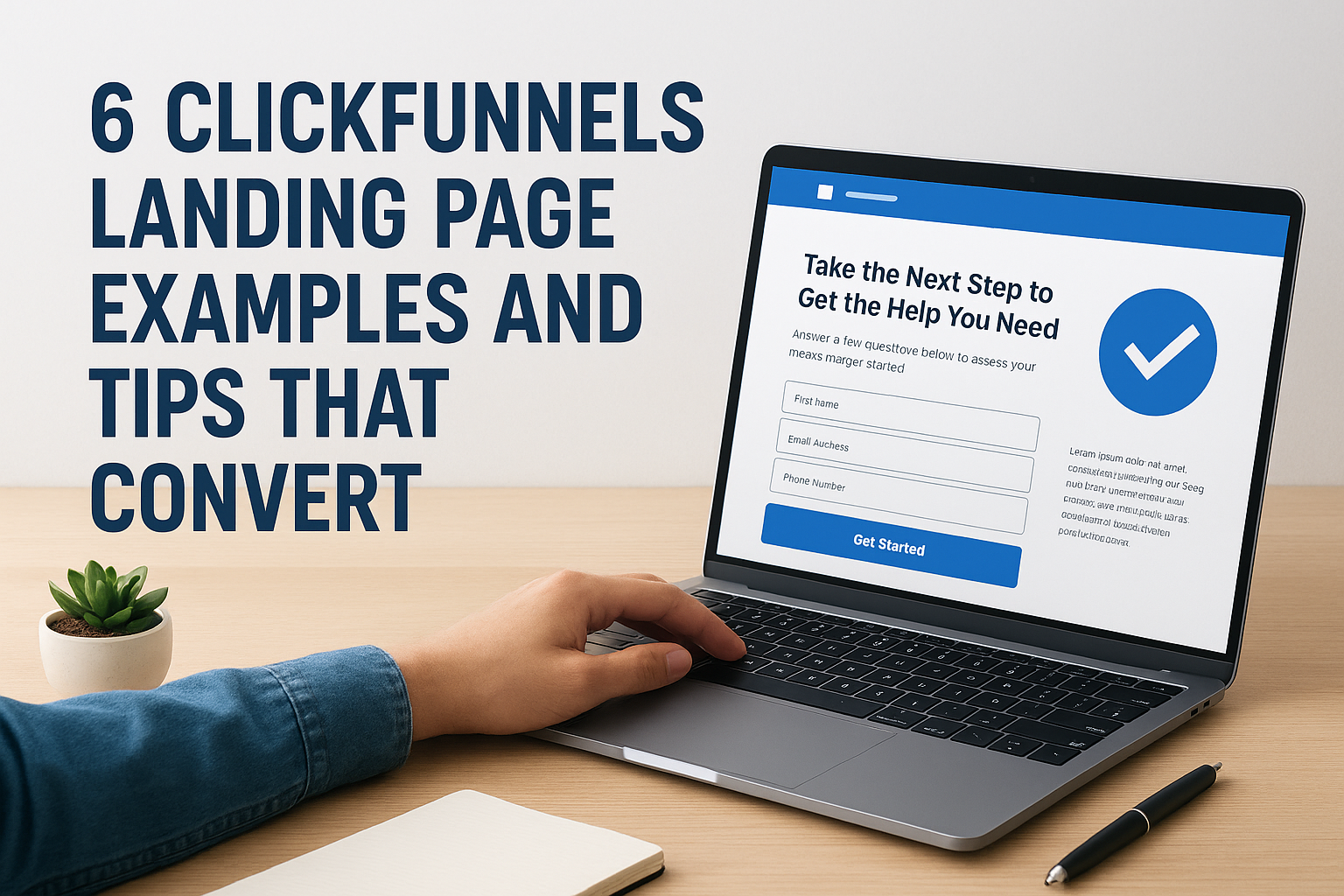
Your funnel is only as strong as its landing page. A well-designed ClickFunnels landing page can mean the difference between a visitor bouncing and a lead converting, yet many businesses struggle to get it right.
At Client Factory, we’ve built and optimized hundreds of funnels for service businesses and law firms. We’ve seen what works, what flops, and what small tweaks can double conversion rates overnight. ClickFunnels remains one of the most popular tools for building high-converting pages, but the software alone won’t guarantee results.
This article breaks down 6 real ClickFunnels landing page examples worth studying, plus actionable tips you can apply today. Whether you’re building your first funnel or looking to improve an existing one, you’ll walk away with concrete strategies to turn more clicks into clients.
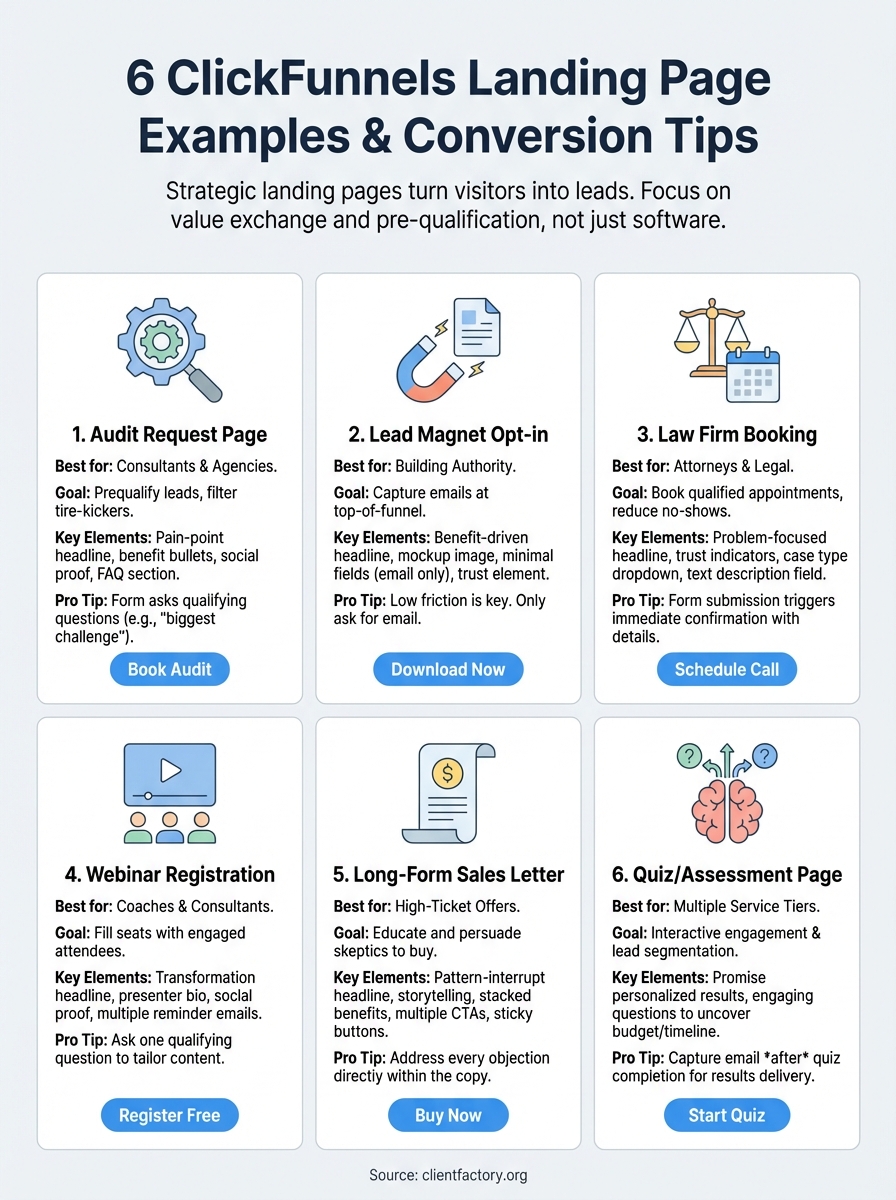
1. Client Factory funnel audit request landing page
A funnel audit request landing page works when you offer a high-value service that requires initial discovery. This ClickFunnels landing page type trades immediate conversion for higher-quality leads by filtering out tire-kickers before they book your calendar.
Best fit and primary goal
This page performs best for consultants, agencies, and service providers who need to screen prospects before investing time. Your primary goal is capturing qualified leads who understand they have a problem and are willing to share details about their business in exchange for expert analysis. Client Factory uses this approach because it prequalifies leads and sets up a natural conversation, not a cold pitch.
“The right form questions act as gatekeepers that filter curiosity-seekers from serious buyers.”
Recommended section order
Start with a headline that addresses a specific pain point your audience feels right now. Follow with two to three benefit bullets that promise what they’ll learn from the audit. Add a short credibility statement mentioning years in business or clients served. Place your form above the fold, then include social proof below it (testimonials or case study results). End with a simple FAQ section that addresses common objections about time commitment or next steps.
Form strategy that qualifies leads
Your form should ask for name, email, phone, and website URL as baseline fields. Add one to two qualifying questions that force prospects to think about their current situation, such as “What’s your biggest client acquisition challenge?” or “How many leads do you generate monthly?” These questions filter out unqualified leads while giving you conversation starters for your follow-up call.
ClickFunnels build steps and key settings
Choose a single-column template in ClickFunnels to keep attention focused on the form. Set your form submission to trigger an email sequence and add a calendar booking link on the thank-you page. Enable CAPTCHA to block spam submissions. Connect your form to your CRM through ClickFunnels’ native integrations or Zapier for immediate lead routing.
Tracking and optimization tips
Install conversion tracking through ClickFunnels analytics and your ad platform pixel. Test different headline variations every two weeks. Monitor your form completion rate separately from your page visits to identify where prospects drop off.
Cost and setup checklist
You’ll need a ClickFunnels subscription starting at $147/month, a domain name, and basic email automation. Budget two to four hours for initial setup if you’re working from a template. Plan for ongoing A/B testing time to improve conversion rates month over month.
2. Lead magnet opt-in landing page
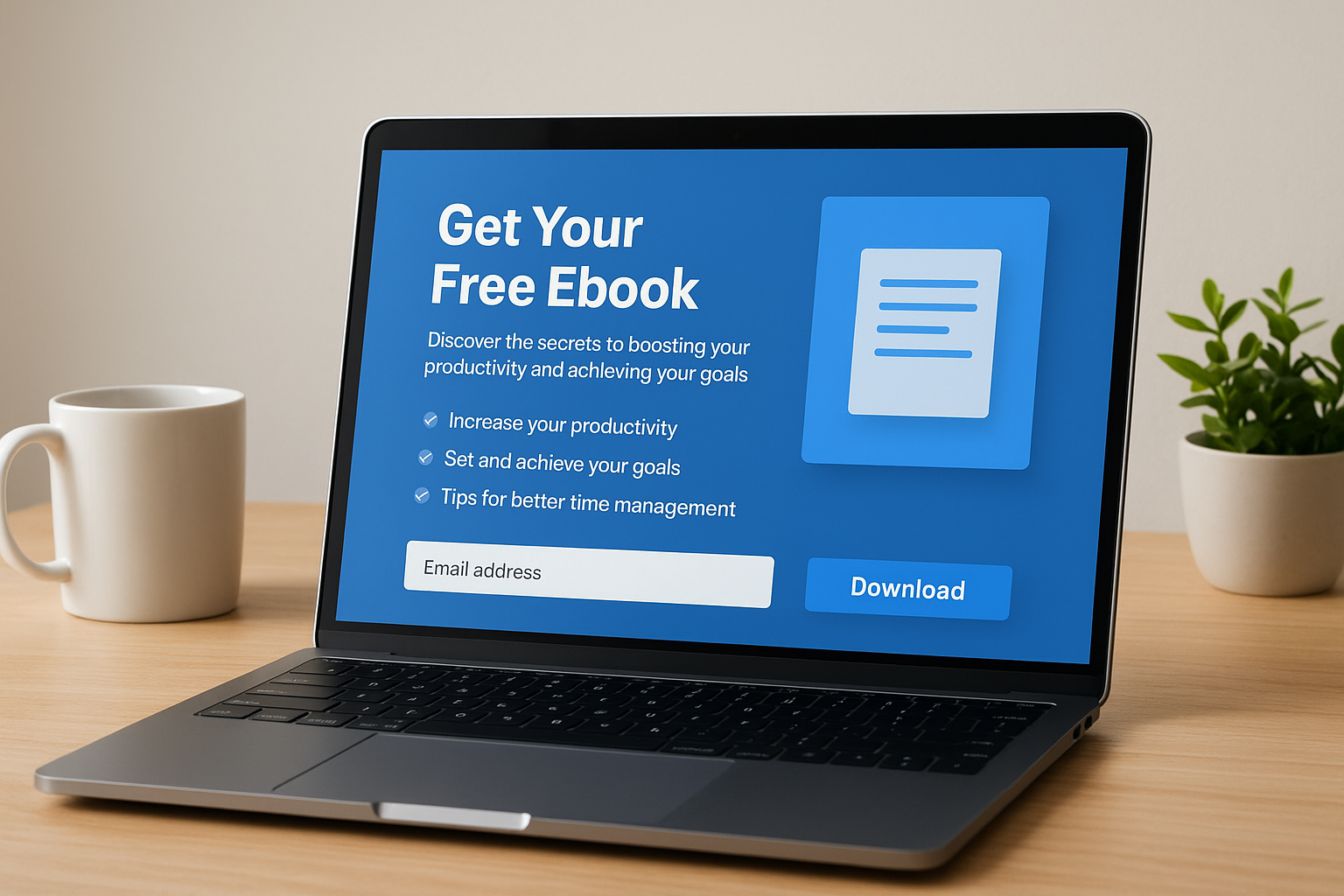
A lead magnet opt-in page trades valuable content for contact information. This ClickFunnels landing page type converts well because it offers immediate value without asking for money upfront, making it perfect for building your email list with prospects who aren’t ready to buy yet.
Best fit and primary goal
This page works best for building authority in your niche while capturing leads at the top of your funnel. Your goal is collecting email addresses from people interested in your topic but not yet familiar with your business. You want maximum conversions at this stage, so keep friction low and value perception high.
“The best lead magnets solve one specific problem your ideal client faces right now.”
Recommended section order
Lead with a benefit-driven headline that tells visitors exactly what they’ll get. Show a mockup image of the downloadable asset. List three to five bullet points explaining what the lead magnet covers. Add your opt-in form with minimal fields. Close with a brief trust element like a client count or years in business.
Form strategy that qualifies leads
Ask only for email address or add first name if you need personalization for follow-up sequences. Additional fields reduce conversion rates on this page type because the value exchange is small.
ClickFunnels build steps and key settings
Use a two-column template with the lead magnet preview on one side and form on the other. Set your thank-you page to auto-download the asset and immediately present your next offer.
Tracking and optimization tips
Track your opt-in rate separately from total page visits. Test different lead magnet formats (checklist versus guide) to see what your audience prefers.
Cost and setup checklist
You need a ClickFunnels account, the lead magnet PDF, and an email service provider connection for delivery automation.
3. Law firm consultation booking landing page
Law firms need a consultation booking page that converts initial interest into scheduled appointments while screening for case quality. This ClickFunnels landing page reduces no-shows by setting clear expectations and capturing enough information to determine if a case fits your practice area before the call happens.
Best fit and primary goal
This page works for attorneys and legal practices who offer free initial consultations. Your primary goal is booking qualified appointments with prospects who have legitimate legal needs matching your expertise. You want to avoid wasting time on cases you can’t take while maximizing billable consultations.
Recommended section order
Start with a headline addressing the legal problem your prospects face. Add a subheadline explaining what happens during the consultation. Include three to four trust indicators like bar association memberships or years practicing. Place your booking form or calendar widget prominently. End with client testimonials or case results that build confidence in your ability to help.
Form strategy that qualifies leads
Capture name, phone, email, and case type through dropdown options matching your practice areas. Add one text field asking prospects to briefly describe their situation. This pre-qualifies leads and gives you preparation time before calls.
ClickFunnels build steps and key settings
Use a professional template with legal-appropriate imagery. Integrate Calendly or similar booking software through ClickFunnels. Set form submissions to trigger immediate confirmation emails with appointment details and what to bring.
“The right intake questions turn your calendar into a qualified lead machine.”
Tracking and optimization tips
Monitor your booking rate versus page visits. Track show-up rates to identify if certain case types or traffic sources produce better appointments.
Cost and setup checklist
Budget for ClickFunnels subscription, calendar booking software, and one to two hours for setup time.
4. Webinar or training registration landing page
Webinar registration pages need to convince prospects to commit time, not money. This ClickFunnels landing page type converts visitors into engaged attendees by promising specific learning outcomes while making signup frictionless enough that busy professionals see value in blocking calendar time.
Best fit and primary goal
This page works for coaches, consultants, and service providers building authority through education. Your goal is filling webinar seats with prospects who match your ideal client profile and will show up live. You want registrants who plan to attend, not people collecting free resources they’ll never consume.
Recommended section order
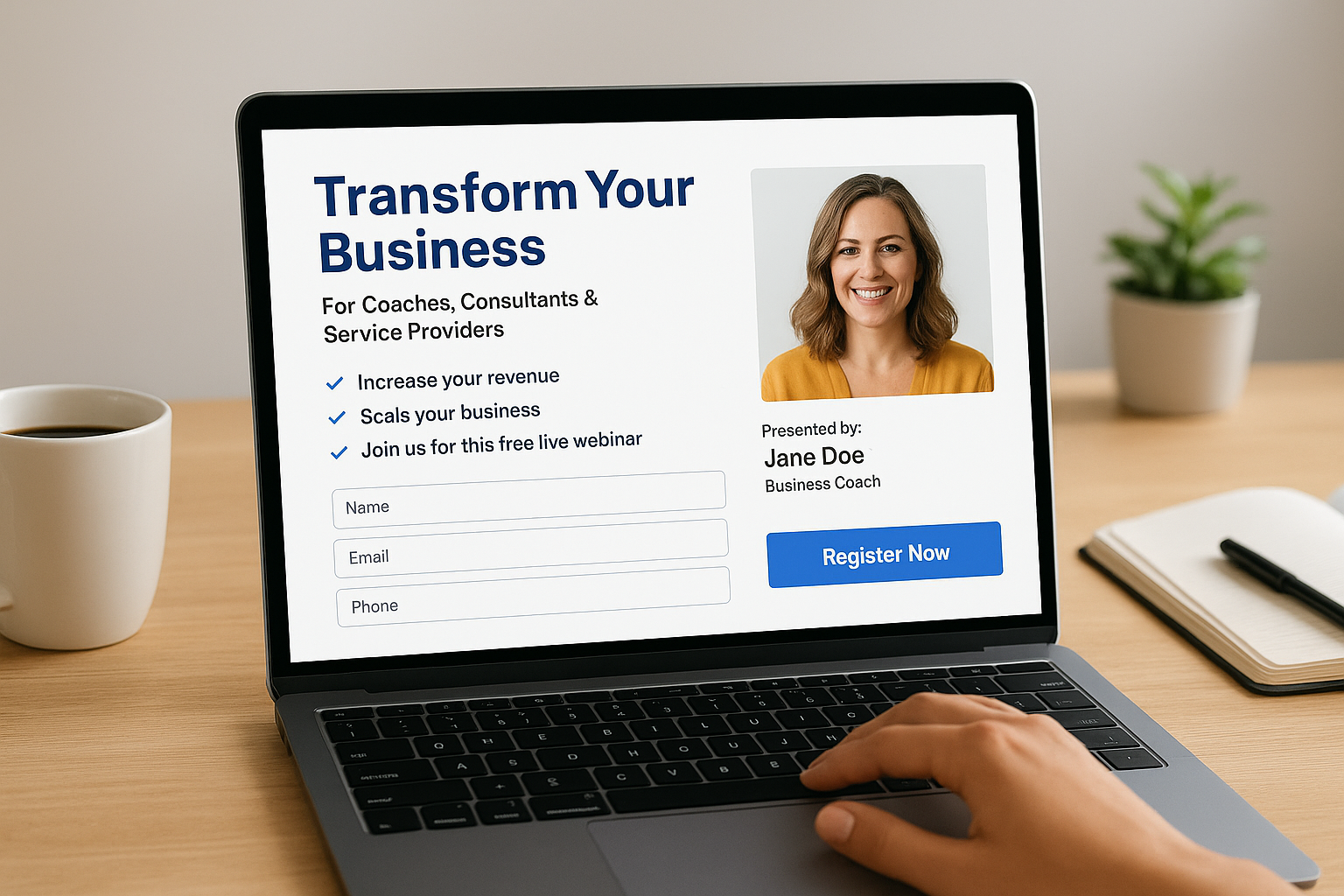
Start with a headline focused on transformation the webinar delivers. Add a subheadline specifying who should attend. List three to five learning outcomes as bullets. Include a photo and bio of the presenter. Place your registration form mid-page. Add social proof showing previous attendee count or testimonials below the form.
Form strategy that qualifies leads
Request name, email, and phone number at minimum. Add one qualifying question like “What’s your biggest challenge with [topic]?” to segment your follow-up. This helps you tailor the presentation and identify hot prospects before the webinar starts.
“The best webinar pages sell the outcome, not the agenda.”
ClickFunnels build steps and key settings
Select a video-focused template in ClickFunnels. Embed a short teaser video explaining what attendees will learn. Connect your registration form to automated reminder emails through ClickFunnels workflows. Set timezone detection for your calendar display.
Tracking and optimization tips
Track registration rate and actual attendance separately. Test different webinar topics through headline variations to see what resonates with your audience.
Cost and setup checklist
You need ClickFunnels, webinar software, and three to five hours for complete setup including email sequences.
5. Long-form sales letter landing page
Long-form sales letters work when your product or service requires significant education before purchase. This ClickFunnels landing page type converts skeptical visitors into buyers by addressing every objection and building desire through storytelling, proof, and systematic persuasion that shorter pages can’t accomplish.
Best fit and primary goal
This format performs best for high-ticket offers or products solving complex problems that prospects don’t fully understand yet. Your goal is moving cold traffic to purchase by walking them through awareness, consideration, and decision stages on a single page. You want visitors to arrive skeptical and leave convinced your solution is their best option.
Recommended section order
Start with a pattern interrupt headline that calls out your prospect’s pain. Follow with an origin story establishing your authority. Present the problem in detail, then introduce your solution. Stack benefit statements with social proof throughout. Address common objections directly. End with a clear offer and multiple call-to-action buttons placed every few scrolls.
“Long-form pages give you room to sell the transformation, not just the transaction.”
Form strategy that qualifies leads
Capture minimal information at checkout to reduce friction since you’ve already built trust through the copy. Request only name, email, and payment details for immediate purchases.
ClickFunnels build steps and key settings
Choose a long-form template in ClickFunnels with multiple CTA placement options. Enable sticky order buttons that follow scroll behavior. Set up exit-intent popups to capture abandoning visitors.
Tracking and optimization tips
Monitor scroll depth to identify where visitors lose interest. Test different story angles in your opening sections to improve engagement.
Cost and setup checklist
Budget for ClickFunnels subscription, professional copywriting if needed, and four to six hours for initial page build and testing.
6. Quiz or assessment landing page
Quiz landing pages turn passive visitors into engaged participants by making the conversion process interactive. This ClickFunnels landing page type increases conversion rates because people naturally want to discover personalized insights about themselves while sharing information you need to segment and qualify them effectively.
Best fit and primary goal
This page works for businesses with multiple service tiers or complex product offerings that require customization. Your goal is collecting qualified leads while segmenting prospects based on their answers so your follow-up matches their specific needs and readiness to buy.
Recommended section order
Start with a headline promising personalized results based on their situation. Add a short paragraph explaining what the quiz reveals. Show your quiz interface immediately with clear progress indicators. Display results on a separate page that requests email for delivery.
Form strategy that qualifies leads
Structure quiz questions to uncover budget, timeline, and pain severity without feeling like an interrogation. Capture email address after they complete the quiz to maximize engagement before requesting contact details.
“The best quizzes feel like value, not forms, while gathering the same qualification data.”
ClickFunnels build steps and key settings
Use ClickFunnels’ quiz funnel template or build custom logic with conditional branching. Set different result pages based on answer combinations to personalize recommendations.
Tracking and optimization tips
Monitor quiz completion rates versus starts to identify where people abandon. Test question length and order to improve finish rates.
Cost and setup checklist
You need ClickFunnels subscription, quiz logic planning time, and two to three hours for setup including result page variations.
What to do next
You now have six proven ClickFunnels landing page templates to model and specific tactics to implement. Pick the format that matches your business model and start building. The examples above work because they follow conversion principles, not design trends.
Your next move depends on where you are right now. Building your first funnel from scratch takes time and testing you might not have. Running paid traffic to an underperforming page wastes money every single day. Most businesses improve faster when an experienced team audits their existing funnel and identifies the specific bottlenecks killing conversions.
We’ve optimized hundreds of ClickFunnels landing pages for service businesses and law firms. Our team spots conversion killers most owners miss and implements fixes that typically double results within weeks. Book a free funnel audit and we’ll walk through your current setup, show you exactly what’s holding back performance, and give you a roadmap to turn more clicks into paying clients.
