

Most business owners, especially in service industries and law firms, spend heavily on ads and SEO but completely overlook the channel with the highest ROI in digital marketing: email marketing for beginners and veterans alike consistently delivers $36+ for every $1 spent. No other channel comes close.
Yet launching your first campaign can feel overwhelming. What software should you pick? How do you build a list from scratch? What do you actually write? These are the exact questions that stop people from getting started, and they’re exactly what this guide answers, step by step.
At Client Factory, we build client acquisition systems that turn clicks into paying clients. Email is a critical piece of that puzzle. We’ve seen firsthand how a well-structured email campaign can nurture cold leads into booked consultations, and we’ve helped service businesses and law firms do it repeatedly over 30+ years of combined experience.
This guide walks you through everything: choosing your platform, building your first list, writing emails people actually open, and launching a campaign that drives real results. No fluff, no theory, just a practical roadmap you can follow today. Whether you’re a solo attorney or a growing service business, you’ll leave with a clear plan to make email one of your strongest acquisition channels.
What email marketing is and what you need first
Email marketing is the practice of sending targeted messages directly to a list of people who have given you permission to contact them. Unlike social media, where an algorithm decides who sees your posts, email lands straight in your subscriber’s inbox. You control the timing, the message, and the audience. For email marketing for beginners, that level of direct control is what makes it far more predictable than any other digital channel available to you today.
What email marketing actually does for your business
Most people assume email marketing means sending a monthly newsletter and hoping someone reads it. In reality, a well-built email program does much more: it welcomes new subscribers automatically, nurtures cold leads over several weeks, follows up after a consultation, re-engages contacts who went quiet, and prompts happy clients to leave reviews or refer friends, all without you manually doing any of it after the initial setup. Every message you send moves a subscriber one step closer to taking action, whether that means booking a call, signing a contract, or picking up the phone.
Email is not a broadcast tool. It is a relationship tool that scales.
The math behind email is straightforward. A person who joined your list by downloading a free resource or filling out a contact form already has some level of interest in what you offer. Consistent, relevant email contact keeps your business top of mind so that when they are finally ready to hire someone, your name is the first one they think of. Law firms and service businesses that use email strategically see higher repeat business and stronger referral rates than those relying entirely on paid advertising to generate new clients.
The three things you need before you send anything
Before you write a single word of copy, put these three foundations in place. Skipping any one of them creates problems later that are much harder to fix mid-campaign than they are to prevent now.
1. A compelling reason for people to join your list. This is called a lead magnet. It can be a free checklist, a short how-to guide, a case study, a free consultation offer, or even a recorded webinar. People exchange their email address for something they find genuinely useful, so your offer needs to solve a real, specific problem your target audience faces. Vague promises do not convert.
2. A dedicated business email address tied to a domain you own. Sending campaigns from a free Gmail or Outlook account damages your deliverability from day one. You need an address like hello@yourdomain.com or info@yourlawfirm.com. This is also the foundation for the technical authentication steps covered in Step 3, so set this up first before you configure anything else.
3. An email service provider (ESP) account. An ESP is the software platform that stores your subscriber list, sends your emails at scale, and tracks your open rates, click rates, and unsubscribes. You cannot manage a growing list manually using your regular inbox. Popular options include Mailchimp, ActiveCampaign, and ConvertKit, and most ESPs offer a free plan that supports your first few hundred subscribers, which is plenty of room to launch and validate your first campaign before spending a dollar.
With all three of these in place, you have the infrastructure you need to move through each step in this guide without hitting unnecessary roadblocks. Getting them set up takes less than a single afternoon, and it positions you to build an email program that generates qualified, consistent leads every single month going forward.
Step 1. Set goals and pick your audience
Most people skip this step and jump straight to picking software or writing copy. That is a mistake. A campaign without a defined goal produces data you cannot act on, and a message written for everyone ends up resonating with no one. Before you touch a single template, spend 20 minutes answering two questions: what do you want this campaign to accomplish, and exactly who are you sending it to? Your answers to both questions will shape every decision you make from this point forward.
Define a single, measurable goal for your first campaign
For email marketing for beginners, the most common pitfall is setting goals that are too vague, like "get more clients" or "build awareness." Those are outcomes, not goals. A measurable campaign goal is specific, tied to a number, and has a deadline attached so you know exactly when to evaluate results.
Pick one goal per campaign. Trying to drive multiple actions with a single send splits your reader’s attention and weakens conversion on all of them.
Here are four concrete goal examples built for service businesses and law firms:
| Goal type | Example goal |
|---|---|
| Book consultations | Generate 10 booked calls within 14 days of sending |
| Drive downloads | Get 50 new downloads of a free checklist within 7 days |
| Re-engage cold leads | Get 15% of subscribers inactive for 90+ days to click within 10 days |
| Promote an offer | Fill 20 spots in an upcoming webinar before a set deadline |
Each example names a specific action, a number, and a timeframe. That structure lets you open your ESP dashboard after the campaign and immediately answer the question: did this work?
Identify who you’re actually writing to
Knowing your audience shapes every word you write, from the subject line down to the closing sentence. Start by writing one sentence that describes the exact person you are emailing: their role, their core problem, and what they want to achieve. A useful example for a law firm would be: "I am writing to small business owners who need to resolve a contract dispute but feel unsure about when and how to hire an attorney."
Once you have that sentence, every element of your campaign should speak directly to that person’s situation. If your list includes multiple audience types, do not blend them into a single send. Separate them by segment, which Step 5 walks you through in full detail.
Step 2. Choose an email platform and connect it
Your email service provider (ESP) is where everything lives: your subscriber list, your campaigns, your automations, and your performance data. Choosing the right platform early saves you from migrating thousands of contacts later, which is time-consuming and risks losing subscriber history. For email marketing for beginners, you want a platform that is easy to set up, offers basic automation, and fits your current list size without unnecessary costs upfront.
Compare platforms based on your starting needs
The three ESPs that consistently work well for service businesses and law firms at the beginner stage are Mailchimp, ActiveCampaign, and Kit (formerly ConvertKit). Each platform targets a different starting point, so the right choice depends on your list size and how much automation complexity you need in the first 90 days.
Pick a platform you will actually use. A simpler tool you stick with beats a powerful one that sits untouched.
| Platform | Free plan limit | Best for | Automation on free plan |
|---|---|---|---|
| Mailchimp | Up to 500 contacts | Beginners who want an all-in-one tool | Limited (single-step) |
| Kit | Up to 10,000 subscribers | Content-driven businesses | Yes (basic sequences) |
| ActiveCampaign | No free plan (14-day trial) | Businesses ready for advanced automation | Yes (full) |
Start with Mailchimp or Kit if you have fewer than 500 subscribers and want to validate your first campaign before spending anything. Upgrade to ActiveCampaign once you are ready to build multi-step sequences that nurture leads automatically over several weeks.
Connect your platform to your website
Once you sign up for your ESP, the very next step is connecting it to your website so new subscribers flow directly into your list without any manual input. Most ESPs provide a JavaScript embed code you paste into your site’s HTML, or a native plugin if you run WordPress.
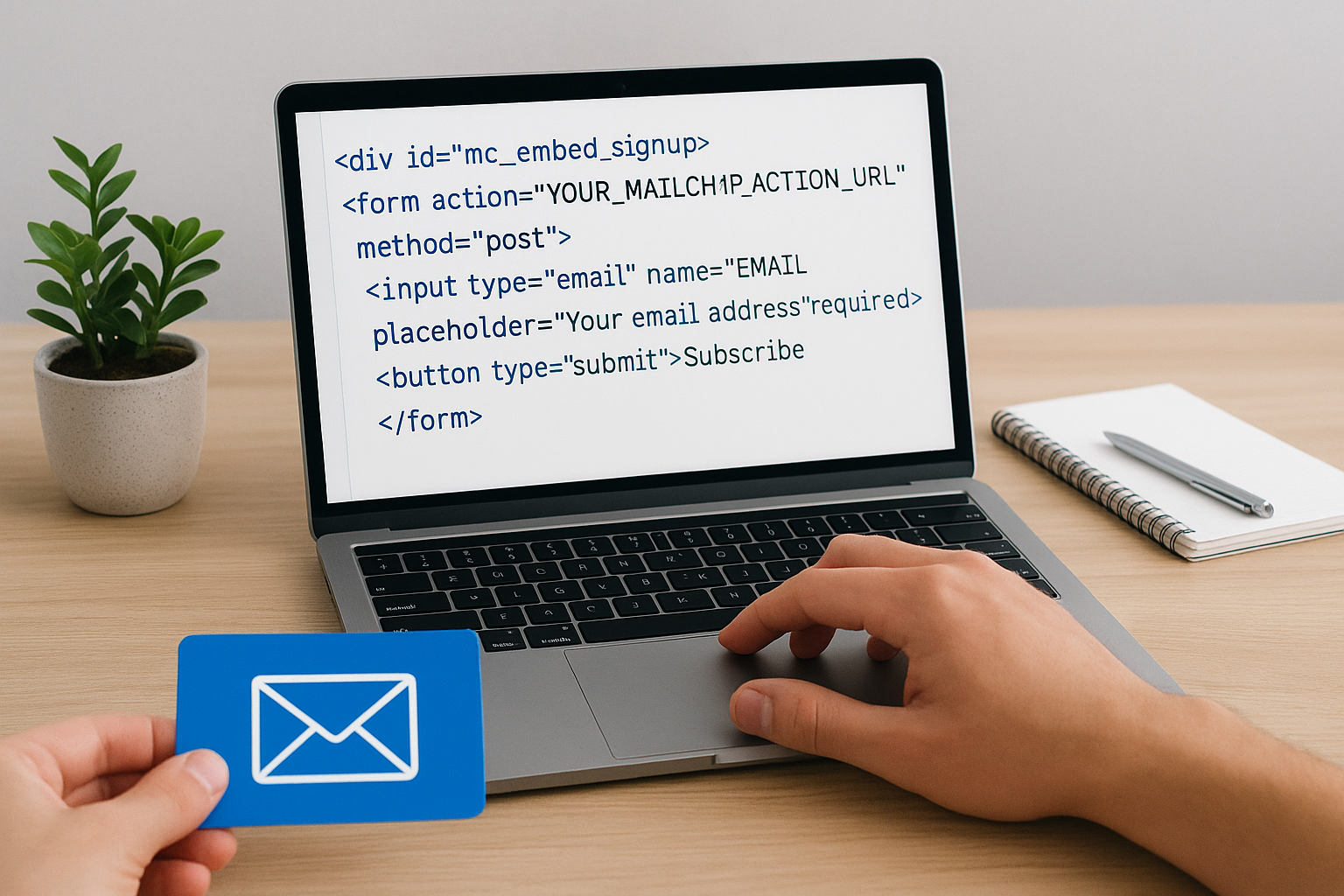
Here is a basic Mailchimp embed code example you can drop into your site:
<!-- Mailchimp Signup Form Embed -->
<div id="mc_embed_signup">
  <form action="YOUR_MAILCHIMP_ACTION_URL" method="post">
    <input type="email" name="EMAIL" placeholder="Your email address" required>
    <button type="submit">Subscribe</button>
  </form>
</div>
Replace YOUR_MAILCHIMP_ACTION_URL with the action URL from your Mailchimp audience settings under the embedded forms section. After adding the form, submit a test entry and confirm the new contact appears in your dashboard within a few minutes before you move on to the next step.
Step 3. Set up deliverability and compliance basics
Even a perfectly written email is worthless if it lands in the spam folder instead of the inbox. Deliverability is the measure of how reliably your messages reach subscribers, and for email marketing for beginners, it is the most overlooked technical detail at the starting stage. Two things directly control your deliverability: domain authentication and legal compliance. Set both up before your first send, and you protect your sender reputation before it ever has a chance to take a hit.
Authenticate your domain with SPF, DKIM, and DMARC
Your email service provider needs explicit permission to send messages on behalf of your domain. Without that permission, receiving mail servers flag your emails as suspicious and route them straight to spam. Three DNS records handle authentication: SPF tells servers which IP addresses can send from your domain, DKIM adds a cryptographic signature to each message, and DMARC tells servers what to do when either check fails.
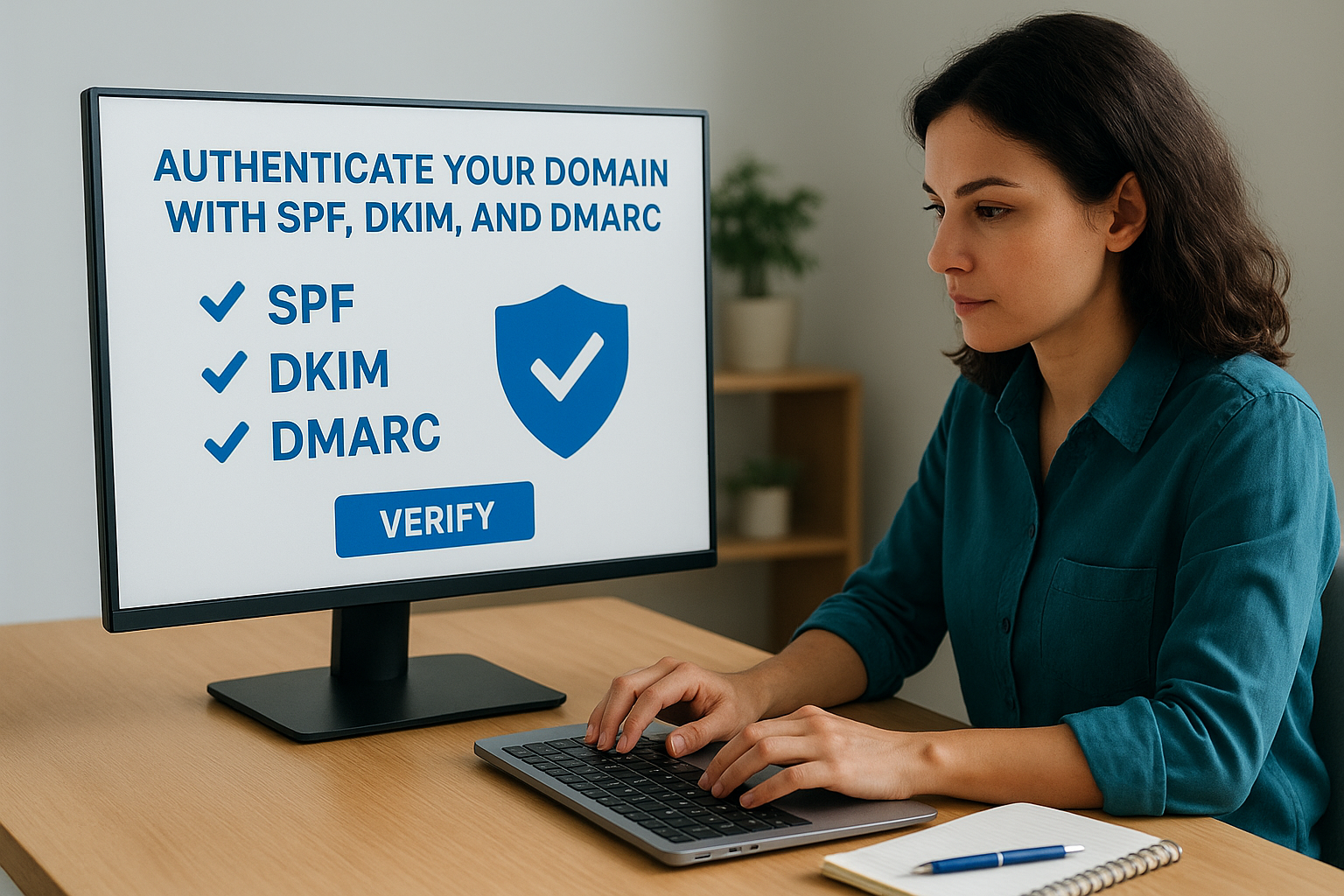
Setting up all three records is a one-time task that takes under 30 minutes and protects every campaign you run from this point forward.
Your ESP generates the exact record values for SPF and DKIM inside its domain authentication settings. You then add those values through your domain registrar’s DNS panel. Here is what a basic SPF record entry looks like:
Type:  TXT
Host:  @
Value: v=spf1 include:youresp.com ~all
Replace youresp.com with the specific include value your ESP provides. Add the DKIM and DMARC records using the same process. Once all three are saved, use your ESP’s built-in domain verification tool to confirm they are reading correctly before you move on.
Follow CAN-SPAM and GDPR rules from day one
Every email you send must meet legal requirements regardless of your list size. CAN-SPAM, the U.S. law governing commercial email, requires every message to include a working unsubscribe link and a physical mailing address in the footer. GDPR applies when any of your subscribers are based in the European Union, and it requires clear, documented consent before you contact someone.
Your ESP inserts the unsubscribe link automatically when you use their standard templates, but you still need to add your business address to the email footer manually. Find the footer editor inside your ESP’s campaign builder, paste your address once, and it will appear in every future send without any extra effort on your part.
Step 4. Build a permission-based list that grows
A permission-based list is one where every subscriber actively chose to hear from you. No purchased lists, no scraped contacts, no "I’ll add them because we met once." This distinction matters because subscribers who opted in willingly are far more likely to open your emails, click your links, and eventually become paying clients. For email marketing for beginners, starting with a small, permission-based list of 50 engaged contacts will always outperform a bloated list of 5,000 people who never asked to hear from you.
The fastest way to kill your sender reputation before your first campaign even launches is to import contacts who never gave you permission.
Create lead magnets that earn the sign-up
Your lead magnet is the offer that convinces someone to hand over their email address. It needs to solve one specific problem immediately, not promise vague future value. A good lead magnet for a law firm might be "5 contract clauses every small business owner must review before signing." For a home services company, it could be "a seasonal HVAC maintenance checklist you can complete in 20 minutes." Both are specific, instantly useful, and directly tied to a real concern your target audience already has.
Here are five lead magnet formats that consistently produce sign-ups for service businesses:
- PDF checklist covering a process your clients find confusing
- Short video walkthrough demonstrating how to avoid a common mistake
- Free consultation booking with a clearly stated, limited scope
- Case study or before-and-after breakdown showing a real client result
- Pricing guide that answers the number-one question prospects always ask first
Place opt-in forms where subscribers already look
Your lead magnet does nothing if no one sees the form to claim it. Place opt-in forms in high-traffic locations across your site: the homepage above the fold, at the bottom of every blog post, and on your contact page alongside your phone number. Each form should contain a headline that names the specific benefit, one email field, and a submit button with action-oriented text like "Send me the checklist" rather than the generic word "Submit."
Use your ESP’s embed code to drop a form wherever it fits. Here is a clean, minimal template you can adapt immediately:
<form action="YOUR_ESP_ACTION_URL" method="post">
  <h3>Get the Free [Your Lead Magnet Title]</h3>
  <input type="text" name="FNAME" placeholder="First name" required>
  <input type="email" name="EMAIL" placeholder="Work email" required>
  <button type="submit">Send Me the [Checklist/Guide/Template]</button>
</form>
Replace the placeholder text with your actual lead magnet name and the ESP action URL from your platform’s embedded form settings. Test the form on both desktop and mobile before driving any traffic to it.
Step 5. Segment subscribers and map your first flow
Sending the same email to every subscriber is one of the most common mistakes in email marketing for beginners. When a potential client who downloaded a legal checklist receives the same message as someone who already booked a consultation, neither person feels like you wrote that email for them, and your open and click rates drop across the board. Segmentation fixes this by splitting your list into smaller groups based on shared behavior, interest, or stage in the buying process, so each message you send speaks directly to the situation the reader is actually in.
A small, well-segmented list of 200 targeted contacts will consistently outperform a flat list of 2,000 random subscribers in every metric that drives real revenue.
Divide your list by source and behavior
Subscriber source is the simplest and most actionable place to start segmenting. Someone who found you through a blog post about contract law has different immediate needs than someone who clicked a paid ad for a free consultation. Group subscribers by where they came from, what they downloaded, and whether they have already taken any paid action with your business. Most ESPs let you create segments using tags, custom fields, or list membership rules, and you can tag each new subscriber automatically at the point of sign-up by connecting the right tag to each individual form inside your platform settings.
Here are four starter segments that work well for service businesses and law firms:
- New leads: Subscribed within the last 7 days and have not booked a call
- Warm prospects: Clicked at least one link but have not converted to a client
- Past clients: Completed a paid engagement and are candidates for repeat work or referrals
- Cold subscribers: No opens or clicks recorded in the last 60 days
Map your first automated flow before you write anything
Before you open your ESP’s campaign builder, sketch the full sequence of emails you plan to send in a simple document or on paper. Knowing the order, timing, and specific goal of each message prevents you from losing direction halfway through a five-email welcome series. Each email in the flow should serve one clear purpose and end with one call to action that connects logically to the next message in the chain.
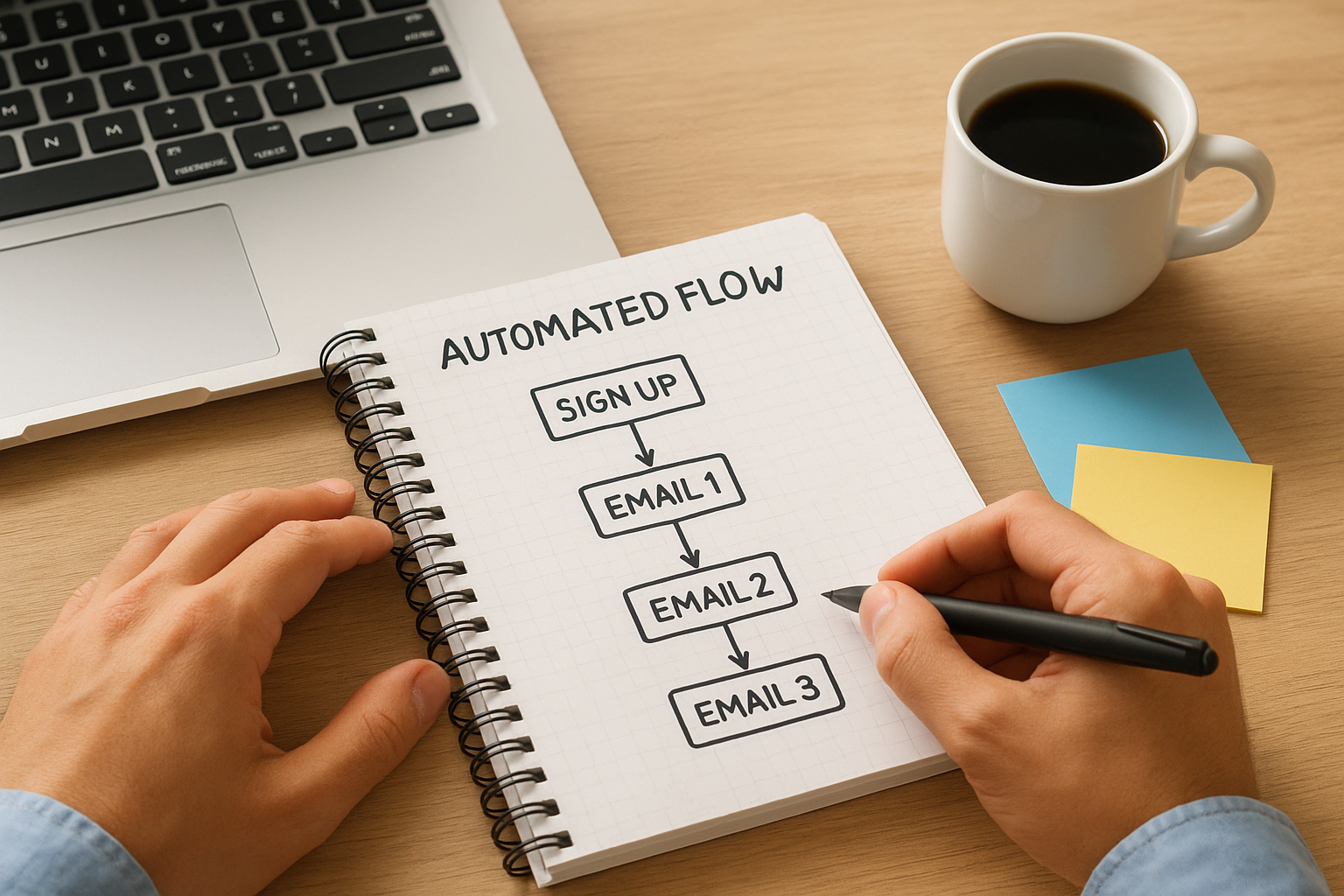
A basic three-email welcome flow for a service business looks like this:
| Send timing | Goal | |
|---|---|---|
| Email 1 | Immediately after sign-up | Deliver the lead magnet and introduce your business |
| Email 2 | Day 3 | Share a short case study or a real client result |
| Email 3 | Day 7 | Make a direct offer to book a call or consultation |
Map this flow before you write a single word of copy, and the writing step that follows becomes significantly faster and far more focused on driving the outcome you defined in Step 1.
Step 6. Write subject lines and email copy that converts
The subject line is the single most important factor in whether your email gets opened or deleted in the next three seconds. Once someone opens, your body copy takes over, and it has one job: move the reader to take the specific action you defined back in Step 1. For email marketing for beginners, writing copy that converts is less about creativity and more about clarity, specificity, and relevance to the exact subscriber segment you mapped in Step 5.
Craft subject lines that earn the open
Your subject line competes with dozens of other messages in your subscriber’s inbox at the same moment. Short, specific subject lines that speak directly to a problem or outcome consistently outperform clever or vague ones. Keep subject lines under 50 characters so they display fully on mobile screens, and avoid spam trigger words like "free," "guaranteed," or excessive punctuation that filters flag automatically.
The best subject line is one that makes your subscriber feel like you read their mind, not one that tries to trick them into clicking.
Here are six subject line formulas that work reliably for service businesses:
- Problem-first: "Still unsure which contract clause to fix first?"
- Result-led: "How [Client Name] cut dispute resolution time by half"
- Direct offer: "Your free 20-minute legal audit is ready to book"
- Curiosity gap: "The one clause most business owners miss entirely"
- Time-bound: "3 spots left for this week’s consultation call"
- Personal: "[First Name], here’s what I’d fix in your contract today"
Write body copy that moves the reader forward
Every sentence in your email body should earn its place by either building on the previous sentence or pulling the reader one step closer to your call to action. Open with one sentence that connects directly to the subject line so the reader feels immediate continuity. Then spend two to four short paragraphs addressing their specific problem, presenting your point or offer, and explaining why acting now makes sense for their situation.
Use this template as your starting framework:
Subject: [Subject line using one of the formulas above]

Hi [First Name],

[1 sentence: name the problem your subscriber faces right now.]

[1-2 sentences: explain why it matters and what happens if they ignore it.]

[1-2 sentences: introduce your solution, offer, or insight clearly.]

[1 sentence CTA: one link, one action, zero ambiguity.]

[Your name]
[Business name]
Keep paragraphs to two or three sentences maximum so the email scans quickly on a phone screen, especially for subscribers reading on mobile.
Step 7. Design the email for mobile and accessibility
Over 60 percent of emails are opened on a mobile device, which means if your email looks broken on a phone screen, the majority of your subscribers will delete it before reading a single sentence. Design decisions like font size, button width, and image placement directly control whether your message is readable or not. For email marketing for beginners, this is where many first campaigns lose conversions they never realized they were dropping, and it costs nothing to fix if you catch it before you hit send.
Build for mobile screens first
Your ESP’s template editor makes mobile-friendly design far more achievable than coding from scratch. Single-column layouts are the safest starting point because they stack cleanly on any screen size without your content spilling outside the visible area. Set your body font size to at least 16px, keep your call-to-action button wide enough to tap comfortably with a thumb (at least 44px tall and 120px wide), and limit your email width to 600px maximum so the layout renders correctly across all major email clients including Gmail, Outlook, and Apple Mail.
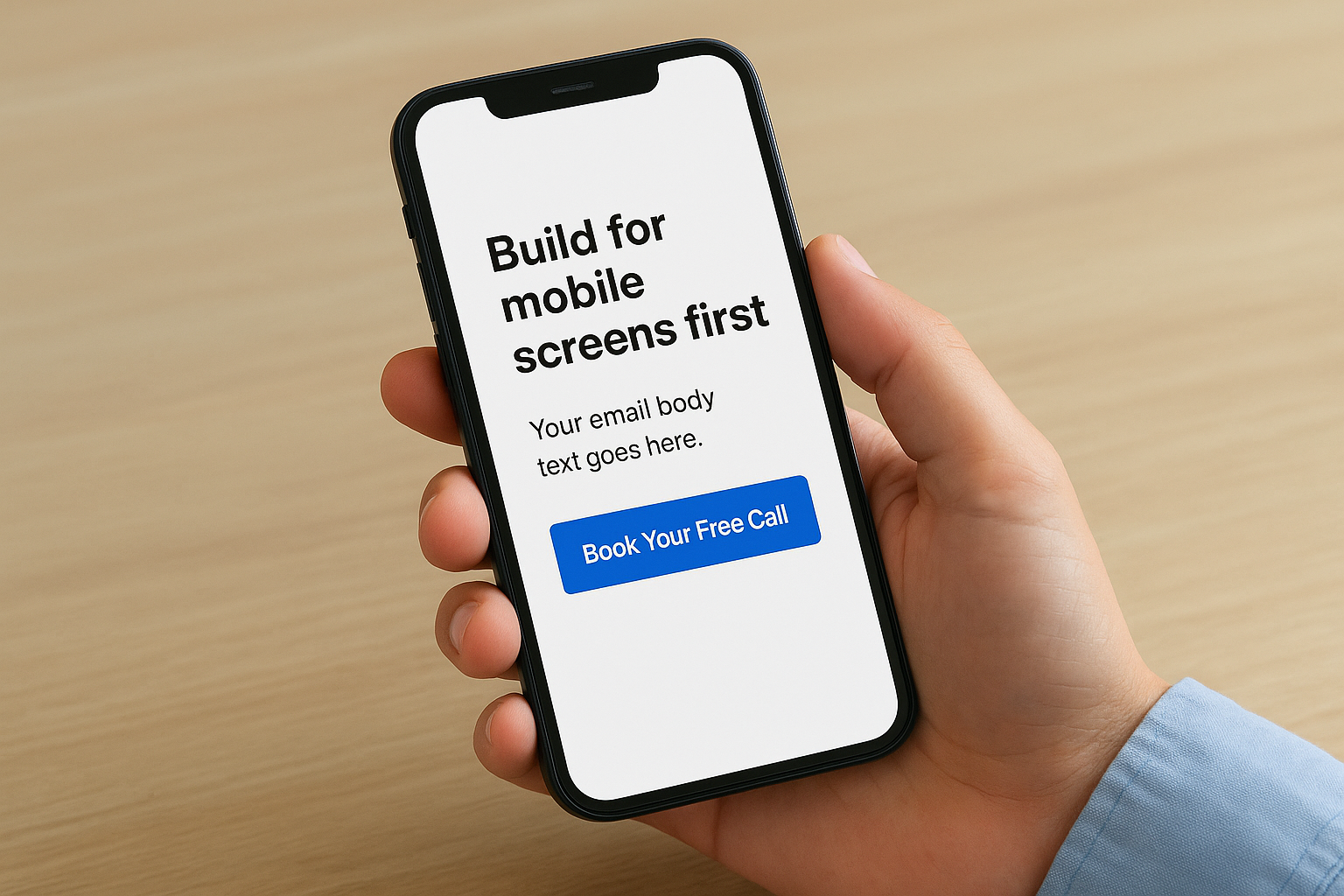
Here is a minimal inline-styled HTML block you can paste into a custom template:
<table width="600" cellpadding="0" cellspacing="0"
  style="max-width:600px; width:100%; font-family:Arial, sans-serif;
         font-size:16px; color:#333333;">
  <tr>
    <td style="padding:24px;">
      <p style="margin:0 0 16px;">Your email body text goes here.</p>
      <a href="YOUR_LINK"
         style="display:block; background:#0055cc; color:#ffffff;
                text-align:center; padding:14px 24px;
                border-radius:4px; text-decoration:none; font-size:16px;">
        Book Your Free Call
      </a>
    </td>
  </tr>
</table>
Replace YOUR_LINK with your actual booking or landing page URL, and update the button label to match your specific call to action from Step 6.
Make your email readable for every subscriber
Accessibility means your email communicates clearly to subscribers who use screen readers, have low vision, or open emails with images disabled by default. Add descriptive alt text to every image you include, use high-contrast color combinations like dark text on a white background, and never rely on an image alone to deliver your core message or call to action. If your images fail to load, every word in your email should still make complete sense on its own.
An accessible email is not just an inclusive one. It is a more reliable one that performs better across every segment of your list.
Before you move to Step 8, send yourself a test message and open it on both an iOS and Android device to catch any layout problems that your ESP’s desktop preview missed entirely.
Step 8. Test, schedule, and send your first campaign
Sending without testing is the fastest way to discover a broken link or a blank subject line after thousands of subscribers have already seen it. For email marketing for beginners, a short pre-send checklist and a deliberate send time make the difference between a campaign that performs and one that wastes the effort you put into every previous step. Treat this stage as your final quality control pass, not a formality you skip to save 10 minutes.
Run a pre-send checklist before anything goes out
Your ESP’s preview and test-send features exist for exactly this reason. Send a test email to yourself and at least one other person before you schedule anything. Open it on your phone, your desktop, and if possible a second device with a different email client. Check that every link clicks through to the correct destination, that your lead magnet or offer is accessible, and that your name and subject line display the way you intended in the inbox view.
Work through this checklist before you hit schedule:
- Subject line is under 50 characters and contains no spam trigger words
- Preheader text supports the subject line and does not repeat it word for word
- Every link is live and points to the correct page
- Unsubscribe link and physical address appear in the footer
- Images load correctly and all alt text is filled in
- First name personalization tag pulls actual subscriber data, not the raw code
- The email renders cleanly on both iOS and Android screens
Running this checklist takes under 10 minutes and prevents the kind of mistakes that damage your sender reputation and subscriber trust in one send.
Choose the right send time for your audience
Send time affects open rates more than most beginners expect. For service businesses and law firms, the highest-performing windows tend to be Tuesday through Thursday, between 9:00 a.m. and 11:00 a.m. in your subscribers’ local time. Avoid Monday mornings when inboxes are crowded and Friday afternoons when attention drops sharply before the weekend.
Most ESPs include a send-time optimization feature that analyzes your audience’s past open behavior and schedules delivery automatically at the moment each subscriber is most likely to engage. Enable this feature if your platform offers it. If your list is brand new with no historical data, schedule your first send for Tuesday at 10:00 a.m. in the time zone where the majority of your subscribers are located, then adjust based on what your open rate data shows after that first send.
Step 9. Track results and improve the next send
Your ESP dashboard starts collecting data the moment your campaign goes out. For email marketing for beginners, this data is not just a scorecard: it is your roadmap for every campaign that follows. Open your performance report 24 to 48 hours after sending, once the initial wave of opens and clicks has settled, and review four core metrics before you draw any conclusions or make any changes.
Know which metrics actually matter
Every ESP shows you a wall of numbers after a send, and most of them are secondary. Focus on four metrics first, because they each tell you something specific and actionable about where your campaign succeeded and where it lost people.
| Metric | What it tells you | Target benchmark |
|---|---|---|
| Open rate | Whether your subject line earned the click | 20% or higher |
| Click-through rate (CTR) | Whether your body copy drove action | 2% to 5% |
| Unsubscribe rate | Whether the content matched expectations | Below 0.5% |
| Bounce rate | Whether your list is clean and current | Below 2% |
If your open rate falls below 20 percent, the problem is almost always your subject line or send time. If your open rate is strong but your click-through rate is low, your body copy or call to action needs work. These two numbers together pinpoint exactly which part of the campaign to fix before your next send.
A high unsubscribe rate after your first campaign is not a failure. It is your list self-selecting, which leaves you with a cleaner, more engaged audience for every send that follows.
Use what you learn to improve the next send
After you have reviewed your four core metrics, write down one specific change you will test in your next campaign based on what the data showed. If your subject line underperformed, test a shorter version. If your call-to-action button received almost no clicks, rewrite the button label to name the benefit more clearly. One change per send keeps your testing clean and gives you reliable data to act on rather than guesses layered on top of each other.
Run this simple review process after every campaign:
- Note your open rate, CTR, unsubscribe rate, and bounce rate in a simple spreadsheet
- Identify the one metric that fell furthest below its benchmark
- State one specific change you will make to address it
- Apply that change to your next send and measure whether the metric improves
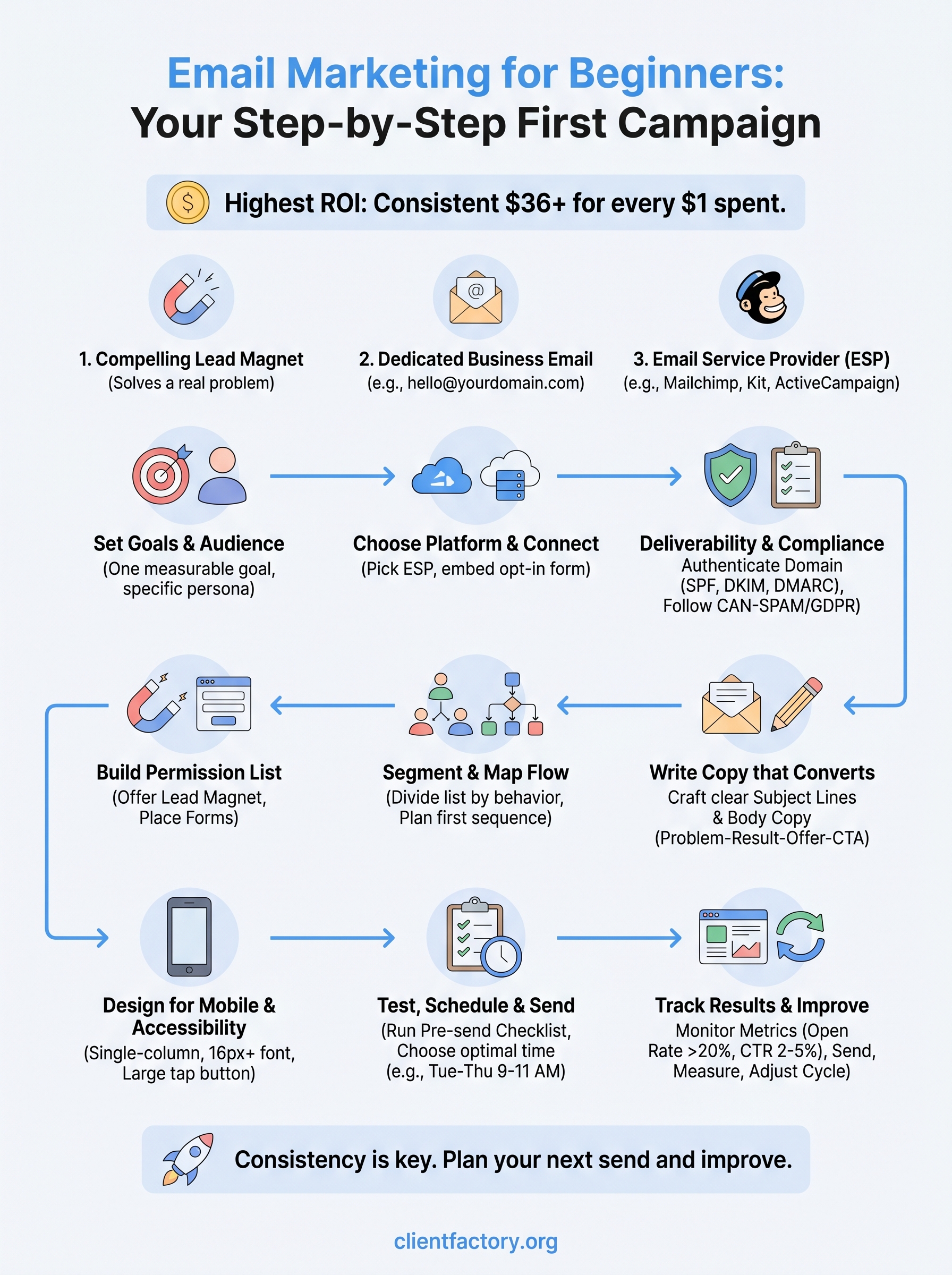
This cycle of send, measure, and adjust is how a first campaign turns into a repeatable, improving acquisition system over time.
Wrap up and plan your next send
You now have a complete, step-by-step system for email marketing for beginners that covers everything from choosing your platform to reading your first campaign report. Each step builds directly on the one before it, so if you follow the sequence, your first send will be far more structured and effective than most businesses manage even after months of trial and error. Consistency is what separates one-time senders from businesses that generate leads reliably through email every single week.
Your next move is simple: book your second send on the calendar before you close this tab. Use the one specific change you identified in Step 9 and apply it immediately. Small, deliberate improvements compound quickly, and within three to four campaigns, you will have real data showing exactly what works for your audience. If you want expert help turning your email program into a full client acquisition system, book a free funnel audit with our team today.
