

Most businesses still think adding a first name to a subject line counts as email personalization techniques. It doesn’t, at least not anymore. Subscribers have grown numb to "Hey {First_Name}" openers, and open rates reflect that fatigue. If your emails aren’t converting, surface-level personalization is likely the reason.
The difference between emails that get deleted and emails that drive revenue comes down to relevance. When a message speaks directly to a reader’s behavior, preferences, or stage in the buying journey, conversion rates climb. At Client Factory, we build client acquisition systems for service businesses and law firms, and email is one of the most powerful (and most underused) channels we optimize inside those funnels. We’ve seen firsthand what happens when personalization goes deeper than a merge tag.
This article breaks down six proven techniques that move well beyond the basics, covering segmentation, behavioral triggers, dynamic content, and more. Each one is something you can start implementing now to turn passive subscribers into booked clients.
1. Build a funnel-first personalization plan
Most email personalization techniques fail before you send a single message because there’s no clear goal tied to each email. Before you pick a merge field or write a subject line, you need to know what action you want the reader to take and how that action connects to your client acquisition funnel.
Define the one conversion you want from each email
Every email should drive one specific action. When you try to accomplish multiple things in one message, you typically accomplish none of them. Map each email to a single conversion point and write every word toward that goal:
- Book a consultation call
- Complete a contact form
- Confirm an appointment
- Reply to a qualifying question
Map personalization to your intake or booking flow
Your intake flow shows you exactly where leads move, stall, or drop off. Use that data to assign a personalization purpose to each touchpoint. Matching your email content to the actual stage of the relationship separates a real funnel from a broadcast list.
Personalization only works when it reflects where the lead actually is, not where you wish they were.
A lead who requested a consultation but never confirmed it needs a different message than one who is two days away from a first appointment. Build your personalization rules around these stages and you will immediately see higher engagement from leads who feel like you understood exactly where they stood.
Example: match content to where the lead dropped off
If a prospect visited your service page, started a contact form, and left without submitting, the right email references that specific service and gives them one clear path to continue. It should not trigger a generic welcome sequence that ignores the signal entirely.
Connecting email content to the last known action turns a cold lead back into an active one. This applies whether you run a law firm routing practice-area leads or a service business following up on a specific quote request or free audit.
Metrics to watch so you do not guess
Track click-to-conversion rate for each email against its stated goal, not just open rates. When a message underperforms consistently, review the conversion alignment before adjusting the subject line or send time. Watch these three numbers:
- Form completion rate by email source
- Booked call rate by email source
- Unsubscribe rate per sequence step
2. Segment by intent and lifecycle stage
Sending the same email to your entire list is the fastest way to train subscribers to ignore you. Effective email personalization techniques start with knowing who is on your list and what they actually want, so you can send messages that move specific groups forward instead of broadcasting to everyone at once.
Use engagement and lead data to create segments that matter
Your list already tells you how to segment it. Open history, link clicks, and form submissions reveal intent more reliably than any survey you could send. Pull that data and group contacts by what they did, not just by how they signed up.
The segment that converts best is rarely the largest one.
Start with a simple segmentation framework you can scale
Start with three core categories: new leads who have not yet taken a qualifying action, warm leads who have engaged but not booked, and active clients or past clients. These three buckets alone will immediately sharpen your targeting and conversion rates before you add any complexity.
Example segments for service businesses and law firms
A law firm might segment by practice area interest based on which landing page a lead visited. A service business might separate leads who requested a quote from those who only downloaded a resource. Both examples use real behavioral data to build segments that reflect actual intent rather than assumptions.
Mistakes that inflate list size but hurt conversions
Avoid adding every contact to every segment just to increase reach. Overlapping segments and poorly defined rules create duplicate sends, which damage deliverability and erode subscriber trust faster than almost any other mistake.
3. Trigger emails from real behavior
Generic drip campaigns send the same message on a fixed schedule regardless of what your lead actually does. Behavior-based triggers are one of the most powerful email personalization techniques because they respond to real signals, sending the right message at the exact moment a lead shows intent.
Choose high-signal triggers instead of generic drip campaigns
Not every action deserves a trigger. Focus on the behaviors that signal buying intent or a clear decision point, such as repeated service page visits, a form abandonment, or a second look at your pricing page. Low-signal triggers like a single homepage visit will burn your sender reputation and train leads to ignore you.
Set up timing rules and stop rules to avoid spamming
Timing determines whether a triggered email feels helpful or intrusive. Send your trigger within one to two hours of the behavior so the lead still remembers the context. More importantly, set stop rules that cancel the trigger automatically if the lead completes the target action before the email sends.
A well-timed trigger that arrives after a lead already booked is the fastest way to damage a first impression.
Example triggers: visits, form starts, consult requests, no-shows
Your four highest-value triggers are service page visits, abandoned form starts, pending consult requests, and appointment no-shows. Each one represents a lead who showed intent and then stopped. A follow-up tied to that specific behavior moves them forward without restarting the conversation from scratch.
Metrics that prove your triggers work
Track reply rate and conversion rate per trigger separately from your broadcast campaigns. If a trigger consistently underperforms, audit the timing and stop rules before rewriting the email copy. Click-to-booking rate is the metric that confirms your triggers actually close the loop.
4. Personalize by location and service area
Location data is one of the most underused email personalization techniques available to service businesses and law firms. When a lead in a specific city receives a message that references their area, their local office, or a team member near them, the email feels personal without any extra effort from the reader.
Use geography to make emails instantly more relevant
Your CRM already captures location signals through form submissions, IP data, and phone area codes. Use that data to segment by region and pull it into your email content so leads receive information that matches where they actually operate.
Geography shrinks the perceived distance between your business and your prospect.
Add local context without sounding creepy
Keep location references specific but natural. Mentioning a city name or a regional office in a relevant sentence reads as helpful. Referencing exact neighborhoods or streets feels intrusive and will hurt your reply and conversion rates more than it helps.
Example: route leads to the right office, phone, or calendar
A law firm with multiple offices can route each lead to the correct attorney calendar and local phone number based on the city captured at opt-in. A home services company can assign a regional team contact automatically so every follow-up email comes from someone who actually serves that area.
Quality checks for data accuracy and compliance
Run a monthly audit of your location fields to catch blank entries, mismatched zip codes, and outdated records. Inaccurate data sends leads to the wrong office or triggers compliance issues in states with specific marketing regulations, so treat data hygiene as a required step, not an optional one.
5. Use dynamic content blocks in one campaign
Dynamic content blocks let you send one campaign to multiple segments while each recipient sees a version of the email built around their specific data. Instead of creating five separate campaigns, you set rules that swap out sections automatically based on what you know about each contact. This approach makes every one of your email personalization techniques more scalable without multiplying your production workload.
Swap sections of the email based on rules, not guesses
Your email platform already supports conditional logic that shows or hides specific content blocks based on field values in your CRM. Build those rules around real behavioral and demographic data you already have, such as the service a lead expressed interest in or the lifecycle stage they currently occupy.
Rules based on assumptions produce dynamic content that feels just as generic as a broadcast email.
Pick the best fields to power dynamic content
Focus on fields with high completion rates and reliable data quality. Practice area, service type, and lead stage are the strongest drivers for service businesses and law firms because they directly reflect what the reader actually needs from your next message.
- Practice area or service type
- Lead lifecycle stage
- Geographic region
Example blocks: service fit, FAQs, credibility, next step
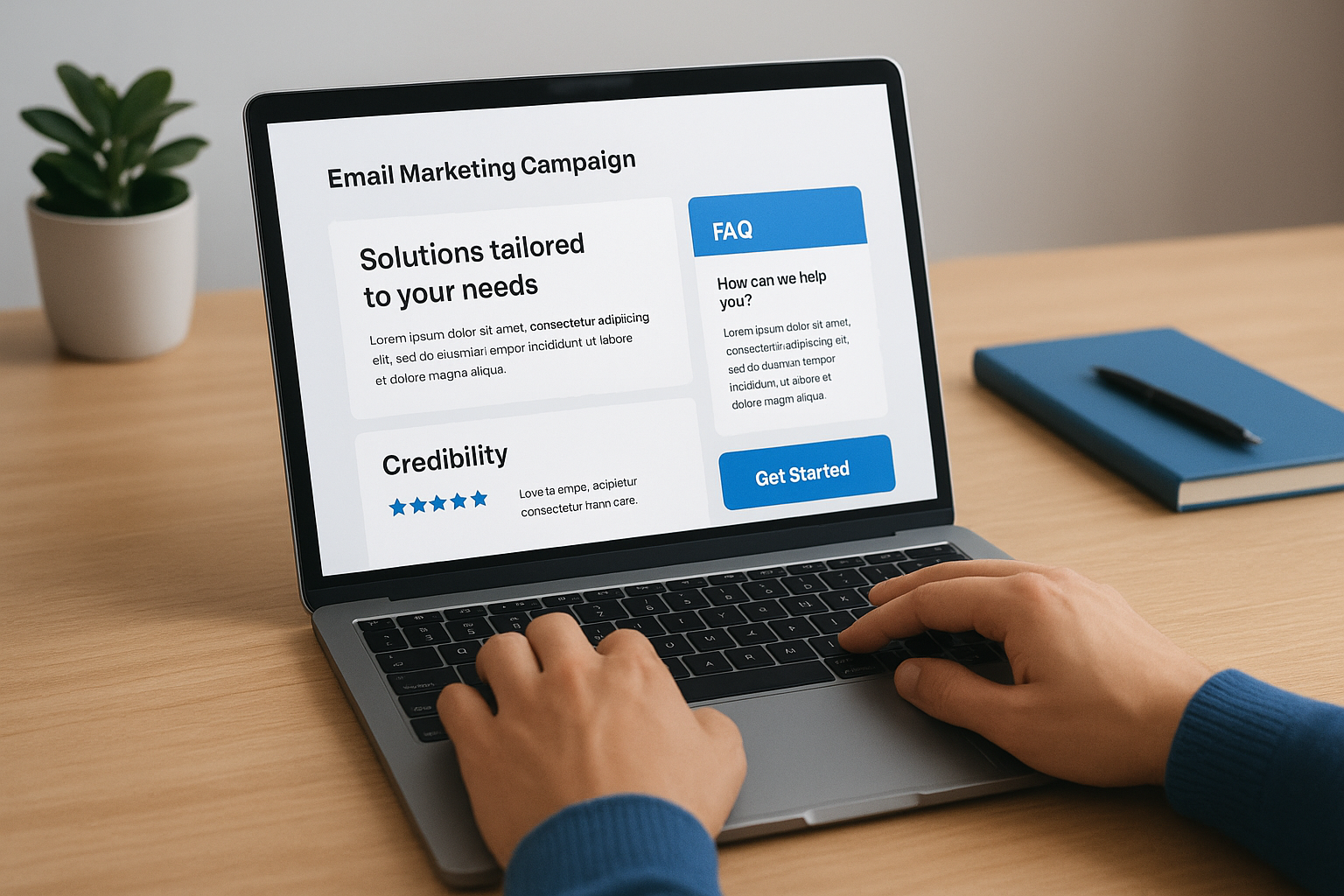
Swap four key sections dynamically: a service fit statement that mirrors the lead’s interest, a relevant FAQ block, a credibility element tied to that specific service, and a single next step matched to their current stage.
- Service fit statement
- Relevant FAQ block
- Credibility element
- Next step call to action
Common rendering and deliverability issues to prevent
Test every dynamic rule combination across major email clients before you send. Broken conditional logic often produces blank content blocks, which damage both reader experience and your sender reputation with inbox providers.
6. Optimize send time, frequency, and subject lines
Even the most refined email personalization techniques fail if your message arrives at the wrong moment or competes with several other emails from your own team. Send time, frequency, and subject line relevance work together, and treating any one in isolation limits the return you get from everything else you build.
Use engagement signals to time emails when people respond
Your email platform tracks when individual contacts open and click, giving you real data on each person’s active window. Use that data to schedule sends around actual behavior rather than a fixed company-wide send time.
- Segment contacts by their peak engagement window and schedule sends accordingly
- Override fixed schedules for high-intent triggered emails, which should send immediately
Set frequency caps and re-engagement rules
Cap your outbound email frequency per contact to prevent fatigue before it starts. A lead who receives four emails in three days stops engaging regardless of how relevant the content is. Set a re-engagement rule that pauses sends automatically when a contact goes silent for 30 days, then routes them to a short win-back sequence.
Frequency without purpose teaches your audience to ignore you faster than any single bad email ever could.
Test subject lines and calls to action with a clear hypothesis
Run A/B tests with one variable at a time and write a hypothesis before you test. Changing the subject line and the call to action simultaneously tells you nothing about what actually moved the needle.
Reporting setup that ties email clicks to booked calls or clients
Connect your email platform to your CRM so every click traces back to a contact record. Track booked calls and signed clients by email source so you know which messages actually produce revenue, not just opens.
Next steps
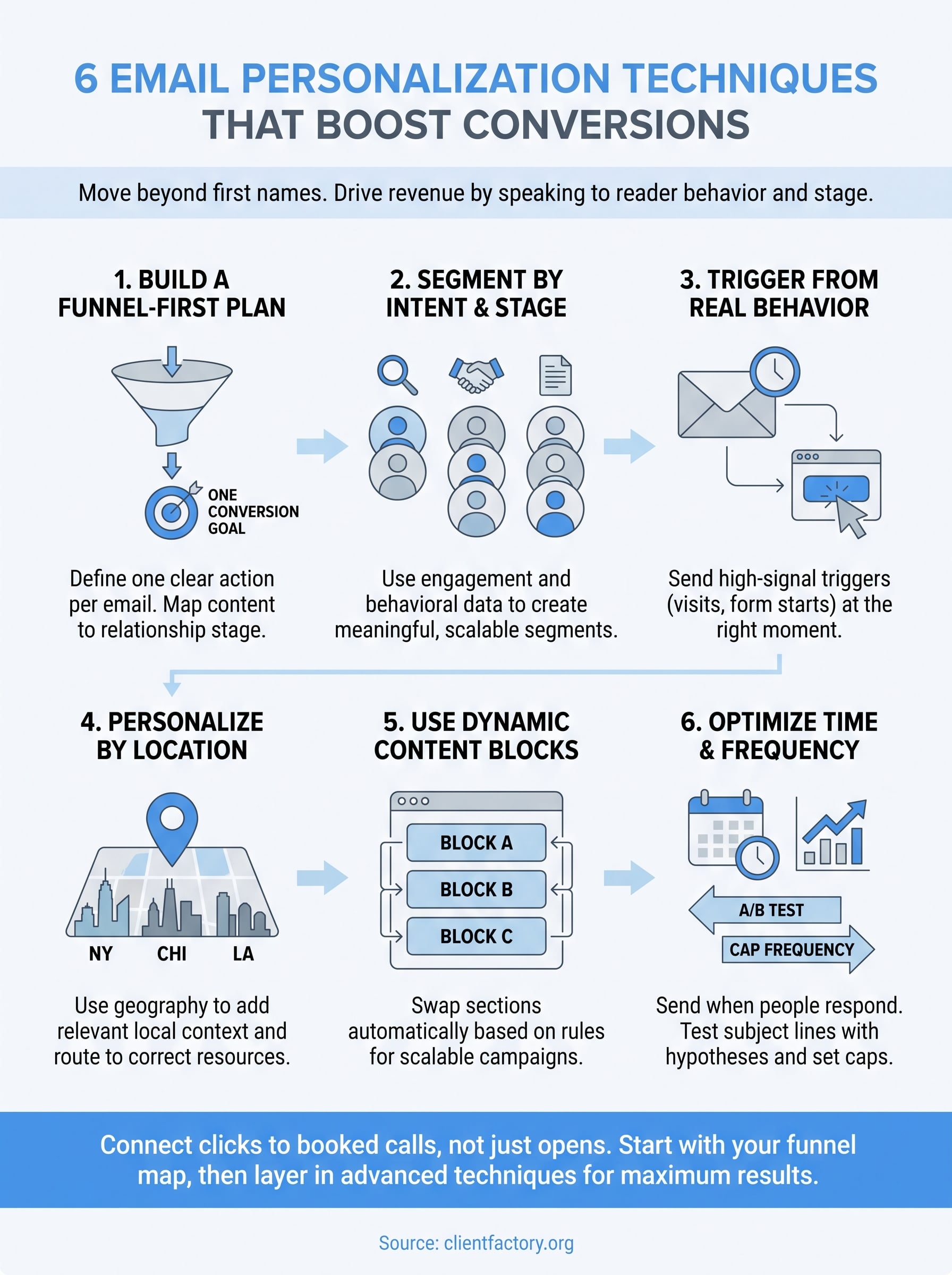
These six email personalization techniques give you a clear path from broadcast sends to targeted, conversion-focused campaigns that actually produce booked clients. Each technique builds on the one before it, so start with your funnel map and segmentation before layering in behavioral triggers, dynamic content, or send-time optimization. Jumping straight to dynamic content without clean data and defined segments will cost you time and deliver poor results.
Putting this into practice takes more than a checklist. If your current funnel is leaking leads before they ever reach your email sequences, the underlying acquisition system needs attention first. A full audit will show you exactly where contacts drop off and which fixes will move the needle fastest. Take the next step and book a free conversion audit so you can see precisely where your funnel stands and what to fix first.
