


Picking the right template can mean the difference between a landing page that collects leads and one that collects dust. But with dozens of Leadpages landing page templates available, figuring out which ones actually drive conversions, and which ones just look pretty, takes real testing and experience. That’s time most business owners don’t have to spare.
At Client Factory, we build and optimize client acquisition funnels every day for service businesses and law firms. We’ve seen firsthand how the right landing page template, paired with strong copy and a clear offer, can dramatically increase lead flow. So we put Leadpages’ 2026 template library under the microscope and pulled out the five templates worth your attention.
Below, you’ll find our picks based on conversion-friendly design, load speed, and flexibility, along with notes on what makes each one work and who it’s best suited for. Whether you’re launching a new campaign or rebuilding a funnel that isn’t performing, this list will help you start with a proven foundation instead of guessing.
1. Client Factory service business lead capture template for Leadpages
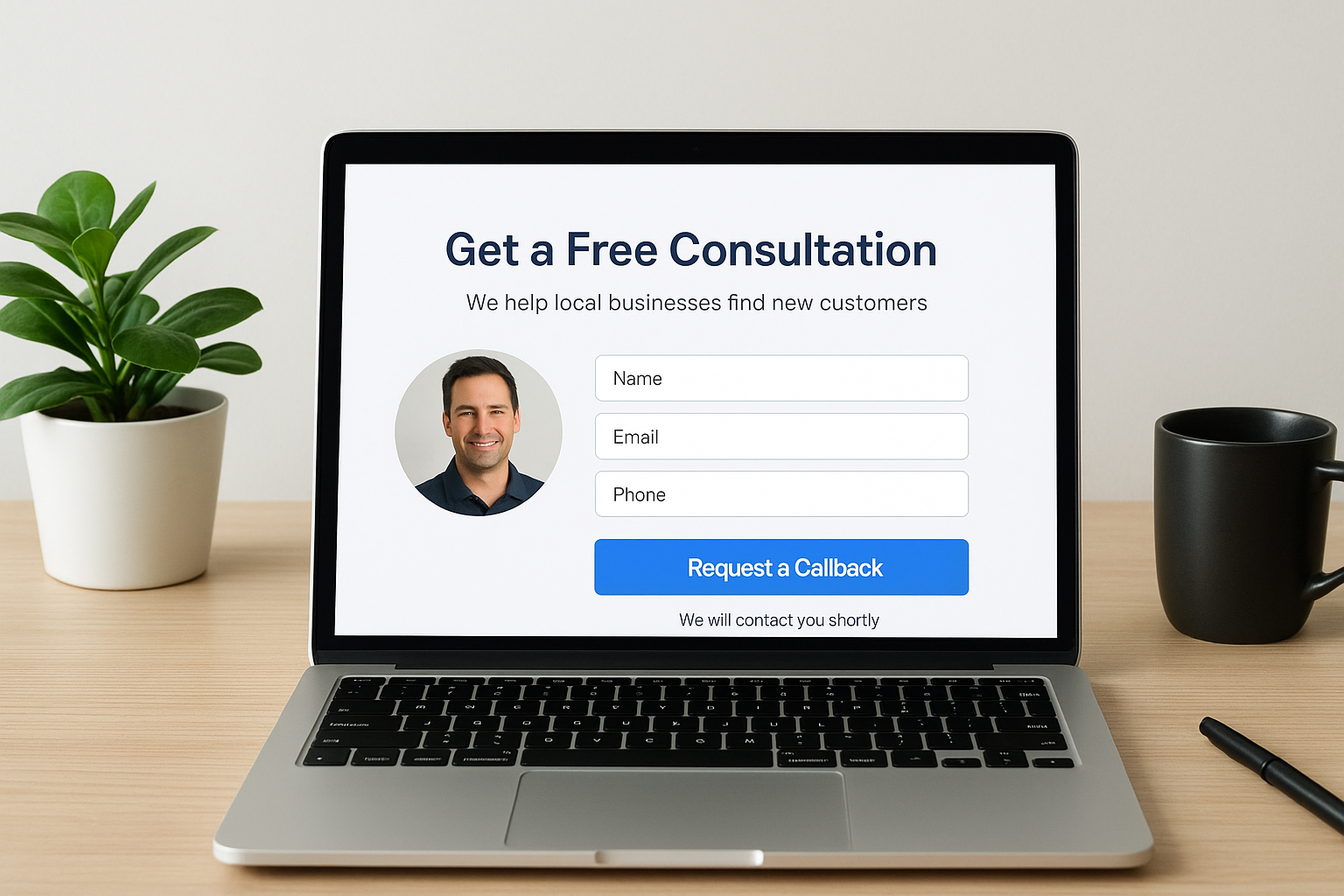
This template is built specifically for service businesses that need to capture qualified leads fast. It strips out the noise and focuses entirely on getting visitors to take one action: submit their contact information and request a consultation or callback. Among all the Leadpages landing page templates we’ve tested, this one consistently produces the lowest cost-per-lead for local and regional service businesses.
Best use cases and campaign goals
Use this template when you’re running paid traffic campaigns on Google or Facebook and need a dedicated page to receive that traffic. It fits businesses with a single, clear offer: law firms promoting a free case evaluation, home service companies offering a free estimate, or insurance agencies running a quote request campaign. Your primary campaign goal here is lead volume with quality filtering built into the form itself.
What makes this template convert for service businesses
The layout leads with a benefit-driven headline and a short trust block directly below it. Visitors see social proof before they ever reach the form. Keeping the form short is one of the biggest conversion drivers in service business funnels, and this template defaults to the minimum fields needed.
Reducing your form to three fields or fewer consistently lifts submission rates in service industry campaigns.
Recommended sections and page layout
The page flows in a logical, top-to-bottom sequence: headline, subheadline, trust indicators, form, and a brief description of what happens after submission. Visitors know exactly what they’re signing up for and what to expect next, which reduces drop-off at the form stage significantly.
How to customize it for law firms and local services
Law firms should replace the generic headline with a practice-area-specific promise, such as "Get a Free Case Review from a Local Personal Injury Attorney." Local service businesses should add their city or service area in the headline and swap in photos of real team members or completed jobs to build regional credibility quickly.
Pricing and what affects the cost
Leadpages pricing starts at $37 per month for the Standard plan, which includes access to the full template library. Your customization cost depends on whether you work inside Leadpages’ drag-and-drop builder yourself or bring in a designer to handle copy and layout adjustments.
2. Consultation promo page template
This template is designed for businesses that sell high-ticket services and need to move warm prospects from interest to a booked appointment. It works inside Leadpages’ builder without any third-party tools required.
Best use cases and campaign goals
Use this page when your primary conversion goal is scheduling a consultation call rather than collecting a simple email address. It fits law firms, financial advisors, and marketing agencies where the consultation itself is the first real step in closing a client.
What makes this template convert
The template leads with an outcome-focused headline and immediately answers the visitor’s core question: what will I get from this call? Among leadpages landing page templates built for booking flows, this one keeps attention by minimizing distractions and making the calendar embed the visual center of the page.
Removing your navigation bar from a consultation page can increase booking rates by 20 percent or more.
Recommended sections and page layout
The layout opens with your headline and a brief value statement, followed by two or three bullet points covering what happens on the call, then a direct calendar or form embed. A short bio or credentials block sits below the fold for visitors who need extra reassurance.
How to customize it for a high-intent booking flow
Replace placeholder text with specific outcomes the caller will receive, such as a 30-minute strategy session with a written action plan delivered afterward. Add a short FAQ block to handle objections before they stop someone from booking.
Pricing and what to expect
Access starts at $37 per month on the Leadpages Standard plan. Custom copywriting or calendar integration work will add to your total project cost depending on the complexity of your booking setup.
3. B2B guide lead magnet template
This template is built for businesses that generate leads by offering a downloadable guide or resource in exchange for a name and email. It ranks among the most effective leadpages landing page templates for warming up cold B2B audiences before you ever ask them to book a call.
Best use cases and campaign goals
Use this template when your primary goal is list building at the top of your funnel. It fits B2B companies in consulting, SaaS, and professional services that want to attract prospects with valuable educational content before presenting a paid offer.
What makes this template convert
The design keeps the focus on the value of the guide itself rather than the form. A cover image mockup, a short benefit list, and a minimal opt-in form work together to lower friction and push submission rates up.
Showing a visual mockup of your guide can lift opt-in rates by making the offer feel concrete rather than abstract.
Recommended sections and page layout
Lead with a headline that names the specific benefit the reader gets from the guide, then list three to five key takeaways below it. Keep your form above the fold so visitors never have to scroll before they can convert.
How to match the offer to the right funnel stage
Pair this template with awareness-stage ad campaigns targeting cold audiences. Your guide should answer a question your prospect is already asking, not pitch your service directly.
Pricing and what to expect
Access starts at $37 per month on the Leadpages Standard plan. Your total cost depends on whether you create the guide asset yourself or bring in a designer to package the content professionally.
4. Tech sales webinar template
This template is built for businesses that use live or automated webinars to educate prospects and move them toward a purchase decision. It handles registration cleanly and gives you the structure to build anticipation before the event date.

Best use cases and campaign goals
Use this page when your primary goal is webinar registrations from a cold or warm audience in the technology or B2B space. It fits SaaS companies, consultants, and agencies that use a live training or demo format to qualify prospects before a sales conversation.
What makes this template convert
The template leads with a specific outcome promise tied to the webinar topic, not a vague description of what you’ll cover. Among leadpages landing page templates designed for event registration, this one keeps the page focused on the result the attendee walks away with.
Listing three specific things attendees will learn increases webinar registration rates more than any other copy change you can make.
Recommended sections and page layout
Open with a headline tied to a measurable outcome, then follow it with the date, time, and duration. A short presenter bio with a photo and one or two credibility markers sits below to reassure registrants they’re spending their time with someone worth listening to.
How to set up reminders and post-webinar follow-up
Connect your registration form to your email automation platform through Leadpages’ native integrations. Send a confirmation email immediately, a reminder 24 hours before, and a replay link within an hour of the webinar ending.
Pricing and what to expect
Access starts at $37 per month on the Leadpages Standard plan. Email automation setup and custom graphic work for presenter branding will add to your total project cost.
5. Services packages pricing with timer template
This template combines a clear services pricing layout with a built-in countdown timer, making it one of the most versatile leadpages landing page templates for businesses that want to drive fast decisions without overwhelming visitors with copy.
Best use cases and campaign goals
Use this page when you want prospects to choose a service package and commit quickly, rather than click away to compare options. It fits agencies, consultants, and law firms running limited-time promotional offers tied to a specific campaign window.
What makes this template convert without feeling pushy
The countdown timer works because it is anchored to a real, specific reason for the deadline rather than a vague urgency message. Pairing the timer with a transparent pricing table builds confidence instead of pressure.
Tying your timer to a genuine offer deadline, like a quarterly promotion or a capacity limit, keeps it credible and keeps visitors moving forward.
Recommended sections and page layout
Open with a headline tied to the outcome each package delivers, then present your pricing tiers side by side. Place the timer directly above your call-to-action button so it stays visible as visitors make their decision.
How to use urgency ethically and avoid compliance issues
Only display a timer when the deadline is real and verifiable. Fake urgency can expose your business to FTC compliance issues and erodes long-term trust with your audience.
Pricing and what to expect
Access starts at $37 per month on the Leadpages Standard plan. Custom design work for your pricing table layout will add to your total project cost depending on the complexity of your offer structure.
Next steps
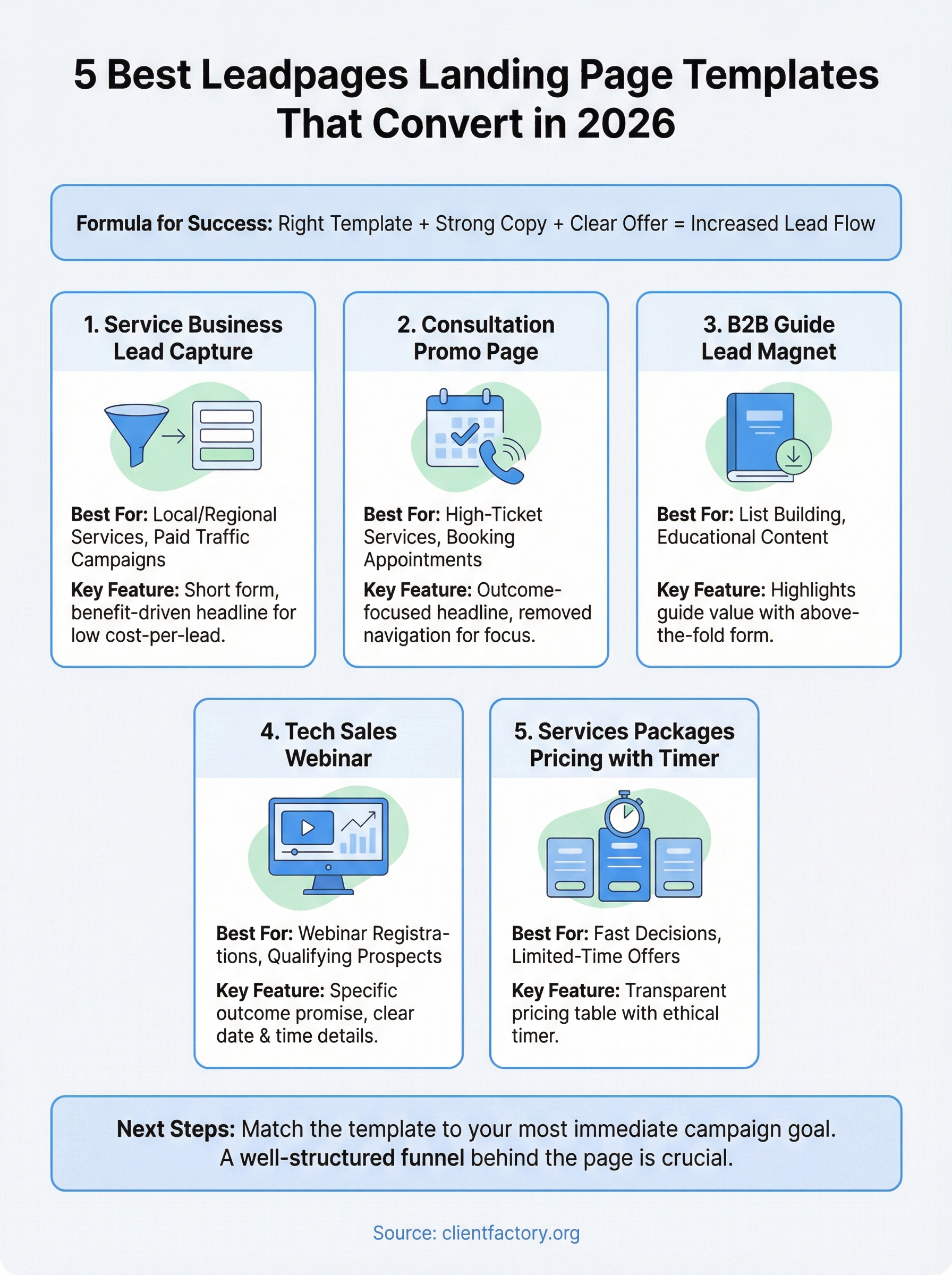
Each of these leadpages landing page templates gives you a working foundation, but the template itself only gets you halfway there. Strong copy, a clear offer, and a well-structured funnel behind the page are what actually turn visitors into paying clients.
Start by matching the template to your most immediate campaign goal. If you’re running paid traffic, the service business lead capture template is your fastest path to qualified leads. If you’re building a list or running a webinar, you have a clear starting point in this list too.
Your biggest risk right now is launching a page that looks good but leaks leads because the funnel behind it isn’t set up correctly. If you want a second set of eyes on your current setup before you spend another dollar on traffic, book a free conversion audit and we’ll walk through exactly what to fix first.
