

SharpSpring marketing automation is a platform that promises to bring enterprise-level tools, email campaigns, behavioral tracking, dynamic landing pages, and a built-in CRM, to businesses that don’t have enterprise-level budgets. It’s gained serious traction among agencies and mid-sized companies looking to automate lead nurturing without locking into rigid annual contracts.
But what does the platform actually do, and how does it stack up for businesses focused on client acquisition? At Client Factory, we build and optimize marketing funnels for service businesses and law firms every day. Tools like SharpSpring often sit at the center of those systems, handling the critical handoff between "someone clicked an ad" and "someone booked a consultation." Understanding what this platform offers, and where it falls short, matters if you’re evaluating your tech stack.
This article breaks down SharpSpring’s core features, its CRM integration, pricing structure, and how it functions as a lead generation and growth tool. Whether you’re comparing platforms or just trying to figure out if marketing automation is worth the investment, you’ll walk away with a clear picture.
Why marketing automation matters for growth
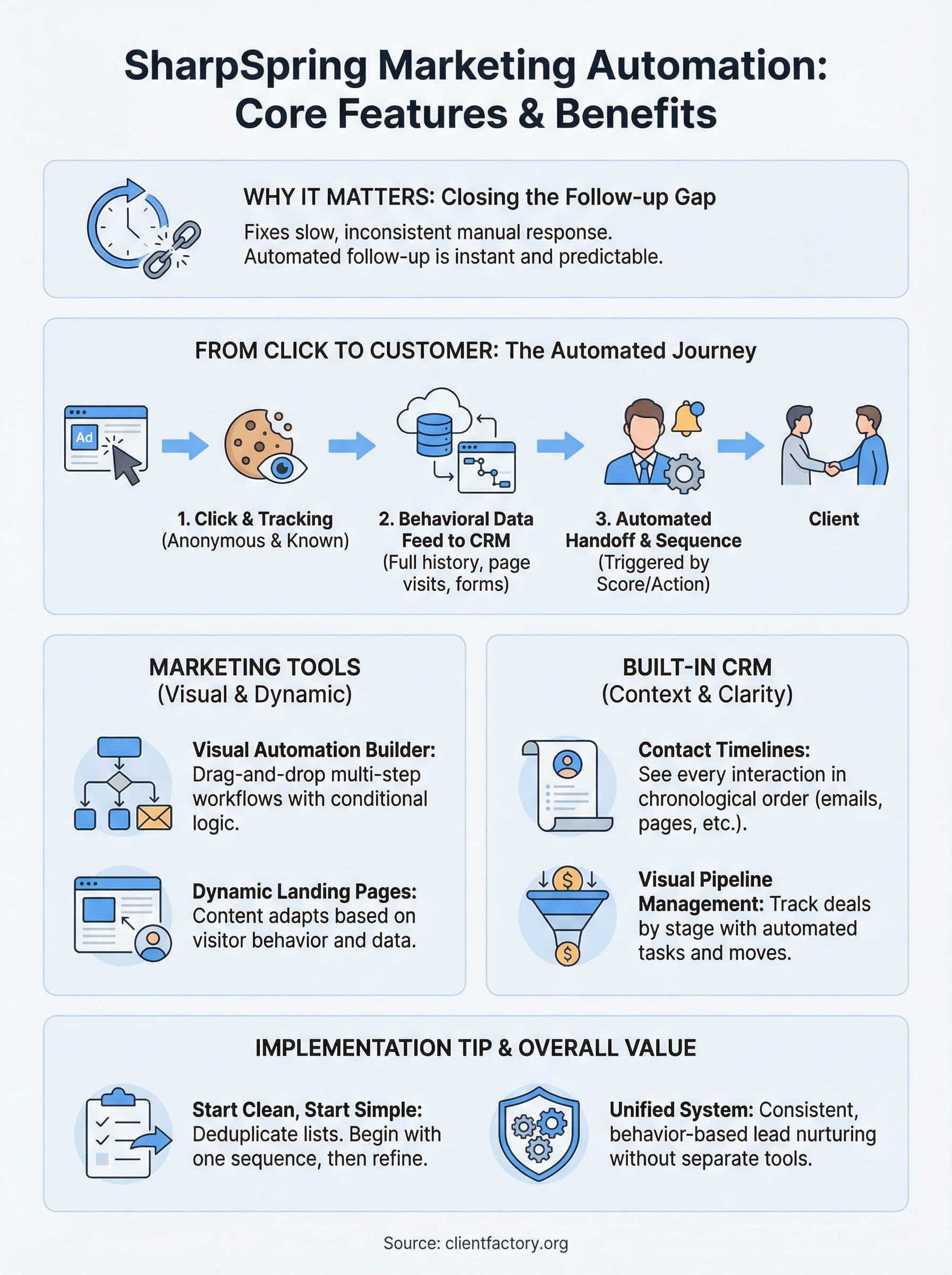
Most service businesses lose leads not because of bad ads or weak offers, but because follow-up is slow, inconsistent, or nonexistent. A potential client fills out a form on a Monday morning. Your team gets busy. By Wednesday, that person has already hired someone else. Marketing automation closes that gap by triggering personalized responses the moment someone takes action, whether that’s clicking an email, visiting a pricing page, or downloading a resource.
The businesses that win at client acquisition are not necessarily running better ads. They’re running better follow-up systems.
The cost of manual follow-up
When you rely on a sales rep or an admin to manually follow up with every lead, you introduce human error and delay into what should be a predictable process. One missed call means a lost client. One forgotten email means a cold prospect calls a competitor instead. At scale, those gaps become expensive. Automating follow-up sequences means your business responds consistently, around the clock, without adding headcount.
Research consistently shows that responding to a lead within five minutes dramatically increases your chance of conversion compared to waiting even an hour. Platforms built around marketing automation exist specifically to make that speed possible at scale, without requiring your team to monitor an inbox 24 hours a day.
Why mid-market businesses need the right tool
Many automation tools sit at one of two extremes: basic email platforms that track nothing beyond open rates, or enterprise systems that cost more than most agencies bill in a quarter. Sharpspring marketing automation targets the space in between, giving growing service businesses access to behavioral tracking, CRM integration, and multi-channel campaign tools without the overhead of a bloated enterprise license. For law firms and service companies managing dozens of active leads at once, that balance is genuinely useful.
How SharpSpring works from click to customer
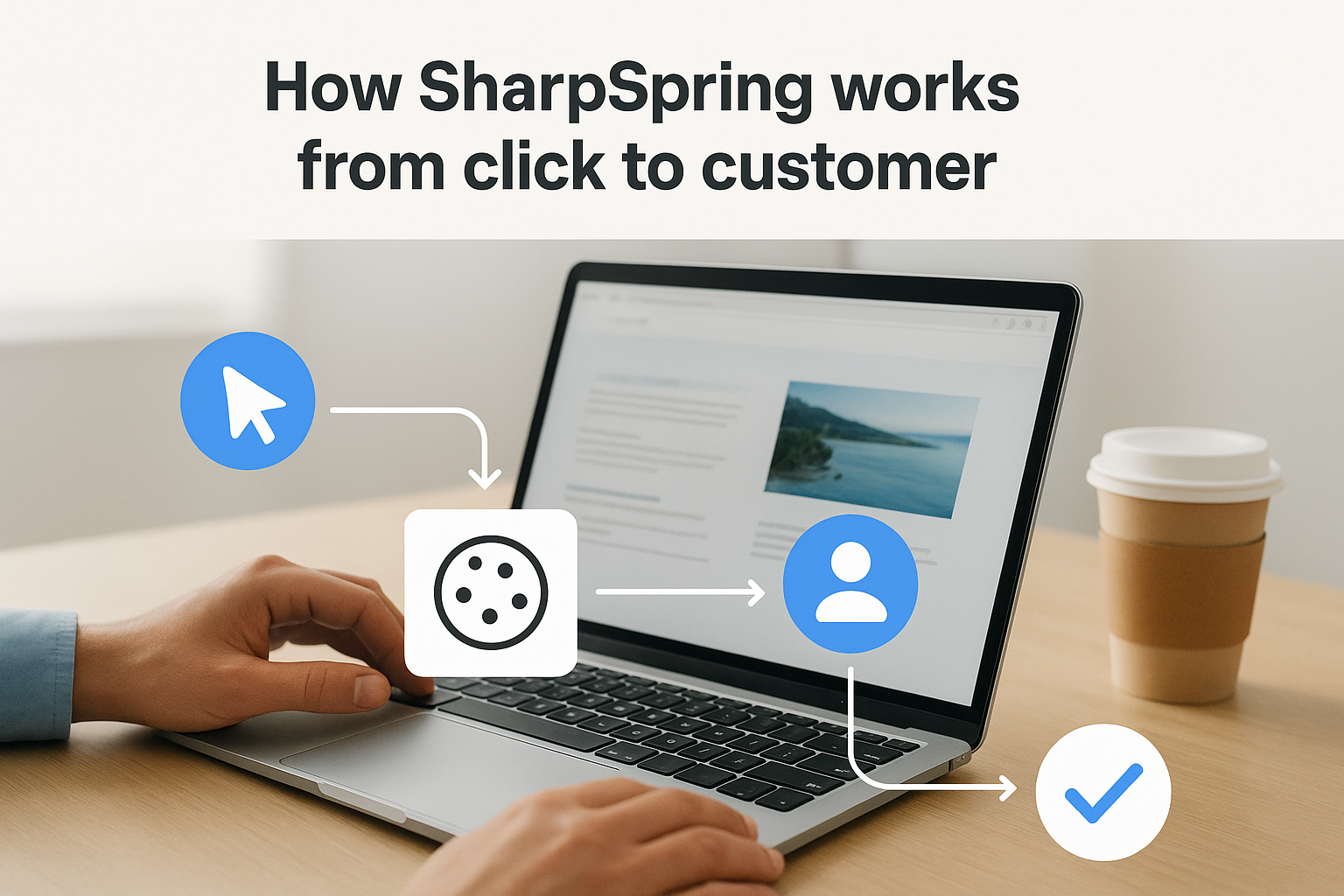
SharpSpring marketing automation tracks the full journey a prospect takes, from the first ad click to a signed contract. When someone lands on your site, SharpSpring drops a tracking cookie that records every page visit, every form submission, and every email interaction. That data feeds directly into the built-in CRM, so your sales team sees a complete behavioral history before picking up the phone.
Tracking visitor behavior before the form fill
Most platforms only capture data after someone fills out a form. SharpSpring tracks anonymous visitors from the moment they land on your site, attaching that history to a contact record the instant they convert. You get a timeline showing exactly which pages a prospect visited, how long they stayed, and what content moved them toward a decision.
Knowing what a prospect read before they called you changes the entire sales conversation.
Automating the handoff to sales
Once a lead hits a score threshold you define, SharpSpring automatically notifies your sales rep and triggers a follow-up sequence. You control the logic, deciding which actions move a lead forward. Here is what a basic automation flow looks like:
- Prospect visits your pricing page twice
- Lead score increases automatically
- Sales rep receives an immediate notification
- A personalized email sequence starts in the background
SharpSpring feature tour for marketers
SharpSpring marketing automation packs a wide set of tools into a single platform, and understanding what each one does helps you decide which parts of your funnel need the most attention. Three core marketing capabilities define what the platform offers: an email and automation builder, dynamic landing pages, and behavioral-based content personalization.
Email campaigns and automation builder
The visual automation builder lets you design multi-step workflows using a drag-and-drop interface. You map out triggers, delays, and branching logic without writing a single line of code. You can set a lead to receive one email if they visit a services page and a different one if they skip it entirely. That conditional logic keeps your messaging relevant instead of blasting the same content to every contact on your list.
Relevant emails convert at a significantly higher rate than generic broadcasts.
Landing pages and dynamic content
SharpSpring includes a built-in landing page builder that connects directly to your forms and CRM records. What makes it particularly useful for service businesses is dynamic content, which changes what a visitor sees based on their industry, location, or past behavior on your site. You build one page and let the platform handle the personalization automatically.
SharpSpring CRM features for sales teams
SharpSpring marketing automation bundles a full CRM directly into the platform, which removes the friction of syncing data between separate tools. Your sales team works from the same system your marketing team uses, so every lead arrives with context already attached, including form fills, email opens, and page visits.
Contact timelines and lead scoring
Each contact record in SharpSpring displays a chronological timeline of every interaction that prospect has had with your business. Your sales rep can see which emails the lead opened, which pages they visited, and how many times they returned to your site before reaching out. That history eliminates guesswork and lets your team open the first call with a relevant, targeted conversation.
Knowing a prospect spent 10 minutes on your case results page before calling tells you exactly what they care about.
Pipeline management
SharpSpring gives sales teams a visual pipeline view that shows every active deal by stage, so nothing slips through without someone noticing. You can set task reminders, assign contacts to specific reps, and move deals forward manually or through automated triggers tied to lead behavior. That keeps your entire team working from one accurate, real-time picture of the pipeline.

Implementation tips and common pitfalls
Getting sharpspring marketing automation running takes more than flipping a switch. Most teams underestimate the setup work involved in mapping workflows and building automation sequences, and that gap between expectation and reality causes real frustration early on.
Start with a clean contact list
Importing a messy contact list creates problems that compound over time. Duplicate records and stale emails will distort your lead scoring and inflate your engagement metrics, making it harder to trust the data driving your decisions. Before you import anything, deduplicate your list and remove contacts who have not engaged in the past 12 months.
Clean data going in means clean reporting coming out.
Avoid over-automating too early
A common mistake is building a complex, multi-branch workflow before you understand how your leads actually move through your funnel. Start with one simple sequence, run it long enough to gather real data, and adjust based on what you see. Adding complexity too fast produces automations nobody on your team fully understands, and broken logic is harder to fix than a simple sequence that needs refinement.
Wrap up and next steps
SharpSpring marketing automation gives service businesses a clear path from scattered lead management to a system that runs consistently. You get behavioral tracking, a built-in CRM, visual pipeline management, and email automation all under one roof, without paying for separate tools that never quite talk to each other. That combination matters most when your team manages multiple active leads and cannot afford to let follow-up slip.
The platform rewards teams that invest time upfront in clean data and straightforward workflows. Start with one sequence, measure what works, and build from there. If you’re still handling follow-up manually or relying on a basic email tool that tracks nothing beyond open rates, you’re losing conversions every single week without realizing it.
Your next move is finding out exactly where your current funnel is losing clients. Book a free conversion audit and we’ll walk through your entire setup with you.
