


Manual follow-ups, scattered lead data, and inconsistent nurturing campaigns drain time and cost you clients. HubSpot marketing automation solves these problems by letting you build systematic, repeatable processes that work while you focus on running your business. For service businesses and law firms especially, this kind of efficiency directly impacts revenue.
At Client Factory, we build client acquisition systems that convert clicks into paying clients, and marketing automation platforms like HubSpot often serve as the operational backbone. Understanding what this tool can actually do (beyond the sales pitch) helps you decide whether it fits your growth strategy or if you need a different approach entirely.
This guide breaks down HubSpot’s core automation features, explains how workflows function in practice, and covers the AI capabilities now built into the platform. You’ll also find resources for implementation so you can move from reading to actually using automation to generate and nurture leads more effectively.
Why HubSpot marketing automation matters
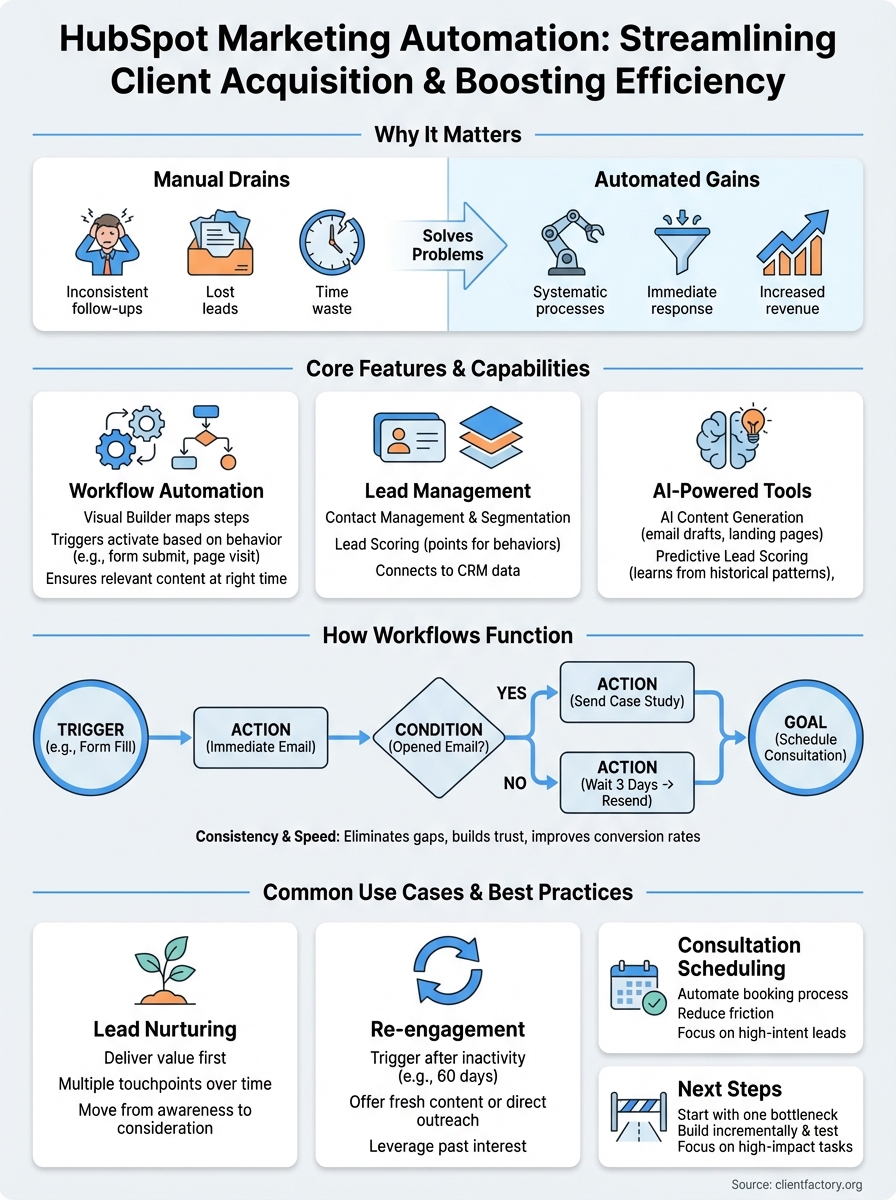
You lose qualified leads when follow-up timing misses the mark, emails don’t send consistently, or your team manually tracks every interaction. These gaps cost real money. HubSpot marketing automation eliminates this waste by handling repetitive tasks automatically, ensuring every prospect receives the right message at the right moment without you monitoring each step.
For service businesses and law firms, where client value runs high and acquisition cycles stretch across weeks or months, maintaining consistent contact throughout that journey determines who converts and who walks away. Automation keeps your nurture sequences running even when you’re meeting with existing clients, attending court, or focusing on billable work that actually generates revenue.
Manual marketing doesn’t scale, but automated systems do, letting you handle 100 leads with the same effort you’d spend on 10.
The operational impact on your business
Speed matters in competitive markets. When a prospect fills out a form at 9 PM, an automated response reaches them immediately instead of waiting until your team arrives the next morning. That responsiveness alone increases conversion rates because interested buyers receive information while their intent remains high. Competitors who respond slower lose the opportunity.
Beyond speed, consistency builds trust. Your automated workflows deliver the same quality experience to every lead, regardless of which team member originally captured the contact or what day of the week they inquired. This standardization prevents the gaps that occur when someone forgets a follow-up or leaves your company without proper handoff documentation. You maintain control over the entire client acquisition process from first touch through conversion.
Core features in HubSpot marketing automation
HubSpot marketing automation centers on workflow automation, which handles repetitive marketing tasks without manual intervention. The platform includes contact management, email sequencing, lead scoring, and segmentation tools that work together to move prospects through your acquisition process. These features connect directly to your CRM data, meaning automation decisions pull from real contact behavior rather than static lists that quickly become outdated.
Workflow builder and triggers
You create automation workflows using a visual builder that maps out each step in your process. Triggers activate workflows based on specific actions like form submissions, page visits, email opens, or property changes in your CRM. This trigger-based system ensures contacts receive relevant content when their behavior signals readiness, not according to arbitrary timing that ignores actual intent.
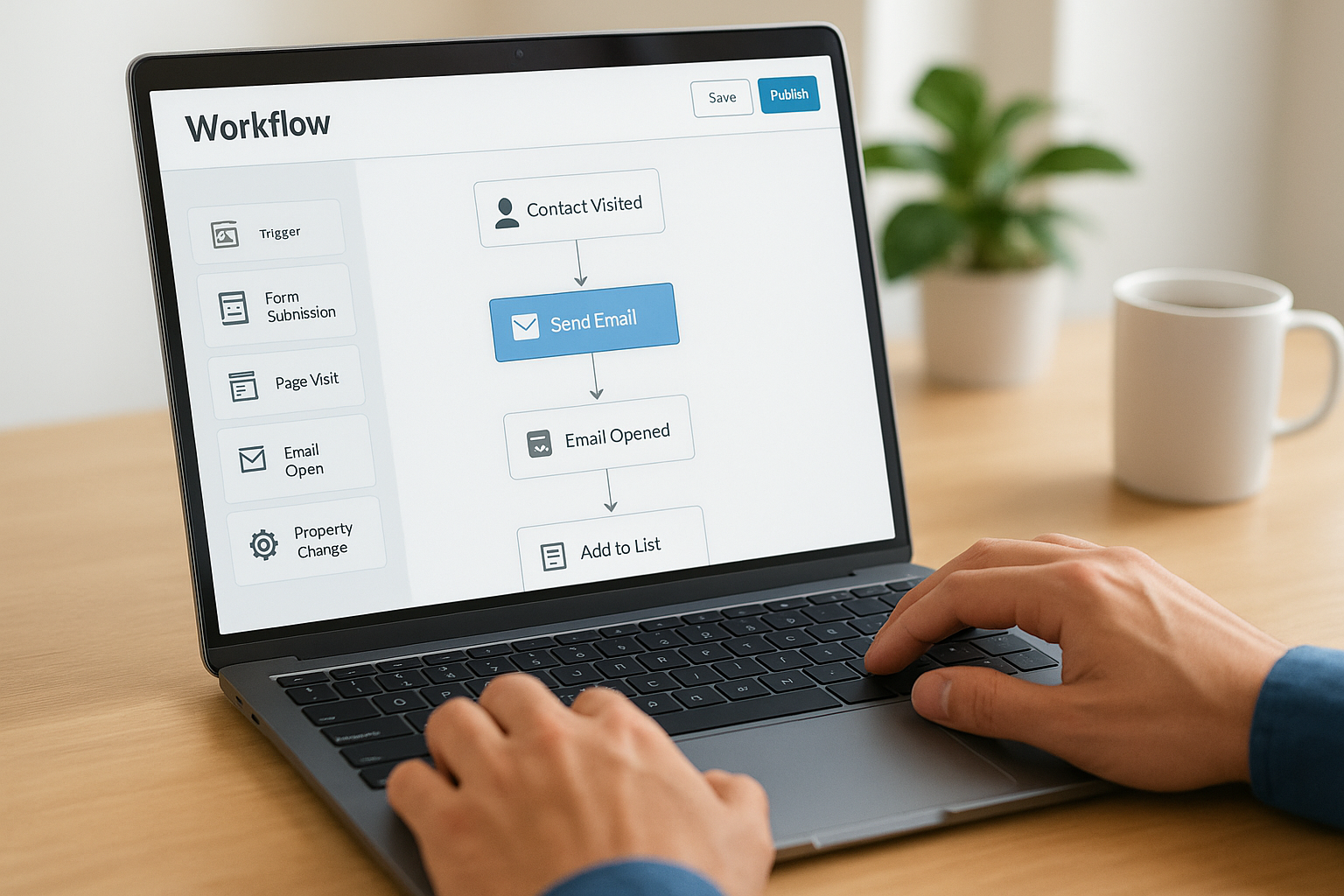
Workflows eliminate the gap between prospect action and your response, which directly impacts conversion rates.
Lead scoring and list segmentation
Built-in lead scoring assigns point values to contact behaviors and properties, automatically identifying which prospects deserve immediate attention versus long-term nurturing. Segmentation tools in hubspot marketing automation let you split your database into targeted groups based on industry, engagement level, or buying stage, ensuring each workflow delivers messages that match where contacts stand in your acquisition cycle.
How to build your first automation workflow
Building your first workflow starts with identifying one repetitive task that currently wastes your team’s time. Navigate to the Automation section in HubSpot, click "Create workflow," and select whether you want to trigger actions based on contact properties, form submissions, or specific behaviors. The platform walks you through configuration steps that determine when contacts enter your workflow and what happens next.
Choose your trigger and goal
Your trigger defines the starting point for automation. Form submissions work well for new lead nurturing, while page visits trigger workflows for contacts showing renewed interest in your services. Set a clear goal for what you want each workflow to accomplish, whether that means scheduling consultation calls, delivering educational content, or moving prospects from awareness to consideration. Clear goals let you measure whether your automation actually improves conversion rates.
Workflows fail when they automate the wrong process, so start with tasks that directly impact client acquisition.
Map the contact journey
Plan each step before building anything in HubSpot marketing automation. Your workflow might send an immediate thank-you email, wait three days, then send case studies based on the prospect’s industry. Add conditional splits that change the path based on email engagement or specific contact properties, ensuring different segments receive relevant content rather than generic messages that ignore their actual needs.
How HubSpot AI supports automation
HubSpot integrates AI capabilities directly into its automation platform, letting you generate email content, predict lead behavior, and optimize campaign timing without switching between separate tools. These AI features remove bottlenecks that slow down workflow creation, particularly when you lack dedicated copywriters or data analysts on your team. The platform uses machine learning models trained on billions of interactions to suggest improvements your automation might miss.
AI content generation
The built-in AI writer creates email drafts, subject lines, and landing page copy based on your campaign goals and target audience. You provide basic parameters like tone, industry, and desired action, then the system generates options you can edit before deployment. This speeds up workflow creation when you need multiple email variations for different segments but don’t want to write each version from scratch manually.
AI-generated content works as a starting point, not a replacement for understanding what actually converts your specific audience.
Predictive lead scoring
Traditional lead scoring assigns points based on rules you define, but AI-powered scoring in hubspot marketing automation analyzes historical conversion patterns to predict which contacts will likely become clients. The system adjusts scores automatically as it learns from your actual outcomes, identifying high-value prospects your manual rules might overlook because they don’t match obvious demographic criteria but exhibit behavioral signals that correlate with conversion.

Common use cases and best practices
Most businesses use hubspot marketing automation for lead nurturing, re-engagement, and consultation scheduling because these processes generate measurable revenue improvements when automated. Your workflows should address specific acquisition bottlenecks rather than automating everything at once, which creates complexity without clear ROI. Focus on the high-impact tasks that currently waste your team’s time or cause prospects to fall through gaps in your follow-up system.
Lead nurture sequences
New prospects need multiple touchpoints before they trust you enough to schedule a call or submit a consultation request. Set up workflows that deliver educational content over two to three weeks, gradually moving contacts from problem awareness to considering your specific services. Include conditional logic that adjusts the sequence based on email opens or content downloads, ensuring engaged prospects receive different messaging than those who ignore your emails entirely.
Effective nurture sequences deliver value first and sales pitches later, building trust before asking for commitment.
Re-engagement campaigns
Contacts who stopped responding still represent investment you’ve already made in acquisition. Build workflows that trigger after 60 or 90 days of inactivity, offering fresh content or direct outreach from your team. These campaigns often convert at surprisingly high rates because the contacts already know your business and may have experienced timing issues rather than lack of interest when they originally went quiet.
Next steps
HubSpot marketing automation gives you the tools to systematize your client acquisition without hiring additional staff or sacrificing the personal touch that converts prospects into paying clients. The platform handles repetitive follow-ups, delivers consistent messaging, and uses AI to optimize timing and content, letting your team focus on revenue-generating activities instead of manual email sends and spreadsheet updates.
Start with one simple workflow that addresses your biggest acquisition bottleneck, whether that means nurturing new leads, re-engaging cold prospects, or scheduling consultations more efficiently. Build incrementally rather than automating everything at once, testing each workflow against actual conversion data before adding complexity.
If your current marketing funnel isn’t converting clicks into clients the way you need, our team can identify exactly where prospects drop off and what automation would fix those gaps. Schedule a free funnel audit and we’ll show you specific improvements that increase client acquisition.
