

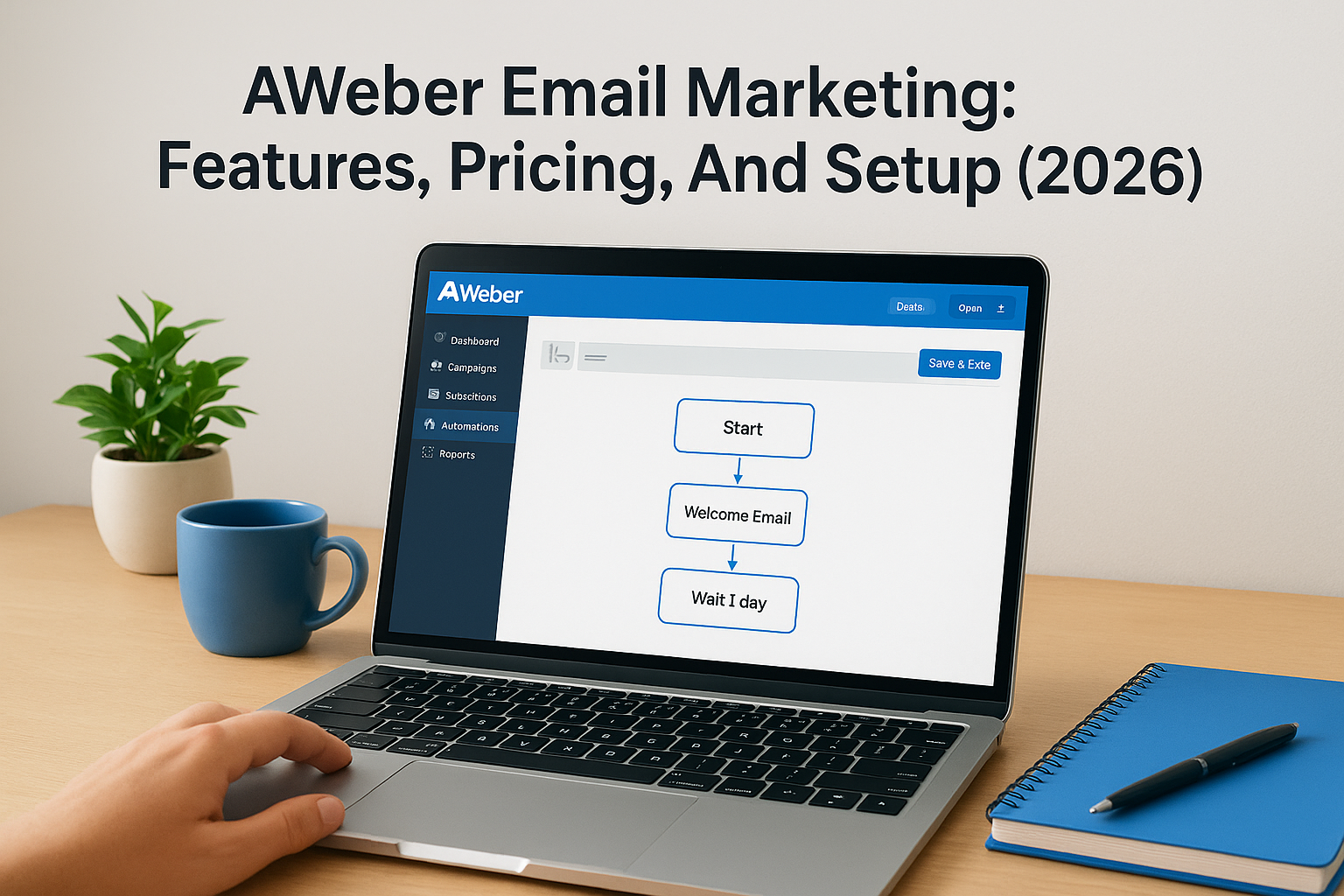
Email remains one of the most effective channels for turning leads into paying clients. For service businesses and law firms building out their marketing funnels, choosing the right platform matters. AWeber email marketing has been a go-to option for entrepreneurs and small businesses since 1998, offering tools designed to simplify list building, automation, and subscriber engagement. But is it the right fit for your business in 2026?
At Client Factory, we build client acquisition systems that convert, and email marketing sits at the heart of most successful funnels. We’ve tested dozens of platforms across hundreds of campaigns, which gives us a practical perspective on what actually works versus what just sounds good on a sales page. AWeber continues to earn attention because of its straightforward approach and reliable deliverability, two factors that directly impact your bottom line.
This guide breaks down AWeber’s features, pricing structure, and setup process so you can make an informed decision. Whether you’re comparing platforms or ready to launch your first campaign, you’ll walk away with a clear understanding of what AWeber offers and how it stacks up for businesses focused on growth. Let’s get into the details.
Why businesses use AWeber for email marketing
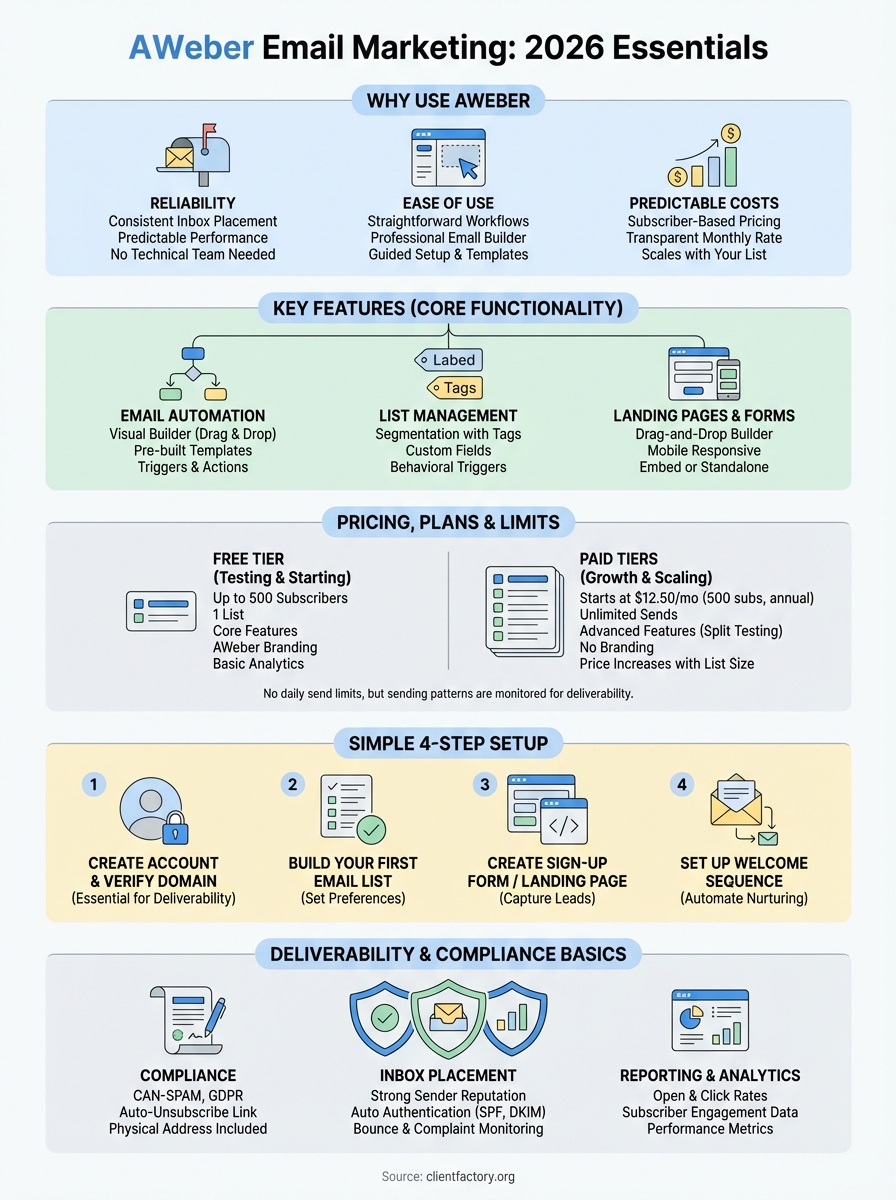
Service businesses and law firms choose platforms based on results, not features they’ll never use. AWeber has built its reputation on delivering consistent inbox placement and predictable performance without requiring a technical team to manage it. You get access to automation tools that actually work, support that responds when you need help, and pricing that makes sense as your list grows. These fundamentals matter more than flashy add-ons when your goal is converting subscribers into paying clients.
Reliability that converts leads into clients
Your emails need to reach inboxes to generate revenue. AWeber maintains strong sender reputation across major email providers, which translates to higher open rates and more opportunities to engage your audience. The platform handles the technical requirements like authentication protocols (SPF, DKIM, DMARC) automatically, so you don’t waste time troubleshooting deliverability issues that tank your campaigns before they start.
Businesses that depend on email for client acquisition can’t afford platforms that randomly throttle sends or flag legitimate messages as spam. AWeber’s infrastructure has proven itself over two decades of operation, processing millions of emails daily while maintaining relationships with inbox providers. This stability becomes critical when you’re running time-sensitive campaigns for events, consultations, or limited offers that drive your revenue.
Consistent deliverability matters more than any single feature because undelivered emails generate zero revenue.
Ease of use for non-technical teams
You shouldn’t need a developer to launch an email campaign. AWeber’s interface prioritizes straightforward workflows over complicated menus, which means your team can create, schedule, and analyze campaigns without constant training. The drag-and-drop editor lets you build professional-looking emails in minutes, and templates designed for service businesses help you maintain brand consistency across every message you send.
Most service businesses don’t have dedicated marketing teams sitting around waiting to troubleshoot software. AWeber recognizes this reality by offering guided setup processes and pre-built automation templates for common scenarios like welcome series, appointment reminders, and follow-up sequences. You click, customize, and launch rather than building complex logic from scratch.
Predictable costs that scale with your list
AWeber uses subscriber-based pricing that increases as your list grows, but you’ll know exactly what you’re paying each month. Unlike platforms that charge based on email volume or hide costs in usage fees, AWeber’s pricing structure remains transparent. You won’t get surprise bills because you sent an extra campaign or because your subscribers engaged more than expected.
For businesses building long-term client relationships, this pricing model aligns with growth. Your email marketing costs increase proportionally as your audience expands, which makes budget planning straightforward. You can forecast expenses accurately instead of dealing with variable costs that fluctuate based on activity levels.
The free tier supports up to 500 subscribers, giving you room to test the platform before committing budget. Once you outgrow that limit, paid plans start at reasonable monthly rates that remain competitive with alternatives targeting the same business segment. This approach works well for service businesses and law firms that need reliable tools without paying for enterprise features they’ll never use.
AWeber positions itself as the practical choice for businesses that value consistency over complexity. You get the core functionality required to build and maintain client relationships through email, backed by support infrastructure that actually responds when issues arise. The platform won’t win awards for cutting-edge innovation, but it delivers on the fundamentals that determine whether your aweber email marketing efforts generate revenue or just consume time.
AWeber features that matter in 2026
Features only matter if they help you convert subscribers into clients. AWeber focuses on core functionality that service businesses actually use rather than piling on tools that complicate your workflow. You get email automation, list segmentation, landing pages, and analytics that track the metrics affecting your revenue. The platform doesn’t chase every new trend, which means you spend time building campaigns instead of learning updated interfaces every quarter.
Email automation without the complexity
You can build automated sequences that nurture leads while you focus on client work. AWeber’s automation builder uses a visual interface where you drag triggers and actions into place, creating workflows that send the right message at the right time. Welcome series, abandoned consultation follow-ups, and re-engagement campaigns run automatically once you set them up.
The platform includes pre-built automation templates designed for common business scenarios, so you don’t start from scratch every time. You customize the messages and timing to match your service delivery process, then activate the workflow. Subscribers move through your sequence based on their actions, receiving targeted content that pushes them toward booking a call or signing a contract.
Automation converts leads into clients while you sleep, but only if the platform makes setup straightforward enough to actually finish.
List management and segmentation
Your subscribers have different needs based on where they sit in your funnel. AWeber lets you segment your list using tags, custom fields, and behavioral triggers so you can send relevant messages to specific groups. A prospect researching services receives different content than a client ready to book, and you control these distinctions without managing separate lists.
Tag-based organization keeps your database clean while giving you flexibility. You apply tags when subscribers join specific forms, click certain links, or open particular emails. These tags then trigger automation or help you create targeted campaigns that speak directly to subscriber interests rather than blasting generic messages to everyone.
Landing pages and sign-up forms
AWeber provides drag-and-drop landing page builders that let you create lead capture pages without touching code. Templates designed for service businesses give you starting points that convert, and you customize colors, images, and copy to match your brand. Forms embed on your existing website or stand alone as dedicated landing pages for specific campaigns.
The platform handles mobile responsiveness automatically, ensuring your forms display correctly regardless of device. You can A/B test different headlines or layouts to improve conversion rates, and built-in analytics show you which pages generate the most subscribers. Integration with your aweber email marketing automation means new sign-ups immediately enter your nurture sequences without manual intervention.
AWeber pricing, plans, and limits
Your budget decisions become easier when pricing structures make sense. AWeber uses subscriber-based pricing that scales with your list size rather than charging per email sent or hiding fees in usage calculations. You pay a monthly flat rate determined by the number of subscribers on your list, which means you can forecast costs accurately as your business grows. This transparency matters when you’re building client acquisition systems that depend on consistent email outreach without surprise billing.

Free plan capabilities and restrictions
AWeber offers a free tier that supports up to 500 subscribers and includes most core features needed to start building your list. You get access to email automation, landing pages, sign-up forms, and basic analytics without entering payment information. The platform limits you to one list and removes some advanced features like split testing, but you can still create effective campaigns that convert subscribers into consultation bookings.
The free plan works well for businesses testing aweber email marketing before committing budget or for those just starting list building. You’ll see AWeber branding on your emails and landing pages, which disappears once you upgrade to a paid plan. Most service businesses outgrow the 500-subscriber limit within their first few months of consistent lead generation, making this tier more suitable for testing than long-term use.
Paid tier structure and what you actually get
Paid plans start at $12.50 per month for up to 500 subscribers when billed annually, with pricing increasing as your list grows. Monthly billing costs more but gives you flexibility if you prefer shorter commitments. All paid tiers include unlimited email sends, automation, landing pages, and removal of AWeber branding from your messages.
You unlock advanced features like split testing and behavioral automation on paid plans, which help optimize conversion rates as your list expands. AWeber doesn’t gate critical functionality behind higher-priced enterprise tiers, so a business with 2,000 subscribers gets the same feature set as one with 10,000 subscribers, just at different price points based on list size.
Email volume and deliverability considerations
AWeber doesn’t impose daily sending limits like some competitors, but they monitor sending patterns to protect deliverability reputation. Sudden spikes in volume or complaints trigger automated reviews that might temporarily pause your account until resolved. You can send as many emails as needed to your subscriber base without worrying about per-message fees eating into your margins.
Unlimited sending only benefits you if your emails actually reach inboxes, which is why AWeber monitors account activity for spam signals.
The platform requires double opt-in by default, which reduces list quality issues but adds friction to your sign-up process. You can disable this requirement, but maintaining clean lists protects your sender reputation and improves long-term deliverability. These restrictions exist to keep the entire AWeber network healthy, which ultimately benefits your campaign performance.
How to set up AWeber step by step
Getting started with AWeber takes less than an hour if you follow the right sequence. The platform guides you through account creation, list setup, and your first campaign without overwhelming you with options. You’ll configure the essential components that determine whether your aweber email marketing actually converts subscribers into clients, starting with verification steps that protect your deliverability before you send a single message.
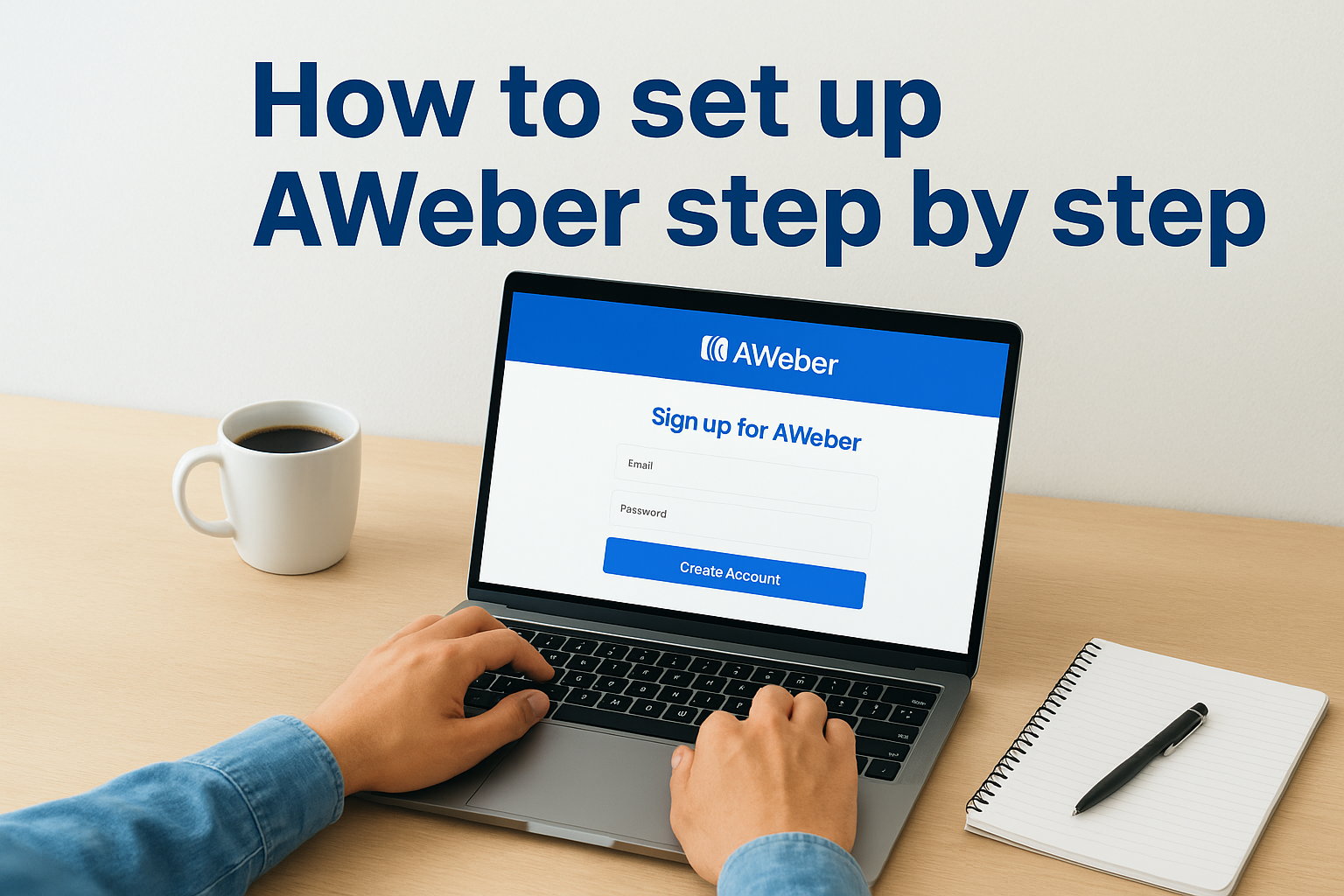
Create your account and verify your domain
You sign up at AWeber’s website using your business email address and create a password. The platform immediately prompts you to verify your domain, which involves adding DNS records provided by AWeber to your domain registrar. This step confirms you own the sending domain and establishes proper authentication protocols that inbox providers check before delivering your emails.
Domain verification typically takes 24 to 48 hours to propagate fully across the internet. You can skip this step initially, but unverified domains face deliverability penalties that reduce open rates and increase spam folder placement. Most businesses complete verification before building lists to avoid sending campaigns from an unverified account that tanks performance from day one.
Build your first email list
AWeber walks you through list creation by asking basic questions about your business and subscribers. You name your list, provide a physical mailing address (required by law), and set preferences for double opt-in confirmation. The platform creates a default confirmation email that new subscribers receive, which you should customize to match your brand voice before collecting sign-ups.
Your list settings determine how subscribers join and what information you collect. Custom fields let you capture additional data beyond email addresses, like phone numbers or service interests, which improves segmentation capabilities later. You can add multiple lists to your account, but most service businesses start with one list and use tags to organize subscribers instead.
Create a sign-up form or landing page
The drag-and-drop builder lets you create embedded forms or standalone landing pages in minutes. You select a template designed for your industry, customize the headline and button text, then connect it to your list. Forms automatically apply tags when subscribers join, which triggers automation without additional setup steps.
Your sign-up form determines list quality more than any other element, so test different offers until you find what converts your specific audience.
AWeber generates embed code for forms that you paste into your website, or you publish landing pages directly on AWeber’s servers. Mobile optimization happens automatically, ensuring forms display correctly regardless of device.
Set up your first automated welcome sequence
Navigate to the automation builder and select the welcome series template to create your first sequence. You customize each email in the series, set delays between messages, and activate the workflow. New subscribers automatically enter this sequence when they join your list, receiving your introductory content without manual sending.
The welcome sequence typically includes three to five emails that introduce your services, establish credibility, and guide subscribers toward booking a consultation. You write these messages once, then the automation handles delivery based on each subscriber’s join date rather than sending everything at the same time to your entire list.
Deliverability, compliance, and reporting basics
Your campaigns fail if emails never reach inboxes or if you violate regulations that trigger fines. AWeber handles most technical requirements automatically, but you need to understand deliverability fundamentals and compliance basics that directly impact campaign performance. The platform provides reporting tools that show you what’s working and what needs adjustment, giving you data to optimize your aweber email marketing without guessing which changes improve conversion rates.
CAN-SPAM compliance and legal requirements
AWeber enforces CAN-SPAM Act requirements by default, which protects your business from legal issues while maintaining list quality. Every email includes an unsubscribe link, your physical business address, and accurate sender information without you manually adding these elements. The platform blocks campaigns that violate these rules, preventing accidental violations that carry penalties up to thousands of dollars per message.
You still control your messaging and timing, but AWeber’s infrastructure ensures compliance with international regulations like GDPR for European subscribers. The platform provides tools to collect proper consent, manage data access requests, and document subscriber preferences that regulators might audit. These protections matter because violations damage your reputation and drain resources fighting legal battles instead of growing your business.
Inbox placement and deliverability monitoring
AWeber monitors your sender reputation and provides alerts when metrics indicate potential deliverability problems. You see bounce rates, complaint percentages, and engagement statistics that signal whether inbox providers trust your messages. High bounce rates or spam complaints trigger automatic reviews that might pause sending until you clean your list or adjust content that triggers filters.
Deliverability protection exists to maintain platform-wide reputation, which directly benefits your individual campaign performance by keeping AWeber domains trusted.
The platform automatically handles authentication protocols including SPF, DKIM, and DMARC once you verify your domain. These technical requirements prove to inbox providers that you’re a legitimate sender rather than a spammer spoofing your domain. Most users never interact with these settings directly, but they run in the background protecting your ability to reach subscriber inboxes consistently.
Analytics and performance metrics
Your dashboard displays open rates, click-through percentages, and unsubscribe numbers for every campaign you send. AWeber tracks which links subscribers click, what time they open emails, and which messages generate the most engagement. You use this data to refine subject lines, adjust send times, and identify content topics that resonate with your specific audience.
Subscriber activity feeds show you individual engagement patterns, helping you spot hot leads ready for sales conversations versus cold contacts needing more nurture. You can export data for deeper analysis or integrate with analytics platforms if you need more sophisticated reporting than AWeber’s native tools provide.
Your next steps
You now understand how aweber email marketing works, what it costs, and how to configure your account for reliable performance. The platform gives you core automation tools and predictable pricing that scale with your list size, making it a practical choice for service businesses and law firms building client acquisition systems. Your decision comes down to whether AWeber’s straightforward approach matches your technical comfort level and growth timeline.
Start with the free tier to test deliverability and interface fit before committing budget. Build a welcome sequence, create your first landing page, and send a few campaigns to evaluate whether the platform supports your conversion goals. Most businesses know within 30 days if a tool fits their workflow or creates friction.
Email marketing converts best when it connects to a complete acquisition system that moves prospects from awareness to signed contracts. If you need help building funnels that actually generate revenue, Client Factory designs data-driven client acquisition strategies for businesses ready to scale beyond basic email campaigns.
