

Email marketing remains one of the most effective ways to nurture leads and convert them into paying clients. Mailchimp email marketing has become a go-to platform for businesses of all sizes, offering tools that range from basic newsletters to sophisticated automation sequences that keep your brand top of mind.
At Client Factory, we build client acquisition systems for service businesses and law firms, and email marketing is a critical piece of that puzzle. Whether you’re evaluating Mailchimp for the first time or reconsidering your current setup, understanding how the platform actually works, what each pricing tier includes, and how to configure it correctly can make the difference between campaigns that convert and emails that get ignored.
This guide covers Mailchimp’s core features, breaks down the pricing plans so you know exactly what you’re paying for, and walks you through setup from start to finish. By the end, you’ll have a clear path to launching email campaigns that support your broader client acquisition goals.
What Mailchimp email marketing includes
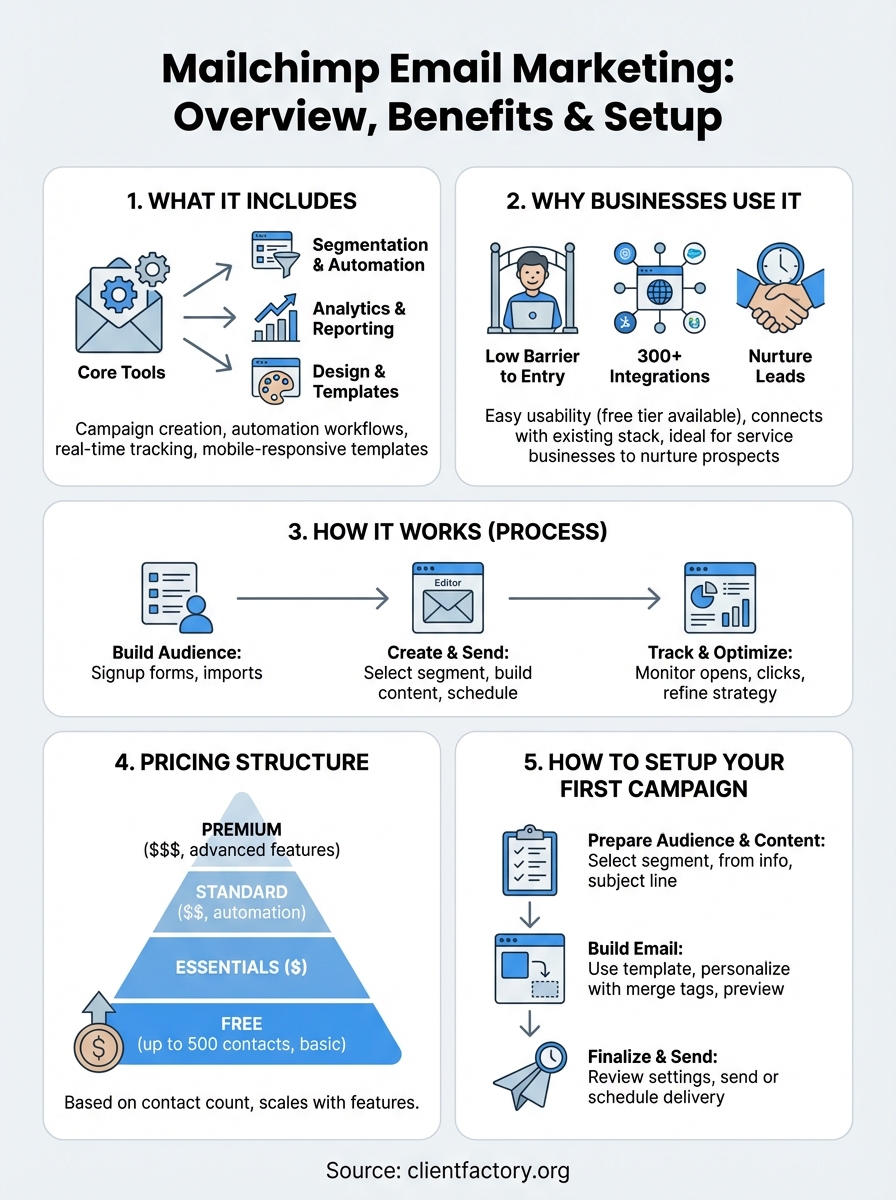
When you sign up for Mailchimp, you’re getting more than just a tool to send newsletters. The platform bundles campaign creation tools, automation workflows, and audience management features into a single interface that supports everything from basic promotional emails to complex drip sequences. Your specific access depends on the plan you choose, but even the free tier gives you enough functionality to start building an email list and sending regular campaigns.
Understanding what’s actually included in Mailchimp email marketing helps you evaluate whether the platform fits your business model. The feature set goes beyond templates and send buttons, extending into behavioral triggers, segmentation logic, and integration capabilities that connect your email efforts to the rest of your marketing stack.
Core campaign tools
Mailchimp’s campaign builder lets you create standard email campaigns, A/B tests, and automated series without needing coding skills. You select an audience segment, choose a template or build from scratch using the drag-and-drop editor, and schedule your send time. The interface supports dynamic content blocks that change based on subscriber data, so you can personalize messages beyond just inserting a first name.
The platform also includes a content studio where you store images, logos, and branded assets you use repeatedly across campaigns. This keeps your design elements organized and ensures consistency when multiple team members work on different emails. You can tag and search assets, making it faster to assemble campaigns as your library grows.
Automation and segmentation features
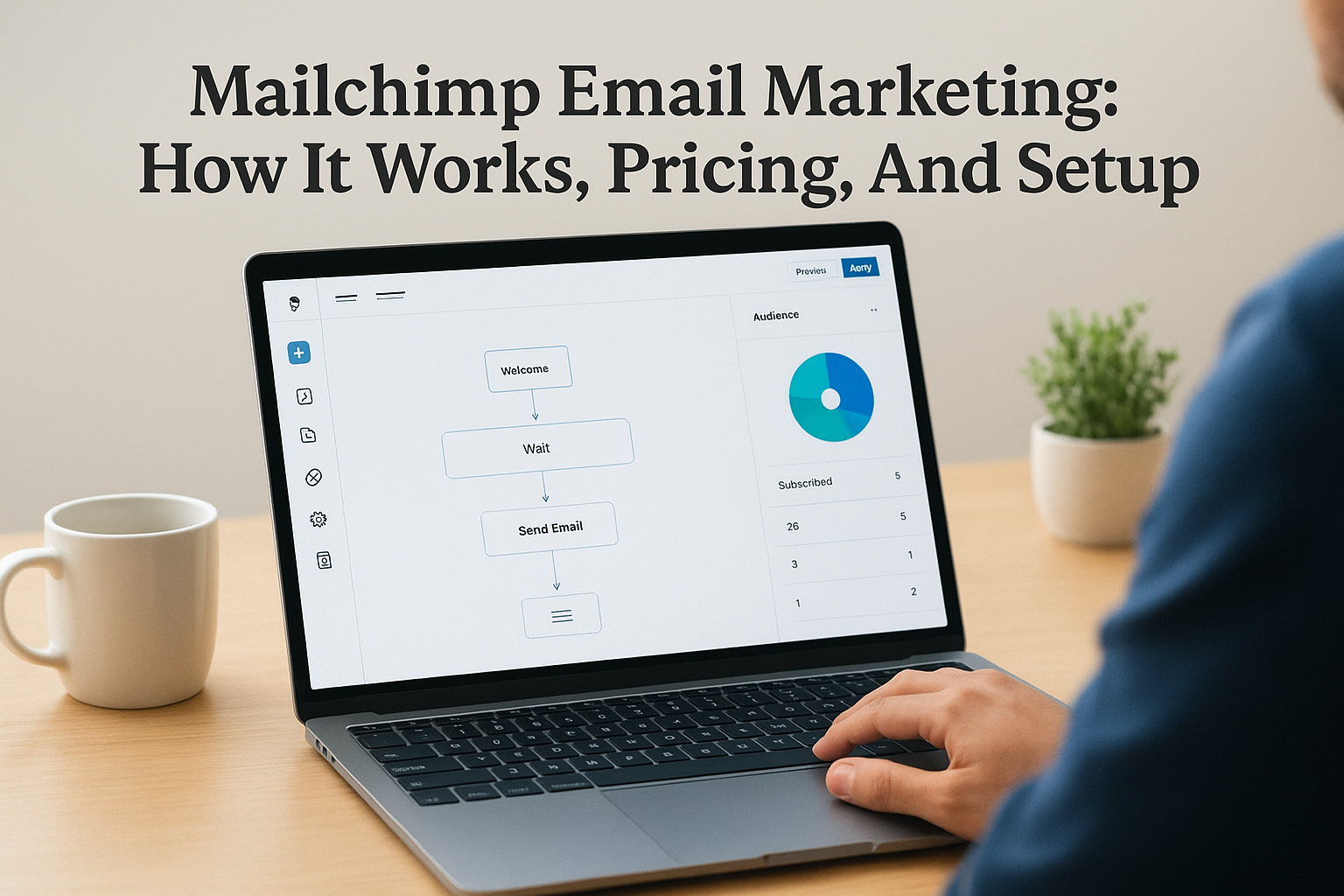
Automation workflows trigger emails based on specific subscriber actions like signing up, clicking a link, or abandoning a cart if you’re running e-commerce. You map out the sequence visually, setting delays between messages and adding conditional logic that sends different follow-ups depending on how someone engages. Paid plans unlock more sophisticated automation paths, but basic workflows are available on all tiers.
Segmentation determines who receives which message, and Mailchimp lets you slice your audience by demographics, behavior, purchase history, and custom fields you define.
You can create segments that update automatically as subscriber data changes, ensuring your targeting stays accurate without manual list updates. This capability becomes critical as your list grows and you need to send relevant content to different customer types without overwhelming people with irrelevant offers.
Analytics and reporting capabilities
After you send a campaign, Mailchimp tracks open rates, click-through rates, bounce rates, and unsubscribes in real time. The dashboard shows which links got the most clicks, what time your audience is most active, and how your performance compares to industry benchmarks. Higher-tier plans add features like comparative reporting that analyzes trends across multiple campaigns and revenue tracking that ties email activity directly to sales.
You can also monitor individual subscriber activity, seeing exactly which emails someone opened and which links they clicked. This data feeds back into your segmentation strategy, letting you target highly engaged subscribers differently from those who rarely interact with your content.
Design and template resources
Mailchimp provides pre-built templates organized by goal, like promoting a sale, announcing an event, or nurturing new leads. Each template is mobile-responsive and customizable through the visual editor, where you adjust colors, fonts, images, and layout without touching code. If you need more control, you can edit the underlying HTML directly or build templates from scratch.
The platform includes basic image editing tools within the email builder itself, so you can crop, resize, and apply filters to images without switching to external software. This speeds up campaign creation when you need to make quick adjustments to visuals before sending.
Why businesses use Mailchimp for email marketing
Businesses choose Mailchimp email marketing for reasons that go beyond name recognition. The platform removes technical barriers that often prevent companies from launching their first campaigns, while still offering enough advanced functionality to support growing businesses that need sophisticated automation. You get immediate access to tools that would otherwise require multiple subscriptions or custom development work.
Service businesses and law firms specifically benefit from Mailchimp’s ability to nurture prospects over time without manual follow-up for every contact. When you capture leads through your website or paid advertising, email becomes the bridge between initial interest and booking a consultation. The platform handles the technical delivery and tracking while you focus on crafting messages that move people toward becoming clients.
Low barrier to entry and usability
You can set up an account and send your first campaign within minutes, not days. Mailchimp’s free tier lets you test the platform with up to 500 contacts and 1,000 monthly sends, which is enough to validate your email strategy before committing budget. The interface requires no coding knowledge, so you don’t need to hire a developer just to send newsletters or set up basic automation.
The visual workflow builder makes it simple to create multi-step sequences that respond to subscriber behavior without getting lost in complex logic trees.
This accessibility matters when you’re managing client acquisition internally and can’t dedicate full-time resources to email marketing. You train someone on the platform in an afternoon rather than weeks, and they can start producing results quickly.
Integration ecosystem that connects your stack
Mailchimp connects to over 300 tools including CRM systems, e-commerce platforms, and analytics software you likely already use. These integrations sync contact data automatically, trigger campaigns based on actions taken in other systems, and feed email engagement back into your broader marketing analytics. You avoid manual data exports and ensure your email list stays current as your database grows.
For service businesses tracking leads through multiple touchpoints, this connectivity lets you see email performance alongside other channels and understand which campaigns actually contribute to new client acquisition rather than just generating opens and clicks.
How Mailchimp email marketing works
The mechanics behind Mailchimp email marketing follow a straightforward process that starts with your audience and ends with measurable results. You build a contact list, create campaigns that target specific segments, send those campaigns through Mailchimp’s infrastructure, and track how recipients interact with your emails. Each step feeds data back into the system, which you use to refine future campaigns and improve performance over time.
Understanding this workflow helps you plan campaigns that align with actual subscriber behavior rather than guessing what might work. The platform handles technical aspects like email deliverability and server management while you focus on strategy and content that converts readers into clients.
Building and managing your audience
You add contacts to Mailchimp through signup forms, manual imports, or integrations with other platforms you already use. Every contact lands in your audience database where you assign tags, add custom fields, and track engagement history. The system automatically updates subscriber status when someone opens an email, clicks a link, or bounces, keeping your list clean without constant manual maintenance.
Your audience grows most effectively when you connect Mailchimp to your website and capture leads directly rather than uploading static spreadsheets that go stale quickly.
Segments let you slice this audience into groups based on criteria you define, like location, purchase history, or how recently someone joined your list. These segments update dynamically as subscriber data changes, so a campaign targeting new subscribers always reaches people who joined within your specified timeframe.
Creating and sending campaigns
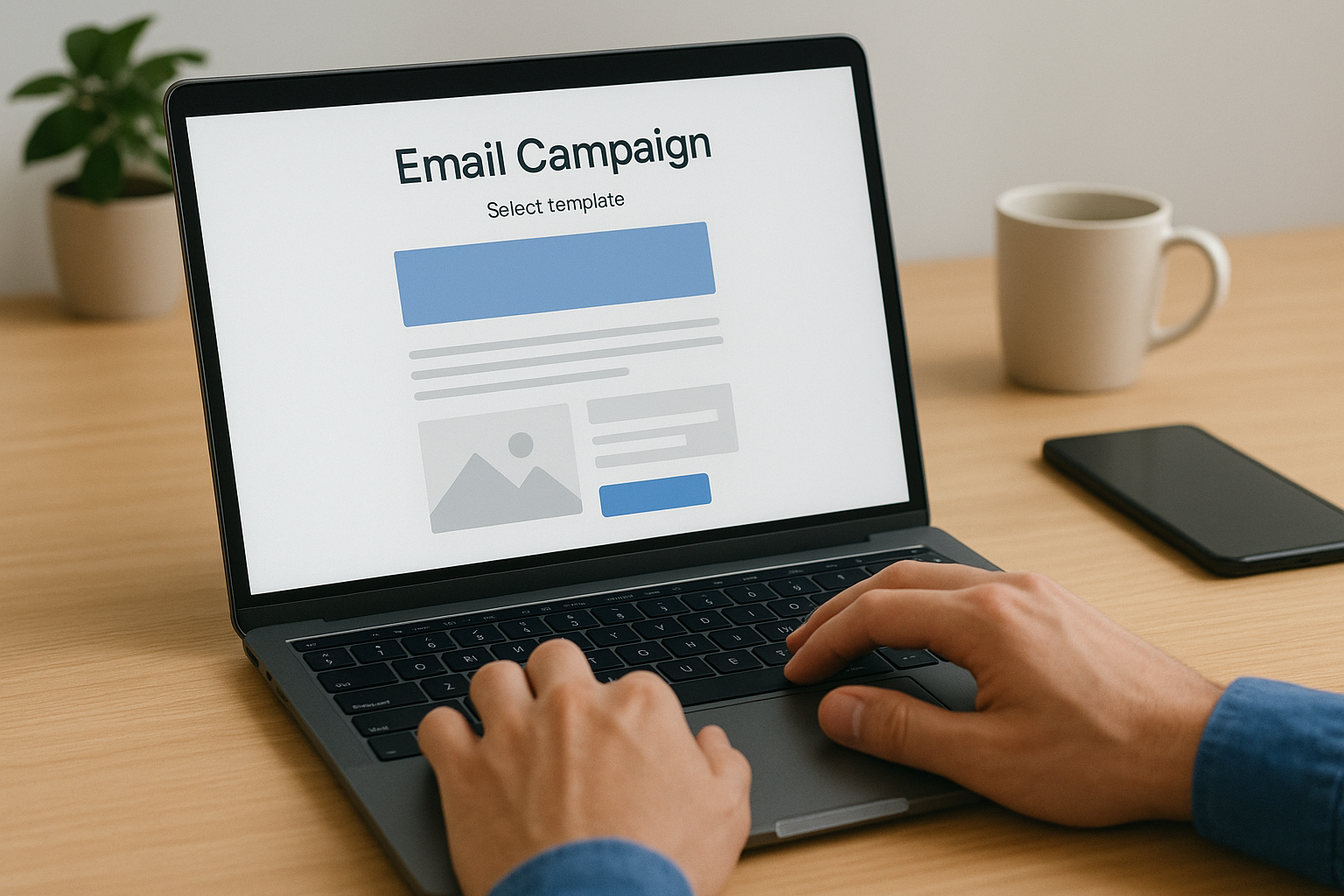
Campaign creation starts with selecting your target segment and choosing either a template or building from scratch. You add content blocks for text, images, buttons, and dividers using the drag-and-drop editor, then personalize elements with merge tags that pull subscriber data like names or company information. Before sending, you preview how the email looks on different devices and run a test send to check formatting.
Mailchimp routes your campaign through its delivery infrastructure when you hit send, managing authentication protocols and bounce handling automatically. Your emails reach inboxes without you needing to configure SMTP servers or worry about deliverability issues that come with self-hosted solutions.
Tracking results and optimizing
After delivery, Mailchimp records every open, click, and unsubscribe in real time. You see which links performed best, what time generated the most engagement, and how your campaign compares to similar businesses in your industry. This data appears in visual dashboards that highlight trends without requiring spreadsheet analysis.
You use these insights to adjust future campaigns, testing different subject lines, send times, and content formats based on actual subscriber behavior rather than assumptions.
Mailchimp pricing explained for email marketing
Understanding Mailchimp email marketing pricing helps you budget correctly and avoid paying for features you won’t use. The platform operates on a tiered structure that starts with a free option and scales up based on contact count and functionality. Each tier unlocks additional automation capabilities, support options, and advanced analytics that become relevant as your email strategy matures.
Pricing increases as your subscriber list grows, regardless of which plan you choose. You pay based on the number of contacts in your audience, not how many emails you send, which means adding 5,000 subscribers costs more than maintaining 500 even if you send the same monthly volume.
Free plan limitations and what you get
Mailchimp’s free tier supports up to 500 contacts and allows 1,000 monthly sends, giving you enough runway to test the platform before committing budget. You access basic email templates, the drag-and-drop builder, and standard signup forms that capture new subscribers. Single-step automation is included, which lets you send one welcome email when someone joins your list.
The free plan restricts you from A/B testing, advanced segmentation, and behavioral automation that triggers emails based on specific actions.
You also see Mailchimp branding on your emails and lack access to phone support, relying instead on email help and the knowledge base. This tier works for businesses just starting with email or testing simple campaigns before scaling up.
Paid plans and feature progression
The Essentials plan starts around $13 monthly for 500 contacts and removes Mailchimp branding while adding A/B testing and basic automation workflows. You get email and chat support plus the ability to schedule sends in advance. Standard plans begin near $20 monthly and unlock behavioral automation, custom templates, and predictive segmentation that uses machine learning to identify your best engagement opportunities.
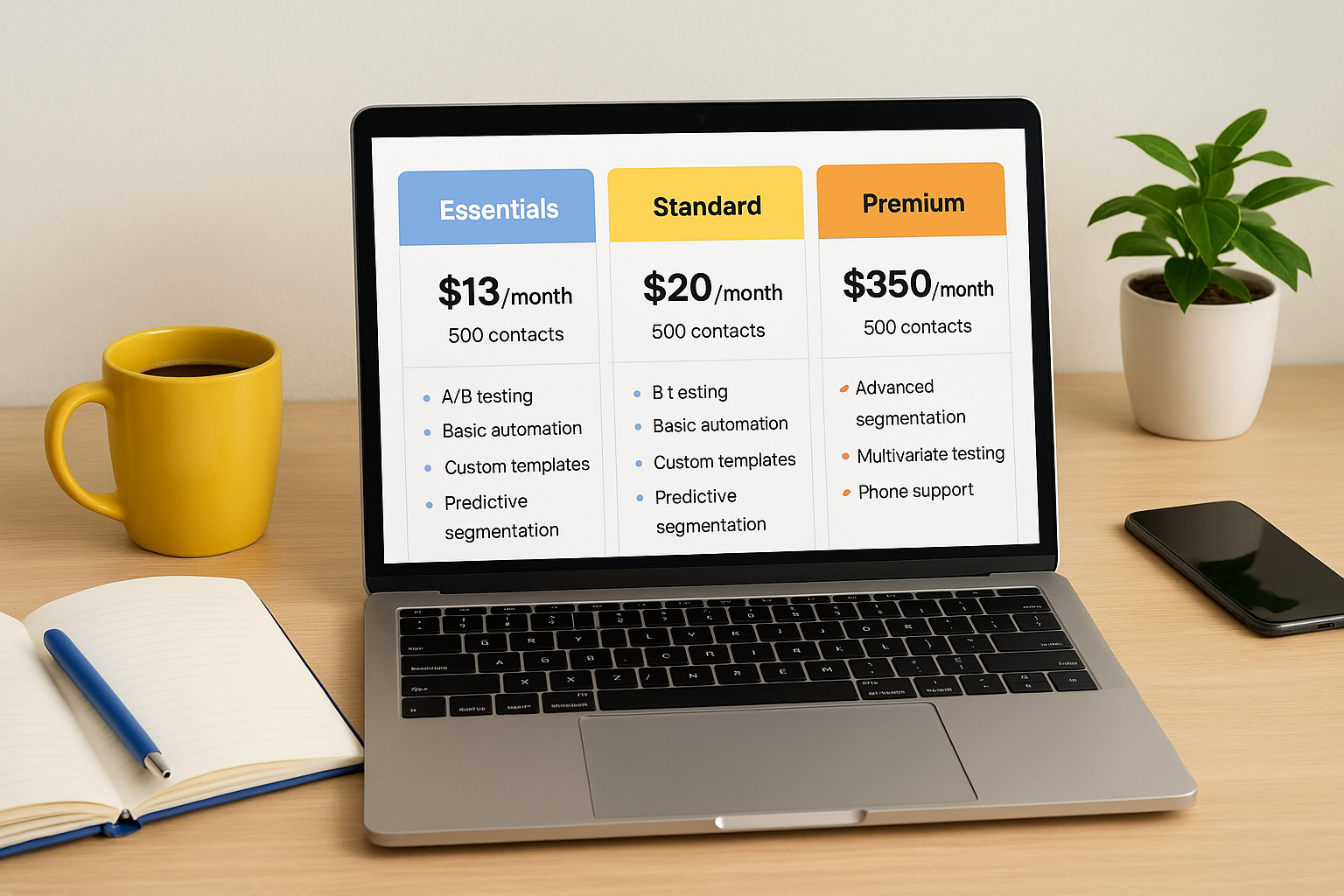
Premium tiers start around $350 monthly and include advanced segmentation, multivariate testing, and phone support with priority queue access. These plans make sense when you manage multiple campaigns simultaneously and need sophisticated automation that responds to complex subscriber behavior patterns.
Choosing the right plan for your needs
Start by calculating your current contact count and projecting growth over the next six months. If you have under 500 subscribers and send simple newsletters, the free plan handles your needs. Service businesses running lead nurture sequences need at least the Essentials tier to access automation that follows up with prospects automatically.
Most businesses generating leads through paid advertising benefit from Standard plans that provide behavioral triggers and detailed analytics showing which campaigns actually drive consultations or purchases. You upgrade when your current tier limits campaign effectiveness, not just because features sound appealing.
How to set up your first Mailchimp campaign
Setting up your first campaign in Mailchimp email marketing takes fewer steps than most platforms, but getting the configuration right from the start prevents delivery issues and ensures accurate tracking. You create campaigns from the main dashboard where you define your audience segment, build your message, and schedule delivery. The process follows a linear workflow that walks you through each decision point without overwhelming you with options.
Preparing your audience and content
Start by navigating to the Campaigns tab and clicking Create Campaign, then select Email as your campaign type. You choose your recipient list first, which can be your entire audience or a specific segment you defined earlier based on tags, location, or engagement history. Name your campaign something descriptive that you’ll recognize later when reviewing analytics, like "January Newsletter" or "New Client Welcome Series."
Next, you fill in the from name and from email address that appear in subscriber inboxes. Use a recognizable sender name like your company name or your own name if you’re building personal connections, and choose an email address people can reply to if they have questions. Your subject line determines whether people open your email, so test different approaches that highlight value or create urgency without resorting to spam triggers like all caps or excessive punctuation.
Building your email content
Click the Design Email button to access Mailchimp’s template library or start with a blank canvas. Templates organize by goal, like promoting a product, sharing news, or nurturing leads. You customize layouts using the drag-and-drop editor where you add text blocks, images, buttons, and dividers by clicking elements in the sidebar and positioning them where you want.
Personalize your message by inserting merge tags that pull subscriber data like first names or company information, making each email feel tailored rather than mass-produced.
Preview your email on desktop and mobile before moving forward to ensure formatting looks clean across devices. Mailchimp flags common mistakes like broken links or missing unsubscribe options before you proceed.
Finalizing and sending
Review all settings in the final checklist Mailchimp generates, confirming your recipient count matches expectations and your tracking options are enabled for opens and clicks. You choose to send immediately or schedule for a specific date and time based on when your audience typically engages most.
After sending, monitor the campaign dashboard for real-time performance data showing opens, clicks, and any delivery issues that need attention. This feedback informs your next campaign’s strategy and helps you refine targeting over time.
Where to go from here
You now have everything needed to launch Mailchimp email marketing campaigns that support your client acquisition goals. Start by setting up your account and building your first audience segment based on where prospects currently sit in your buying journey. Create a simple welcome automation that introduces new subscribers to your services and establishes credibility from the first touchpoint.
Test different campaign formats over the next few weeks to learn what resonates with your specific audience. Track which subject lines generate opens, which content drives clicks, and which sequences actually lead to consultation bookings or purchases. Your first few campaigns provide baseline data that informs every decision moving forward, eliminating guesswork from your email strategy as you scale.
If you need help building email campaigns that integrate with a broader client acquisition system, Client Factory specializes in creating conversion funnels for service businesses and law firms. We combine email marketing with paid advertising and optimized landing pages to generate qualified leads that turn into paying clients consistently.
