

You need a landing page that converts visitors into leads, but designing one from scratch in HubSpot eats up time you don’t have. Wrestling with layout decisions, module placement, and responsive design pulls you away from what matters: getting your offer in front of prospects. HubSpot landing page templates solve this by giving you proven structures you can deploy in minutes instead of days.
This guide walks you through 15 free and paid template options for HubSpot in 2026. You’ll see everything from Client Factory’s custom service business templates to native HubSpot designs, marketplace themes, and third party integrations. Each section breaks down what the template delivers, who it works best for, and how to actually use it in your account. By the end, you’ll know exactly which template fits your funnel and how to get it live fast.
1. Client Factory custom HubSpot templates
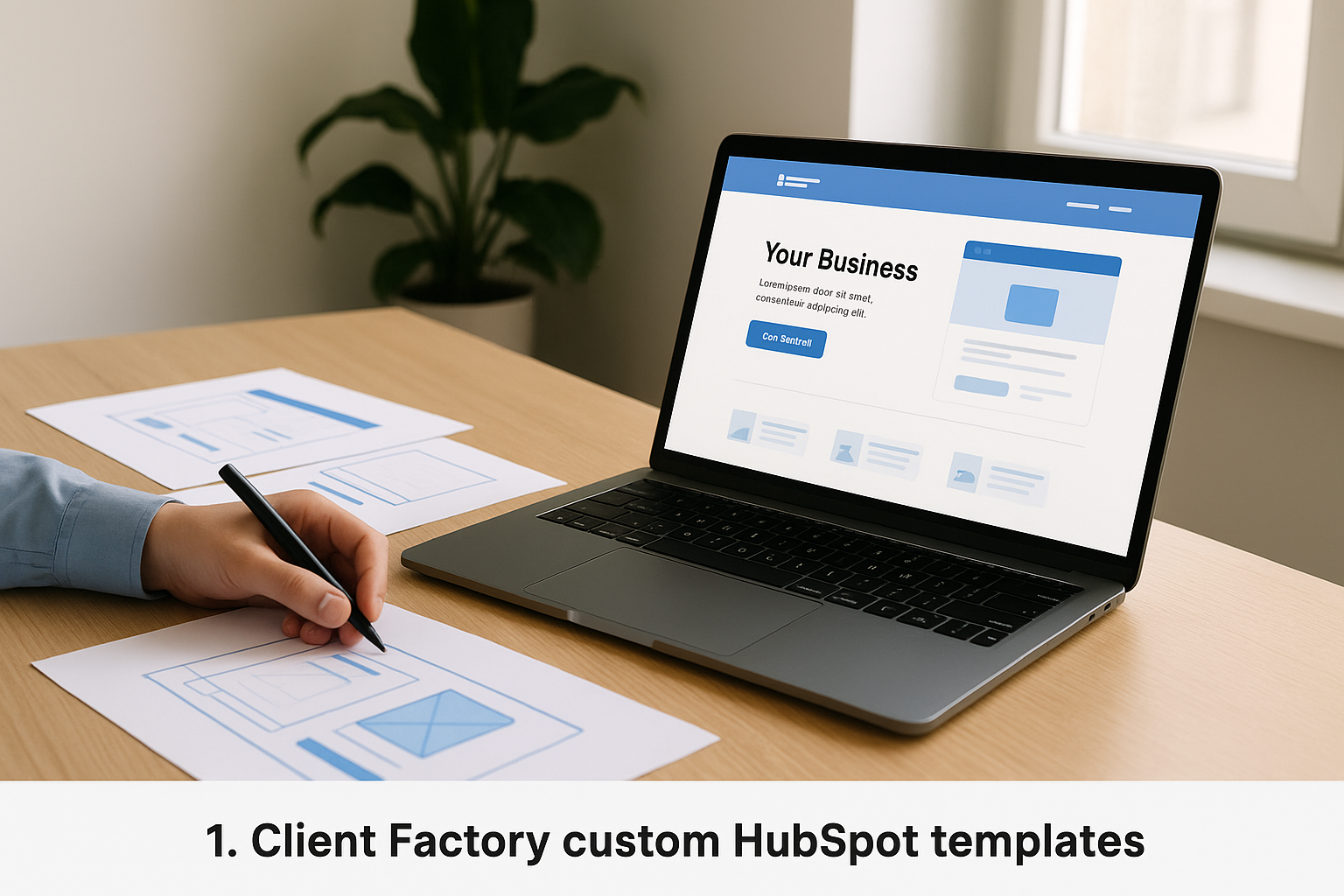
Client Factory builds custom HubSpot landing page templates designed specifically for service businesses and law firms running client acquisition campaigns. Unlike generic templates, these designs integrate directly with your existing marketing funnel and include strategic elements like trust signals, social proof placement, and conversion optimized forms. The team handles both design and technical setup inside your HubSpot portal, delivering templates you own outright and can clone for future campaigns.
Overview and deliverables
You receive fully coded HubSpot templates that live in your design manager and work across all devices. Each template includes responsive modules, pre built form layouts, and custom styling that matches your brand guidelines. The deliverables package typically includes landing page templates for top of funnel offers, consultation request pages, and case study layouts. Client Factory also provides documentation on how to edit content, swap images, and maintain design consistency when your team makes updates.
Why it works for HubSpot lead funnels
Custom templates eliminate the guesswork around conversion architecture because they’re built using real campaign data from service based funnels. You get strategic form placement that reduces friction, headline structures proven to hold attention, and trust element positioning backed by split test results. The templates integrate seamlessly with HubSpot workflows, smart content rules, and tracking pixels, so your attribution remains clean from first click to closed client.
Custom templates built with funnel data perform better than generic designs because every element serves a proven conversion purpose.
Best fit for service businesses and law firms
These templates work best when you run paid advertising campaigns that send cold traffic to specific offers. Law firms use them for case evaluation pages and consultation requests, while service businesses deploy them for free audits, strategy calls, and gated resources. The design language matches professional service expectations, avoiding the overly promotional style that damages credibility in these industries.
Pricing and engagement model
Client Factory structures pricing as project based engagements rather than per template purchases. You typically invest in a package that includes strategy, design, development, and initial optimization. Costs vary based on the number of templates, complexity of integrations, and whether you need ongoing campaign management or prefer to handle execution internally after delivery.
2. HubSpot Click Through template
The HubSpot Click Through template delivers a straightforward landing page design that focuses visitor attention on a single action: clicking through to view your offer or signing up immediately. You get a clean hero section at the top with space for a headline, supporting text, and one prominent button. Below the fold, the template includes sections for customer logos, brief testimonials, and content previews that build trust without creating visual noise.
Template overview and layout
The template organizes content in a single column layout that works perfectly on mobile and desktop screens. Your main headline sits above the fold with descriptive copy that explains the offer in concrete terms. The form appears after visitors click the primary button, which reduces initial friction compared to templates that show all form fields immediately. Additional sections let you add social proof elements and supporting details that reinforce your offer’s value.
Best use cases for service businesses and law firms
You should deploy this template when you want prospects to download a resource like a checklist, guide, or case study collection. Law firms use it effectively for legal guide downloads and initial consultation requests where the offer needs explanation before visitors commit. Service businesses apply it to webinar registrations, audit requests, and toolkit downloads where you need to communicate value before asking for contact information.
How to customize it in the HubSpot editor
You customize this template directly in the content editor by clicking modules and replacing placeholder text with your specific copy. Swap the hero image by selecting the image module and uploading your file. The button text and destination URL update through the button settings panel. You can reorder sections by dragging modules up or down, and the template maintains responsive behavior automatically.
Templates with single call to action buttons consistently outperform pages that split visitor attention across multiple competing options.
Pricing and required HubSpot plan
This template comes free with all HubSpot accounts, including the no cost tier. You access it through the landing page creation wizard when you select a new page. No additional purchase or marketplace download is required.
3. HubSpot Simple Conversion template
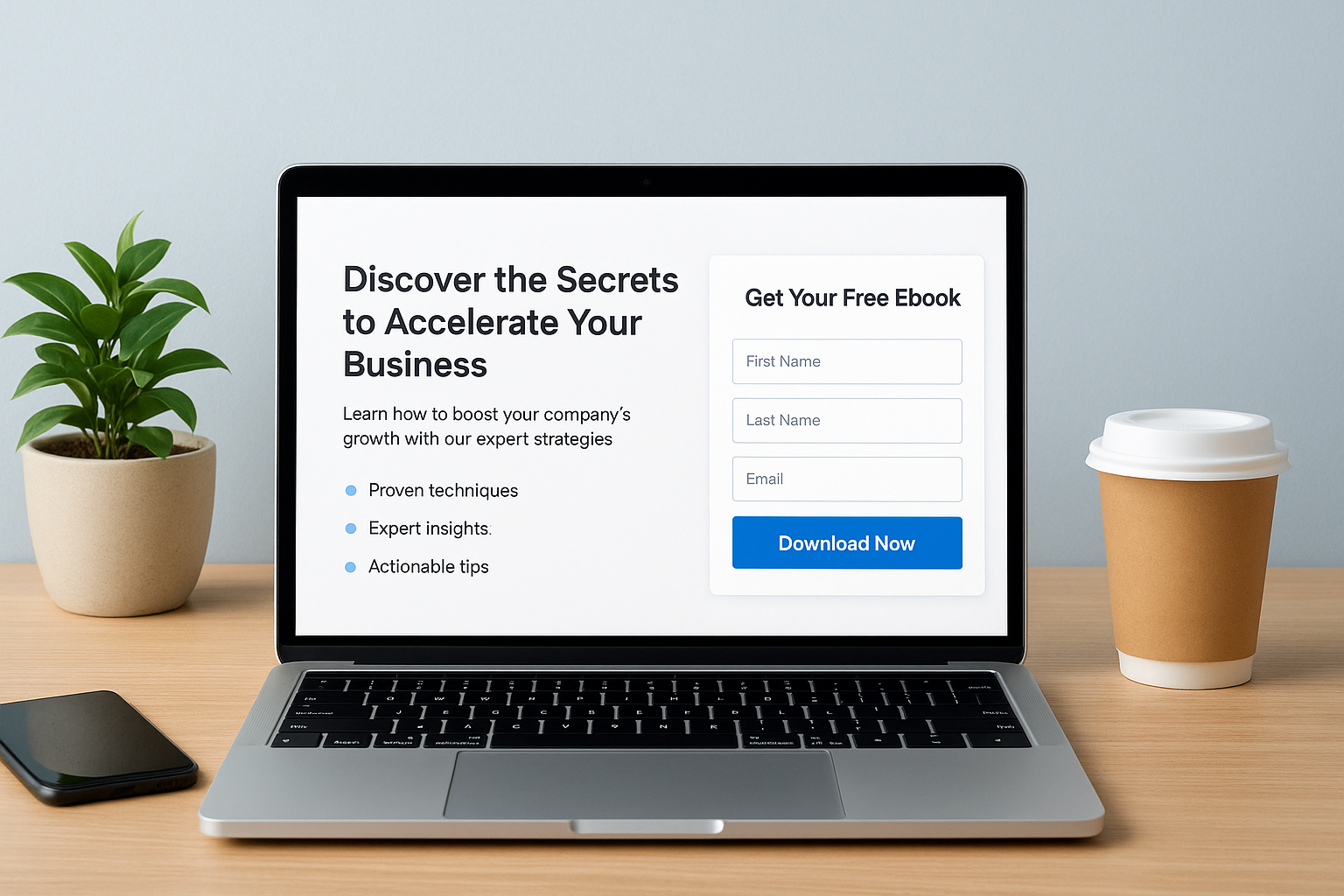
The HubSpot Simple Conversion template gives you a straightforward landing page design that puts your offer and form side by side in a balanced split layout. You see the value proposition on the left with a headline, brief description, and bullet points, while the form sits on the right where visitors can sign up immediately. This template strips away navigation and distractions to keep visitors focused on one decision: whether to convert or leave.
Template overview and layout
This template organizes content in a two column structure that displays your offer details next to the conversion form in a single viewport. Your headline and supporting copy occupy the left side with space for benefit oriented bullet points that explain what visitors receive. The form module sits prominently on the right, creating a natural visual flow from information to action without requiring scrolling.
Best use cases for lead magnets in service firms
You should use this template when offering downloadable resources like ebooks, guides, templates, or industry reports that require minimal explanation. Service firms deploy it effectively for consultation checklists, pricing guides, and discovery call bookings where the offer is self explanatory. Law firms apply it to case evaluation forms and initial consultation requests where prospects already understand what they’re requesting.
Side by side layouts convert better for straightforward offers because visitors evaluate the trade off between information provided and data requested in one glance.
How to optimize the form and fields
You optimize this template by keeping your form fields to three or fewer inputs since the form sits in constant view. Remove optional fields that add friction without providing campaign critical data. Test your headline and bullet points regularly because visitors make their decision based on the value clarity you communicate in the left column.
Pricing and required HubSpot plan
This template comes included free with all HubSpot accounts at every tier. You access it through the template selector when creating new hubspot landing page templates in your portal.
4. HubSpot Video landing page template
The HubSpot Video landing page template pairs a prominent video player with a conversion form in a split screen layout that lets prospects watch your explanation while keeping the signup option visible. You get a headline at the top, a video embed that dominates the left side, and a form that stays anchored on the right throughout the viewing experience. This template works when your offer needs demonstration or when you want to build personal connection before asking for contact information.
Template overview and structure
The template positions your video embed and form side by side in equal width columns, creating a balanced viewing experience on desktop screens. Your headline and supporting copy sit above both elements, giving context before visitors engage with either the video or form. The video player accepts YouTube, Vimeo, or Wistia embeds, and the form module includes standard HubSpot field options with full integration to your contact database.
When to use video led landing pages
You should deploy this template when your offer requires explanation that benefits from visual demonstration or personal introduction. Service businesses use it effectively for consultation requests and discovery call bookings where showing your expertise builds trust faster than text alone. Law firms apply it to case evaluation pages where attorneys explain their process on camera, creating rapport before prospects submit details.
Video landing pages convert better for complex services because prospects evaluate credibility through delivery style and expertise demonstration simultaneously.
Video production and placement tips
Keep your video under two minutes to maintain attention through the entire message. Position your strongest value statement in the first 15 seconds since many visitors decide whether to continue watching based on that opening. Include a clear call to action at the video’s end that directs viewers to complete the adjacent form.
Pricing and required HubSpot plan
This template comes free with all HubSpot accounts at every subscription level. You access it through the template selection screen when creating new hubspot landing page templates in your portal.
5. HubSpot Session landing page template
The HubSpot Session landing page template provides a structured layout designed for gated content offers where you need space to explain value before visitors commit. This template gives you a clean hero section with headline and form placement side by side, then expands below the fold with additional sections for benefits, testimonials, and detailed descriptions. You get flexibility to add more content than minimal templates while maintaining visual hierarchy that guides visitors toward conversion.
Layout and content structure
The template opens with your headline and form positioned next to each other in the top section, creating immediate conversion opportunity for visitors who arrive ready to act. Below that initial section, you can add multiple content blocks that expand on what visitors receive, why it matters, and who else has benefited. The spacing between sections creates clear visual separation without fragmenting the page flow, and image placement options let you include product mockups, screenshots, or relevant visuals that reinforce your offer’s tangibility.
Best use cases for webinars and events
You should deploy this template when promoting webinars, virtual events, or workshop registrations that require more explanation than a simple download. Service businesses use it effectively for multi session training programs and certification courses where prospects need to understand the curriculum before signing up. Law firms apply it to educational webinar series and legal planning workshops where the session content and speaker credentials influence registration decisions.
Copy and form tips for higher conversions
Write your headline as a specific benefit statement that tells visitors exactly what outcome they’ll achieve rather than generic event language. Keep your form fields to name, email, and company since longer forms create abandonment on event registration pages. Position your most compelling testimonial or attendance statistic directly above the form to provide social proof at the conversion moment.
Event landing pages convert better when you communicate the specific takeaway visitors will gain rather than describing the event format or duration.
Pricing and required HubSpot plan
This template comes included free with all HubSpot accounts regardless of subscription tier. You access it when creating new hubspot landing page templates through the template selection interface in your portal.
6. HubSpot Focus landing page template
The HubSpot Focus landing page template uses a bold, attention grabbing design that directs visitor attention to your single conversion goal through high contrast colors and oversized typography. You get a large headline that dominates the viewport, minimal supporting copy, and a form positioned immediately next to your main message. This template eliminates all secondary elements and navigation to create a conversion focused experience where visitors either act or leave.
Design style and key elements
This template employs bright background colors paired with large, confident typography that creates immediate visual impact when visitors land on your page. Your headline appears in a prominent font size that demands attention, while the form sits directly beside it in a contrasting container. The minimalist approach removes all distracting elements, sidebars, and footer content, leaving only your core message and the conversion mechanism visible on screen.
Best for fast opt ins and consult requests
You should deploy this template for high intent offers where prospects already understand what they need and just want quick access to your solution. Service businesses use it effectively for consultation booking pages and strategy call requests where decision ready visitors need a frictionless path to schedule. Law firms apply it to case evaluation submissions and initial contact forms where prospects have completed their research and reached out specifically to engage your services.
Bold, simplified landing pages convert better for decision ready prospects because they remove deliberation friction and provide immediate action pathways.
How to write a high impact headline here
Write your headline as a direct benefit statement that promises a specific outcome visitors will achieve, avoiding vague language about your process or approach. Keep it to eight words or fewer since the oversized typography makes longer headlines difficult to scan quickly. Test variations that name the exact result prospects want rather than describing what you do or how you operate.
Pricing and required HubSpot plan
This template comes free with all HubSpot accounts at every subscription tier, including the no cost option. You access it through the standard template selector when creating new hubspot landing page templates in your portal.
7. HubSpot Atlas gated content template
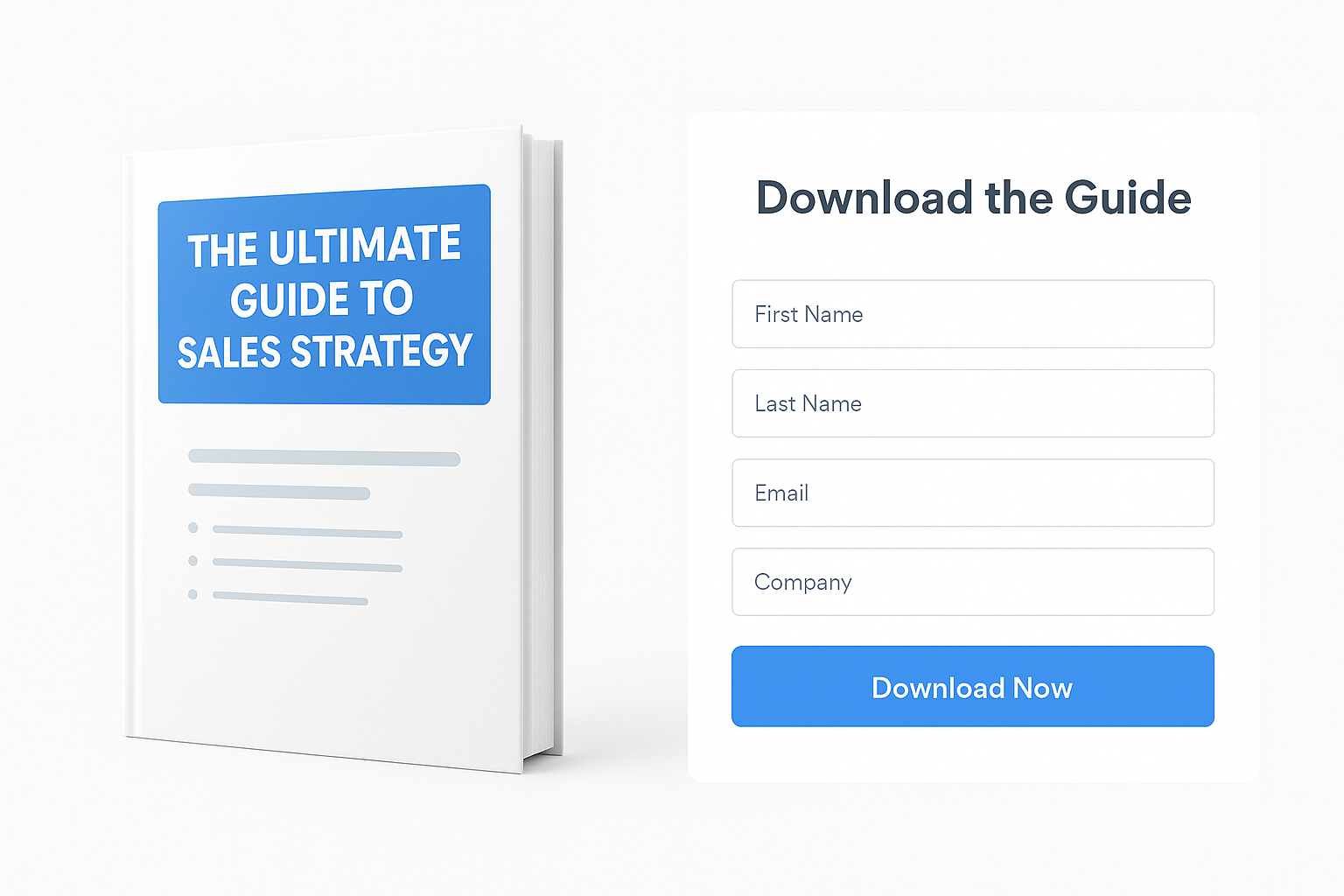
The HubSpot Atlas gated content template pairs a visual mockup of your downloadable resource with a conversion form in a side by side layout that makes your offer feel tangible and valuable. You get a bold headline at the top, a prominent image showing exactly what visitors will receive, and a form positioned directly beside that visual. This template works when you need to demonstrate that your gated content is a real, substantial resource rather than a basic PDF or generic document.
Template overview and visuals
This template positions your resource mockup on the left side in a large, prominent display that shows visitors the professional quality of what they’re downloading. Your form sits on the right in a contained module that keeps all required fields visible without scrolling. The headline spans the full width at the top, giving you space to communicate your value proposition before visitors see the visual and form elements below.
Best for ebooks, reports, and checklists
You should deploy this template when offering ebooks, industry reports, research studies, or comprehensive checklists where the perceived value increases when prospects see the finished product design. Service businesses use it effectively for annual industry reports and strategic planning guides that represent significant research investments. Law firms apply it to legal planning workbooks and compliance checklists where the professional presentation reinforces expertise and authority.
Gated content landing pages convert better when you show a realistic mockup because prospects evaluate value based on the tangible product they’ll receive.
How to showcase gated content value
Create a three dimensional mockup of your resource rather than displaying a flat cover image that looks less substantial. Include visible page thickness or depth in your visual to communicate that visitors receive comprehensive material. Position a table of contents or chapter preview below the main visual to let prospects scan topics covered before submitting their information.
Pricing and required HubSpot plan
This template comes included free with all HubSpot accounts at every subscription level. You access it when creating new hubspot landing page templates through your portal’s template selection screen.
8. HubSpot Accelerator campaign template
The HubSpot Accelerator campaign template delivers a minimalist, conversion optimized design that pairs your offer with a form in a straightforward split layout. You get clean visual hierarchy that puts equal emphasis on describing your value proposition and capturing visitor information without overwhelming prospects with excessive design elements. This template strips away everything that doesn’t directly support conversion, making it ideal for campaigns where you need fast setup and easy iteration across multiple variations.
Layout and conversion focus
The template divides your page into two balanced columns that place your offer description on one side and your conversion form on the other in equal prominence. Your headline sits at the top spanning both columns, followed by the dual column layout that keeps form fields visible throughout the visitor’s evaluation process. The minimal design approach eliminates competing elements that typically distract from your primary conversion goal, creating a focused experience that guides visitors toward a single decision point.
Best for paid traffic and split tests
You should deploy this template when running paid advertising campaigns on Google, Facebook, or LinkedIn where you send cold traffic to specific offers requiring immediate clarity. The simple structure makes it perfect for rapid A/B testing since you can quickly clone pages and modify single elements like headlines, form fields, or value propositions without redesigning entire layouts. Service businesses use it effectively for consultation requests and audit offers where paid traffic demands fast load times and instant value communication.
Split test variations launch faster with minimal templates because you modify isolated elements without navigating complex design structures.
How to launch and clone campaigns fast
You create new campaign variations by cloning your original page through the landing page dashboard, then updating only the specific elements you want to test. The template’s simplicity means you spend minutes rather than hours setting up new variations, and the consistent structure keeps your analytics clean since visitor behavior patterns remain comparable across tests.
Pricing and required HubSpot plan
This template comes free with all HubSpot accounts at every subscription level. You access it when creating new hubspot landing page templates through the template selector in your portal.
9. HubSpot Blank starting point template
The HubSpot Blank starting point template gives you an empty canvas with no predefined sections, modules, or design elements to constrain your creative direction. You start with a completely open page where you build every element from scratch using HubSpot’s drag and drop modules or custom HTML. This template works when existing hubspot landing page templates don’t match your campaign requirements and you need total control over layout, structure, and visual presentation.
Why start from the Blank template
You choose the Blank template when your conversion strategy requires a unique layout that doesn’t fit standard template structures. This approach lets you position elements precisely where data or testing indicates they should appear, rather than adapting your strategy to fit an existing template’s constraints. Agencies and experienced marketers use it when building pages for clients with specific brand guidelines that clash with preset template designs.
When a fully custom layout makes sense
You should use the Blank template when running specialized campaigns like product launches, partnership pages, or unique webinar formats that demand non-standard layouts. This option works best when you have clear conversion requirements backed by data about what specific elements and placements your audience responds to, making template limitations counterproductive.
Custom layouts built from blank templates convert better when you apply proven conversion principles rather than following template defaults that may not match your audience behavior.
Design process and theme considerations
You build your page by dragging modules into empty sections, then configuring each module’s content, styling, and behavior individually. Pay attention to responsive behavior since you’re responsible for ensuring every element displays correctly on mobile devices. Your active theme settings still control global elements like fonts and colors unless you override them at the module level.
Skills and resources you will need
You need working knowledge of HubSpot’s module system and basic understanding of responsive design principles to build effective pages from scratch. Budget significantly more time than template based pages since you’re making every structural and design decision manually without proven frameworks to guide your choices.
10. HubSpot free landing page gallery
HubSpot provides a built-in template gallery that includes multiple free landing page options you can access directly from your portal without purchasing marketplace themes or hiring developers. You browse these templates when creating new pages through the standard creation workflow, and each template includes responsive design, editable modules, and integration with your HubSpot contact database. The free gallery gives you enough variety to launch most standard lead generation campaigns without additional investment.
What the free gallery includes
The gallery contains approximately eight to twelve free templates covering common use cases like simple opt-ins, video-led pages, gated content downloads, and consultation requests. Each template comes with pre-built sections for headlines, forms, testimonials, and trust elements you can customize through the drag-and-drop editor. These hubspot landing page templates maintain consistent quality standards since HubSpot designs and tests them internally rather than relying on third-party developers.
How to browse and filter templates
You access the gallery by clicking Create in your landing pages dashboard, which opens the template selector showing all available options. The interface displays thumbnail previews of each template’s design, letting you evaluate layout and visual style before committing to a selection. You can preview full templates by clicking them to see complete page structures and section arrangements.
How to install a gallery template in HubSpot
You install a free template by clicking Select template on your chosen option, which immediately creates a new page using that design in your content editor. The template loads with placeholder content and images you replace with your specific offer details, and all modules function immediately without requiring additional setup steps.
Free gallery templates launch faster than custom options because they include working forms and integrations configured automatically.
When to upgrade beyond free templates
You should consider paid templates or custom development when your conversion requirements exceed what standard layouts support or when your brand guidelines demand unique visual treatments that free options can’t accommodate.
11. HubSpot default website themes
HubSpot includes default website themes in every account that provide ready-to-use templates for landing pages, website pages, and blog posts without requiring marketplace purchases or custom development. These themes contain multiple page templates you can deploy immediately, along with matching modules, global content sections like headers and footers, and pre-configured style settings that ensure visual consistency across your site. Default themes serve as your starting point for most campaigns when you need functional landing pages quickly without design customization.
What default themes provide out of the box
Your default theme includes landing page templates covering common conversion scenarios like simple opt-ins, consultation requests, and gated content downloads. You get matching website page templates that maintain design consistency when visitors navigate from your landing pages to your main site. The theme also provides global modules for site headers, navigation, and footers that update across all pages when you edit them once, plus style settings controlling fonts, colors, spacing, and button designs throughout your entire template set.
Pros and cons for landing page campaigns
Default themes launch fast without any setup time since they’re pre-installed in your portal and ready to use immediately when you create new pages. They integrate seamlessly with HubSpot tools like forms, workflows, and smart content without requiring technical configuration. However, default themes offer limited visual differentiation from other HubSpot users running the same templates, and customization options stay restricted to basic color and font changes rather than structural layout modifications.
Default themes work best when speed matters more than unique design and your conversion strategy fits standard template layouts.
How to set and edit your active theme
You set your active theme by navigating to Content > Landing Pages, clicking Create, then selecting Set as active theme on your preferred default option in the theme selector. Your active theme determines which templates appear first when creating new hubspot landing page templates. Edit theme settings by opening any page using that theme, clicking the Settings tab in the editor, then selecting Edit theme settings to adjust colors, fonts, and spacing that apply across all pages using that theme.
When to move from default to custom themes
You should consider upgrading from default themes when your brand guidelines require specific visual treatments that standard theme settings can’t accommodate. Move to custom options when running high-value conversion campaigns where unique design becomes a competitive advantage worth the development investment, or when split testing reveals that your audience responds better to layouts not available in default templates.
12. HubSpot Template Marketplace themes
The HubSpot Template Marketplace offers premium themes designed by verified developers and agencies that you can purchase and install directly into your portal. These themes provide more sophisticated designs and specialized features compared to default options, often including advanced modules, unique layouts, and industry-specific templates. You access the marketplace through the ecosystem.hubspot.com platform, where you browse hundreds of themes built specifically for HubSpot’s CMS and landing page system.
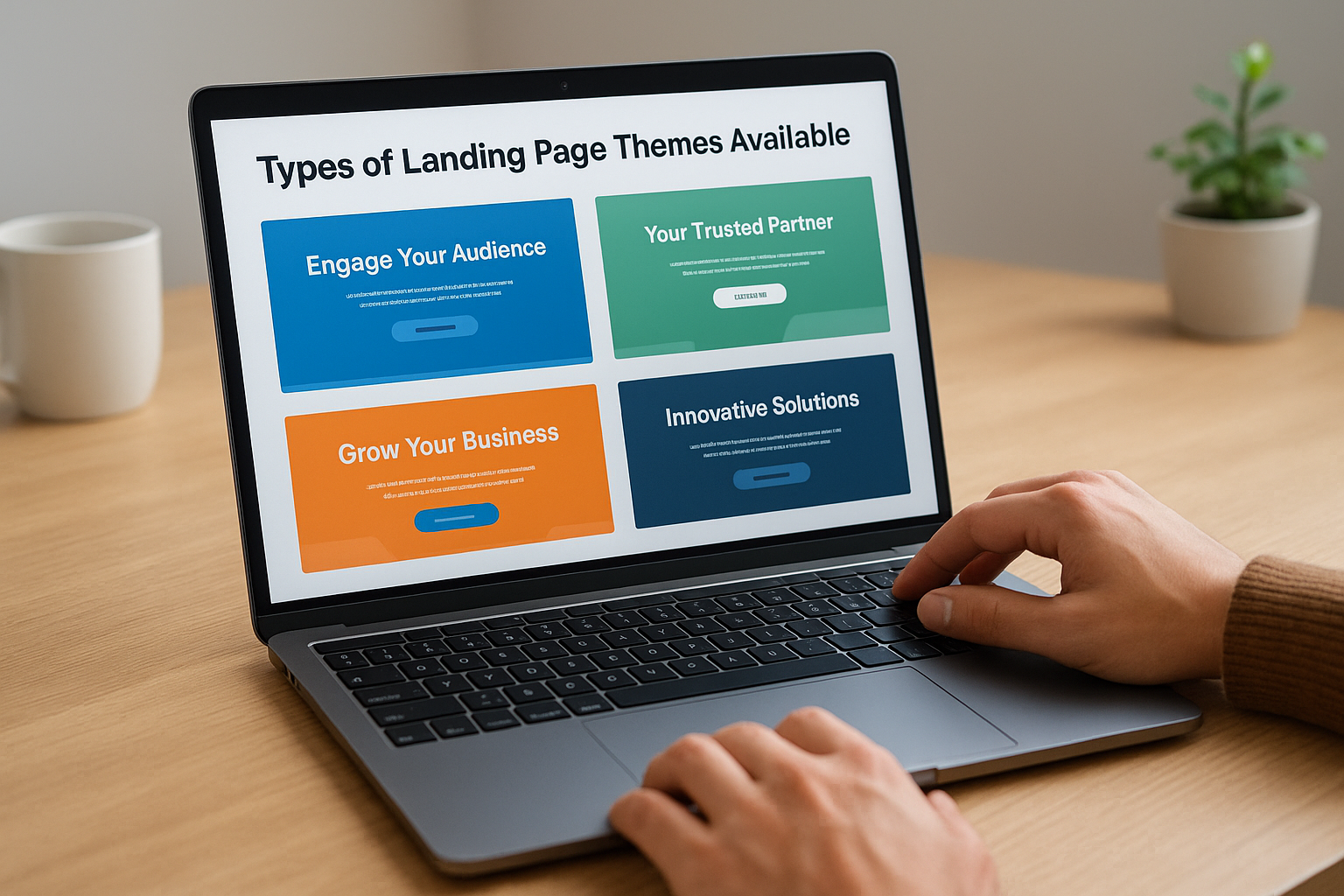
Types of landing page themes available
You’ll find themes categorized by industry verticals like professional services, SaaS, healthcare, and financial services, each containing landing page templates tailored to that sector’s conversion patterns. Many marketplace themes include multiple landing page variations within a single purchase, giving you options for lead magnets, consultation requests, event registrations, and product demos. Some themes focus exclusively on landing pages with 10 to 15 specialized templates, while others provide full website systems where landing pages represent one component of a broader design framework.
How to evaluate a marketplace theme
You should review the preview demo and template screenshots to verify that included landing page layouts match your conversion strategy requirements. Check whether the theme provides mobile responsive designs and test the demo on your phone to confirm usability. Read buyer reviews focusing on comments about customization flexibility and developer responsiveness, since you’ll likely need support when adapting purchased themes to your specific hubspot landing page templates requirements.
Marketplace themes save development time when their included templates align closely with your campaign structures and visual preferences.
Installing and managing marketplace themes
You install marketplace themes by clicking Install on the theme’s marketplace page, which adds the theme files to your design manager automatically. Navigate to Settings > Marketplace Downloads to manage installed themes and access documentation provided by the developer. Theme updates appear in your marketplace downloads section when developers release improvements or bug fixes.
Pricing ranges and support expectations
Marketplace themes typically cost between $200 and $800 for a one-time license that covers unlimited use on your single HubSpot portal. Most developers include 30 to 90 days of support with initial purchase, answering setup questions and helping with basic customization tasks. Extended support or custom modifications usually require separate agreements with the theme developer.
13. ThemeForest HubSpot CMS themes
ThemeForest operates as Envato’s premium template marketplace, offering HubSpot CMS themes created by independent developers worldwide with designs and features that differ from the official HubSpot marketplace. You purchase themes through Envato’s platform, then upload them directly into your HubSpot portal using a purchase code verification system. These themes often provide distinctive visual styles and specialized landing page templates not available through HubSpot’s native marketplace, giving you access to a broader range of design options for your campaigns.
Why consider ThemeForest for HubSpot
You gain access to design aesthetics and layout structures that stand apart from commonly used HubSpot marketplace themes, reducing the likelihood that competitors run identical templates. ThemeForest themes frequently include more landing page variations per purchase compared to standard marketplace offerings, with some packages containing 15 to 20 specialized templates. The competitive pricing structure on ThemeForest often delivers more templates per dollar spent, though you trade this cost advantage for the streamlined installation experience that official marketplace themes provide.
Landing page options in popular themes
Popular ThemeForest packages bundle multiple landing page templates covering lead generation, consultation booking, event registration, and product showcase scenarios within single purchases. These hubspot landing page templates often target service industries and professional firms with designs optimized for client acquisition funnels. Many themes separate landing page templates by conversion goal, giving you distinct options for cold traffic campaigns versus warm prospect nurturing.
How to upload and install a ThemeForest theme
You begin by purchasing the theme on ThemeForest and receiving a unique purchase code via email confirmation. Navigate to your HubSpot portal, create a new landing page, then click the theme selector and choose "Install a theme from ThemeForest" at the bottom. Paste your purchase code into the dialog box, click Install theme, then sign into your Envato account in the new tab to authorize the transfer. The installation process takes several minutes, after which your new theme appears in your template selector alongside existing options.
ThemeForest themes require manual purchase code verification because they originate outside HubSpot’s ecosystem, adding one authentication step compared to marketplace installations.
Pricing, licenses, and update policies
ThemeForest themes typically cost between $49 and $149 for a regular license covering one HubSpot portal installation. You receive six months of included support from the theme author for technical questions and setup guidance. Extended licenses that permit multiple portal installations or client work applications cost additional fees, and you purchase support extensions separately if you need assistance beyond the initial six month period.
14. ConvertFlow HubSpot landing pages
ConvertFlow operates as a third-party platform that integrates with HubSpot to provide landing page and funnel building capabilities beyond what native HubSpot tools deliver. You connect ConvertFlow to your HubSpot portal through a direct API integration that syncs contact data, form submissions, and campaign activity bidirectionally. This setup lets you build landing pages in ConvertFlow’s visual editor while maintaining all lead information and workflow triggers within your HubSpot database.
How ConvertFlow integrates with HubSpot
You connect ConvertFlow to HubSpot by installing the ConvertFlow app from the HubSpot App Marketplace, then authorizing the connection through your ConvertFlow account settings. The integration automatically maps form field submissions to HubSpot contact properties and fires workflow enrollment triggers based on page conversions. Contact activity from ConvertFlow pages appears in your HubSpot contact timeline, giving you complete visibility into visitor behavior across both platforms.
Landing page templates and funnel use cases
ConvertFlow provides pre-built landing page templates designed specifically for multi-step funnels, quiz-based lead generation, and progressive profiling campaigns. You deploy these templates for product recommendation flows and qualification surveys that native hubspot landing page templates don’t support effectively. The platform excels at creating interactive experiences where visitors answer questions before reaching your main offer or form.
When to use ConvertFlow instead of native pages
You should choose ConvertFlow when your conversion strategy requires multi-step funnel logic or conditional page flows based on visitor responses. The platform works best for sophisticated segmentation campaigns where you route prospects to different offers based on their quiz answers or progressive profile data. Stick with native HubSpot templates for standard single-page conversions where added complexity provides no advantage.
Pricing and plan considerations
ConvertFlow pricing starts at $99 per month for basic features with unlimited landing pages and popups. Higher tiers unlock advanced personalization and A/B testing capabilities that may justify the additional cost for conversion-focused campaigns.
Next steps
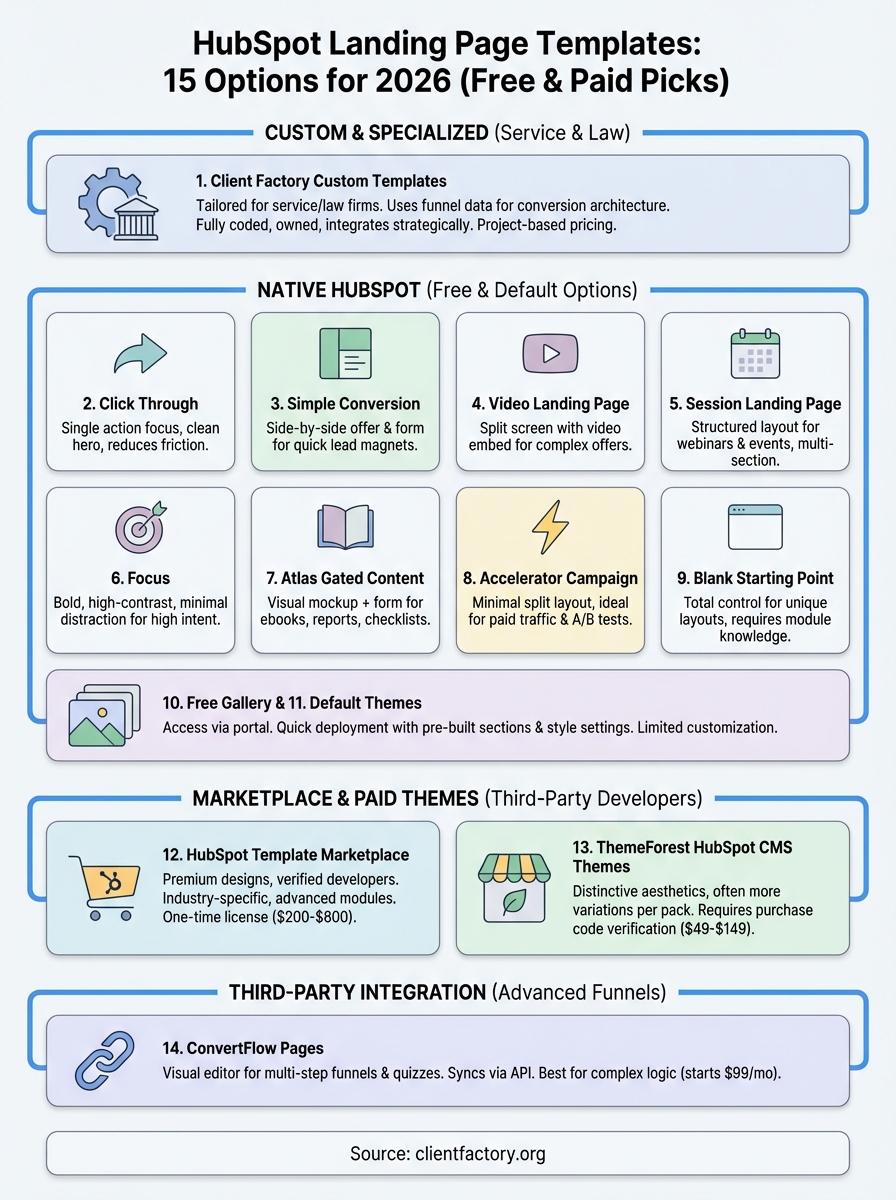
You now have 15 hubspot landing page templates to evaluate based on your conversion requirements, budget constraints, and technical capabilities. Start by identifying whether you need quick deployment with free templates or strategic advantage from custom designs built specifically for your funnel architecture. Review each option against your current campaign goals and the traffic sources you plan to activate.
Most service businesses and law firms benefit from custom templates that integrate proven conversion elements rather than adapting generic designs to specialized client acquisition campaigns. Your choice between free gallery options and paid solutions depends on whether standard layouts serve your goals or whether unique positioning demands purpose-built templates that competitors can’t replicate with marketplace purchases.
Client Factory builds custom HubSpot landing page templates designed specifically for service business funnels and law firm client acquisition campaigns. The team handles strategy, design, and technical implementation to deliver conversion optimized templates you own outright inside your portal.
