

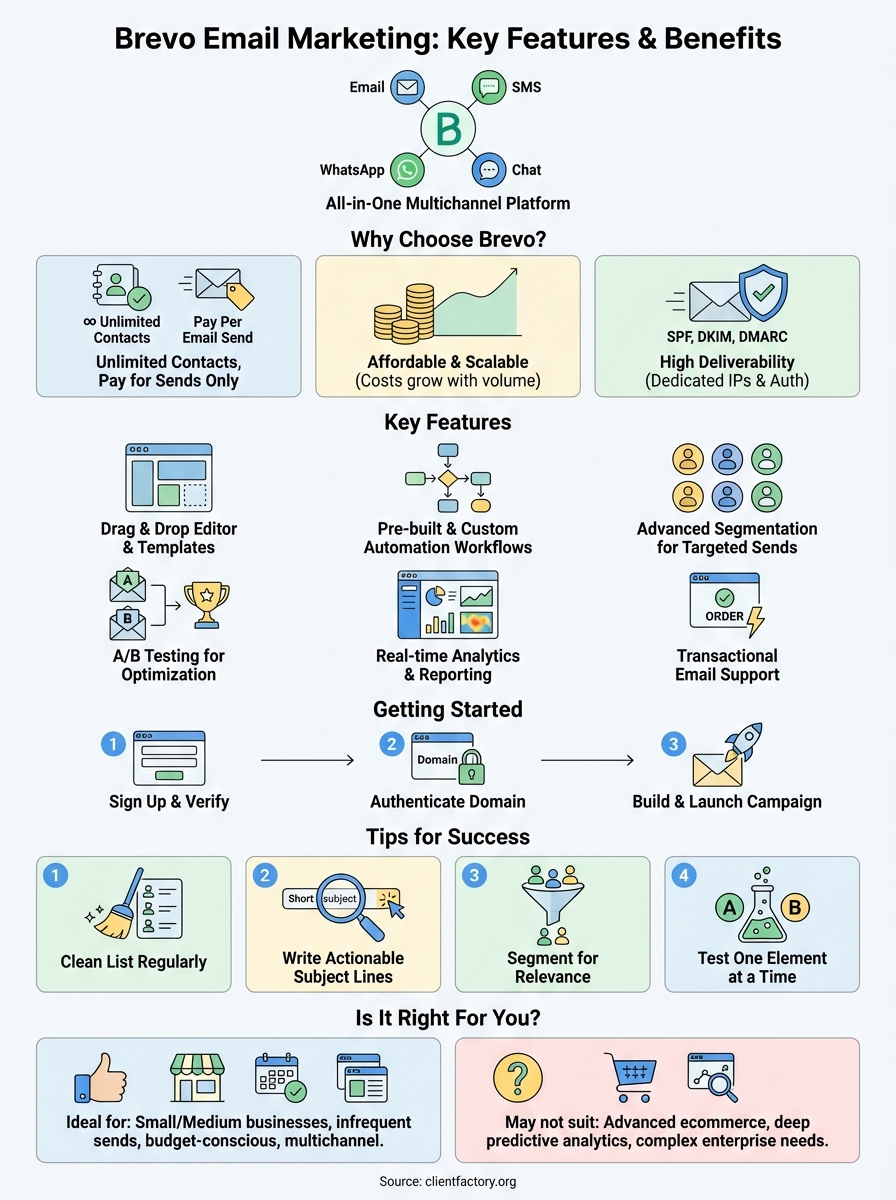
Brevo email marketing is an all in one platform that helps you send newsletters, promotional campaigns, and automated emails to your subscribers. It combines email tools with SMS, WhatsApp, and chat features so you can reach customers across multiple channels. The platform includes a drag and drop editor, customizable templates, automation workflows, and real time analytics to track your results.
This guide walks you through everything you need to know about using Brevo for email marketing. You’ll learn why businesses choose this platform, how to set up your account, what features matter most, and how much it costs. We’ll also cover practical tips to improve your campaign performance and help you decide if Brevo fits your needs.
Why Brevo email marketing is worth considering
Brevo email marketing stands out because it charges based on emails sent rather than the number of contacts you store. This pricing model means you can grow your subscriber list without watching your monthly costs spike. Most platforms penalize growth by increasing fees as you add contacts, but Brevo lets you maintain unlimited contacts on every paid plan and even on the free tier.
Affordable pricing that scales with your business
You get access to essential features without breaking your budget. The free plan includes 300 emails per day, which gives you 9,000 sends per month at zero cost. This makes Brevo one of the most generous free options available for businesses just starting out. When you need more volume, paid plans start at $9 per month for 5,000 emails, and you only pay more when you actually send more messages.
Pricing transparency matters because hidden fees add up quickly. Brevo shows you exactly what you’ll pay as your sending volume increases, and you can upgrade or downgrade at any time. The platform doesn’t lock features behind premium tiers the way competitors do, so you get automation, segmentation, and A/B testing even on lower cost plans.
Complete toolset in one platform
Brevo combines email with SMS, WhatsApp, and live chat so you don’t need multiple subscriptions. You can build landing pages, create signup forms, and manage contacts all in the same dashboard. The platform includes transactional email capability for order confirmations and password resets, which many competitors charge extra for or don’t offer at all.
"Email marketing remains a cornerstone of digital marketing, offering an unbeatable mix of reach, cost-efficiency, and personalization."
High deliverability rates
Your emails need to reach the inbox to generate results. Brevo maintains dedicated IP addresses and authentication protocols that help your messages avoid spam filters. The platform handles technical requirements like SPF, DKIM, and DMARC automatically, which protects your sender reputation. You also get real time analytics that show exactly how many emails were delivered, opened, and clicked.
How to get started with Brevo email marketing
Getting started with Brevo email marketing takes less than 10 minutes from signup to your first campaign. The platform guides you through account creation, sender verification, and campaign setup with a streamlined onboarding process. You don’t need technical expertise or prior email marketing experience to launch your first newsletter or promotional email.
Creating your account
Visit the Brevo website and click the sign up button on the homepage. You’ll enter your email address, create a password, and provide basic business information like your company name and website. Brevo immediately gives you access to the free plan with 300 daily email sends, so you can start building your contact list and exploring features right away.
The platform asks you to complete your profile with details about your industry and marketing goals. This information helps Brevo recommend templates and workflows that match your needs. You can skip these optional steps and customize everything later, but answering a few quick questions unlocks personalized suggestions that speed up your setup.
Verifying your sender domain
You need to verify your sending domain before launching campaigns. Brevo walks you through adding DNS records to prove you own your domain and permission to send emails from it. This step protects your sender reputation and improves deliverability by authenticating your messages with SPF and DKIM protocols.
"Email service providers have the necessary infrastructure in place to ensure good email deliverability rates, avoiding spam and landing emails in your subscribers’ inboxes."
Most domain verification takes 24 to 48 hours to process. During this time, you can build your contact lists, design email templates, and set up automation workflows so everything is ready to launch. The platform sends you a notification when your domain is verified and you can start sending campaigns.
Building your first campaign
Select the email campaigns tab from your dashboard and choose whether you want to send a one time message or set up an automated series. The drag and drop editor lets you add text, images, buttons, and other elements without coding. Pick a pre designed template or start from scratch with a blank canvas.
Import your contacts by uploading a CSV file or connecting your existing CRM. Brevo requires confirmed opt in subscribers to comply with anti spam regulations and maintain platform integrity. Once you’ve added recipients, written your content, and previewed the email on different devices, you can schedule or send immediately with one click.
Key features of Brevo email marketing
Brevo email marketing packs enterprise-level functionality into an interface that beginners can navigate without training. You get access to automation builders, segmentation tools, A/B testing, and comprehensive analytics that help you create targeted campaigns and measure what works. The platform combines these features with transactional email capability and multichannel options so you can manage all customer communications from one dashboard.
Drag and drop email editor
You can design professional emails without coding knowledge using the visual editor. The interface lets you add and arrange text blocks, images, buttons, videos, and social media icons by dragging elements into your layout. You see exactly how your email looks as you build it, and the editor automatically adjusts formatting for mobile devices.
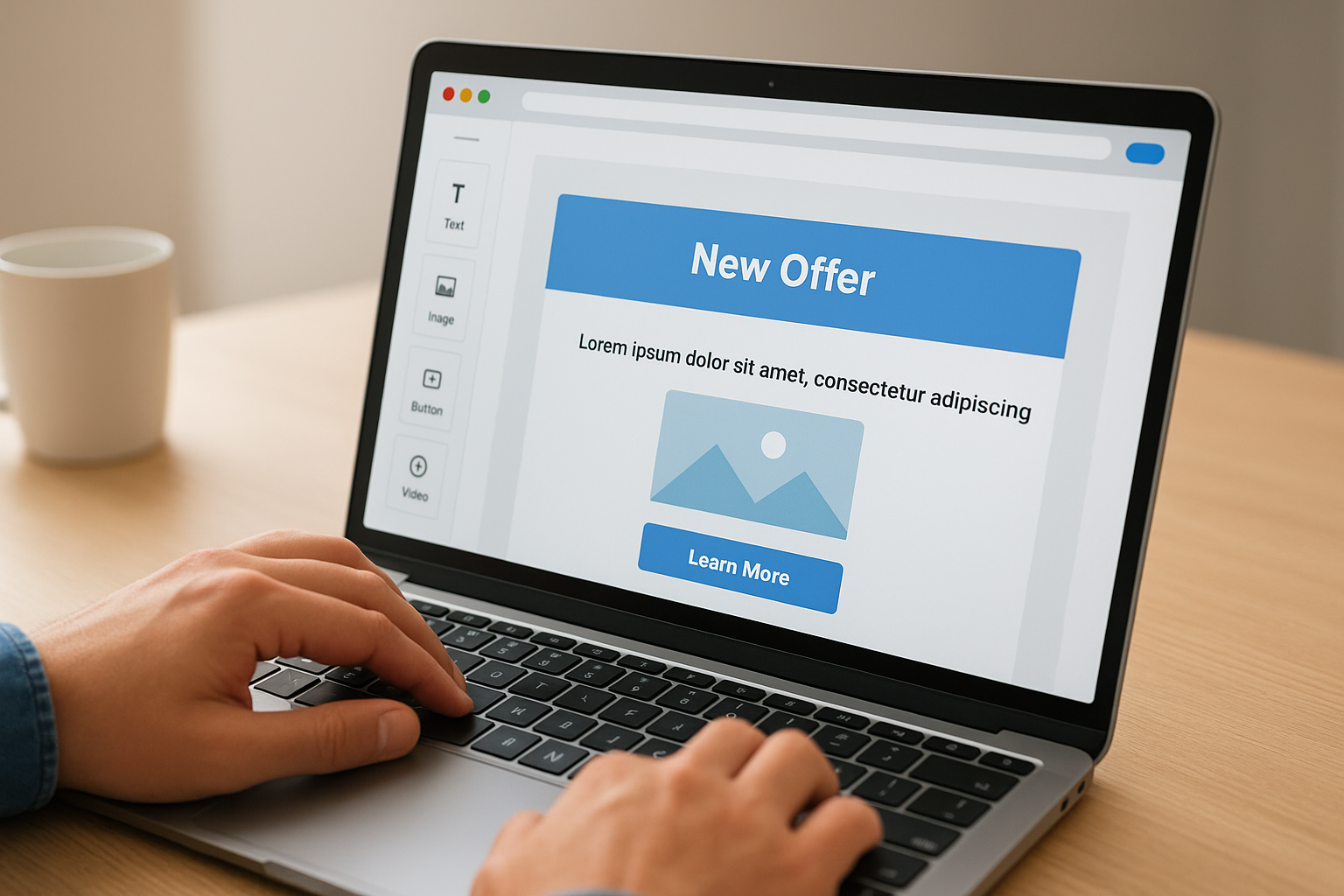
The template library includes over 40 responsive designs organized by industry and use case. Choose from newsletter layouts, promotional templates, event invitations, and product announcement formats. Each template is fully customizable, so you can change colors, fonts, spacing, and structure to match your brand guidelines. You can also save your custom designs as templates to maintain consistency across future campaigns.
Pre-built automation workflows
Brevo provides ready-made automation sequences for common marketing scenarios like welcome series, abandoned cart recovery, and birthday messages. You activate these workflows with a few clicks and customize the timing, content, and conditions to match your business needs. The platform handles the technical setup, so you don’t need to configure triggers or decision trees from scratch.
"With Brevo, you can easily create engaging and effective email campaigns thanks to an easy and visual email campaign setup flow where you can choose your recipients, subject lines, and design."
Building custom workflows takes minutes in the automation builder. You set entry conditions that determine when contacts enter the workflow, add email sends or wait periods, and create branches based on subscriber behavior like opens, clicks, or link interactions. The visual flowchart shows how contacts move through your sequence, and you can test the logic before activating it.
Advanced segmentation tools
You can divide your contact list into targeted groups based on demographics, behavior, and engagement patterns. Brevo lets you create segments using multiple conditions and operators like "contains," "equals," "greater than," and "is between." This precision helps you send relevant messages to specific audiences instead of blasting everyone with the same content.
Dynamic segments update automatically as contacts meet or no longer meet your criteria. When someone opens five emails in a row, they can move into your "highly engaged" segment. If another contact hasn’t clicked in 60 days, they shift to your re-engagement list. This automation keeps your targeting current without manual list maintenance.
A/B testing capabilities
You can test different subject lines, sender names, content variations, and send times to discover what resonates with your audience. Brevo splits your list into test groups, sends each version to a sample, and automatically delivers the winning variation to the remaining contacts. The platform determines the winner based on open rates, click rates, or the metric you choose.
Testing reveals insights that apply to future campaigns. When you learn that questions perform better than statements in subject lines or that afternoon sends outperform morning ones, you can apply these findings across your email strategy. The results dashboard shows statistical significance and performance differences between variations.
Real-time analytics and reporting
Your dashboard displays opens, clicks, bounces, unsubscribes, and conversions as they happen. You see which links get the most clicks, what time recipients engage most, and how different segments respond to your messages. The heat map feature shows exactly where people click within your email design.
Campaign comparisons help you track performance trends over time. You can measure how this month’s newsletter performed against last month’s or compare promotional campaigns across quarters. Brevo calculates deliverability rates and identifies potential issues with your sender reputation before they impact your results.
Transactional email support
You can send order confirmations, password resets, shipping notifications, and account updates through the same platform you use for marketing. Brevo handles these messages with separate infrastructure and higher priority routing to guarantee fast delivery. The system processes transactional emails immediately rather than queuing them with bulk sends.
This feature eliminates the need for a separate transactional email service. You manage both promotional and operational messages from one interface, use the same contact database, and track everything in unified reports. The platform provides SMTP relay and API access for developers who need to integrate transactional sending with their applications.
Brevo email marketing pricing and plans
Brevo email marketing pricing works differently from most competitors because you pay for email volume instead of contact count. You can store unlimited contacts on every plan, including the free tier, and only get charged when you actually send messages. This structure benefits businesses that maintain large lists but send campaigns infrequently, and it removes the penalty for growing your subscriber base.
Free plan features and limitations
The free plan gives you 300 emails per day, which totals 9,000 sends per month without any cost. You get access to core features like the drag and drop editor, email templates, contact management, and basic automation workflows. The platform includes real time reporting so you can track opens, clicks, and other engagement metrics.
You’ll face some restrictions with the free tier. Every email includes a Brevo logo at the bottom, which may not match your brand standards if you want completely white labeled communications. You also cannot access advanced automation features or A/B testing capabilities that paid plans unlock. The free plan supports only basic segmentation, so you can’t build complex audience targeting rules.
"Brevo’s Free Plan includes access to all core email features, 300 emails/day, 40+ email templates, and customizable signup forms to grow your email list."
Paid plan tiers and costs
The Starter plan costs $9 per month for 5,000 email sends. This tier removes the Brevo branding from your emails and unlocks A/B testing, advanced statistics, and email support. You can send messages at any time without daily limits, which gives you flexibility for time sensitive campaigns.
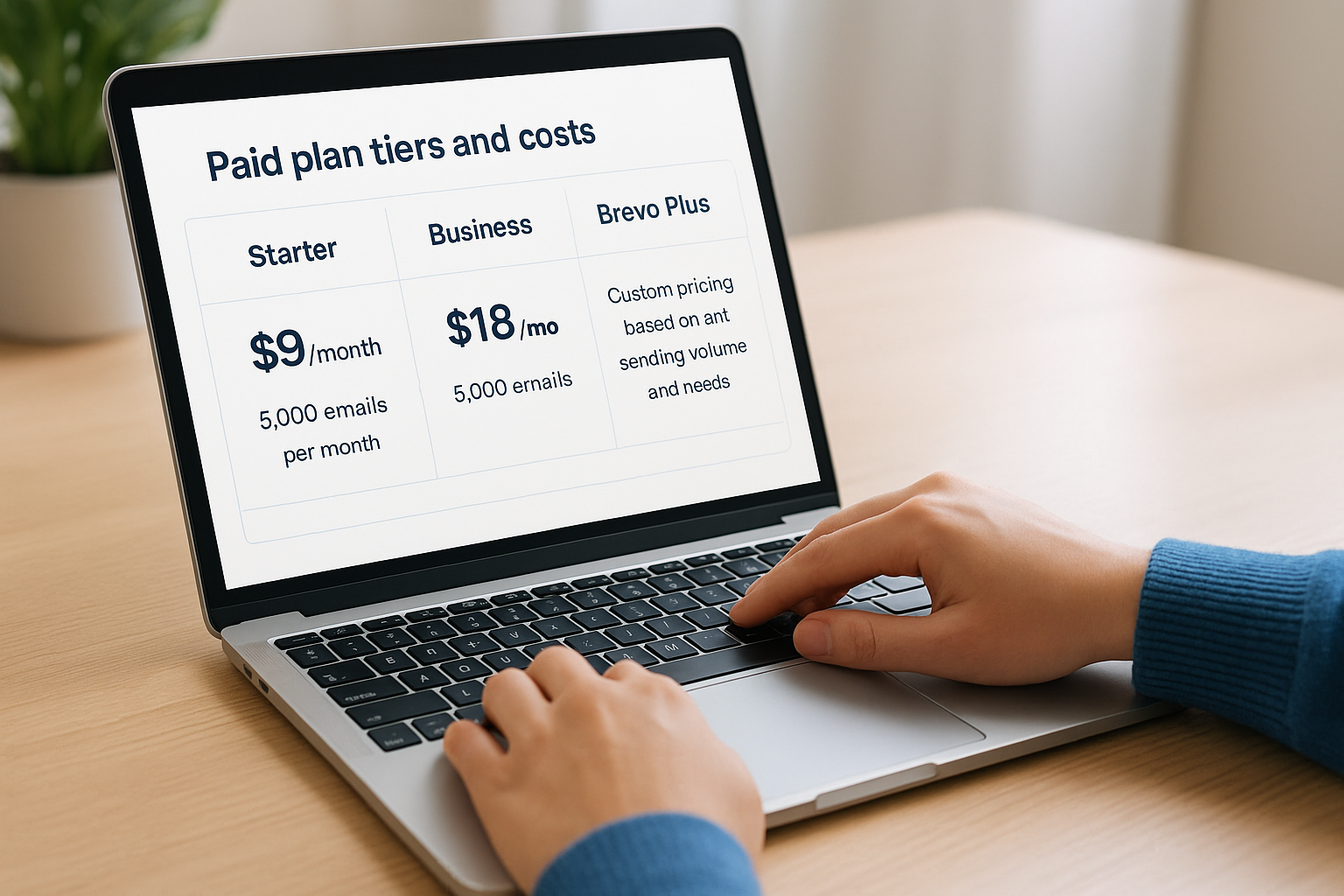
The Business plan starts at $18 per month for 5,000 emails and includes everything from Starter plus marketing automation, landing pages, Facebook ads integration, and phone support. You get access to send time optimization, which automatically delivers emails when each recipient is most likely to engage. This plan also includes heat maps and multi user accounts for teams.
Brevo Plus offers custom pricing based on your sending volume and needs. You work directly with their team to configure dedicated IP addresses, sub account management, and priority support. This tier suits enterprises that need advanced deliverability tools and service level agreements.
What you get at each level
Each paid plan scales with your email volume rather than adding features at higher prices. When you need to send 10,000 emails instead of 5,000, your monthly cost increases but you keep the same feature set. This makes budgeting straightforward because you’re not forced into a higher tier just to access basic functionality.
You can upgrade or downgrade plans instantly through your dashboard. The platform calculates charges based on your highest sending volume during the billing period, so you only pay for what you use. If you send 20,000 emails one month and 5,000 the next, your bill adjusts accordingly without requiring you to manually change plans.
All paid plans include unlimited contacts, SMS credits available for purchase, and WhatsApp Business API access. You get the same email editor, template library, and segmentation tools regardless of which tier you choose. The main differences between plans involve automation complexity, support options, and collaboration features rather than access to essential email marketing capabilities.
How to sign up, log in, and set up your account
You can create a Brevo email marketing account and start sending campaigns within minutes. The signup process requires basic business information and email verification, and you’ll have immediate access to the free plan once you complete registration. The platform guides you through essential setup steps like domain authentication and contact importing before you send your first campaign.
Creating your Brevo account
Navigate to the Brevo homepage and click the sign up button in the top right corner. You’ll need to provide your email address, create a secure password, and enter your first and last name. The system then asks for your company name, website URL, and phone number to complete your profile.
After you submit this information, Brevo sends a verification email to your inbox. Click the confirmation link in that message to activate your account and access the dashboard. The platform automatically enrolls you in the free plan with 300 daily email sends, so you can start exploring features immediately without entering payment details.
Logging into your existing account
You access your account by visiting the Brevo login page and entering your registered email address and password. The system remembers your credentials if you check the "stay logged in" option, which saves time when you return to manage campaigns. You can also enable two-factor authentication through your account settings for added security.
If you forget your password, click the "forgot password" link on the login screen. Brevo sends a reset link to your email address that expires after 24 hours. Create a new password when you click that link, and the system logs you in automatically once you’ve updated your credentials.
"Email service providers like Brevo ensure that your sender domain satisfies security checks so your campaigns get through spam filters and into the inbox."
Configuring your account settings
Start by adding your company information and logo in the account settings section. This branding appears in email footers and signup forms you create through the platform. You should also configure your sender name and reply-to address so recipients know exactly who’s contacting them.
Domain authentication protects your sender reputation and improves deliverability rates. Navigate to the senders and IP section to add SPF and DKIM records to your domain’s DNS settings. Brevo provides the specific records you need to copy and paste into your domain registrar’s control panel. This verification process typically completes within 24 to 48 hours, and the platform notifies you when your domain is authenticated.
Importing your contacts
You can add contacts by uploading a CSV or TXT file with subscriber information. The platform accepts files with email addresses, names, custom attributes, and any other data points you want to track. Make sure your file includes a header row with column names so Brevo can map your data correctly.
Click the contacts menu and select import contacts to start the upload process. Choose your file and select whether you want to update existing contacts or only add new ones. You must confirm that all contacts gave explicit permission to receive emails from you before completing the import. Brevo rejects lists that don’t meet opt-in requirements and anti-spam regulations to protect platform integrity and deliverability rates.
Tips to get better results from Brevo campaigns
You can significantly improve campaign performance by applying proven optimization techniques to your Brevo email marketing strategy. The platform gives you access to powerful features, but you need to use them strategically to maximize open rates, click rates, and conversions. These practical tactics help you get more value from every campaign you send.
Clean your contact list regularly
You should remove inactive subscribers and invalid addresses at least once per quarter to maintain strong deliverability rates. Contacts who haven’t opened your emails in six months or longer drag down your engagement metrics and signal to inbox providers that your content isn’t relevant. Export these inactive segments and either run a re-engagement campaign or delete them from your list entirely.
Brevo automatically flags hard bounces and invalid email addresses when they occur. Navigate to your contacts section and filter for contacts with bounce status to remove them immediately. This cleanup protects your sender reputation and improves future inbox placement because you’re only sending to addresses that can actually receive your messages.
"Keep your subscriber database up to date by removing unengaged contacts and inactive addresses."
Write subject lines that get opened
Your subject line determines whether recipients open your email or scroll past it. Keep your text between 30 and 50 characters so mobile devices display the full message. Use action verbs and specific benefits instead of vague statements that could apply to any email.
Test different approaches by running A/B tests on subject lines before sending to your full list. The data shows you exactly what language resonates with your audience. Avoid all caps, excessive punctuation, and spam trigger words like "free" or "guaranteed" that push emails into junk folders.
Segment your audience for relevance
You get higher engagement when you send targeted messages to specific groups rather than blasting everyone with the same content. Create segments based on purchase history, browsing behavior, geographic location, and past email engagement to deliver personalized campaigns.

Dynamic segments in Brevo update automatically as contacts meet your criteria. Someone who clicks your pricing page link can trigger a segment that receives product demo invitations. Another contact who opens every newsletter belongs in your highly engaged group that gets first access to new content.
Test one element at a time
Change only one variable per A/B test so you know exactly what caused the performance difference. Testing subject line and send time simultaneously makes it impossible to determine which factor drove results. Run separate tests for sender name, content layout, call to action placement, and image usage over multiple campaigns.
Track your findings in a spreadsheet or document so you build a knowledge base of what works for your specific audience. These insights compound over time and help you launch stronger campaigns from the start instead of guessing what might perform well.
When Brevo is and is not the right choice
You need to match your email marketing platform to your business size, technical requirements, and budget constraints. Brevo email marketing works exceptionally well for specific use cases but falls short in others. Understanding these distinctions helps you avoid investing time in a platform that doesn’t align with your actual needs and growth trajectory.
When Brevo fits your needs
Brevo works best for small to medium businesses that want unlimited contacts without escalating costs. You benefit most from this platform when you maintain a large subscriber list but send campaigns infrequently or on irregular schedules. The pay per send model means you’re not penalized for building a robust database that you email once or twice per month.
The platform suits businesses that need multichannel communication beyond just email. You can manage SMS, WhatsApp, and live chat from the same dashboard, which eliminates the cost and complexity of multiple subscriptions. Companies that require both marketing and transactional emails also gain value because Brevo handles order confirmations and password resets without separate services.
"Choose an email marketing tool that can support your business both today and as you grow."
Budget conscious teams appreciate the generous free tier and transparent pricing structure. You get access to automation, segmentation, and professional templates on lower cost plans that competitors lock behind premium tiers. The interface requires minimal training, so small teams can launch campaigns quickly without dedicated technical resources.
When to consider alternatives
Brevo struggles with advanced ecommerce integrations and deep analytics that larger retailers need. You’ll find limited native connections to platforms like Shopify or WooCommerce compared to specialized ecommerce tools. Businesses that rely on complex customer journey mapping and predictive analytics may outgrow Brevo’s capabilities.
Enterprise organizations with dedicated deliverability teams and custom infrastructure requirements often need more sophisticated controls. The platform’s reporting features cover essentials but lack the granular data visualization and custom reporting that large marketing departments expect. You should also look elsewhere if you need extensive third party app integrations beyond what Brevo’s marketplace currently offers.
Common questions about Brevo email marketing
You’ll find answers to the most frequently asked questions about using Brevo email marketing for your campaigns. These responses cover account limitations, feature availability, and practical considerations that help you decide if the platform matches your requirements.
Can you send emails for free with Brevo?
You get 300 emails per day at no cost when you sign up for the free plan, which totals 9,000 sends per month. This tier includes access to the drag and drop editor, email templates, contact management, and basic automation workflows. The platform adds a small Brevo logo to the bottom of your emails, and you cannot access advanced features like A/B testing or heat maps.
The free plan works well for new businesses building their subscriber base or companies that send infrequent newsletters. You can maintain unlimited contacts without any charges, so your only cost comes from upgrading when you need to send more than 300 emails daily or want to remove the branding.
How many contacts can you store in Brevo?
You can store unlimited contacts on every plan, including the free tier. This unlimited storage applies whether you pay $0 or thousands of dollars per month because Brevo charges based on email sends rather than list size. You avoid the escalating costs that other platforms impose as your subscriber base grows.
"Brevo structures its pricing by email volume rather than the number of subscribers, so you can grow your email list infinitely without impacting the pricing."
Your contact database can include custom fields for segmentation and personalization beyond basic email addresses and names. The system lets you import unlimited attributes like purchase history, preferences, and engagement data to power targeted campaigns.
Does Brevo support automation workflows?
Brevo includes automation capabilities on all paid plans starting at $18 per month for the Business tier. You can build workflows that trigger based on subscriber actions like signups, link clicks, and purchase behavior. The platform provides pre-built templates for common sequences like welcome series and abandoned cart recovery.
The visual workflow builder lets you create complex decision trees with multiple branches and conditions. You set up wait periods between emails, add if/then logic based on engagement, and track performance for each automated sequence in your analytics dashboard.
Is Brevo good for small businesses?
Small businesses benefit from transparent pricing and unlimited contact storage that doesn’t penalize growth. You start with a generous free plan and only upgrade when your sending volume increases beyond the daily limit. The interface requires minimal technical knowledge, so you can launch professional campaigns without hiring specialists or watching extensive tutorials.
Brevo combines email, SMS, WhatsApp, and chat tools in one platform, which eliminates the need for multiple subscriptions. You manage all customer communications from a single dashboard and track results in unified reports that show cross channel performance.
Next steps
You now understand how Brevo email marketing works, what it costs, and whether it fits your business needs. Start by signing up for the free plan to explore the interface and test basic features without any financial commitment. Import a small segment of your contact list and send a trial campaign to see how the platform handles your specific requirements.
Track your results during the first month and compare open rates, click rates, and deliverability metrics against your previous email marketing performance. This data shows you exactly what value Brevo adds to your marketing strategy. If you need more sending volume or advanced automation, upgrade to a paid plan that matches your actual usage patterns.
Email marketing delivers the best results when paired with a complete client acquisition strategy. Client Factory helps businesses turn email subscribers into paying customers through data-driven funnels and conversion optimization. We specialize in building systems that generate qualified leads and maximize ROI from every marketing channel you use.
